
ViaFabricPlus
Minecraft Fabric mod which allows you to join EVERY Minecraft server version (Classic, Alpha, Beta, Release, April Fools, Bedrock)
Screenshots
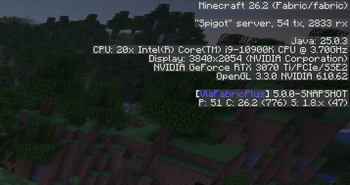
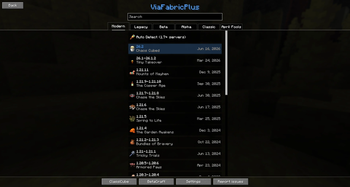
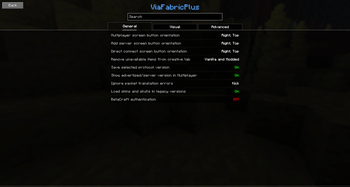
About this Mod
ViaFabricPlus
Minecraft Fabric mod which allows you to join EVERY Minecraft server version (Classic, Alpha, Beta, Release, April Fools, Bedrock)

ViaFabricPlus is a Minecraft mod for Fabric that builds on
the ViaVersion plugin.
It lets you connect to servers from almost every Minecraft version while fixing issues that the original project
couldn’t.
These fixes make older servers feel much closer to how they originally played, with improvements to movement, block and
entity interactions, graphics, and more. In short, it recreates the classic Minecraft experience on today’s client.
Bedrock Edition
Support for Minecraft: Bedrock Edition servers and Realms is available through the separate
ViaFabricPlus Bedrock addon, which is based on
ViaBedrock.
Important to know
- Works only with the newest Minecraft client version
- Runs only on Fabric. (There won't be a Forge or NeoForge version)
- Multiplayer only – it does not affect singleplayer worlds
- Clientside only - it does not run on Multiplayer servers
- No cross-version resource packs – resource packs from older versions are not supported
- If you want to play using older Minecraft clients, you should use the original ViaFabric instead.
For a detailed comparison between the two projects, check out the ViaFabric vs ViaFabricPlus section.
How to use
- Step-by-step installation and usage guide
- Found a bug? Please report it on the issue tracker
- Got questions? Join the ViaVersion Discord
Supported Client versions
| Version | Feature Updates | Bug Fixes |
|---|---|---|
| Minecraft 26.3 | Yes | Yes |
| Minecraft 26.2 | No | Yes |
| Minecraft 26.1.x (and older) | No | No |
Supported Server versions
- Release (1.0.0–26.3*)
- Beta (b1.0 – b1.8.1)
- Alpha (a1.0.15 – a1.2.6)
- Classic (c0.0.15 – c0.30 including CPE)
- April Fools (3D Shareware, 20w14infinite, 25w14craftmine)
- Combat Snapshots (Combat Test 8c)
- Bedrock Edition 1.26.20 (Some features are missing)
*Support for new Mojang releases is usually added within a few days
For Developers & Contributors
Credits
Huge thanks to all our contributors who made this
project possible.
Disclaimer
We cannot guarantee this mod will be allowed on every server.
Some servers may treat it as suspicious and flag it with anti-cheat plugins.
Use responsibly and at your own risk!
Partnership with RocketNode Hosting
RocketNode provides top-tier server hosting worldwide, allowing you to set up your server with just a few clicks! Their intuitive dashboard makes server management a breeze, and you can even schedule automatic restarts without needing any coding knowledge.
Use the code ENZA to get 25% off your first month on any of their gaming servers. Get started here: https://rocketnode.com/enza
Available Versions
How to Install ViaFabricPlus on Your Client
Install the Mod Loader Locally
Install fabric for your local Minecraft version.
Download the Matching File
Choose the ViaFabricPlus file for fabric and Minecraft 26.3.
Install Mod
Place the .jar file in your local .minecraft/mods folder and restart Minecraft. No server-side installation is required.
Compatibility
Mod Loaders
Minecraft Versions
26.3, 26.2, 26.1.2 (+23 more)
Server-side
✗ UnsupportedRecommended RAM
4 GB(min. 3 GB)Frequently Asked Questions
Does ViaFabricPlus need to be installed on the Minecraft server?
No. Modrinth marks ViaFabricPlus as unsupported on the server side. Install it only in your local Minecraft mods folder. Your server can remain unchanged unless the mod page lists an additional dependency.
Which version and loader does ViaFabricPlus require?
Use a file for fabric, quilt and your exact Minecraft version. Supported versions include 26.3, 26.2, 26.1.2. Files for different loaders are not interchangeable.
ViaFabricPlus is not working – what should I check?
First check the Minecraft version, loader version and required dependencies. Put the .jar file in your local .minecraft/mods folder and remove older duplicates. Because this mod is client-side, adding server RAM will not fix it.
Similar Mods





Minecraft Server for Your Group
ViaFabricPlus stays on your client. Host a compatible world for your group.