
Quantum Freedom 3
Quantum Freedom 3 is a sandbox style 1.21 Quilt/Fabric based modpack about relaxing and having fun alone or with friends! Build, Destroy or Control the world! (Public SMP Server Available Now!)
Screenshots
Über dieses Modpack
Summary
Quantum Freedom 2 is a successor to the Technical Electrical Modpack Series. The pack allows you to create anything you can imagine in your worlds. You can build machines that can allow you to take control of the world or embrace nature and magic to integrate yourself into the world and its biomes. Quantum Freedom's philosophy is that one mod for one use, which helps keep the pack light by not including mods without a reason for them, they are all carefully chosen to help keep resource usage low, while having a fun modded experience. Quantum Freedom is about having fun in a modded environment. A minimal stress modpack, just kickback and relax with friends!
Mods
Quantum Freedom contains many mods including:
Bewitchment
Botania
Create
Modern Industrialization
The Bumblezone
And much more! Other included mods can be seen in the file dependencies
Server
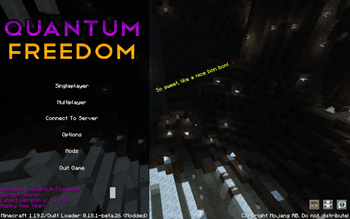
The Public SMP Server can be accessed by the 'connect to server' button on the main menu. Temporarily unavailable due to some issues the server will return with QF3!
QF2 Server can be installed using superpack and installing the file that is alongside the client modpack.
Server Package QF1: https://drive.google.com/file/d/19eyXNSPoA4VnmhOF2ldXC0mSFmG7GBa9/view?usp=share_link
This pack has also been optimised for Steam Deck, the only thing you have to do is assign key bindings, but it works and performs well on the Steam Deck.
Sponsored by Meloncube
Verfügbare Versionen
Quantum Freedom 3 Server einrichten
Server bestellen
Wähle mindestens 6 GB RAM (10 GB empfohlen für Quantum Freedom 3). Je nach Spieleranzahl: +1 GB pro 4 Spieler.
Modpack im Dashboard installieren
Öffne den Modpack-Browser im Dashboard, suche nach "Quantum Freedom 3" und klicke "Installieren". Der fabric-Loader und Minecraft 26.2 werden automatisch konfiguriert.
Server starten & spielen
Starte den Server – alle Mods werden automatisch geladen. Teile die Server-IP mit Freunden und spielt zusammen!
Häufige Fragen
Quantum Freedom 3 Server crasht oder startet nicht – was tun?
Häufigste Ursachen: zu wenig RAM oder falscher fabric-Loader. Prüfe latest.log auf "OutOfMemoryError" → erhöhe RAM auf mindestens 10 GB. Bei "Mixin" oder "ClassNotFoundException": Modpack-Version und Loader stimmen nicht überein. Bei Mado Hosting werden Loader und Minecraft-Version beim Modpack-Install automatisch konfiguriert – das verhindert die meisten Startprobleme.
Wie viel RAM braucht ein Quantum Freedom 3 Server wirklich?
Minimum 6 GB, empfohlen 10 GB für stabile Performance. +1 GB pro 4 Spieler. Wichtig: Minecraft-Modpacks brauchen mehr RAM als Vanilla – plane pro zusätzlichem Spieler extra ein. Bei Mado Hosting kannst du den RAM jederzeit live hochskalieren, ohne Datenverlust (ab €7.800000000000001/Monat).
Kann ich eigene Mods zu Quantum Freedom 3 hinzufügen, ohne Konflikte?
Ja, aber achte auf die Kompatibilität: Nutze nur Mods für den gleichen Loader (fabric) und die gleiche Minecraft-Version (26.2). Häufige Probleme: ID-Konflikte bei Rezept-Mods und inkompatible Coremod-Versionen. Im Mado Dashboard zeigt der Mod-Browser nur kompatible Mods an und warnt bei bekannten Konflikten.
Quantum Freedom 3 Server laggt – Performance-Tipps
1) RAM auf 10 GB+ erhöhen. 2) Server-View-Distance auf 8 reduzieren (server.properties). 3) Pre-Generiere Chunks mit dem "Chunky" Plugin. 4) Prüfe mit /spark profiler welche Mods die meiste Tick-Time verbrauchen. Bei Mado Hosting laufen alle Server auf NVMe-SSDs mit dedizierten CPU-Kernen – das eliminiert Hardware als Engpass.
Ähnliche Modpacks
![Better MC [FABRIC] - BMC2](https://cdn.modrinth.com/data/shFhR8Vx/a19c2bcb51d38f32f138d3607e91cb2b7b8e387f_96.webp)
![Better MC [FORGE] - BMC4](https://cdn.modrinth.com/data/4BV47HRn/7f5ef7cc61b2593609aabef3ed07a866a4f11b73_96.webp)


Quantum Freedom 3 Server mieten
Starte deinen eigenen Server mit automatischer Modpack-Installation.
Details
- Lizenz
- GNU Lesser General Public License v3.0 only
- Server-seitig
- Erforderlich
- Client-seitig
- Erforderlich
Unterstützte Versionen
Starte deinen Quantum Freedom 3 Server jetzt
Ab €7.80/Monat; für die beste Performance werden 10 GB RAM empfohlen.
Server konfigurieren →