
All The Compatibility
Adds new recipes to use ores from AllTheOres in machines of other mods. In order to standardize everything!
Screenshots
Über diese Mod


.svg?badge_style=flat)


📖 Description
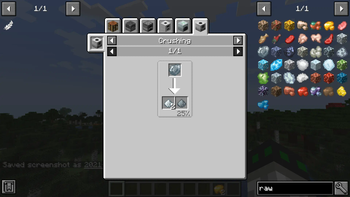
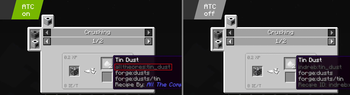
This mod aims to make AllTheOres compatible with the machines of all tech mods by adding all missing recipes for all available ores and making sure that as far as possible the ores/ingots/dusts/... from AllTheOres are used!
No more 5 different tin ingots or missing recipes!
Adds more than 3.000 recipes!

📷 Presentation


🗃️ Dependencies
Required:
- All the Ores
- Blast Furnace, Furnace, Smithing Tables, dust conversion recipes, clump conversion recipes
Supported:
- Assembly Line Machines
- Grinder, Alloy Smelter, Fluid Bath, Fluid Mixer, Metal Shaper, Pneunmatic Press
- Create
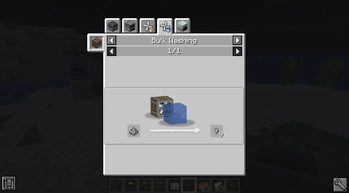
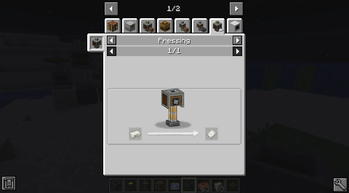
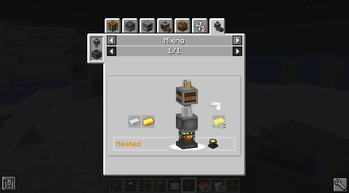
- Crushing Wheel, Mixer, Press, Crafter, Bulk Blasting, Bulk Washing, Spout
- Voluminous Energy
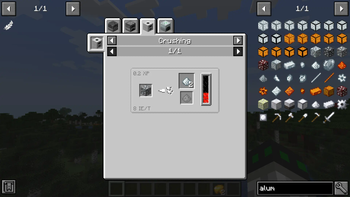
- Crusher, Centrifugal Seperation, Implosion Compressor, Industrial Blast Furnace
- Industrial Reborn
- Crusher, Compressor, Alloy Smelter, Hammer, Scanner, Rolling Machine, Scrapbox, Ore Washing
- FTB Industrial Contraptions
- Macerator, Extruder, Centrifuge, Rolling Machine
- Energized Power
- Pulverizer, Alloy Furnace, Compressor, Metal Press, Filtration Plant, Crystal Growth Chamber, FLuid Transposer
- Modern Industrialization
- Assembler, Centrifuge, Mixer, Compressor, Cutting Machine, Forge Hammer, Macerator, Packer, Unpacker, Implosion Compressor
- OriTech
- Atomic Forge, Centrifuge, Foundry, Deep Drill, Fragment Forge, Pulverizer, Particle Accelerator
- Ad Astra
- Compressor, Alloy Smelter, Hammer
- Applied Energistics 2
- Transform
- Botania
- Orechid, Ignem Orechid, Mana Infusion
- Cyclic
- Crusher, Melter, Solidifier
- Plain Grinder
- Grinder
- Simple Grinder
- Grinder
- Replication
- Matter values
- Allthemodium
- support of the metals for all machines
- Immersive Engineering
- Bottling Machine, added by ATO: [Alloy Smelter, Arc Furnace, Crusher, Metal Press]
- Mekanism
- added by ATO: [Crusher, Chemical Crystallizer, Chemical Washer, Injection Chamber, Purification Chamber, Enrichment Chamber, Chemical Conversion]
- Ender IO
- added by ATO: [Alloy Smelter, Sag Mill]
- Actually Additions
- added by ATO: [Crusher]
When ATO is installed, all ores of the other mods that are already included in ATO, should be turned off in the configs.
Disclaimer: Me and this mod are not a direct part of the ATM-team
🎮 My other mods!







Verfügbare Versionen
All The Compatibility auf dem Server installieren
Server bestellen
Bestelle einen Minecraft Java Server mit mindestens 3 GB RAM (4 GB empfohlen).
forge Loader setzen
Wähle im Panel unter "Egg" den forge-Loader und die passende Minecraft-Version (1.21.1).
Mod installieren
Öffne den Mod-Browser im Dashboard und suche nach "All The Compatibility". Klicke "Installieren" – fertig! Alternativ: Lade die .jar via SFTP in den /mods Ordner.
Kompatibilität
Mod-Loader
Minecraft-Versionen
1.21.1, 1.21, 1.20.2 (+8 weitere)
Server-seitig
✓ ErforderlichEmpfohlener RAM
4 GB(min. 3 GB)Häufige Fragen
All The Compatibility Server crasht beim Start – was tun?
Häufigste Ursache: falsche forge-Version oder zu wenig RAM. Prüfe im Server-Log (latest.log), ob ein "OutOfMemoryError" oder "Mixin"-Fehler auftritt. Bei Mado Hosting: Stelle sicher, dass mindestens 3 GB RAM zugewiesen sind und der Loader zur Mod-Version passt (1.21.1). Über das Panel kannst du den Loader mit einem Klick wechseln.
Ist All The Compatibility mit forge und neoforge kompatibel?
All The Compatibility unterstützt offiziell forge, neoforge für Minecraft 1.21.1, 1.21, 1.20.2. Im Mado Dashboard werden inkompatible Loader-Kombinationen automatisch erkannt.
Server laggt mit All The Compatibility – wie optimiere ich die Performance?
Empfohlener RAM: 4 GB (+1 GB pro 8 Spieler). Prüfe mit /spark profiler, ob All The Compatibility den meisten Tick-Time verbraucht. Häufige Fixes: Server-View-Distance auf 8-10 reduzieren, bei Forge "performant" oder "starlight" als Zusatz-Mod installieren. Bei Mado Hosting läuft dein Server auf NVMe-SSDs mit dedizierten CPU-Kernen für minimale Latenz.
Ähnliche Mods






Modded Server mieten
Installiere All The Compatibility mit nur einem Klick auf deinem Server.