
Dynamic FPS
Reduce resource usage while Minecraft is in the background, idle, or on battery.
Screenshots
Über diese Mod
Dynamic FPS
Reduce resource usage while Minecraft is in the background, idle, or on battery.
Features
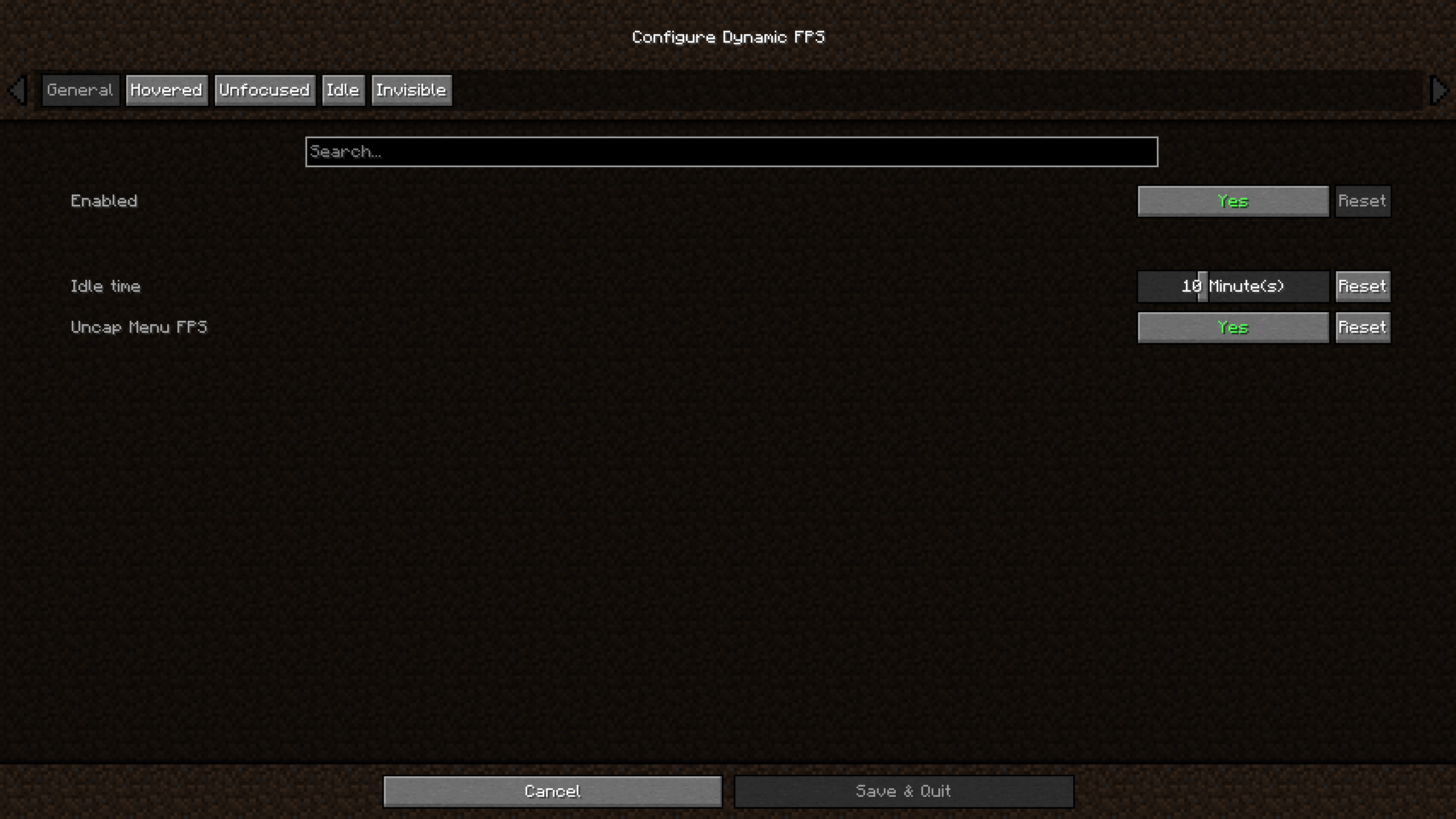
Dynamic FPS will detect whether the Minecraft window is currently active, being hovered over, unfocused, or invisible.
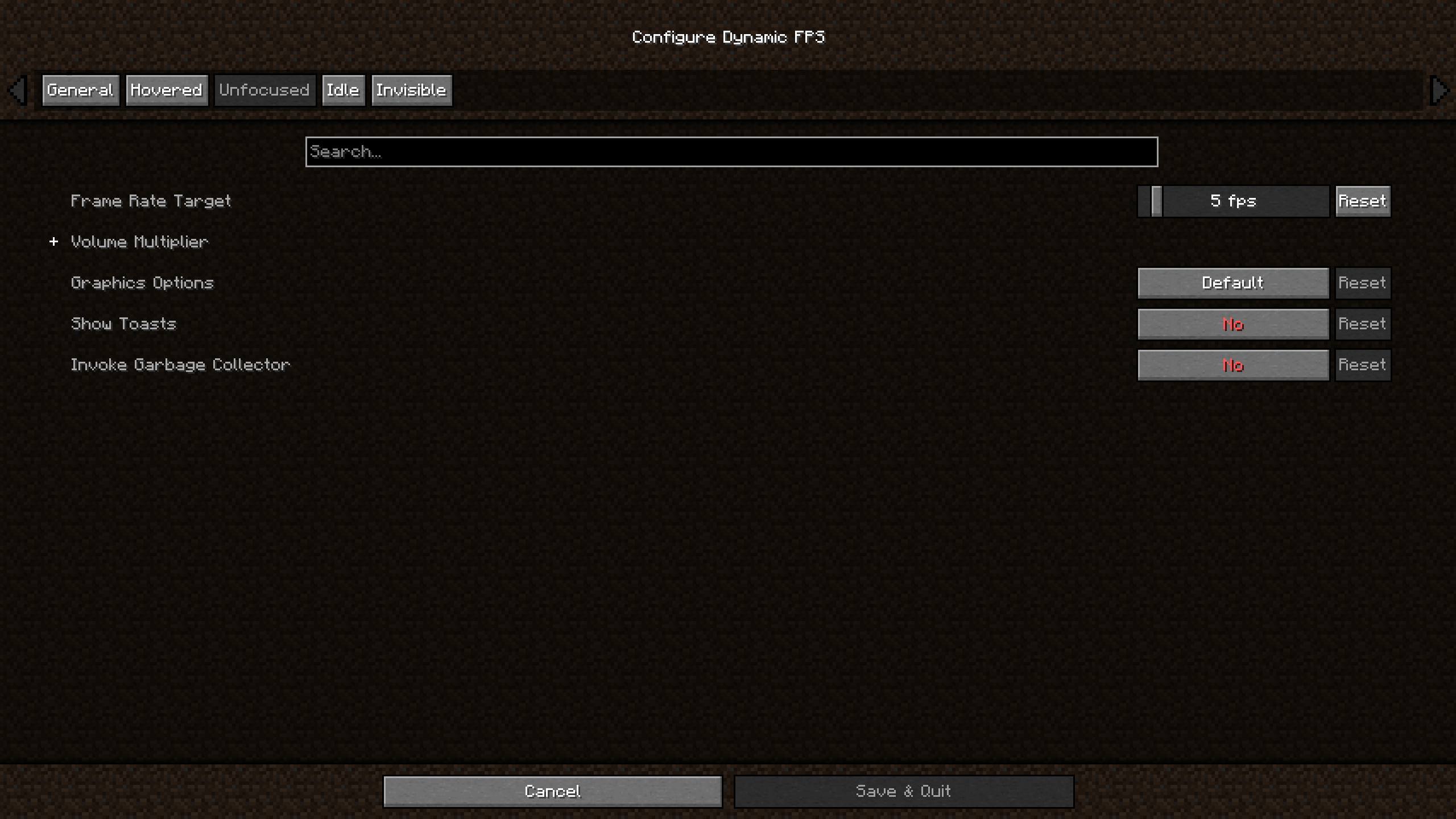
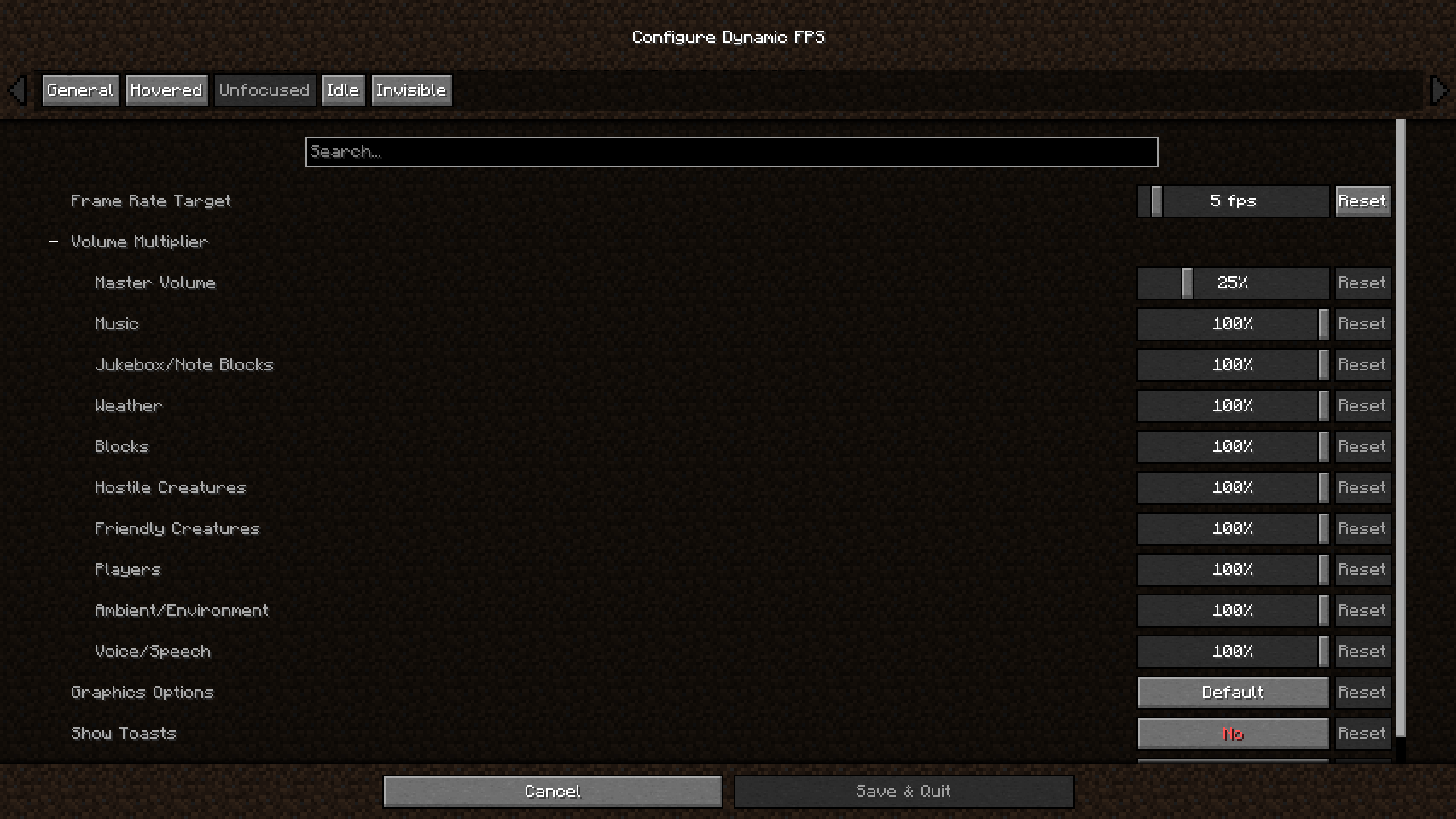
For each of these states you're able to adjust the frame rate, volume, and whether toast notifications are temporarily paused.
You can also configure these settings for when you're idling (with a custom timeout) or while your laptop / handheld is on battery.
Optionally you may also display the current battery status on the in-game HUD and receive toast notifications about battery activity.
In addition to this Dynamic FPS fixes a vanilla bug causing higher-than-necessary background CPU usage and stops
rendering the world while it's being obscured by resource loading overlay, helping especially on low-end systems.
Installation
Dynamic FPS is available for download on GitHub, Modrinth, and CurseForge.
To access the in-game config screen you'll also need to install Mod Menu and Cloth Config.
Frequently Asked Questions
- Why is Minecraft still running at 15 FPS?
Dynamic FPS will only slow the client render loop to a minimum of 15 cycles per second.
Lower frame rates are achieved by then cancelling the rendering of all superfluous frames, e.g. 14 out of 15 frames are cancelled for 1 FPS.
This lets you resume playing almost instantly after switching back to the game:
Instead of having to wait for up to a second until the next rendered frame comes along, the game checks back within 1/15th of a second.
Disclaimer
Enabling the battery integration requires downloading an additional library at runtime.
The mod contains the hashes for these files ahead of time and will verify them before usage.
You may disable this behavior in the mod's settings, or install the library yourself if you wish.
Verfügbare Versionen
Dynamic FPS auf deinem Client installieren
Mod-Loader lokal installieren
Installiere fabric für deine lokale Minecraft-Version.
Passende Datei herunterladen
Wähle die Dynamic FPS-Datei für fabric und Minecraft 26.3.
Mod installieren
Lege die .jar-Datei in deinem lokalen .minecraft/mods-Ordner ab und starte Minecraft neu. Eine Installation auf dem Server ist nicht nötig.
Kompatibilität
Mod-Loader
Minecraft-Versionen
26.3, 26.2, 26.1.2 (+187 weitere)
Server-seitig
✗ Nicht unterstütztEmpfohlener RAM
4 GB(min. 3 GB)Häufige Fragen
Muss Dynamic FPS auf dem Minecraft Server installiert werden?
Nein. Modrinth kennzeichnet Dynamic FPS serverseitig als nicht unterstützt. Installiere die Mod nur im lokalen Minecraft-Mods-Ordner. Dein Server kann unverändert bleiben, sofern die Mod-Seite keine zusätzliche Abhängigkeit nennt.
Welche Version und welchen Loader braucht Dynamic FPS?
Nutze eine Datei für fabric, forge, neoforge, quilt und exakt deine Minecraft-Version. Unterstützte Versionen sind unter anderem 26.3, 26.2, 26.1.2. Loader-Dateien sind nicht untereinander austauschbar.
Dynamic FPS funktioniert nicht – was kann ich prüfen?
Prüfe zuerst Minecraft-Version, Loader-Version und erforderliche Abhängigkeiten. Lege die .jar-Datei im lokalen .minecraft/mods-Ordner ab und entferne ältere Duplikate. Da die Mod clientseitig ist, löst mehr Server-RAM dieses Problem nicht.
Ähnliche Mods






Minecraft Server für deine Gruppe
Dynamic FPS bleibt auf deinem Client. Hoste dazu eine kompatible Welt für deine Mitspieler.