
Anytag
Place tags on anything, anywhere!
Screenshots
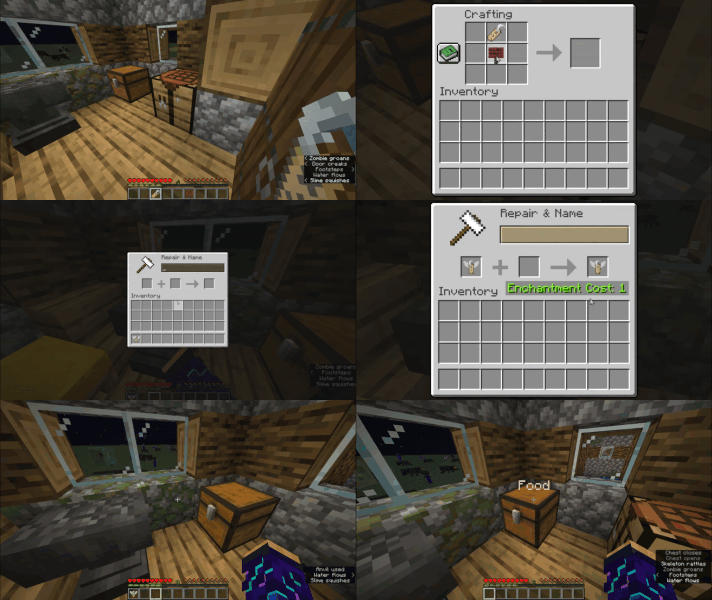
Über diese Mod
Anytag Datapack (Tag Anything, Anywhere)
Have you ever wanted to place name tags on anything? Now you can! Anytag is a Minecraft Datapack which allows players to craft a special Anytag item through a simple recipe. The item is used so any player can right-click on any block with the item in their hand, which will then place flying text where the player is pointing at and simultaneously consume itself.
Crafting
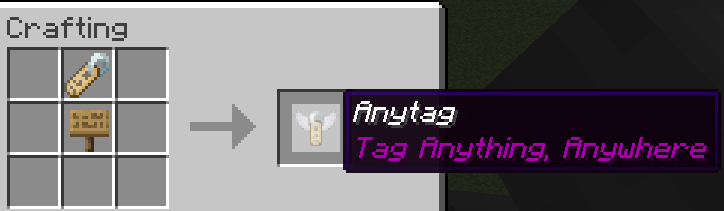
The recipe for crafting the Anytag item is simple. You just need a name tag and a sign of any kind (Dark oak sign, Oak sign, Spruce sign, etc.) and place them in this order:
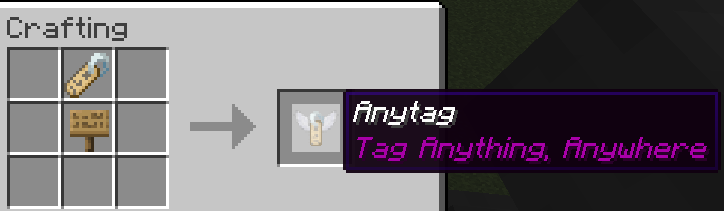
You can rename the Anytag item according to your desires.
Usage
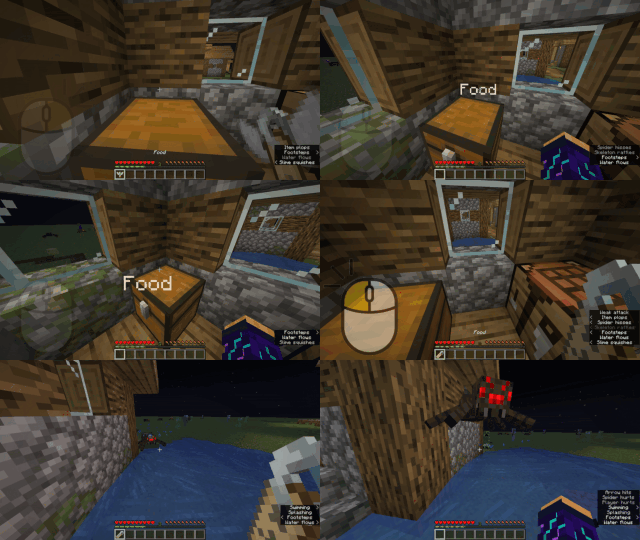
Here is a short depiction of how the Anytag item is crafted and used:
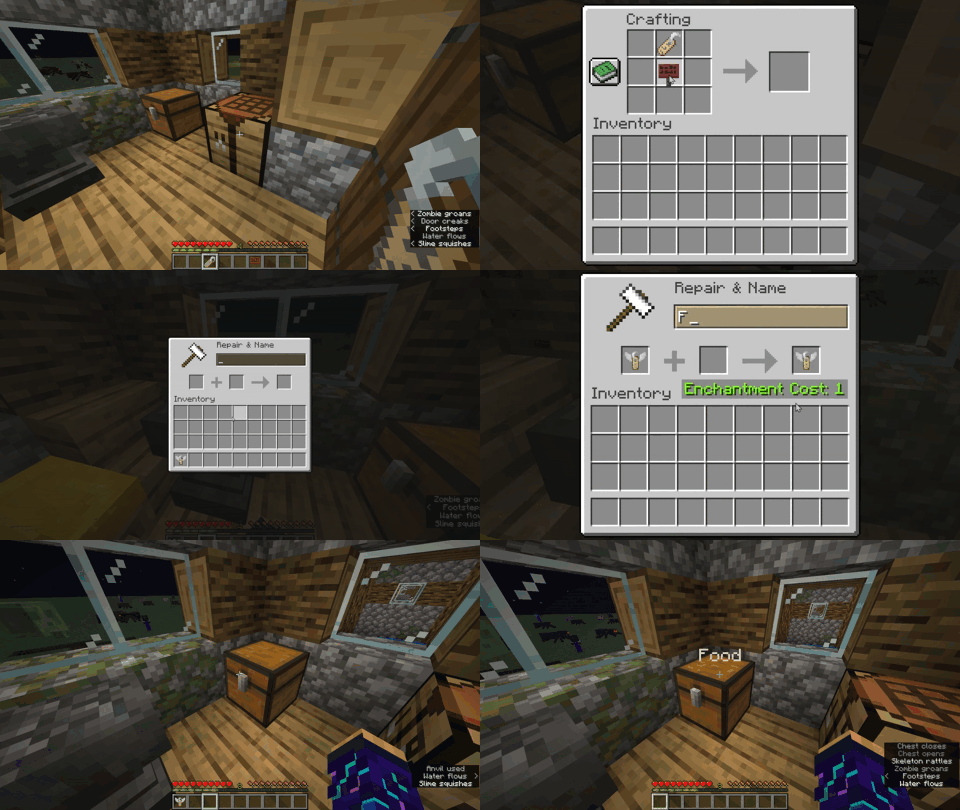
Right-clicking the Anytag item on any block will place flying text with the custom name of Anytag item.
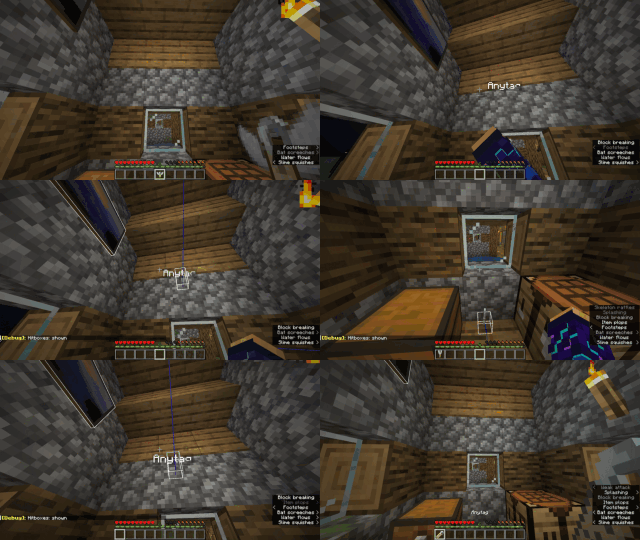
Right-clicking in the middle of flying text will remove the text and drop the previously used Anytag item.
Left-clicking in the middle of flying text will remove the text and drop the name tag item instead of the Anytag item.
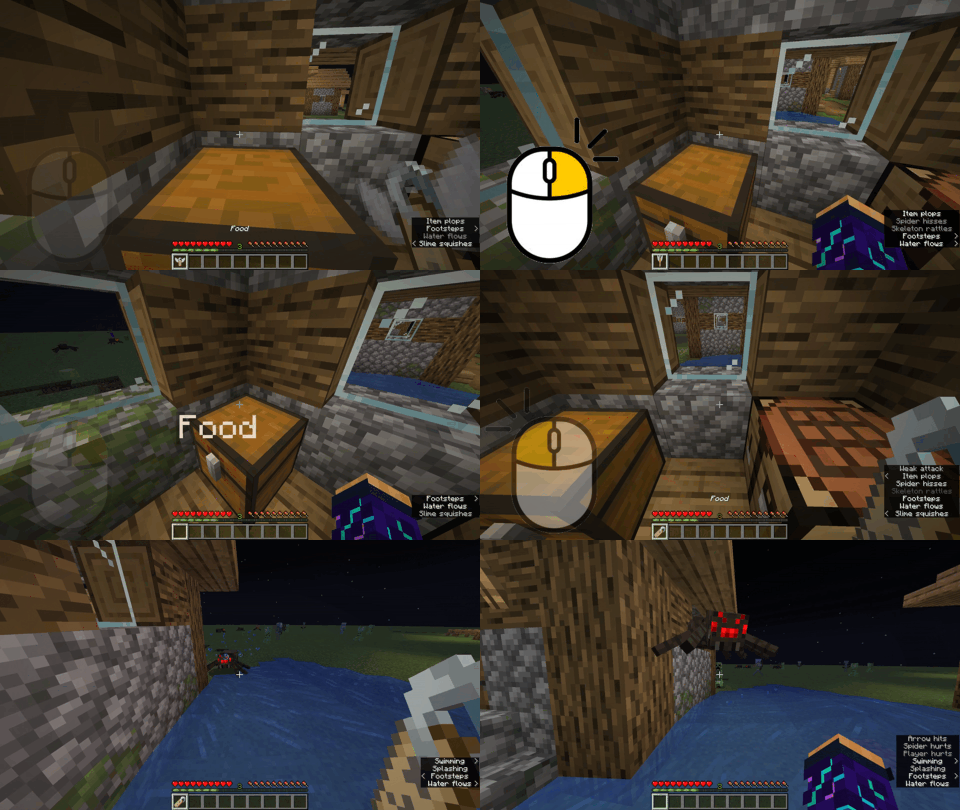
Try pressing
F3 + Bin-game to see the hitbox of the floating text.

Verfügbare Versionen
Anytag auf dem Server installieren
Server bestellen
Bestelle einen Minecraft Java Server mit mindestens 3 GB RAM (4 GB empfohlen).
datapack Loader setzen
Wähle im Panel unter "Egg" den datapack-Loader und die passende Minecraft-Version (1.21).
Mod installieren
Öffne den Mod-Browser im Dashboard und suche nach "Anytag". Klicke "Installieren" – fertig! Alternativ: Lade die .jar via SFTP in den /mods Ordner.
Kompatibilität
Mod-Loader
Minecraft-Versionen
1.21, 1.20.6, 1.20.5 (+6 weitere)
Server-seitig
✓ ErforderlichEmpfohlener RAM
4 GB(min. 3 GB)Häufige Fragen
Anytag Server crasht beim Start – was tun?
Häufigste Ursache: falsche datapack-Version oder zu wenig RAM. Prüfe im Server-Log (latest.log), ob ein "OutOfMemoryError" oder "Mixin"-Fehler auftritt. Bei Mado Hosting: Stelle sicher, dass mindestens 3 GB RAM zugewiesen sind und der Loader zur Mod-Version passt (1.21). Über das Panel kannst du den Loader mit einem Klick wechseln.
Ist Anytag mit datapack und fabric und forge und quilt kompatibel?
Anytag unterstützt offiziell datapack, fabric, forge, quilt für Minecraft 1.21, 1.20.6, 1.20.5. Achtung: Forge- und Fabric-Mods sind NICHT untereinander kompatibel – wähle einen Loader und bleibe dabei. Im Mado Dashboard werden inkompatible Loader-Kombinationen automatisch erkannt.
Server laggt mit Anytag – wie optimiere ich die Performance?
Empfohlener RAM: 4 GB (+1 GB pro 8 Spieler). Prüfe mit /spark profiler, ob Anytag den meisten Tick-Time verbraucht. Häufige Fixes: Server-View-Distance auf 8-10 reduzieren, bei Forge "performant" oder "starlight" als Zusatz-Mod installieren. Bei Mado Hosting läuft dein Server auf NVMe-SSDs mit dedizierten CPU-Kernen für minimale Latenz.
Ähnliche Mods

![[ETF] Entity Texture Features](https://cdn.modrinth.com/data/BVzZfTc1/af683d206d50b05258d865b0d6e4aa2f2cee12f2_96.webp)
![[EMF] Entity Model Features](https://cdn.modrinth.com/data/4I1XuqiY/6e5bbd0d06b1741bfdab6c0cfab6de8fdaf0064c_96.webp)



Modded Server mieten
Installiere Anytag mit nur einem Klick auf deinem Server.