Cactus Mod
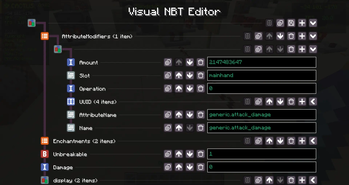
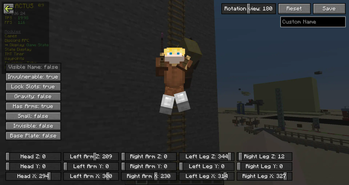
Free customizable Mod to improve Minecraft with unique QoL, Redstone Tools, Survival and Mapmaking features such as ArmorStand and NBT Editor, Capes, more HUD elements, Account Switcher and much more
Screenshots
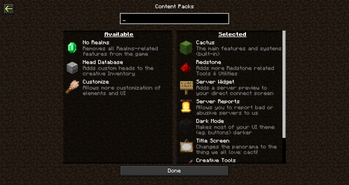
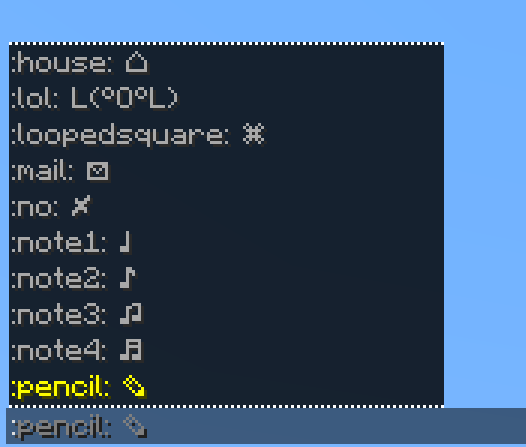
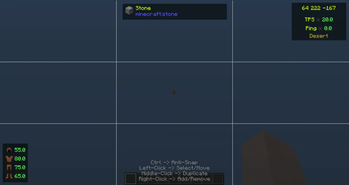
Über diese Mod

Cactus is your go-to toolkit mod, packed with powerful tools, quality of life enhancements, and highly customizable features for all types of players.


By using the mod, you agree to our Terms of Service

Cactus has a big variety of features. The main ones here being toggleable modules and commands (prefixed with '#' by default).
Other features include:
- Custom HUD System & Editor
- Easy creation and management of locally hosted servers
- Some cool non-buyable cosmetics
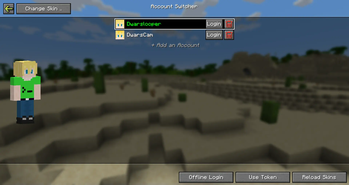
- Account & Skin switcher
- Macros for command execution
- In-game screenshot viewer
For a full feature-overview, check out our Features Page ^^

Addons are a simple way for developers to add their own content to cactus without modification of the mod itself. Currently our Addon system supports these integrations:
- Registering
- Modules
- Commands
- HUD Elements
- HUD Text Presets
- Content Packs
- Configuration Files
- Creating Hooks for Events
- Setting dependencies for other addons
- Define which addons to load before and after
There's currently no official "store" for addons. Making one is on our bucketlist, but some other things have priority over that. You can check our Discord Server for community-made addons
By the way: Our Addon API is fully open-source :)


We like to keep it simple and efficient. The entire UI is kept in Minecraft vanilla style without any overly complex or unsuitable UI designs. You can also enable and disable almost all builtin features as you like, choosing which ones you actually need and which not, preventing any unnesseccary bloat.
I started developing the mod originally as a test project in summer of 2023, which then - without having had a clear goal at that time - just by adding things I found useful or fixing issues that annoyed me, (and later by implementing more ideas from the community) the project became what it is today.
If you have any feature ideas, improvements or found any bugs, check out our Discord Server :)


Have fun!
Verfügbare Versionen
Cactus Mod auf deinem Client installieren
Mod-Loader lokal installieren
Installiere fabric für deine lokale Minecraft-Version.
Passende Datei herunterladen
Wähle die Cactus Mod-Datei für fabric und Minecraft 26.3.
Mod installieren
Lege die .jar-Datei in deinem lokalen .minecraft/mods-Ordner ab und starte Minecraft neu. Eine Installation auf dem Server ist nicht nötig.
Kompatibilität
Mod-Loader
Minecraft-Versionen
26.3, 26.2, 26.1.2 (+9 weitere)
Server-seitig
✗ Nicht unterstütztEmpfohlener RAM
4 GB(min. 3 GB)Häufige Fragen
Muss Cactus Mod auf dem Minecraft Server installiert werden?
Nein. Modrinth kennzeichnet Cactus Mod serverseitig als nicht unterstützt. Installiere die Mod nur im lokalen Minecraft-Mods-Ordner. Dein Server kann unverändert bleiben, sofern die Mod-Seite keine zusätzliche Abhängigkeit nennt.
Welche Version und welchen Loader braucht Cactus Mod?
Nutze eine Datei für fabric, neoforge, quilt und exakt deine Minecraft-Version. Unterstützte Versionen sind unter anderem 26.3, 26.2, 26.1.2. Loader-Dateien sind nicht untereinander austauschbar.
Cactus Mod funktioniert nicht – was kann ich prüfen?
Prüfe zuerst Minecraft-Version, Loader-Version und erforderliche Abhängigkeiten. Lege die .jar-Datei im lokalen .minecraft/mods-Ordner ab und entferne ältere Duplikate. Da die Mod clientseitig ist, löst mehr Server-RAM dieses Problem nicht.
Ähnliche Mods






Minecraft Server für deine Gruppe
Cactus Mod bleibt auf deinem Client. Hoste dazu eine kompatible Welt für deine Mitspieler.