
CB: Compressed Blocks
A Block and Item Compression mod for Minecraft. Compress your Blocks and Items to make more free space (up to 3.486.784.101 Blocks / Items in just one single Block!)
Screenshots
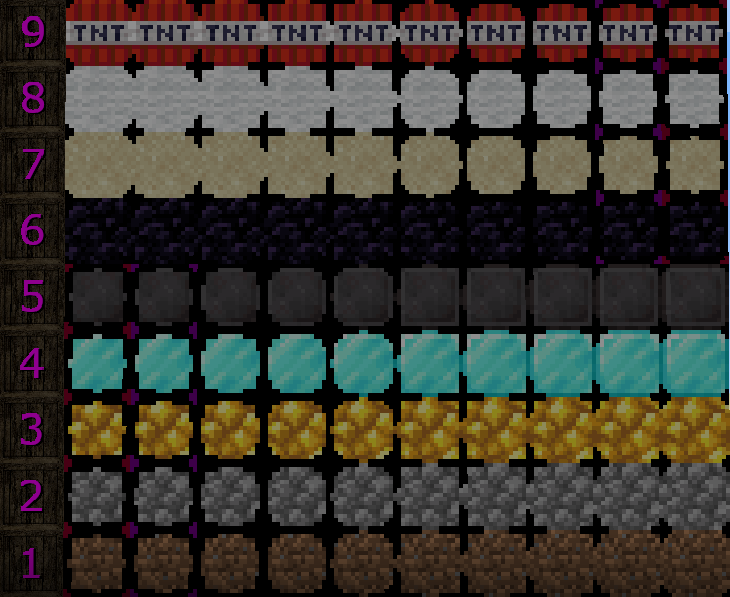

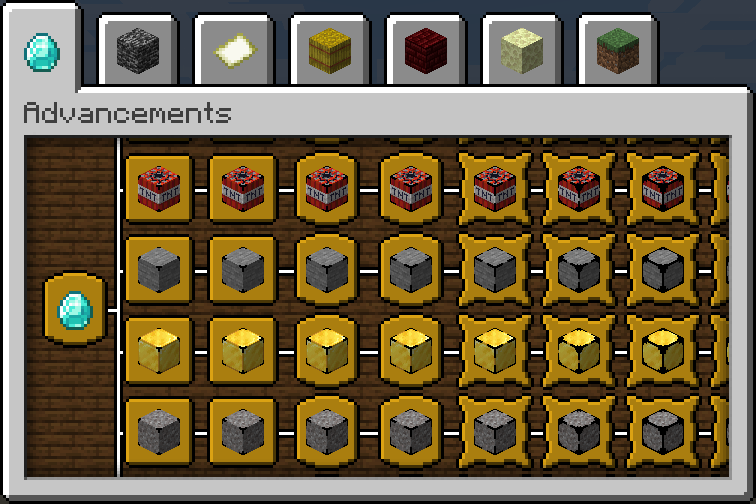
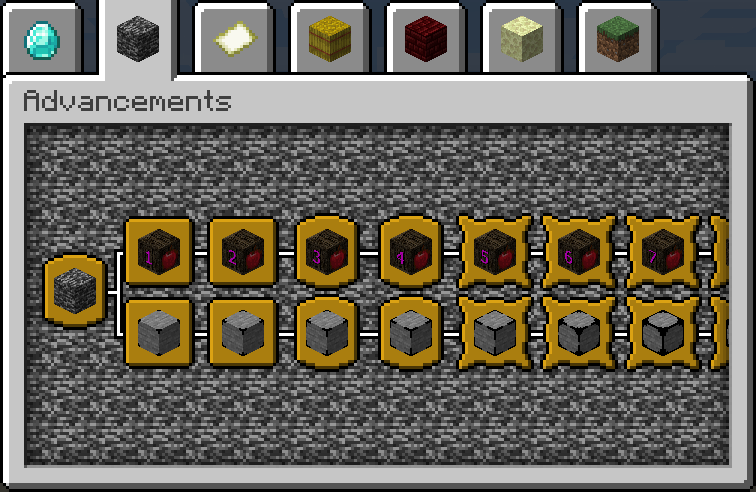
Über diese Mod
CB: Compressed Blocks




Supported Minecraft Versions
| Minecraft Version | Status |
|---|---|
| Latest release | Supported |
| 1.21.2 – 1.21.11 | Archived since 2.0.0 |
| 1.21.1 | Supported |
| 1.20.3 – 1.20.6 | EOL · Archived |
| 1.20.2 | Supported |
| 1.14.1 – 1.19.4 | EOL · Archived |
Backports and Version Requests
Backports and updates for specific Minecraft versions are request-based and are not automatically provided for
every release.If you need CB for a specific Minecraft version, please open an issue requesting the version and specify the required
mod loader.Versions without active maintenance may be marked as archived.
Overview
CB: Compressed Blocks allows players to compress blocks and items into compact variants, significantly reducing the
amount of space they occupy in the world or inventory.
Compression is available in multiple levels, allowing compressed variants to be compressed again. Depending on the
recipe type, each level uses either 3×3 or 2×2 crafting recipes.
With multiple levels of compression, a single maximum-level compressed variant can represent up to 3,486,784,401
blocks or items.
Compressed blocks can be placed in the world, while items can be compressed into crates for compact inventory storage.
Compressed variants can be decompressed through their respective levels to recover the original blocks or items.
Extensible Compression
CB's compression system is not limited to the built-in catalog. Modpack developers and users can add custom blocks and
items by providing the required entry definitions and resources.
Custom entries can also override existing entries by using the same ID. New IDs are added as new entries, while an
existing ID replaces the corresponding built-in entry.
Custom entries can use resources supplied through a resource pack, allowing CB to support blocks and items from other
mods without requiring those mods to be explicitly integrated into CB.
See the Wiki for instructions, configuration details, required
resources, and examples.
Forge Limitations
Due to the design and registry lifecycle of Forge, compression entries cannot be controlled through configuration on
the Forge loader. Blocks and items are therefore always registered on Forge.Custom compression entries are also not supported on Forge, as they require dynamic registry registration, which Forge
does not support.These limitations apply only to Forge. Fabric and NeoForge support configurable compression entries and custom entries.
Installation
- Download the mod from CurseForge
or Modrinth. - Install the appropriate Fabric, Forge, or NeoForge loader for your Minecraft version.
- Fabric requires Fabric API
(CurseForge | Modrinth). - Requires Forge Config API Port
(CurseForge | Modrinth).
- Fabric requires Fabric API
- Place the downloaded mod
.jarfile into themodsfolder. - Launch Minecraft.
Custom entries: If you are using custom compression entries, the additional entry definitions and required
resource-pack assets must be supplied separately. See the Wiki for setup
instructions.
Make sure the mod version matches both your Minecraft version and mod loader.
Features
- Block Compression - Compress blocks into compact variants to reduce their space requirements.
- Item Compression - Compress items into crates to reduce inventory usage.
- Multiple Compression Levels - Compressed variants can be compressed again through multiple levels.
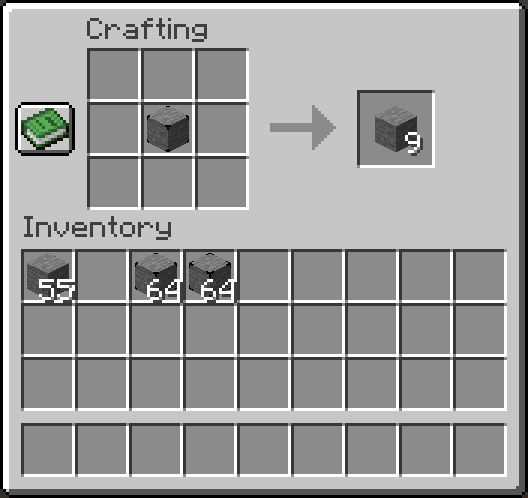
- Normal Compression - Uses a 3×3 recipe, combining 9 blocks or items into one compressed variant.
- Small Compression - Uses a 2×2 recipe for blocks or items that already have a 3×3 crafting recipe.
- Large-Scale Storage - Store up to 3,486,784,401 original blocks or items in a single maximum-level variant.
- Vanilla Crafting - Compression and decompression use the standard crafting grid.
- Decompression - Recover the original blocks or items by decompressing through their respective levels.
- Custom Entries - Add custom blocks and items through user-provided entry definitions and resources.
Built-in Blocks and Crates
See the Blocks
and Crates catalogs for the built-in blocks
and crates included with CB.
Custom entries are not included in these catalogs. See the Wiki for
information on extending CB with additional entries.
Usage
Compressing Blocks and Items
CB provides two compression recipes depending on the item or block being compressed.
Normal Compression
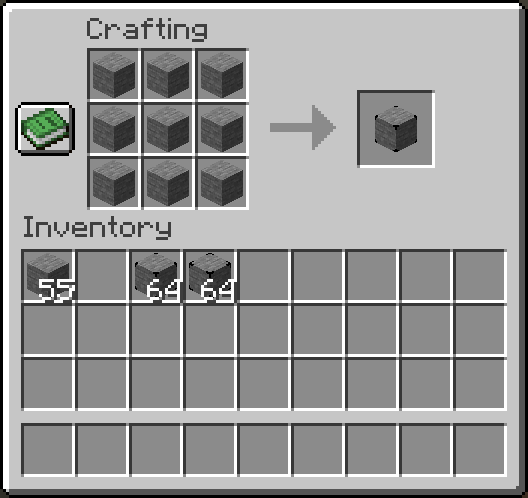
Normal compression uses a 3×3 crafting recipe:
- Place 9 of the same block or item into the crafting grid.
- Craft the resulting compressed variant.
The compressed variant can then be compressed again to reach the next compression level.
Small Compression
For blocks and items that already have a 3×3 vanilla crafting recipe, CB provides a smaller 2×2 compression
recipe:
- Place 4 of the same block or item into the crafting grid.
- Craft the resulting compressed variant.
This allows those materials to be compressed without requiring a larger 3×3 recipe and keeps their existing vanilla
crafting recipes available.
Decompressing
- Place the compressed block or item crate into the player's crafting inventory or a crafting table.
- The compressed variant will decompress by one level.
- Repeat the process to continue decompression until the original blocks or items are recovered.
Contributing
If you would like to contribute to the development of this mod, please fork the repository, make your changes, and
submit a pull request.
For larger changes, new features, or additional Minecraft version support, consider opening an issue first to discuss
the proposed changes.
Support
For bug reports, feature requests, or version requests, please open an issue on GitHub.
For questions, general discussion, or community support, please join our Discord server.
When requesting a backport or update, please specify the exact Minecraft version.
License
This mod is licensed under the MIT License. See the LICENSE file for the full license text.
Verfügbare Versionen
CB: Compressed Blocks auf dem Server installieren
Server bestellen
Bestelle einen Minecraft Java Server mit mindestens 3 GB RAM (4 GB empfohlen).
fabric Loader setzen
Wähle im Panel unter "Egg" den fabric-Loader und die passende Minecraft-Version (1.21.11).
Mod installieren
Öffne den Mod-Browser im Dashboard und suche nach "CB: Compressed Blocks". Klicke "Installieren" – fertig! Alternativ: Lade die .jar via SFTP in den /mods Ordner.
Kompatibilität
Mod-Loader
Minecraft-Versionen
1.21.11, 1.21.10, 1.21.9 (+26 weitere)
Server-seitig
✓ ErforderlichEmpfohlener RAM
4 GB(min. 3 GB)Häufige Fragen
CB: Compressed Blocks Server crasht beim Start – was tun?
Häufigste Ursache: falsche fabric-Version oder zu wenig RAM. Prüfe im Server-Log (latest.log), ob ein "OutOfMemoryError" oder "Mixin"-Fehler auftritt. Bei Mado Hosting: Stelle sicher, dass mindestens 3 GB RAM zugewiesen sind und der Loader zur Mod-Version passt (1.21.11). Über das Panel kannst du den Loader mit einem Klick wechseln.
Ist CB: Compressed Blocks mit fabric und forge und neoforge kompatibel?
CB: Compressed Blocks unterstützt offiziell fabric, forge, neoforge für Minecraft 1.21.11, 1.21.10, 1.21.9. Achtung: Forge- und Fabric-Mods sind NICHT untereinander kompatibel – wähle einen Loader und bleibe dabei. Im Mado Dashboard werden inkompatible Loader-Kombinationen automatisch erkannt.
Server laggt mit CB: Compressed Blocks – wie optimiere ich die Performance?
Empfohlener RAM: 4 GB (+1 GB pro 8 Spieler). Prüfe mit /spark profiler, ob CB: Compressed Blocks den meisten Tick-Time verbraucht. Häufige Fixes: Server-View-Distance auf 8-10 reduzieren, bei Forge "performant" oder "starlight" als Zusatz-Mod installieren. Bei Mado Hosting läuft dein Server auf NVMe-SSDs mit dedizierten CPU-Kernen für minimale Latenz.
Ähnliche Mods






Modded Server mieten
Installiere CB: Compressed Blocks mit nur einem Klick auf deinem Server.