Compacting
An intelligent compact chat mod
Über diese Mod
Compacting
An intelligent compact chat mod for Fabric, inspired by the behavior of same feature from Patcher.
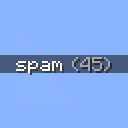
Instead of having a few dozen separate chat messages consisting of the same message, this mod compacts them into one message with a counter showing the amount of times that the message was repeated.
Why Compacting?
This differs from other mods like Chat Patches and Compact Chat in a few ways:
- It does one thing, and aims to do that one thing well
- Messages are compacted based on how long ago they were last seen, instead of by comparing nearby chat messages
- It correctly handles dividers sent across multiple chat messages (like the ones sent by Hypixel):

Configuration
If both Mod Menu and YACL are installed, the mod provides a few configuration options to control when a message should be compacted, as well as an optional setting to remove blank chat messages.
Verfügbare Versionen
Compacting auf deinem Client installieren
Mod-Loader lokal installieren
Installiere fabric für deine lokale Minecraft-Version.
Passende Datei herunterladen
Wähle die Compacting-Datei für fabric und Minecraft 26.3.
Mod installieren
Lege die .jar-Datei in deinem lokalen .minecraft/mods-Ordner ab und starte Minecraft neu. Eine Installation auf dem Server ist nicht nötig.
Kompatibilität
Mod-Loader
Minecraft-Versionen
26.3, 26.2, 26.1.2 (+22 weitere)
Server-seitig
✗ Nicht unterstütztEmpfohlener RAM
4 GB(min. 3 GB)Häufige Fragen
Muss Compacting auf dem Minecraft Server installiert werden?
Nein. Modrinth kennzeichnet Compacting serverseitig als nicht unterstützt. Installiere die Mod nur im lokalen Minecraft-Mods-Ordner. Dein Server kann unverändert bleiben, sofern die Mod-Seite keine zusätzliche Abhängigkeit nennt.
Welche Version und welchen Loader braucht Compacting?
Nutze eine Datei für fabric und exakt deine Minecraft-Version. Unterstützte Versionen sind unter anderem 26.3, 26.2, 26.1.2. Loader-Dateien sind nicht untereinander austauschbar.
Compacting funktioniert nicht – was kann ich prüfen?
Prüfe zuerst Minecraft-Version, Loader-Version und erforderliche Abhängigkeiten. Lege die .jar-Datei im lokalen .minecraft/mods-Ordner ab und entferne ältere Duplikate. Da die Mod clientseitig ist, löst mehr Server-RAM dieses Problem nicht.
Ähnliche Mods






Minecraft Server für deine Gruppe
Compacting bleibt auf deinem Client. Hoste dazu eine kompatible Welt für deine Mitspieler.