
Modrinth · Fabric, Forge, NeoForge
Create: Copycats+ auf deinem Minecraft Server
Create: Copycats+ läuft auf Minecraft Servern mit Fabric oder Forge oder NeoForge. Bestell deinen Server, stell den Loader im Panel ein und installiere die Mod mit einem Klick im Mod-Browser.
All the copycats you've ever wanted, combined into a single mod!
- Downloads
- 11.3M
- Autor
- –
- Loader
- Fabric, Forge, NeoForge
- Minecraft
- 1.18.2 – 1.21.1
- Aktualisiert
- –
Screenshots
So sieht Create: Copycats+ aus
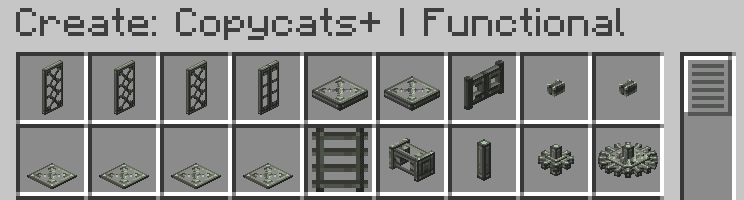
 Inventory - Functional
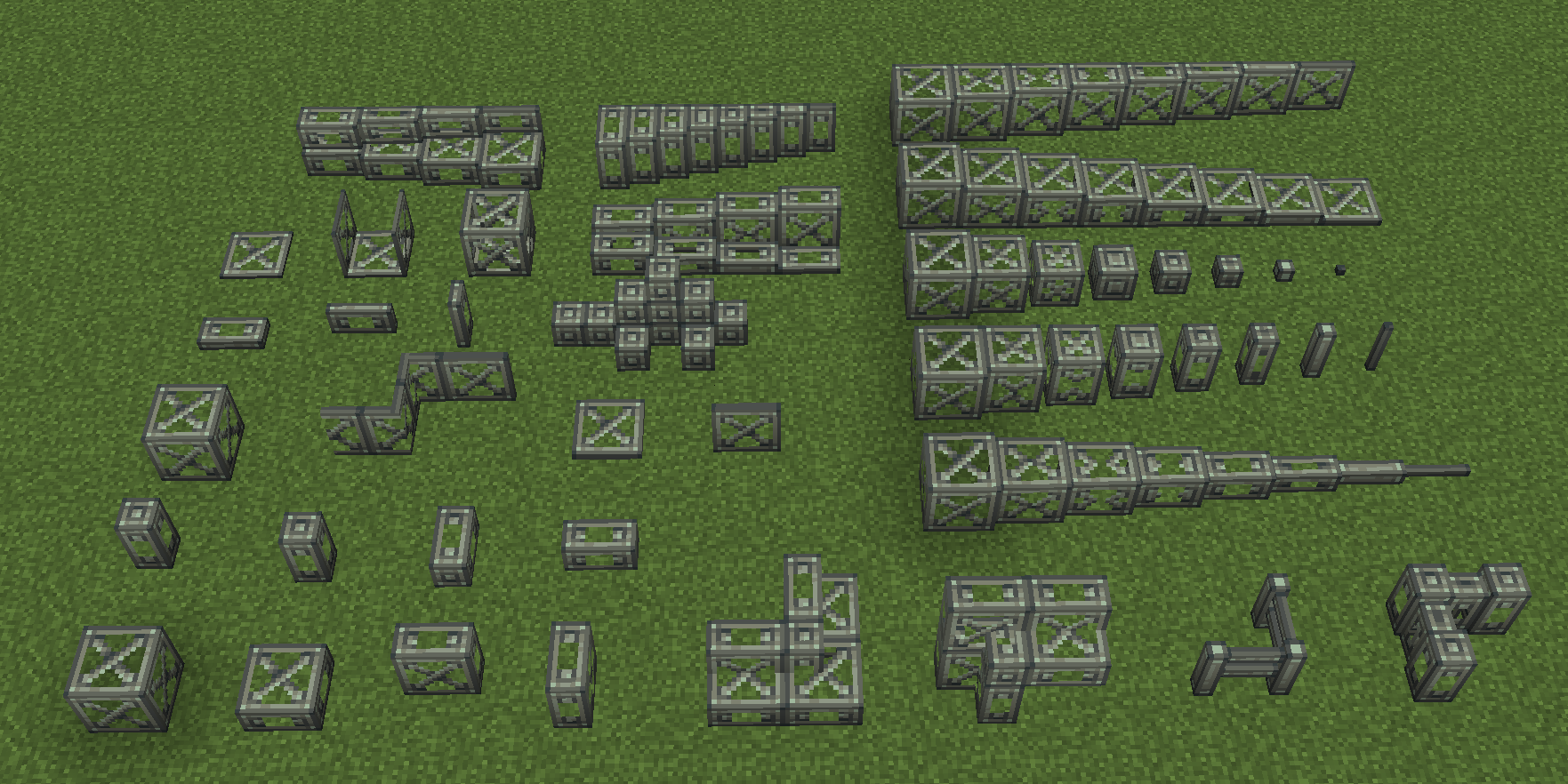 All decorative copycats in v2.2
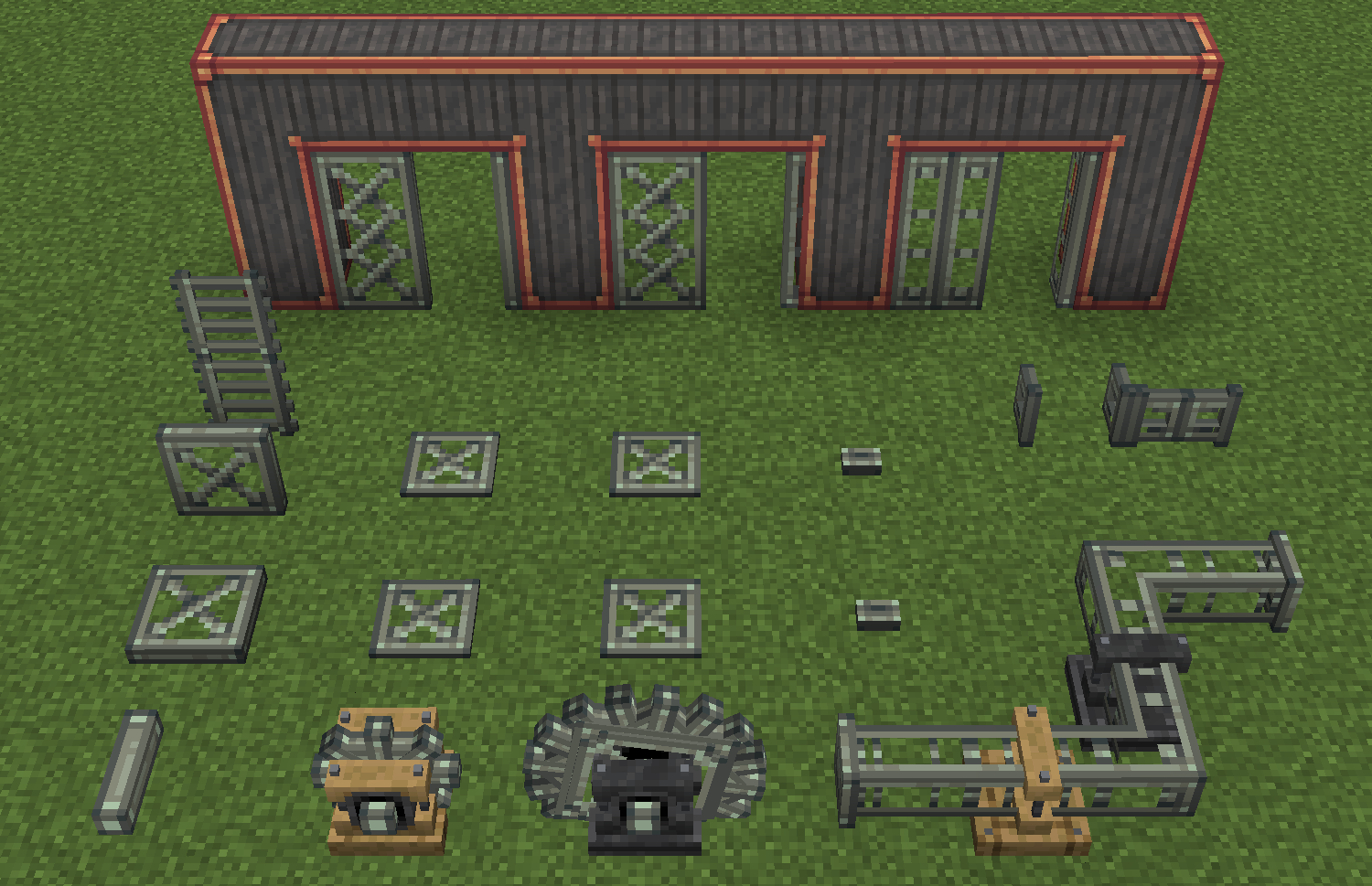 All functional copycats in v2.2
 Inventory - Decorative
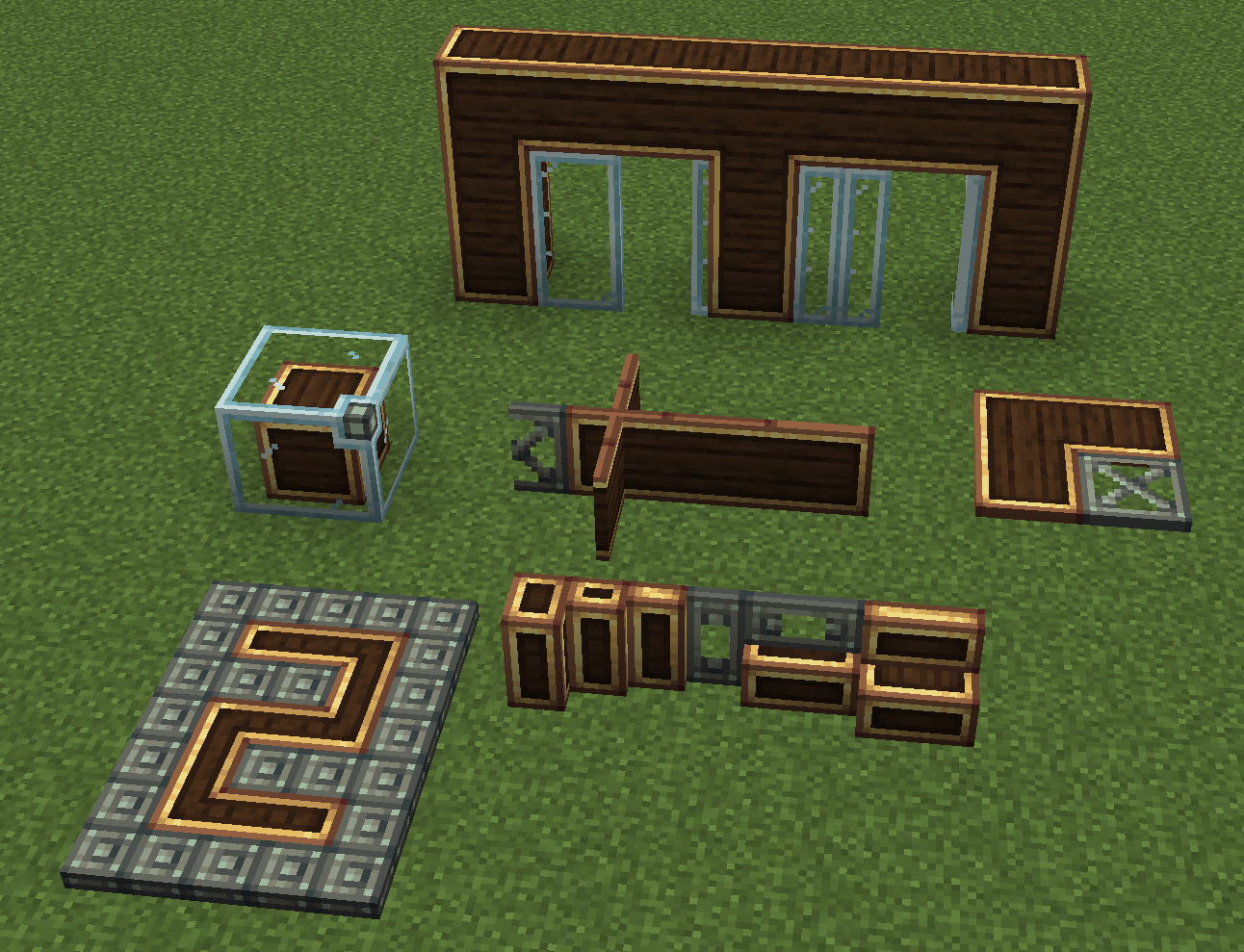 What's new in v2.2
Bilder: Create: Copycats+ auf Modrinth, vom Projektteam veröffentlicht.
Einrichtung
Create: Copycats+ auf dem Server installieren
Server und Spieler brauchen denselben Loader und dieselbe Minecraft-Version. Sichere die Welt, bevor du Mods hinzufügst oder aktualisierst.
- 01
Konfigurieren
6 GB RAM sind vorausgewählt. Laufzeit und Add-ons wählst du selbst, bezahlt wird per Kreditkarte oder PayPal.
- 02
Loader einstellen
Stell im Panel die Serversoftware auf Fabric oder Forge oder NeoForge und wähl die passende Minecraft-Version, zum Beispiel 1.21.1.
- 03
Mod installieren
Such im Mod-Browser nach „Create: Copycats+“ und installiere die Version für deinen Loader. Alternativ lädst du die .jar per SFTP in den Ordner mods. Erforderliche Abhängigkeiten stehen auf der Projektseite.
- 04
Verbinden
Alle Spieler installieren Create: Copycats+ in derselben Version lokal und verbinden sich über die Serveradresse aus dem Panel.
- Auf dem Server
- Erforderlich
- Auf dem Client
- Erforderlich
- Loader
- Fabric, Forge, NeoForge
- Minecraft
- 1.21.1, 1.20.1, 1.19.2 +1 weitere
- Lizenz
- LicenseRef-All-Rights-Reserved
Das Panel
Mods installieren, Fehler finden.
Echte Screenshots aus dem Mado Panel. Beides ist bei jedem Minecraft Server enthalten.
Mod-Browser
Modrinth und CurseForge direkt im Panel.
Der Browser filtert nach deiner Minecraft-Version. Mods installierst du mit einem Klick, ohne .jar-Dateien hochzuladen.

KI-Crash-Analyse
Wenn ein Mod crasht, liest die Analyse das Log.
Mods scheitern oft an einer falschen Loader-Version, Java-Version oder fehlenden Abhängigkeit. Die Analyse nennt eine wahrscheinliche Ursache und einen Lösungsvorschlag.

Versionen
Veröffentlichte Versionen
Nimm die Datei, die zu Loader und Minecraft-Version deines Servers passt. Server und Spieler brauchen dieselbe Version.
Create: Copycats+ · Modrinth- copycats-3.0.11+mc.1.21.1-neoforge8. November 2026Minecraft 1.21.1 · NeoForge
- copycats-3.0.10+mc.1.20.1-forge6. September 2026Minecraft 1.20.1 · Forge, NeoForge
- copycats-3.0.10+mc.1.20.1-fabric6. September 2026Minecraft 1.20.1 · Fabric
- copycats-2.2.2+mc.1.18.2-forge9. März 2025Minecraft 1.18.2 · Forge
- copycats-2.2.2+mc.1.18.2-fabric9. März 2025Minecraft 1.18.2 · Fabric
Originalbeschreibung des Projektautors
Create: Copycats+





All the copycats you've ever wanted, combined into a single mod!
Join our discord for test builds and discussions!

What's new in v2.2
- Universal CT System
- All copycats now connect textures with each other as long as they have a matching block face
- Copycat byte panels
- A quarter of a panel. 4 of which forms a full panel
- Copycat corner slices
- Resizable slices to go with slices and vertical slices
- Copycat sliding/folding doors
- Animated doors with separate upper and lower textures. CT can be toggled for each half
- Copycat panes
- Connects to iron bars, glass panes and Copycat flat panes
- Copycat flat panes
- Connects to panes and can be placed horizontally
- Vertical/Stacked half layers
- Rotated versions of Copycat half layers
- and a lot of bug fixes and improvements...
Features
All copycats can be toggled on/off using the feature toggle
- Copycat Block
- Copycat Slab
- Supports all orientations and double slab variants.
- Copycat Stairs/Vertical Stairs
- Copycat Fence
- Copycat Wall
- Copycat Vertical Step
- Copycat Beam
- A centered Copycat Step
- Copycat Slice/Vertical Slice/Corner Slice
- Can be resized to 8 different sizes
- Copycat Ghost Block
- Has no collision box
- Copycat Layer
- Can be placed in any orientation and stacks to full block size
- Copycat Half Panel
- Supports 4 orientations on each block face
- Copycat Pane
- Connects to iron bars, glass panes and Copycat Flat Panes
- Copycat Flat Pane
- A flat version of Copycat Pane, can be placed horizontally
- Copycat Byte
- A mini-block. Bytes can be placed/dismantled individually, 8 of which forms a full block
- Copycat Byte Panel
- A quarter of a panel. 4 of which forms a full panel
- Copycat Board
- A 1-pixel thick panel. Multiple boards can be placed in the same block space like glow lichen
- Copycat Box/Catwalk
- A pre-assembled copycat board
- Copycat Half Layer/Vertical Half Layer/Stacked Half Layer
- Can be stacked to full block size with 2 columns of half layers in one block space
- Copycat Door/Iron Door/Sliding Door/Folding Door
- Can toggle CT by shift-R-clicking with an empty hand
- Copycat Trapdoor/Iron Trapdoor
- Copycat Fence Gate
- Copycat Wooden/Stone Button
- Copycat Wooden/Stone Pressure Plate
- Copycat Light/Heavy Weighted Pressure Plate
- Copycat Ladder
- Copycat Fluid Pipe
- Copycat Shaft
- Copycat Cogwheel/Large Cogwheel
Download
Find this mod on Modrinth or
CurseForge.
Usage
In modpacks:
- You can include this mod in any modpacks.
- You can make any modifications to the mod with the goal of distributing it in a modpack.
In other cases:
- You can use this mod however you like as long as you obtain the mod via its Modrinth or CurseForge page.
- You can make any modifications to the mod, but you cannot redistribute it unless you have modified a substantial
portion of the mod's code. Changes to resource packs/data packs/mod metadata do not count as code modification.
This mod is open to suggestions, so if you have made any modification to the mod, please leave an issue/PR so I can
consider adding your use case to the mod.
Contributing
For translations, please visit our Crowdin page to contribute.
For code contributions, please read the wiki for more info.
Support
The best way to support our work is to simply download this mod on
Modrinth.
Enjoy a smoother download experience and support open source software with a single click.
Credits
Translation
- Some translations are taken from Create: Connected.
Thanks Crowdin contributors for providing those
translations
Inspiration
- The Create: Addon Hub discord server
Create: Copycats+ Server crasht beim Start – was tun?
Häufige Ursachen: Loader- oder Minecraft-Version passen nicht zur Mod-Datei, eine Abhängigkeit fehlt oder der RAM reicht nicht. Such im Log (latest.log) nach „OutOfMemoryError“, „Mixin“ oder fehlenden Mods. Bei Mado wertet die KI-Crash-Analyse das Log aus und schlägt eine Ursache vor. Loader und Version änderst du im Panel.
Mit welchem Loader läuft Create: Copycats+?
Laut Modrinth unterstützt Create: Copycats+ Fabric, Forge, NeoForge für Minecraft 1.21.1, 1.20.1, 1.19.2. Forge- und Fabric-Dateien sind nicht untereinander austauschbar: Wähl einen Loader für Server und Clients.
Wie viel RAM braucht ein Server mit Create: Copycats+?
Als Orientierung 4–6 GB für einen Server mit dieser Mod. Das ist eine Schätzung, keine gemessene Mindestanforderung. Weitere Mods, viele Spieler und große Sichtweiten brauchen mehr. Ob eine Mod die Tick-Zeit belastet, siehst du mit dem spark-Profiler.
Ähnliche Mods
Beliebte Mods aus derselben Kategorie
 Nur Client

Iris Shaders
von coderbot
A modern shader pack loader for Minecraft intended to be compatible with existing OptiFine shader packs
 Nur Client

[ETF] Entity Texture Features
von Traben
Emissive, Random & Custom texture support for entities in resourcepacks just like Optifine but for Fabric
 Nur Client

[EMF] Entity Model Features
von Traben
EMF is an, OptiFine format, Custom Entity Model replacement mod available for Fabric and Forge.
 Nur Client

Not Enough Animations
von tr7zw
Bringing first-person animations to the third-person
Bereit für deinen Server mit Create: Copycats+?
6 GB RAM ab 12,00 € im Monat. 35 % auf den 1. Monat mit MADO35.