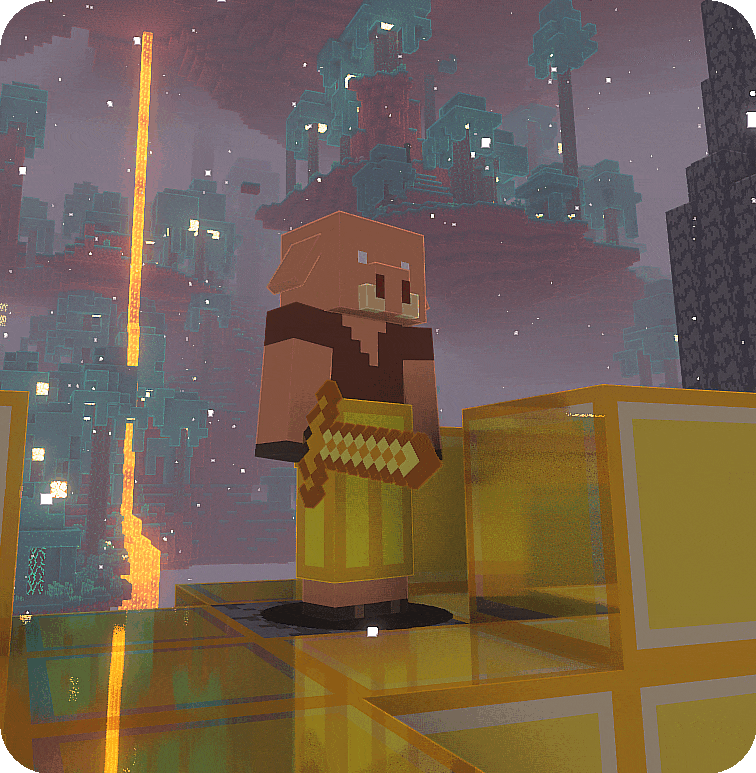
CreateBarters
A small but great datapack that adds create mod trades to piglins.
Über diese Mod

CreateBarters by HellDamn Studios
CreateBarters is a Minecraft datapack that integrates the Create Mod into Piglin bartering! Now, trading with Piglins for gold ingots gives you access to useful items and components from the Create Mod, enriching your gameplay experience in the Nether.
Want an realiable server to play this modpack with friend?: then choose Wabbanode!
Use code: SSN25 at checkout to get 25% off on your first month on Wabbanode!
Features
- Piglins will barter a variety of Create Mod items, including:
Basic Components
- Cogwheels (2-5)
- Shafts (1-4)
- Andesite Alloy (2-4)
- Brass Casings (1-2)
- Andesite Casings (1-2)
- Copper Ingots (2-5)
- Brass Ingots (2-4)
- Zinc Ingots (2-4)
- Copper Sheets (1-4)
- Brass Sheets (1-4)
Mechanical Components
- Mechanical Bearings (1-2)
- Mechanical Saws (1)
- Mechanical Pistons (1-2)
- Mechanical Arms (1)
- Mechanical Pulleys (1)
- Mechanical Mixers (1)
- Mechanical Rollers (1)
- Mechanical Presses (1)
Advanced Machinery
- Mechanical Crafters (1)
- Mechanical Drills (1)
- Mechanical Harvesters (1)
- Mechanical Ploughs (1)
- Precision Mechanisms (1)
- Rotation Speed Controllers (1)
Power Generation
- Water Wheels (1-2)
- Windmill Bearings (1)
Transport & Processing
- Smart Chutes (1)
- Brass Tunnels (1-2)
- Filters (1)
This datapack adds new, thematic trades that blend seamlessly into Minecraft's Nether bartering system, enhancing progression without breaking balance. The items are carefully weighted to ensure a balanced progression system, with basic components being more common and advanced machinery being rarer.
Installation
- Download the datapack file and place it in your world's
datapacksfolder. - Run
/reloadin-game to activate the datapack. - Start trading with Piglins using gold ingots and enjoy the Create Mod loot!
Compatibility
- Minecraft Version: 1.16.5 or higher
- Create Mod: Required (latest version recommended)
- Pack Format: 6 (compatible with 1.16.x and newer versions)
- Fully compatible with other datapacks that don't override Piglin bartering.
Version Support
- Tested Versions:
- Minecraft 1.16.5
- Minecraft 1.17.x
- Minecraft 1.18.x
- Minecraft 1.19.x
- Minecraft 1.20.x
- Create Mod Versions: Works with Create Mod 0.3.0 and newer
Credits
Created by HellDamn Studios. Inspired by the need for more rewarding bartering options in the Nether!
Verfügbare Versionen
CreateBarters auf dem Server installieren
Server bestellen
Bestelle einen Minecraft Java Server mit mindestens 4 GB RAM (6 GB empfohlen).
datapack Loader setzen
Wähle im Panel unter "Egg" den datapack-Loader und die passende Minecraft-Version (1.21.5).
Mod installieren
Öffne den Mod-Browser im Dashboard und suche nach "CreateBarters". Klicke "Installieren" – fertig! Alternativ: Lade die .jar via SFTP in den /mods Ordner.
Kompatibilität
Mod-Loader
Minecraft-Versionen
1.21.5, 1.21.4, 1.21.3 (+24 weitere)
Server-seitig
✓ ErforderlichEmpfohlener RAM
6 GB(min. 4 GB)Häufige Fragen
CreateBarters Server crasht beim Start – was tun?
Häufigste Ursache: falsche datapack-Version oder zu wenig RAM. Prüfe im Server-Log (latest.log), ob ein "OutOfMemoryError" oder "Mixin"-Fehler auftritt. Bei Mado Hosting: Stelle sicher, dass mindestens 4 GB RAM zugewiesen sind und der Loader zur Mod-Version passt (1.21.5). Über das Panel kannst du den Loader mit einem Klick wechseln.
Ist CreateBarters mit datapack und fabric und forge und neoforge und quilt kompatibel?
CreateBarters unterstützt offiziell datapack, fabric, forge, neoforge, quilt für Minecraft 1.21.5, 1.21.4, 1.21.3. Achtung: Forge- und Fabric-Mods sind NICHT untereinander kompatibel – wähle einen Loader und bleibe dabei. Im Mado Dashboard werden inkompatible Loader-Kombinationen automatisch erkannt.
Server laggt mit CreateBarters – wie optimiere ich die Performance?
Empfohlener RAM: 6 GB (+1 GB pro 5 Spieler). Prüfe mit /spark profiler, ob CreateBarters den meisten Tick-Time verbraucht. Häufige Fixes: Server-View-Distance auf 8-10 reduzieren, bei Forge "performant" oder "starlight" als Zusatz-Mod installieren. Bei Mado Hosting läuft dein Server auf NVMe-SSDs mit dedizierten CPU-Kernen für minimale Latenz.
Ähnliche Mods


![CobbleDollars [Cobblemon Addon]](https://cdn.modrinth.com/data/s7N7AsqL/684040a264fc1d7f9b856ec5d2da39767398c7ad.png)

Modded Server mieten
Installiere CreateBarters mit nur einem Klick auf deinem Server.