
Custom Hitboxes
A complete overhaul of Minecraft's hitboxes
Über diese Mod
Custom Hitboxes!
This mod is a complete overhaul of minecraft's hitboxes, allowing you to customize them along with added functionalities, such as specific team colors per hitbox, or damage colors.
Information:
Config - Screenshots
Profile Config Screen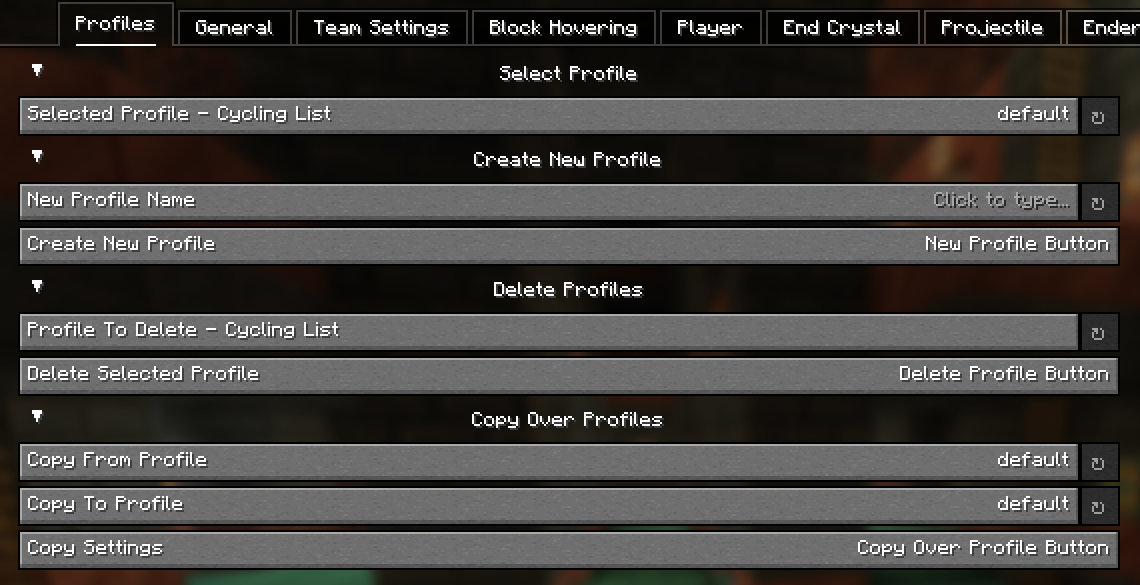
General Config Screen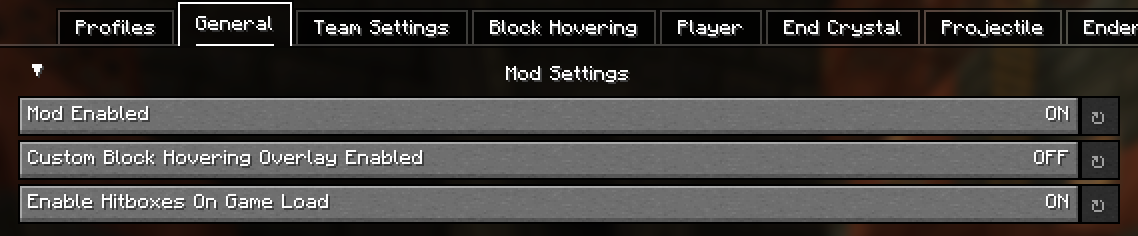
Team Config Screen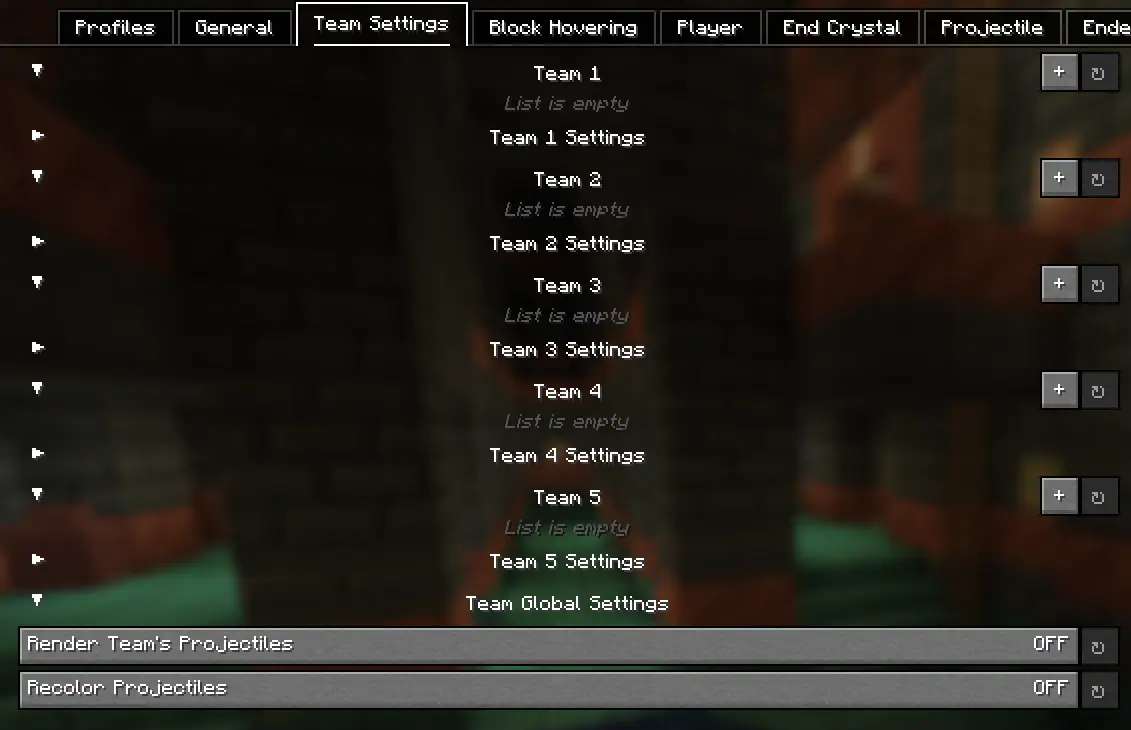
Block Hovering Config Screen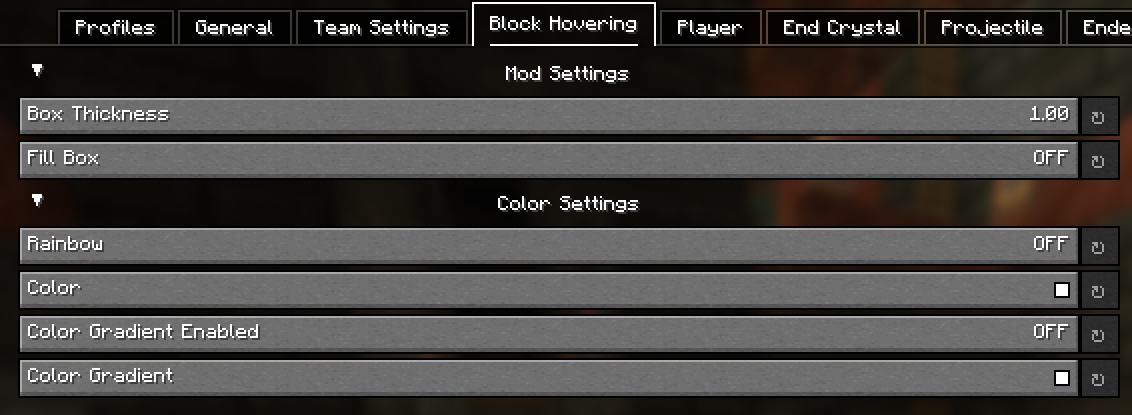
Player Config Screen
Entity Config Screens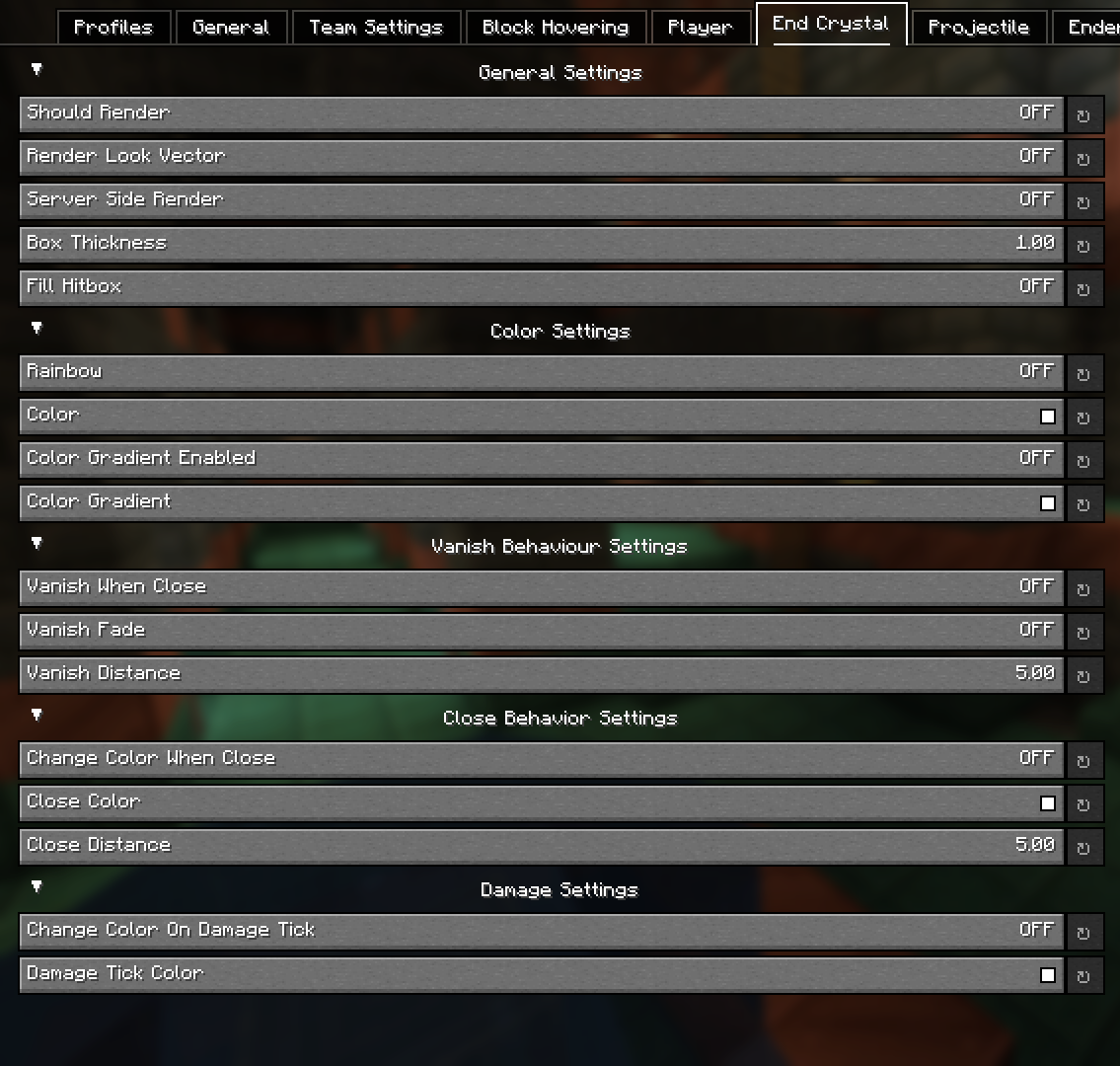
Config - Explained
Block Hovering Settings:
These settings allow you to customize the block overlay when you look at a specific block.
Team Settings:
The team settings allows you to input player usernames into a team category, which you can then customize to set colors for specific teams. This is extremely useful in teamfights for example. Player names are cap sensitive. These settings are linked to the Player settings.
Server-Side position settings:
This setting renders the hitbox where the entity is server side. This provides no advantage as entity interactions are determined by client-side calculations, so this can't be used for anything other than debugging / general curiosity.
Hitbox Vanishing (Idea from Pcrit)
This setting makes hitboxes disapear at a certain distance. This can reduce the clutter of hitboxes (such as end crystal or player hitboxes) at distances you want you pvp in. An additional setting to this is fading (vanish when close must be enabled), where the hitboxes don't simply just vanish but instead slowly fade as you get closer.
Hitbox Color Switching (Idea from NopzDaFlopper)
This setting, similar to hitbox vanishing, transitions between colors at certain distances from entities. As you get closer to a specific entity, it will change to your selected color.
Damage Colors
This setting changing the color of a hitbox if the entity is damaged (in a damage tick).
Colors
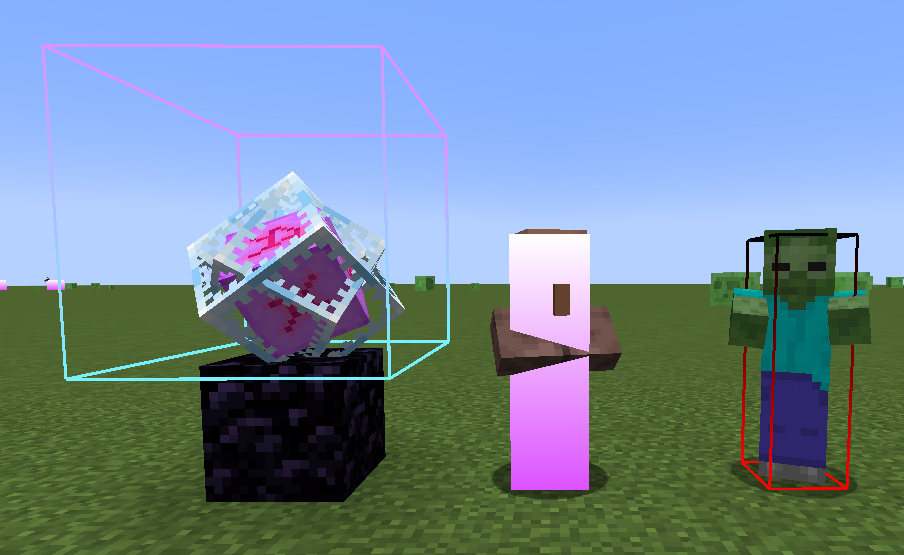
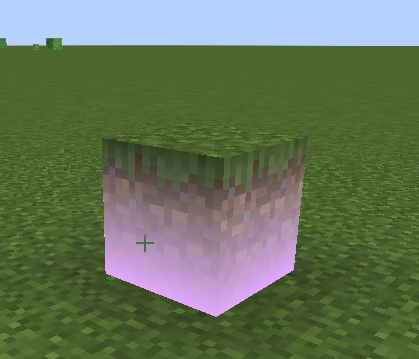
Allows you to customize the colors of the hitbox which also inculdes a gradient option and a rainbow setting. An example of gradient hitboxes are shown below:
Credits
Verfügbare Versionen
Custom Hitboxes auf dem Server installieren
Server bestellen
Bestelle einen Minecraft Java Server mit mindestens 3 GB RAM (4 GB empfohlen).
fabric Loader setzen
Wähle im Panel unter "Egg" den fabric-Loader und die passende Minecraft-Version (1.21.11).
Mod installieren
Öffne den Mod-Browser im Dashboard und suche nach "Custom Hitboxes". Klicke "Installieren" – fertig! Alternativ: Lade die .jar via SFTP in den /mods Ordner.
Kompatibilität
Mod-Loader
Minecraft-Versionen
1.21.11, 1.21.4, 1.21.3 (+3 weitere)
Server-seitig
✗ Nicht unterstütztEmpfohlener RAM
4 GB(min. 3 GB)Häufige Fragen
Custom Hitboxes Server crasht beim Start – was tun?
Häufigste Ursache: falsche fabric-Version oder zu wenig RAM. Prüfe im Server-Log (latest.log), ob ein "OutOfMemoryError" oder "Mixin"-Fehler auftritt. Bei Mado Hosting: Stelle sicher, dass mindestens 3 GB RAM zugewiesen sind und der Loader zur Mod-Version passt (1.21.11). Über das Panel kannst du den Loader mit einem Klick wechseln.
Ist Custom Hitboxes mit fabric kompatibel?
Custom Hitboxes unterstützt offiziell fabric für Minecraft 1.21.11, 1.21.4, 1.21.3. Im Mado Dashboard werden inkompatible Loader-Kombinationen automatisch erkannt.
Server laggt mit Custom Hitboxes – wie optimiere ich die Performance?
Empfohlener RAM: 4 GB (+1 GB pro 8 Spieler). Prüfe mit /spark profiler, ob Custom Hitboxes den meisten Tick-Time verbraucht. Häufige Fixes: Server-View-Distance auf 8-10 reduzieren, bei Forge "performant" oder "starlight" als Zusatz-Mod installieren. Bei Mado Hosting läuft dein Server auf NVMe-SSDs mit dedizierten CPU-Kernen für minimale Latenz.
Ähnliche Mods

![[ETF] Entity Texture Features](https://cdn.modrinth.com/data/BVzZfTc1/af683d206d50b05258d865b0d6e4aa2f2cee12f2_96.webp)
![[EMF] Entity Model Features](https://cdn.modrinth.com/data/4I1XuqiY/6e5bbd0d06b1741bfdab6c0cfab6de8fdaf0064c_96.webp)



Modded Server mieten
Installiere Custom Hitboxes mit nur einem Klick auf deinem Server.