
Debug Keybind
A basic mod that adds keybinds for the F3 menu.
Screenshots
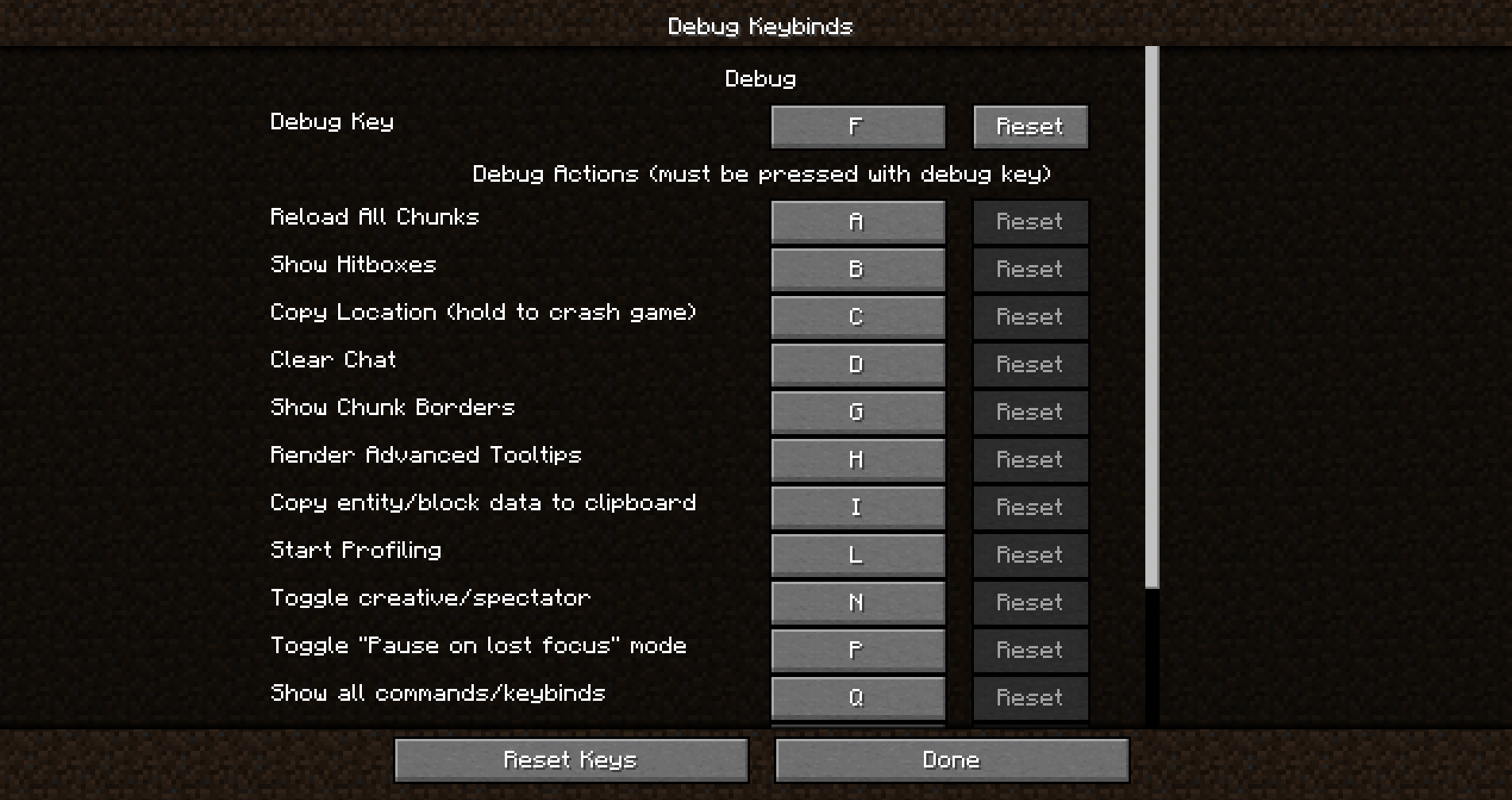
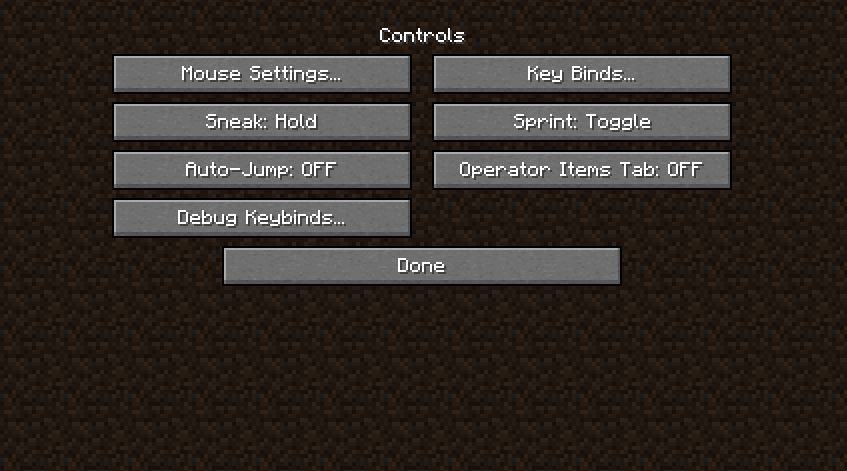
Über diese Mod



Ever felt annoyed that you needed to press FN + F3 JUST to open the F3 menu on a laptop?
Have you ever wanted to REBIND any of the keys related to the F3 menu but couldn't because they're HARD-CODED?
WELL ME TOO!
Debug Keybind (the solution)
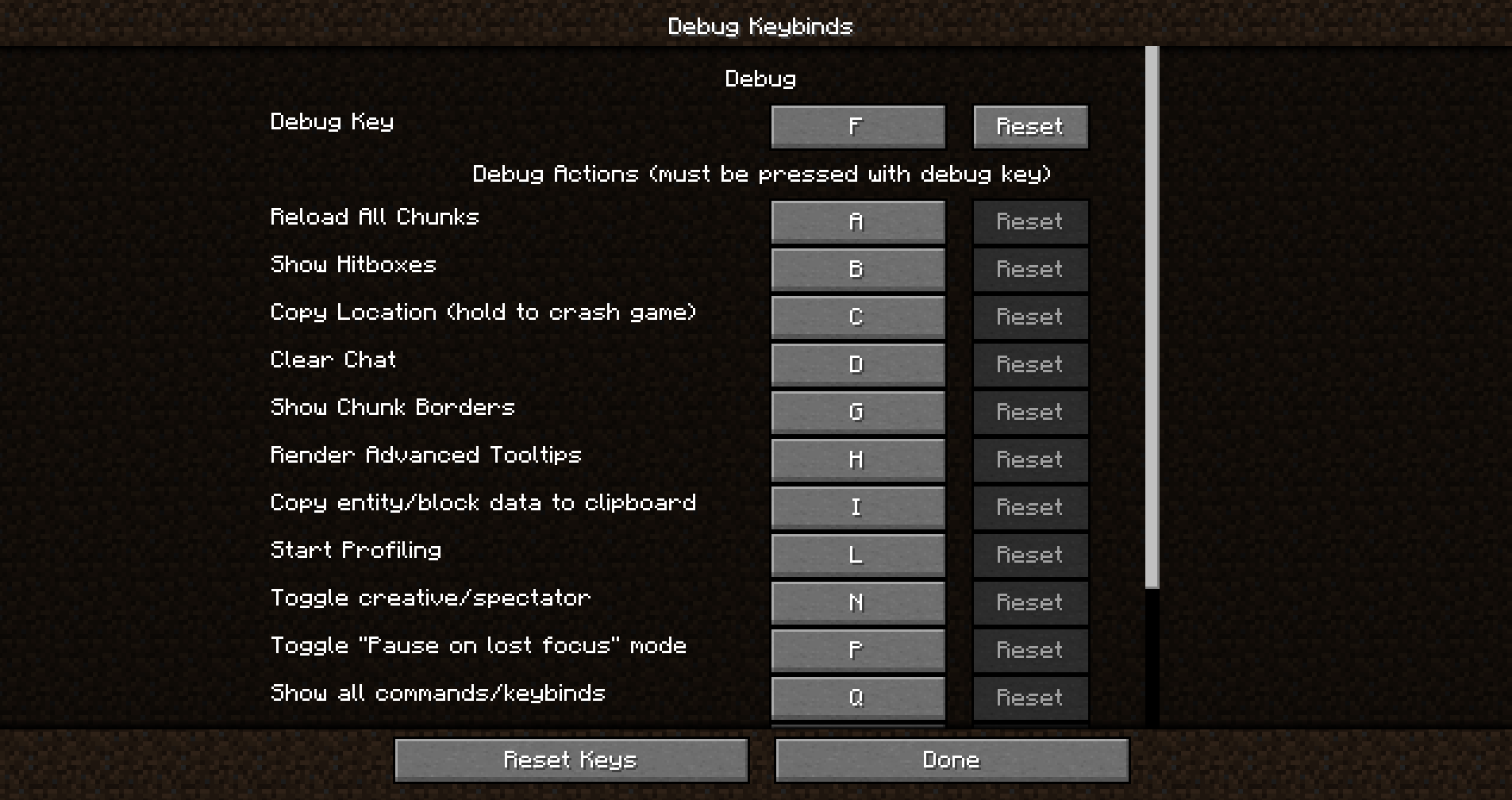
Debug keybind is a mod that allows you to rebind the (previously) hard-coded F3 menu and all of it's actions.
Didn't like F3+Q? You can easily rebind it as if it was a normal keybind.
Don't like F3+G? It can be rebound in the exact same way.
Just open the debug keybinds menu, and you'll be on your way!
How do I open the Debug Keybinds menu?
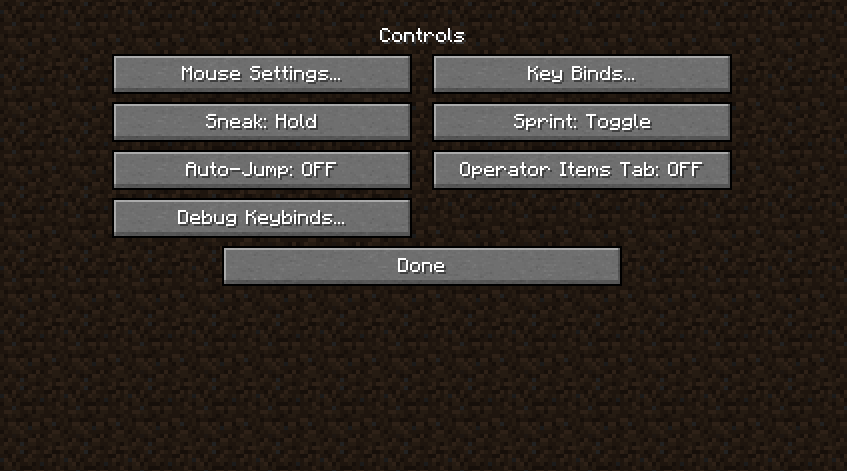
Opening the menu is super simple. You can open it from your modloader's Config Screen, but it can also be opened with a conveniently placed button placed next to the normal keybinds button!
Features
- Bind any key on your keyboard to activate individual debug actions or combinations.
- Enhance gameplay convenience by placing these keys at your fingertips.
- Improve accessibility for users with specific keyboard layouts or preferences.
Installation/Dependencies
This mod requires BoxLib a Client-side library mod developed by me.
- Install Minecraft Forge/Fabric/Neoforge: Download and install the appropriate modloader for your Minecraft version.
- Download the mod: Download the latest release of Debug Keybind for your specific modloader and Minecraft version
- Download BoxLib: Download the latest release of BoxLib for your specific modloader and Minecaft version
- Place the mod jars: Drop the downloaded jar files into your Minecraft mods folder. The location of this folder varies depending on your operating system.
Fabric Dependencies

Mod Menu is recommended for configuration purposes.
Forge/NeoForge Dependencies
This mod requires BoxLib a Client-side library mod developed by me.
Contributing
We encourage contributions! Don't hesitate to open issues or pull requests through the GitHub Repository. Your input helps the mod improve and evolve.
Translations
We welcome translations! If you're interested in translating this mod, please locate the localization files and submit a pull request. Your contributions help make the mod accessible to more users worldwide.
Support
If you encounter any issues, please open an issue on the GitHub repository.
Building
If you'd like to build this mod on your own machine, follow these steps.
- Download the source code from GitHub (Code -> Download zip)
- Extract the zip file onto your local machine, and open the folder.
- Open a terminal prompt in said folder
- Run the command "gradlew build"
* The fabric build will be in "fabric/build/libs"- The forge build will be in "forge/build/libs"
Verfügbare Versionen
Debug Keybind auf deinem Client installieren
Mod-Loader lokal installieren
Installiere fabric für deine lokale Minecraft-Version.
Passende Datei herunterladen
Wähle die Debug Keybind-Datei für fabric und Minecraft 1.21.10.
Mod installieren
Lege die .jar-Datei in deinem lokalen .minecraft/mods-Ordner ab und starte Minecraft neu. Eine Installation auf dem Server ist nicht nötig.
Kompatibilität
Mod-Loader
Minecraft-Versionen
1.21.10, 1.21.9, 1.21.8 (+28 weitere)
Server-seitig
✗ Nicht unterstütztEmpfohlener RAM
4 GB(min. 3 GB)Häufige Fragen
Muss Debug Keybind auf dem Minecraft Server installiert werden?
Nein. Modrinth kennzeichnet Debug Keybind serverseitig als nicht unterstützt. Installiere die Mod nur im lokalen Minecraft-Mods-Ordner. Dein Server kann unverändert bleiben, sofern die Mod-Seite keine zusätzliche Abhängigkeit nennt.
Welche Version und welchen Loader braucht Debug Keybind?
Nutze eine Datei für fabric, forge, neoforge, quilt und exakt deine Minecraft-Version. Unterstützte Versionen sind unter anderem 1.21.10, 1.21.9, 1.21.8. Loader-Dateien sind nicht untereinander austauschbar.
Debug Keybind funktioniert nicht – was kann ich prüfen?
Prüfe zuerst Minecraft-Version, Loader-Version und erforderliche Abhängigkeiten. Lege die .jar-Datei im lokalen .minecraft/mods-Ordner ab und entferne ältere Duplikate. Da die Mod clientseitig ist, löst mehr Server-RAM dieses Problem nicht.
Ähnliche Mods






Minecraft Server für deine Gruppe
Debug Keybind bleibt auf deinem Client. Hoste dazu eine kompatible Welt für deine Mitspieler.