
Discord-Linker
Easiest Minecraft–Discord link! NO bot setup or configuration files! Add chat bridges, view stats and inventories, run commands and more!
Screenshots
Über diese Mod
Discord-Linker
The server-side plugin/mod for MC Linker — the easiest way to connect your Minecraft server with Discord.
No custom bot creation or configuration files needed!
Features
- Chat Bridge — Relay messages bidirectionally between Minecraft and Discord
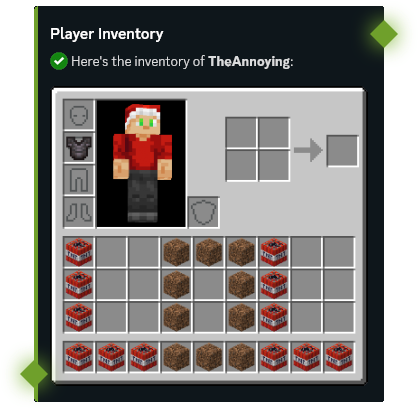
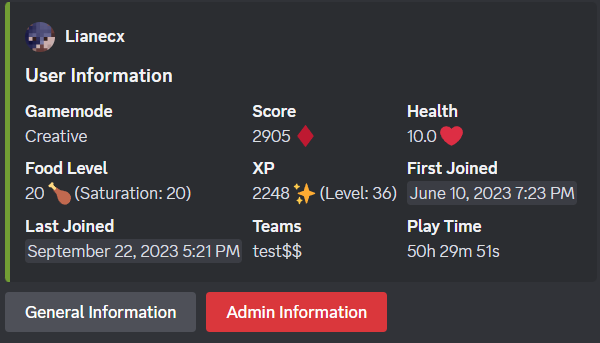
- Player Stats — View player statistics, advancements, and inventories from Discord
- Command Execution — Run Minecraft commands directly from Discord with tab completions
- Server Moderation — Ban, kick, and manage players from Discord
- Account Linking — Connect Discord accounts with Minecraft players
- Status Channels — Display live online player counts in Discord
- Synced Roles — Sync Discord roles with Minecraft teams or LuckPerms groups
- Console Forwarding — Forward your server console output to a Discord channel
Setup
- Invite the MC Linker Discord bot from the App Directory or from Top.gg
- Download the plugin
- Install it on your Minecraft server and restart
- Run
/connect pluginin Discord and follow the instructions - You can now run
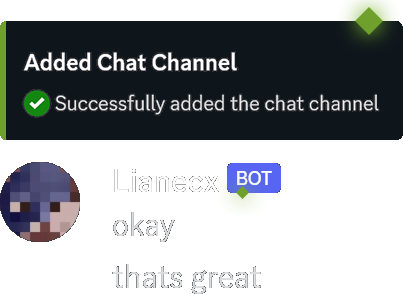
/chatchannel add #channelin Discord to set up a chat bridge
In-Game Commands
| Command | Description |
|---|---|
/linker reload |
Reload configuration and reconnect |
/linker connect <code> |
Connect server to Discord bot |
/linker disconnect |
Disconnect server from Discord |
/linker bot_port [port] |
Get or set the bot port (for custom-bot connections) |
/linker debug |
Toggle debug mode |
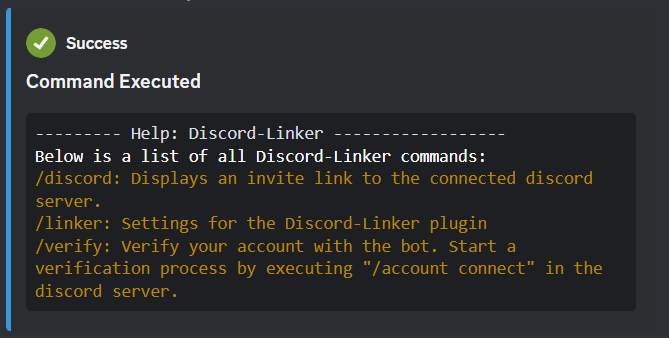
/verify <code> |
Verify your Minecraft account with Discord |
/discord |
Get the Discord server invite link |
/dm <user> <message> |
Send a Discord DM to a user (accepts Discord username/id or, if linked, MC username/uuid) |
Plugin Integrations (Hooks)
Discord-Linker supports optional integrations with popular permission plugins to power the Synced Roles feature:
| Hook | Platform | Description |
|---|---|---|
| LuckPerms | All platforms | Sync Discord roles with LuckPerms groups. Supports live group change events. |
| Vault | Spigot only | Sync Discord roles with any Vault-compatible permission plugin's groups. |
If both LuckPerms and Vault are present, LuckPerms takes priority. Vanilla Minecraft teams are used as a fallback when neither hook is available.
Discord Bot Commands
Run /help in Discord for a full list of commands, or check the MC Linker Guide for more details.
Verfügbare Versionen
Discord-Linker auf dem Server installieren
Server bestellen
Bestelle einen Minecraft Java Server mit mindestens 3 GB RAM (4 GB empfohlen).
bukkit Loader setzen
Wähle im Panel unter "Egg" den bukkit-Loader und die passende Minecraft-Version (26.3).
Mod installieren
Öffne den Mod-Browser im Dashboard und suche nach "Discord-Linker". Klicke "Installieren" – fertig! Alternativ: Lade die .jar via SFTP in den /mods Ordner.
Kompatibilität
Mod-Loader
Minecraft-Versionen
26.3, 26.2, 26.1.2 (+72 weitere)
Server-seitig
✗ Nicht unterstütztEmpfohlener RAM
4 GB(min. 3 GB)Häufige Fragen
Discord-Linker Server crasht beim Start – was tun?
Häufigste Ursache: falsche bukkit-Version oder zu wenig RAM. Prüfe im Server-Log (latest.log), ob ein "OutOfMemoryError" oder "Mixin"-Fehler auftritt. Bei Mado Hosting: Stelle sicher, dass mindestens 3 GB RAM zugewiesen sind und der Loader zur Mod-Version passt (26.3). Über das Panel kannst du den Loader mit einem Klick wechseln.
Ist Discord-Linker mit bukkit und fabric und forge und neoforge und paper und purpur und spigot kompatibel?
Discord-Linker unterstützt offiziell bukkit, fabric, forge, neoforge, paper, purpur, spigot für Minecraft 26.3, 26.2, 26.1.2. Achtung: Forge- und Fabric-Mods sind NICHT untereinander kompatibel – wähle einen Loader und bleibe dabei. Im Mado Dashboard werden inkompatible Loader-Kombinationen automatisch erkannt.
Server laggt mit Discord-Linker – wie optimiere ich die Performance?
Empfohlener RAM: 4 GB (+1 GB pro 8 Spieler). Prüfe mit /spark profiler, ob Discord-Linker den meisten Tick-Time verbraucht. Häufige Fixes: Server-View-Distance auf 8-10 reduzieren, bei Forge "performant" oder "starlight" als Zusatz-Mod installieren. Bei Mado Hosting läuft dein Server auf NVMe-SSDs mit dedizierten CPU-Kernen für minimale Latenz.
Ähnliche Mods






Modded Server mieten
Installiere Discord-Linker mit nur einem Klick auf deinem Server.
Details
- Lizenz
- Creative Commons Attribution Non Commercial 4.0 International
- Server-seitig
- Nicht unterstützt