
Modrinth · Fabric, Forge, NeoForge, Quilt · Client-Mod
Ears
Ears ist eine clientseitige Mod. Du installierst sie auf deinem Rechner, auf dem Server ist sie nicht nötig.
More skin customization options for just about every version + skin backports/fixes for pre-1.9 versions.
- Downloads
- 1.4M
- Autor
- exaptations
- Loader
- Fabric, Forge, NeoForge, Quilt
- Minecraft
- 1.10.2 – 26.3
- Aktualisiert
- –
Screenshots
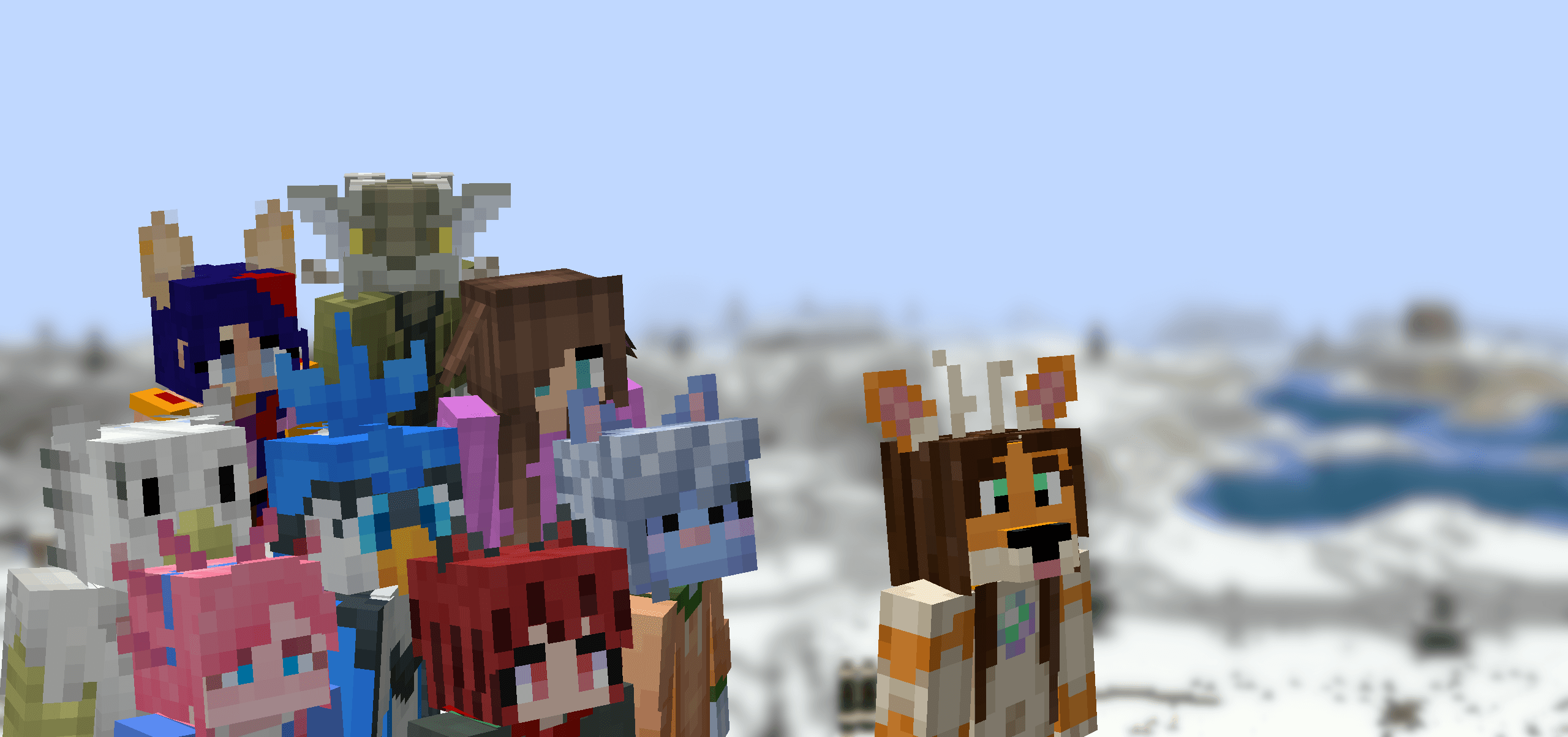
So sieht Ears aus

Bilder: Ears auf Modrinth, vom Projektteam veröffentlicht.
Einrichtung
Ears auf deinem Client installieren
Clientseitige Mods laufen nur auf deinem Rechner. Mehr Server-RAM ändert an ihrer Leistung nichts.
- 01
Loader lokal installieren
Installiere Fabric oder Forge oder NeoForge oder Quilt für deine Minecraft-Version in deinem Launcher.
- 02
Datei herunterladen
Lade die Ears-Datei für deinen Loader und exakt deine Minecraft-Version herunter, zum Beispiel b1.7.3.
- 03
In den Mods-Ordner legen
Lege die .jar-Datei in den lokalen Ordner .minecraft/mods und entferne ältere Duplikate.
- 04
Starten
Starte Minecraft mit dem Loader-Profil. Auf dem Server musst du nichts ändern.
- Auf dem Server
- Nicht nötig
- Auf dem Client
- Erforderlich
- Loader
- Fabric, Forge, NeoForge, Quilt
- Minecraft
- b1.7.3, 26.3-snapshot-9, 26.3-snapshot-8 +74 weitere
- Lizenz
- MIT License
Versionen
Veröffentlichte Versionen
Nimm die Datei, die zu Loader und Minecraft-Version deines Servers passt. Server und Spieler brauchen dieselbe Version.
Ears · Modrinth- Thermite 2.2.1-d16. September 2026Minecraft 26.1, 26.1.2, 26.2, 26.3 · Fabric, NeoForge
- Strife 2.2.1-c10. September 2026Minecraft 1.10.2, 1.11.2, 1.12.2, 1.8.9, 1.9.4 · Forge
- Plateau 2.2.1-c10. September 2026Minecraft 1.2.5, 1.3.2, 1.4.2, 1.4.7, 1.5.2, 1.6.4 · Forge, java-agent, modloader, nilloader
- Neo 1.21.11 2.2.1-c10. September 2026Minecraft 1.21.11 · NeoForge
- Fabric 1.21.11 2.2.1-c10. September 2026Minecraft 1.21.11 · Fabric
Originalbeschreibung des Projektautors


Created due to a lack of the Tails mod for 1.16, Ears is a mod that adds ears, snouts, tails, horns, wings, and more to the player. Eventually, it also became a complete lightweight open source 1.9 skin backport for many old versions, which works even if you aren't using its special features.
Ears has a more vanilla-faithful appearance than Tails, with a lot of 2D regions but a few 3D ones too. There are a wide variety of possible configurations and it can all be customized.

Why use Ears instead of Tails? Because Ears is easy to port to other versions, based on a multi-version abstraction allowing the mod to even run in web browsers. The Tails mod has wonderful 3D models and animations, but it's a burden to update it to any version due to its large rendering system and all the data syncing code, causing it to be tightly coupled with the version of the game and mod loader it was designed for. Ears stores all data as pixels in the player's skin.
However, Ears requires you to draw your own additions, and does not come with easy recolorable prefabs like Tails. Additionally, unlike CPM or Figura, Ears has a limited number of customization options. (Note that if you have a simple idea, I may add it. Open an issue on GitHub or hop in Discord.) Ears offers a good middle-ground that will work in almost any version you wish to play. It also does not and never will use external servers, just Mojang's skin server, so there's no concerns about a third-party server going down (be it temporarily or for good).
Why use Ears instead of other skin fixes? Ears provides a lot of new features to customize your skin, and is a much more lightweight patch with no usage of third-party servers and is completely open source. Additionally, Ears backports translucent secondary layer support to 1.8 and 1.7.
Come discuss this mod and any of my others on Discord or Matrix, or send me an email.
Muss Ears auf dem Minecraft Server installiert werden?
Nein. Modrinth kennzeichnet Ears serverseitig als nicht unterstützt. Installiere die Mod nur im lokalen Mods-Ordner. Dein Server kann unverändert bleiben, sofern die Projektseite keine zusätzliche Abhängigkeit nennt.
Welche Version und welchen Loader braucht Ears?
Nutze eine Datei für Fabric, Forge, NeoForge, Quilt und exakt deine Minecraft-Version. Unterstützt werden unter anderem b1.7.3, 26.3-snapshot-9, 26.3-snapshot-8. Dateien für verschiedene Loader sind nicht austauschbar.
Ears funktioniert nicht – was kann ich prüfen?
Prüfe zuerst Minecraft-Version, Loader-Version und erforderliche Abhängigkeiten. Da die Mod clientseitig ist, löst mehr Server-RAM das Problem nicht.
Ähnliche Mods
Beliebte Mods aus derselben Kategorie
 Nur Client

Iris Shaders
von coderbot
A modern shader pack loader for Minecraft intended to be compatible with existing OptiFine shader packs
 Nur Client

[ETF] Entity Texture Features
von Traben
Emissive, Random & Custom texture support for entities in resourcepacks just like Optifine but for Fabric
 Nur Client

[EMF] Entity Model Features
von Traben
EMF is an, OptiFine format, Custom Entity Model replacement mod available for Fabric and Forge.
 Nur Client

Not Enough Animations
von tr7zw
Bringing first-person animations to the third-person
Mods für deinen eigenen Server gesucht?
Im Katalog findest du Mods, die auf Minecraft Servern laufen.