
Exordium
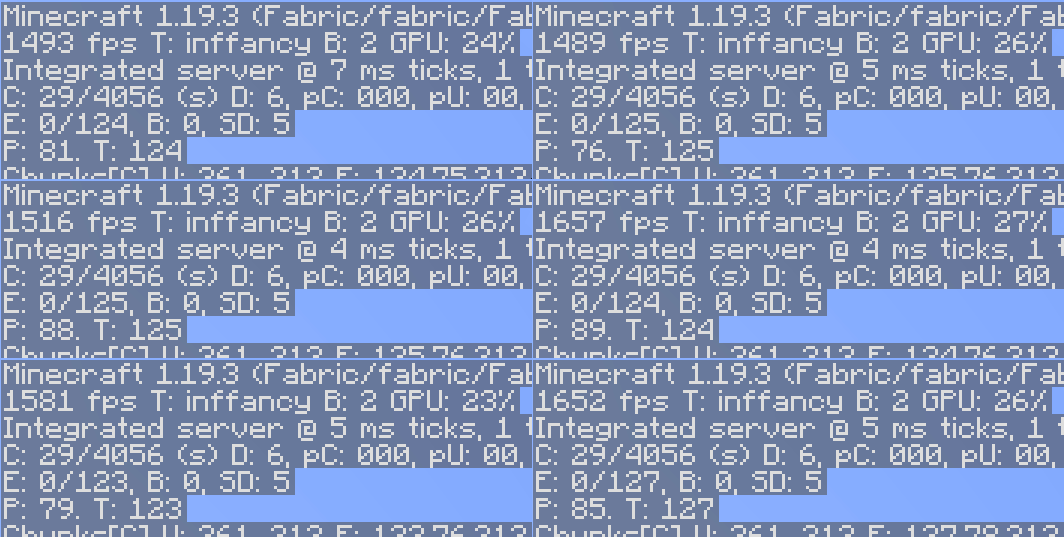
Render the GUI and screens at a lower framerate to speed up what's really important: the worldrendering.
Screenshots
Über diese Mod
Exordium
Render the GUI and screens at a lower framerate to speed up what's really important: the worldrendering.
Renders the GUI at a lower fixed framerate (configurable in the settings), freeing up CPU and GPU time for the world rendering. There is no good reason to render the hotbar at 100+ FPS.
Compatibility
This mod is not actively maintained! No new features will be added or bugs with other mods fixed! There will be visual issues/compatibility issues with other mods or even vanilla! Just don't use the mod if you have a problem with that.
Not compatible
- VulkanMod
- MiniHUD(bug on their side, the fps counter shows the gui fps instead of the world fps)
- Canvas
- Fast Crosshair will not work with ImmediatelyFast, just keep it off
- In BetterF3 disable the slide in Animation or Debug screen buffering
- Many other mods that render their own GUI elements, the wilder the mod, the more likely it is to not work with this mod. No point in reporting this, Exordium is for the Vanilla UI only
FAQ
When will it release for version 1.xx.xx?
This mod is not actively maintained. So any new versions might happen, once everything else is done and there is time.
(Neo)Forge support?
No. There is are builds for 1.21.8+, but with no guarantees for anything.
Does this work with mod xyz?
Try it and see. Keep in mind, only the Vanilla Gui is supported, don't ask about mods that replace stuff in the UI.
Backport to 1.16.5/1.12.2/1.8.9?
No backports are planned. Mainly due to engine limitations in older versions.
Verfügbare Versionen
Exordium auf deinem Client installieren
Mod-Loader lokal installieren
Installiere fabric für deine lokale Minecraft-Version.
Passende Datei herunterladen
Wähle die Exordium-Datei für fabric und Minecraft 26.1.2.
Mod installieren
Lege die .jar-Datei in deinem lokalen .minecraft/mods-Ordner ab und starte Minecraft neu. Eine Installation auf dem Server ist nicht nötig.
Kompatibilität
Mod-Loader
Minecraft-Versionen
26.1.2, 26.1.1, 26.1 (+20 weitere)
Server-seitig
✗ Nicht unterstütztEmpfohlener RAM
4 GB(min. 3 GB)Häufige Fragen
Muss Exordium auf dem Minecraft Server installiert werden?
Nein. Modrinth kennzeichnet Exordium serverseitig als nicht unterstützt. Installiere die Mod nur im lokalen Minecraft-Mods-Ordner. Dein Server kann unverändert bleiben, sofern die Mod-Seite keine zusätzliche Abhängigkeit nennt.
Welche Version und welchen Loader braucht Exordium?
Nutze eine Datei für fabric, forge, neoforge und exakt deine Minecraft-Version. Unterstützte Versionen sind unter anderem 26.1.2, 26.1.1, 26.1. Loader-Dateien sind nicht untereinander austauschbar.
Exordium funktioniert nicht – was kann ich prüfen?
Prüfe zuerst Minecraft-Version, Loader-Version und erforderliche Abhängigkeiten. Lege die .jar-Datei im lokalen .minecraft/mods-Ordner ab und entferne ältere Duplikate. Da die Mod clientseitig ist, löst mehr Server-RAM dieses Problem nicht.
Ähnliche Mods


Minecraft Server für deine Gruppe
Exordium bleibt auf deinem Client. Hoste dazu eine kompatible Welt für deine Mitspieler.