Modrinth · Fabric, Forge, NeoForge, Quilt · Client-Mod
Figura
Figura ist eine clientseitige Mod. Du installierst sie auf deinem Rechner, auf dem Server ist sie nicht nötig.
A client-side mod that allows for extensive customization of the player model.
- Downloads
- 1.8M
- Autor
- skyrina
- Loader
- Fabric, Forge, NeoForge, Quilt
- Minecraft
- 1.16.5 – 1.21.4
- Aktualisiert
- –
Screenshots
So sieht Figura aus
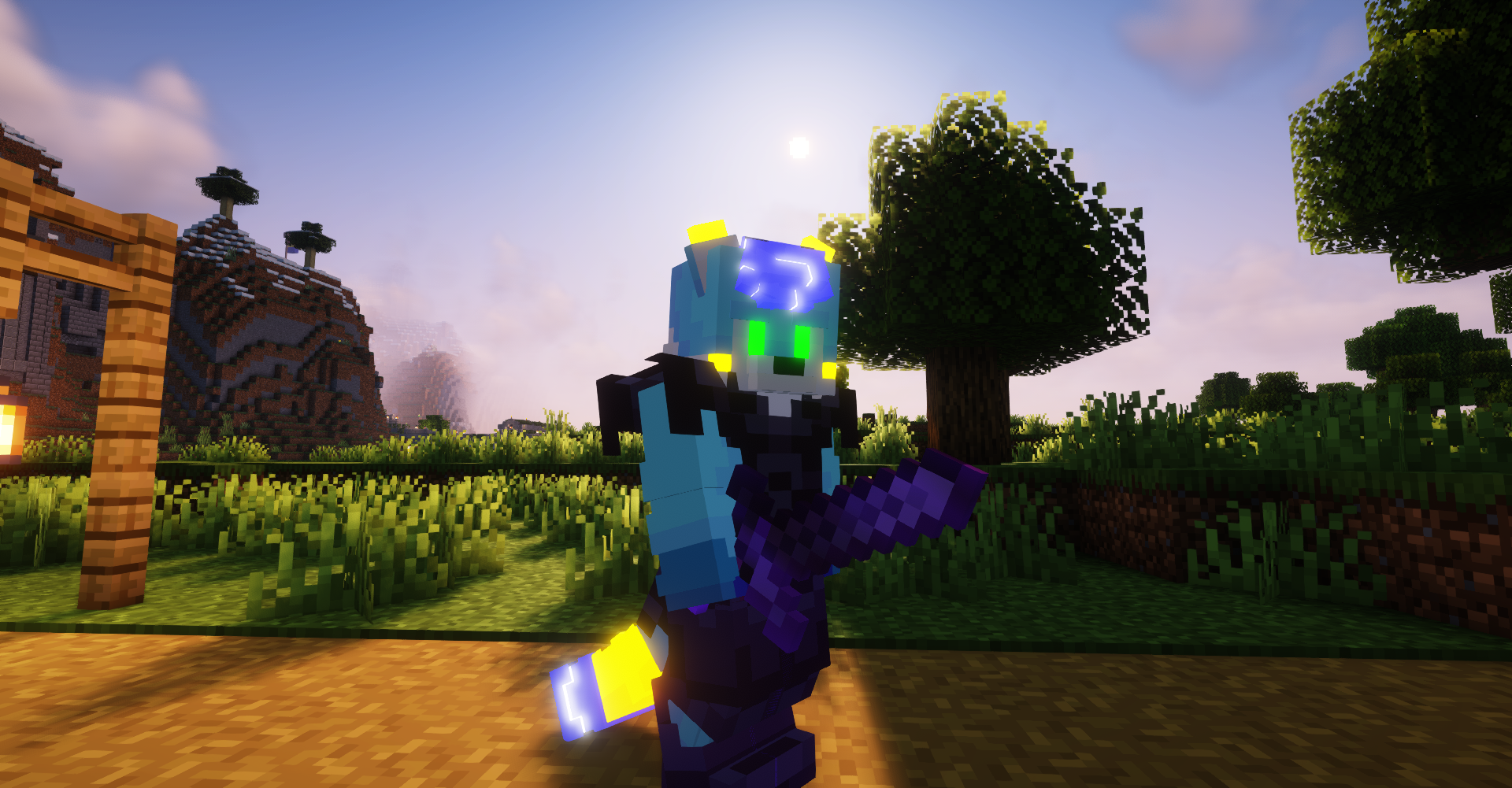
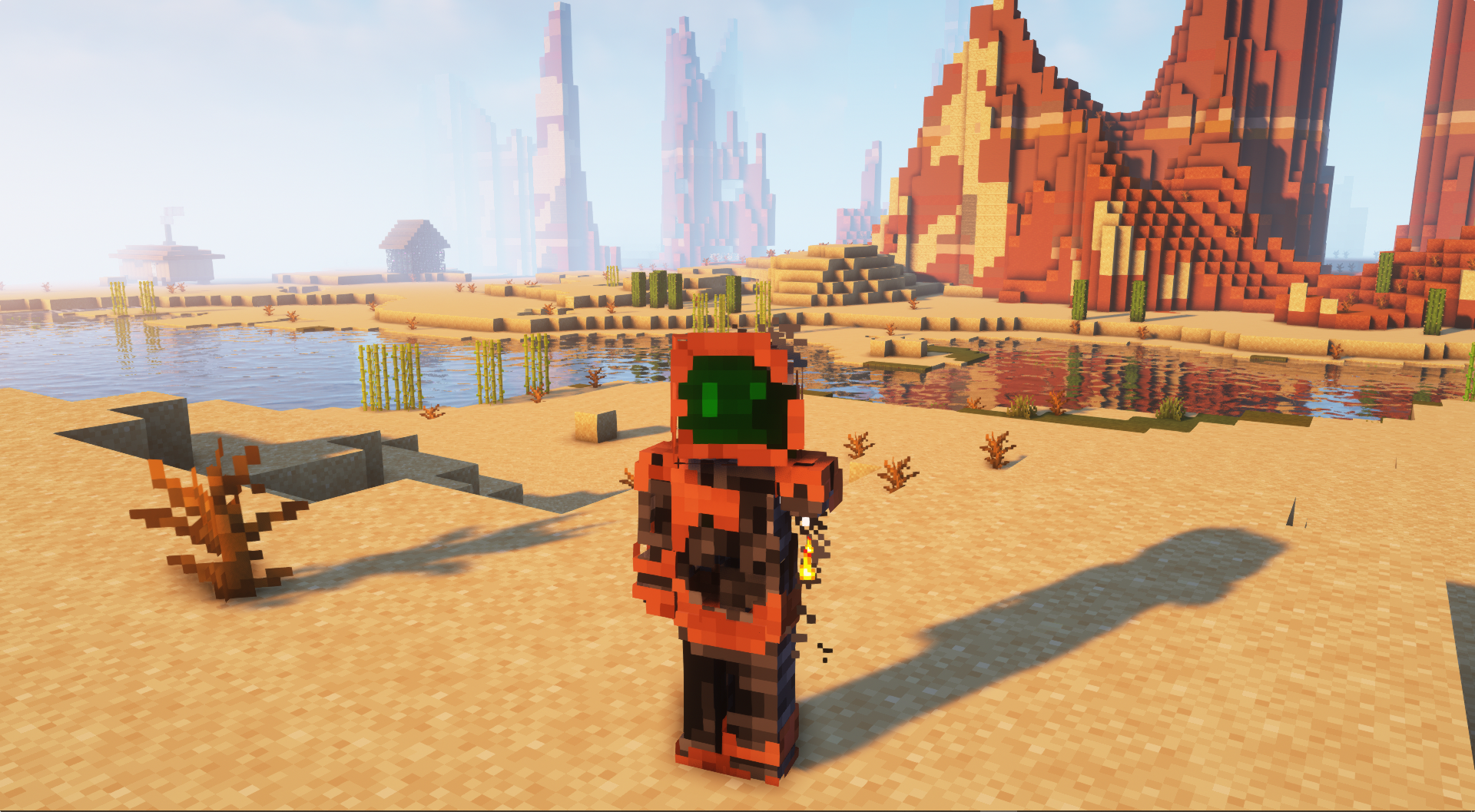
Bilder: Figura auf Modrinth, vom Projektteam veröffentlicht.
Einrichtung
Figura auf deinem Client installieren
Clientseitige Mods laufen nur auf deinem Rechner. Mehr Server-RAM ändert an ihrer Leistung nichts.
- 01
Loader lokal installieren
Installiere Fabric oder Forge oder NeoForge oder Quilt für deine Minecraft-Version in deinem Launcher.
- 02
Datei herunterladen
Lade die Figura-Datei für deinen Loader und exakt deine Minecraft-Version herunter, zum Beispiel 1.21.4.
- 03
In den Mods-Ordner legen
Lege die .jar-Datei in den lokalen Ordner .minecraft/mods und entferne ältere Duplikate.
- 04
Starten
Starte Minecraft mit dem Loader-Profil. Auf dem Server musst du nichts ändern.
- Auf dem Server
- Nicht nötig
- Auf dem Client
- Erforderlich
- Loader
- Fabric, Forge, NeoForge, Quilt
- Minecraft
- 1.21.4, 1.21.3, 1.21.2 +12 weitere
- Lizenz
- LicenseRef-PolyForm-Noncommercial-1.0.0
Versionen
Veröffentlichte Versionen
Nimm die Datei, die zu Loader und Minecraft-Version deines Servers passt. Server und Spieler brauchen dieselbe Version.
Figura · Modrinth- Figura 0.1.4+1.20.4 NeoForge2. März 2024Minecraft 1.20.4 · NeoForge
- Figura 0.1.4+1.20.4 Forge2. März 2024Minecraft 1.20.4 · Forge
- Figura 0.1.4+1.20.4 Fabric2. März 2024Minecraft 1.20.4 · Fabric
Originalbeschreibung des Projektautors
Figura


A Minecraft Java client mod that allows you to extensively customize your player model and have other players see your Avatar without requiring any server mods!
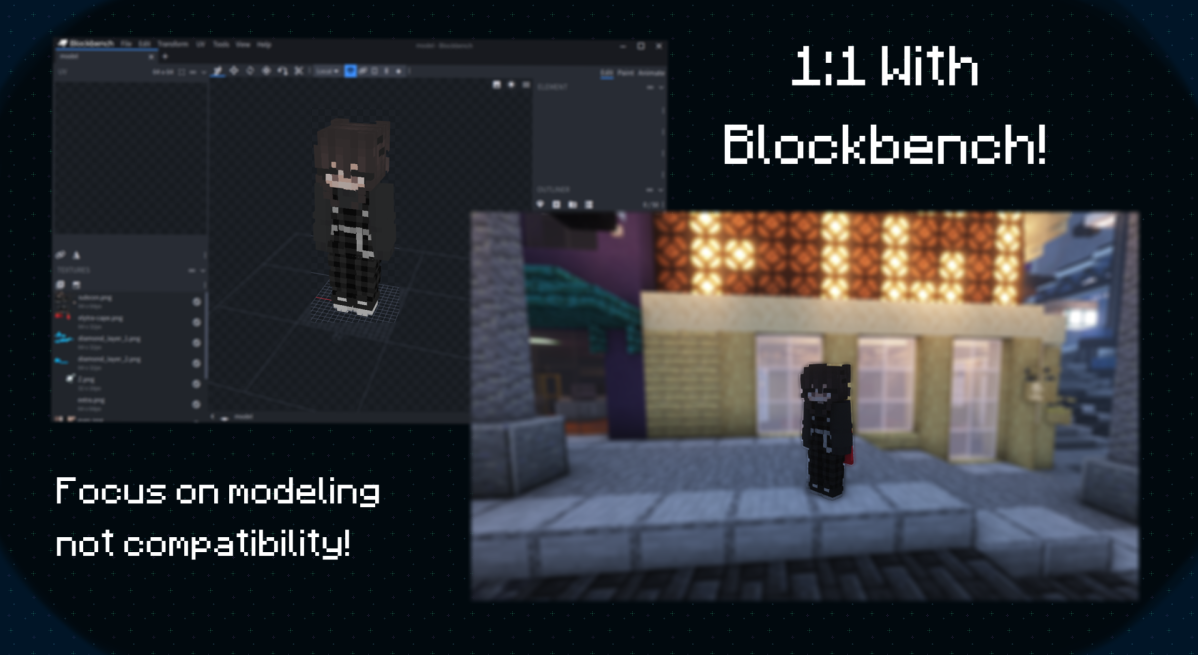
Utilizing the full potential of Blockbench.
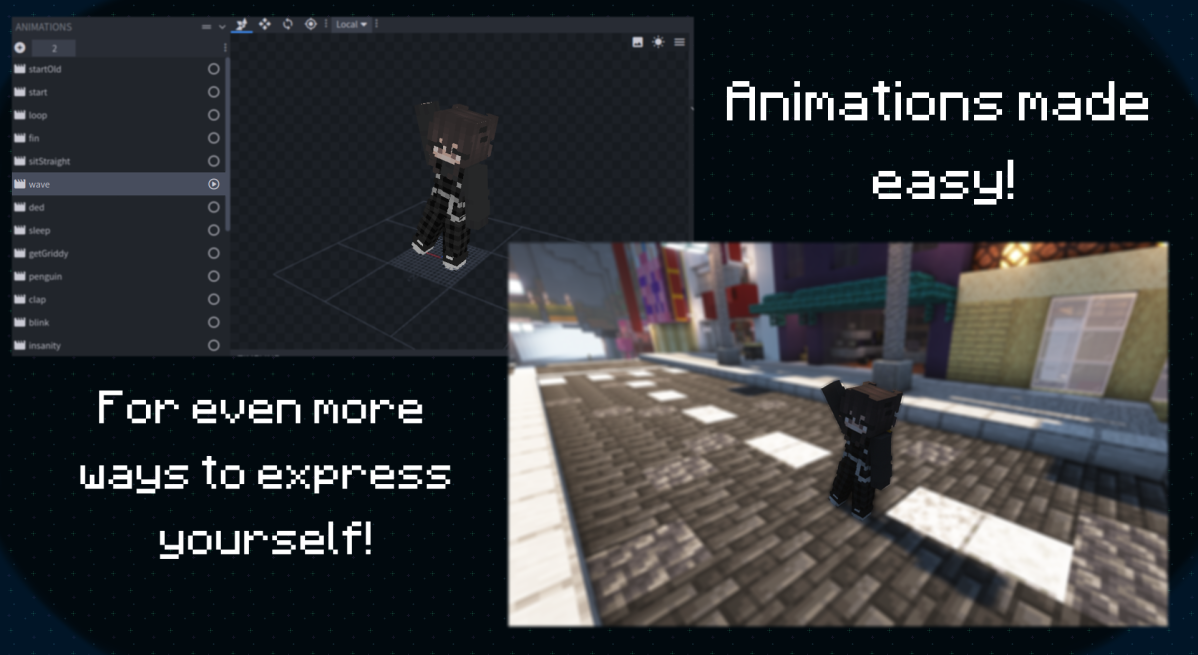
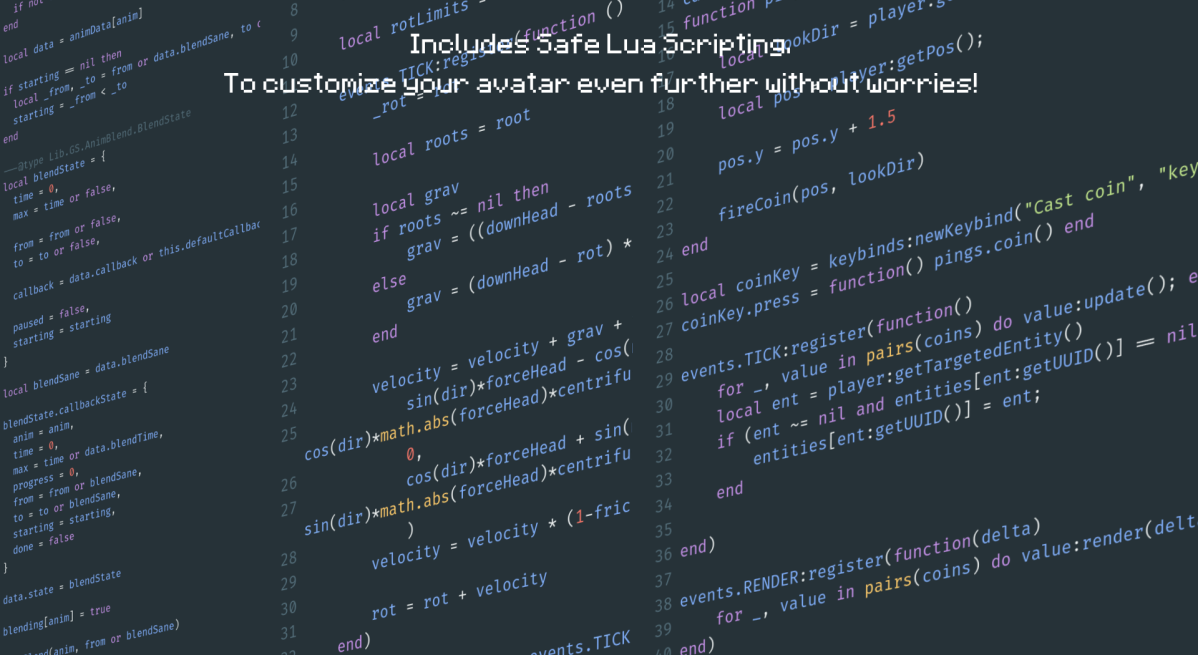
Not only can you customize your model but Figura also has an optional Lua API to make your own scripts!
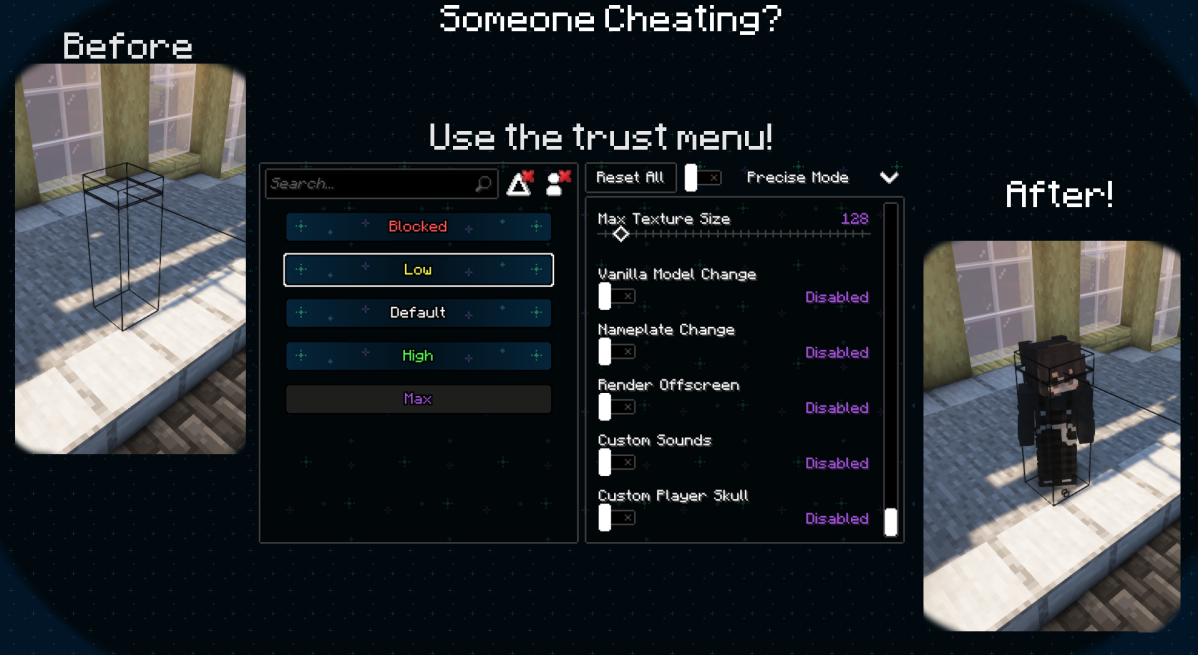
What if someone is invisible, or very small? Take advantage of Figura's robust permission system!
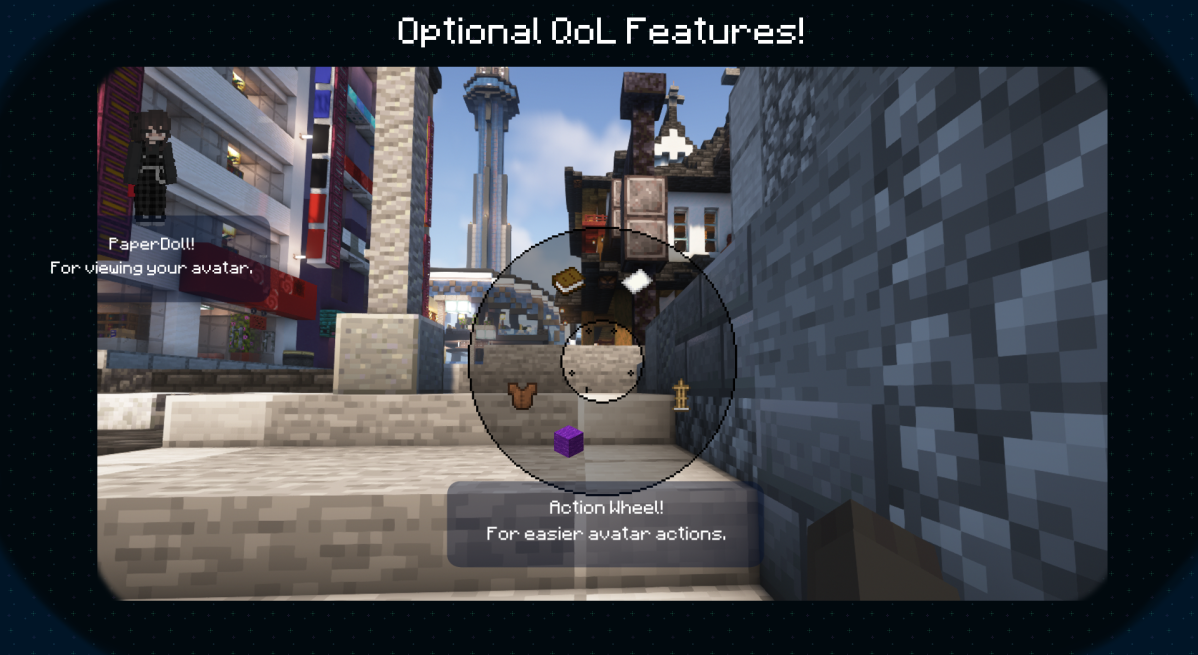
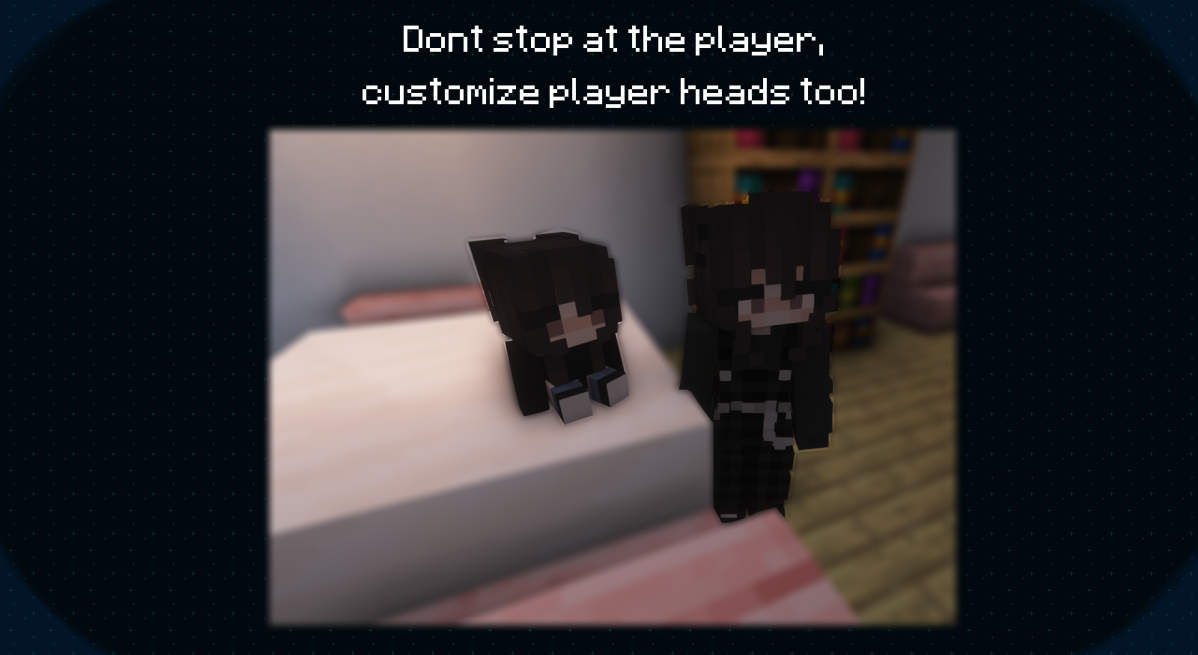
We also have some extras, like:
Meet us on the FiguraMC Discord Server for more info and help!\
Help translate Figura to your native language on Weblate!
Links
Social: 

Download: 


Donate: 

Resources: 


FAQ
• My avatars don't appear in the Figura list, even though they're in the correct folder?
Check if your avatar has a file called "avatar.json" (don't forget to check file extensions)
This file can be completely empty, it just needs to be present for Figura to recognise it as an avatar
• How do I hide the vanilla model?
At the top of your script, put:
• To hide literally everything (player, armor, elytra, held items):
vanilla_model.ALL:setVisible(false)• To hide only the player:
vanilla_model.PLAYER:setVisible(false)• To hide only armor:
vanilla_model.ARMOR:setVisible(false)• To hide other, or specific parts, you can check the in-game docs
• How do I play a Blockbench Animation?
Simply put this code in your script:
animations.modelName.animationName:play()Where:
"
animations" is the global table which contains all animations"
modelName" is the name of the model you are accessing the animation from"
animationName" is, as the name says, the animation name
• What are Pings and how do I use them?
Pings are Lua functions that are executed for everyone running your avatar's script
Pings are sent from the host player, and can be used to sync things like keypresses or action wheel actions
To create a ping:
function pings.myPing(arg1, arg2)
  -- code to run once the ping is called
end
And to execute the ping, it's as simple as calling a lua function:
pings.myPing("Hello", "World")Note that pings are limited in their content and size, and are rate-limited
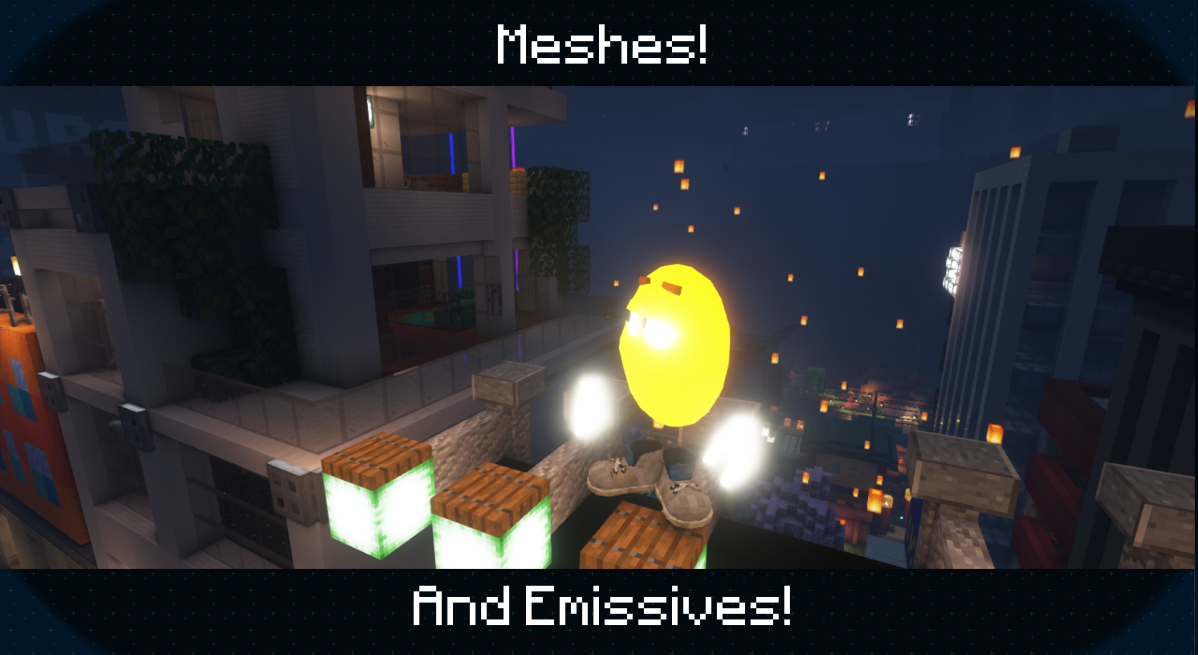
• How can I add an emissive texture?
Name the texture the same as the non-emissive counterpart, then add
_eto the endAnd don't forget to set the places you don't want to glow to transparent black (#00000000), to also ensure compatibility with shader mods
• My emissives doesn't glow, nor have bloom with Iris/OptiFine shaders?
Since some shaders do not support emissives, a compatibility setting (default on) will change the render type of emissive textures to render them at it were fullbright, however that can lead to some unintended results
You can force your avatar to use the correct emissive render type by using the render type
EYESon your model
• How can I use Figura with OptiFine?
Figura will work with OptiFine but due to its closed source nature issues might arise, therefore we still recommend you try using Sodium+Iris (Fabric) or Rubidium+Oculus (Forge) instead
Check out the full list of alternatives
• Where can I find Avatars to download?
For now, you can find Avatars in the showcase channel in the official Discord server (A Web Based and In-Game browser is in the works!)
• My Minecraft is cracked (non-premium/non-original) or I'm trying to join a cracked offline mode server, why can't I use Figura?
Figura uses your account's UUID and your Mojang authentication as a way to prove you own that account, avoiding unwanted / malicious uploads
Non-premium Minecraft accounts don't authenticate with Mojang, and Offline mode servers don't report working UUID's, as such can neither upload nor download Figura avatars
Community Resources
Want to learn / get into Lua scripting?
check out this Lua quickstart made by Manuel.If you are tired of having to be in-game to look in the wiki, applejuice hosts the wiki as a website.
Are you new to Figura and are looking for a video tutorial about how everything works? You should probably watch Chloe's Figura tutorial series on YouTube.
Do you use VSCode and wish Figura's documentation autocompleted in the editor? GrandpaScout saves the day with their VSDocs.
Katt has created a Blockbench extention which adds a special model format for Figura! Read more here. - Note. This plugin is available on the Blockbench plugin browser and should be installed from there.
By searching "Figura" in the VSCode extention browser you can install Manuel's Figura extension! It adds multiple useful features including autocomplete for your model paths.
Figura may be included in modpacks without prior approval from us only when using builds obtained from official channels (Modrinth, GitHub Releases and Pre-releases, Discord Pre-releases)
For inquiries: [email protected]
Muss Figura auf dem Minecraft Server installiert werden?
Nein. Modrinth kennzeichnet Figura serverseitig als nicht unterstützt. Installiere die Mod nur im lokalen Mods-Ordner. Dein Server kann unverändert bleiben, sofern die Projektseite keine zusätzliche Abhängigkeit nennt.
Welche Version und welchen Loader braucht Figura?
Nutze eine Datei für Fabric, Forge, NeoForge, Quilt und exakt deine Minecraft-Version. Unterstützt werden unter anderem 1.21.4, 1.21.3, 1.21.2. Dateien für verschiedene Loader sind nicht austauschbar.
Figura funktioniert nicht – was kann ich prüfen?
Prüfe zuerst Minecraft-Version, Loader-Version und erforderliche Abhängigkeiten. Da die Mod clientseitig ist, löst mehr Server-RAM das Problem nicht.
Ähnliche Mods
Beliebte Mods aus derselben Kategorie
 Nur Client

Iris Shaders
von coderbot
A modern shader pack loader for Minecraft intended to be compatible with existing OptiFine shader packs
 Nur Client

[ETF] Entity Texture Features
von Traben
Emissive, Random & Custom texture support for entities in resourcepacks just like Optifine but for Fabric
 Nur Client

[EMF] Entity Model Features
von Traben
EMF is an, OptiFine format, Custom Entity Model replacement mod available for Fabric and Forge.
 Nur Client

Not Enough Animations
von tr7zw
Bringing first-person animations to the third-person
Mods für deinen eigenen Server gesucht?
Im Katalog findest du Mods, die auf Minecraft Servern laufen.