
Fluid Void Fading
Renders fluids flowing into the void, seamlessly
Screenshots
Über diese Mod
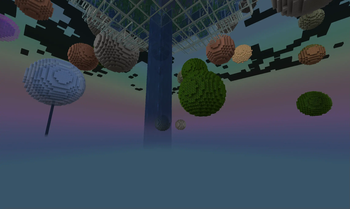
Renders fluids smoothly flowing into the void, instead of being cut instantly, making sky type worlds look much nicer and dynamic.
A must-have for every Skyblock pack or packs featuring dimensions up in the sky, clientside only!
Notable Features
- client-only required
- automatic compat with all modded fluids
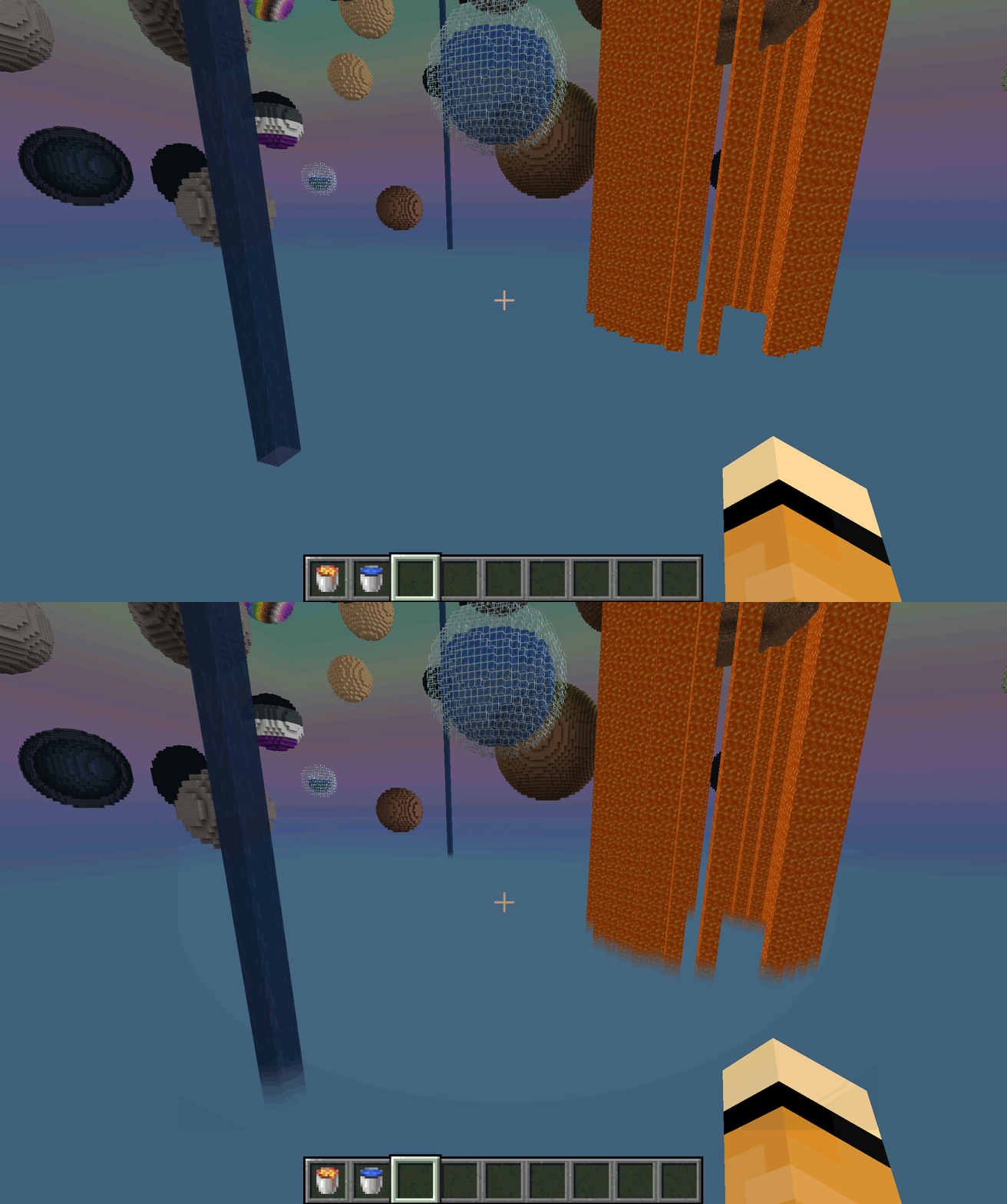
Comparison: With and Without Fluid Void Fading
By default, fluids flowing into the bottom of the world will get cut up harshly, leaving a ugly floating block behind
With Fluid Void Fading added, it gets a transparent tail as it smoothly blends into nothingness
Troubleshooting
- Should a fluid not render transparent (its texture is not transparent by default, like lava), add it's name to the configuration file
- Currently does not work with Sodium
Verfügbare Versionen
Fluid Void Fading auf deinem Client installieren
Mod-Loader lokal installieren
Installiere fabric für deine lokale Minecraft-Version.
Passende Datei herunterladen
Wähle die Fluid Void Fading-Datei für fabric und Minecraft 26.2.
Mod installieren
Lege die .jar-Datei in deinem lokalen .minecraft/mods-Ordner ab und starte Minecraft neu. Eine Installation auf dem Server ist nicht nötig.
Kompatibilität
Mod-Loader
Minecraft-Versionen
26.2, 26.1.2, 26.1.1 (+15 weitere)
Server-seitig
✗ Nicht unterstütztEmpfohlener RAM
4 GB(min. 3 GB)Häufige Fragen
Muss Fluid Void Fading auf dem Minecraft Server installiert werden?
Nein. Modrinth kennzeichnet Fluid Void Fading serverseitig als nicht unterstützt. Installiere die Mod nur im lokalen Minecraft-Mods-Ordner. Dein Server kann unverändert bleiben, sofern die Mod-Seite keine zusätzliche Abhängigkeit nennt.
Welche Version und welchen Loader braucht Fluid Void Fading?
Nutze eine Datei für fabric, neoforge, quilt und exakt deine Minecraft-Version. Unterstützte Versionen sind unter anderem 26.2, 26.1.2, 26.1.1. Loader-Dateien sind nicht untereinander austauschbar.
Fluid Void Fading funktioniert nicht – was kann ich prüfen?
Prüfe zuerst Minecraft-Version, Loader-Version und erforderliche Abhängigkeiten. Lege die .jar-Datei im lokalen .minecraft/mods-Ordner ab und entferne ältere Duplikate. Da die Mod clientseitig ist, löst mehr Server-RAM dieses Problem nicht.
Ähnliche Mods

![[ETF] Entity Texture Features](https://cdn.modrinth.com/data/BVzZfTc1/af683d206d50b05258d865b0d6e4aa2f2cee12f2_96.webp)
![[EMF] Entity Model Features](https://cdn.modrinth.com/data/4I1XuqiY/6e5bbd0d06b1741bfdab6c0cfab6de8fdaf0064c_96.webp)



Minecraft Server für deine Gruppe
Fluid Void Fading bleibt auf deinem Client. Hoste dazu eine kompatible Welt für deine Mitspieler.
Details
- Lizenz
- GNU Lesser General Public License v3.0 or later
- Server-seitig
- Nicht unterstützt