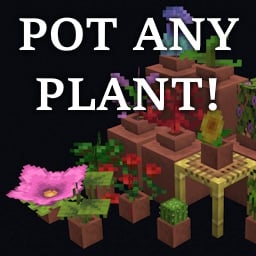
Gardener's Dream
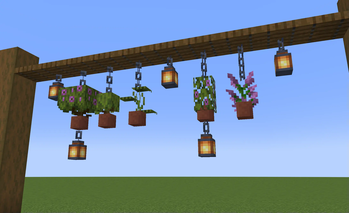
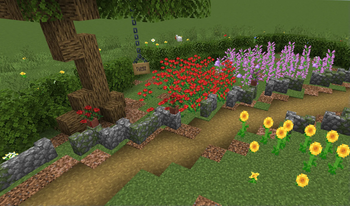
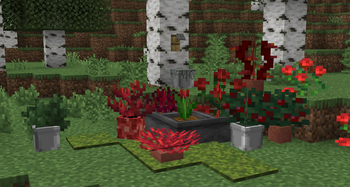
Allows you to place any plant in flower pots, decorated pots, player heads and half-pots (NEW). Survival friendly! No resource pack required!
Screenshots
Über diese Mod
❗I RECOMMEND USING THE DATAPACK VERSION FOR THE BEST EXPERIENCE
My other decorative datapacks:
🏳️ Banner Flags: https://modrinth.com/datapack/banner-flags
🛏️ Banner Bedsheets: https://modrinth.com/datapack/banner-bedsheets
🔨 Air Gap Fix: https://modrinth.com/datapack/air-gap-fix
⭐ FEATURES 💫
This datapack has a bunch of cool features, check them out here!
❗FEATURE DETAILS❗
🤔In-game explanations!
If you ever forget what this datapack can do or have to explain to someone on a server, check the advancements tab!
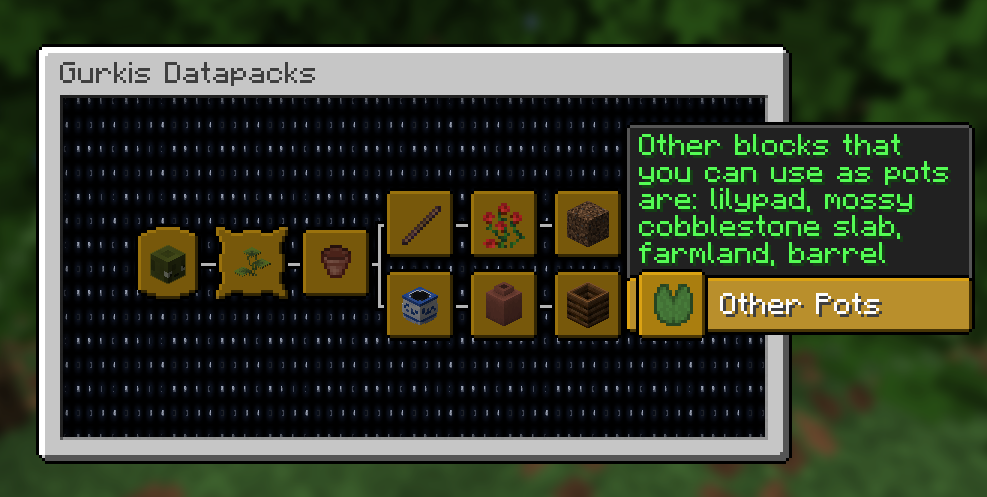
🪴Lots of pot types!
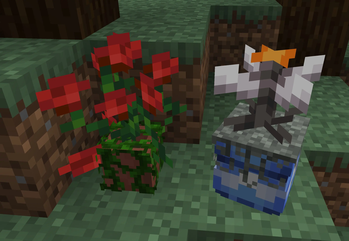
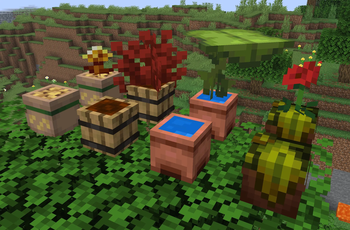
Why stop at flower pots and decorated pots? Place plants on all these different blocks! Crouch-place a composter or cauldron to get half-pots with their design. Hold it in offhand when placing to place it in the upper half of the block. All plants have been tested in all pot types and adjusted to make sure they all look good! Barrel also works!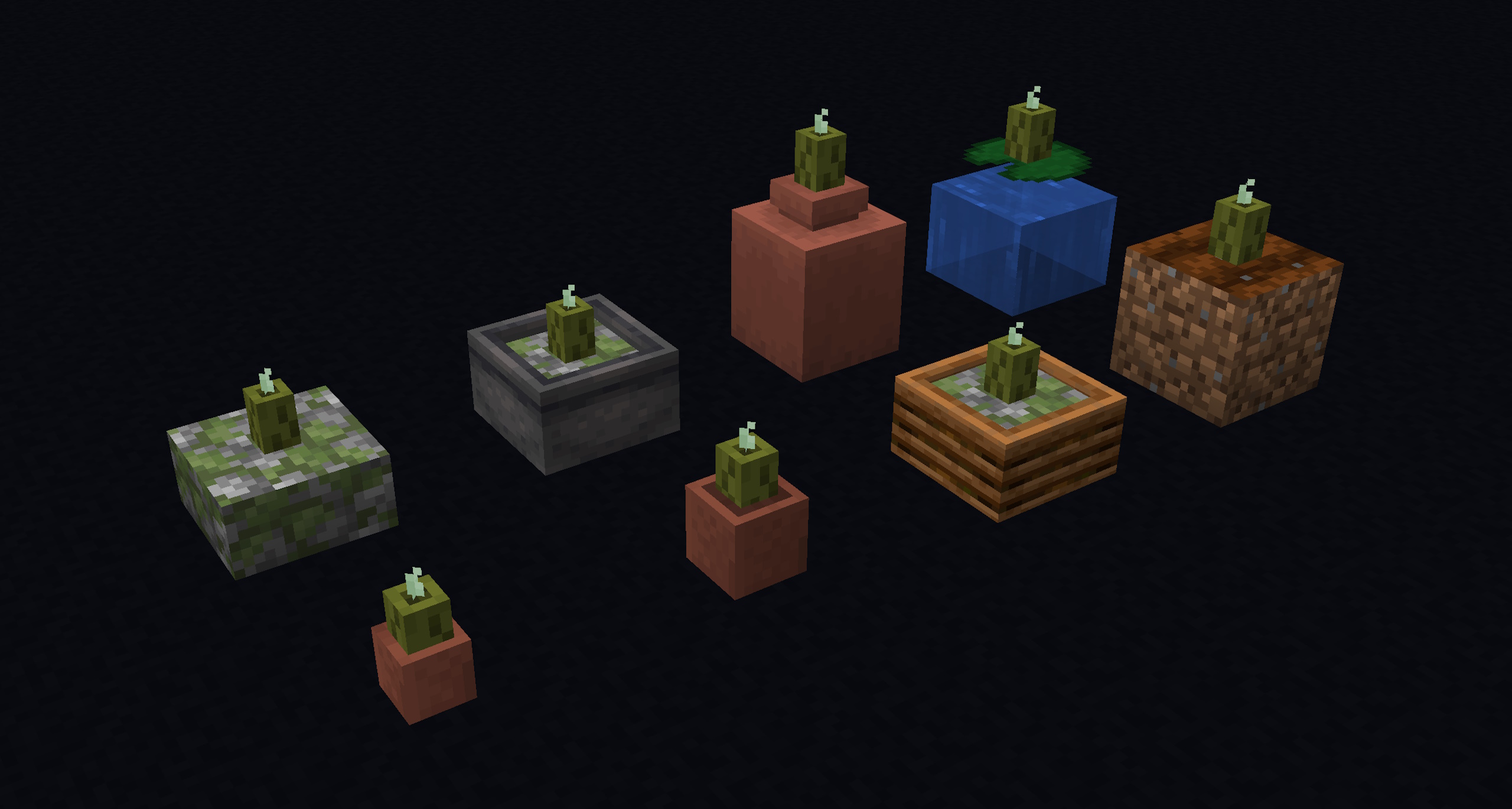
🪻Custom pots!
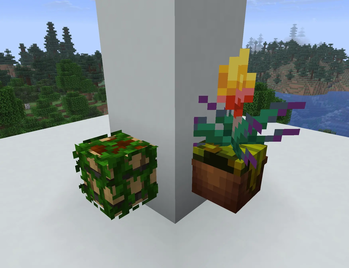
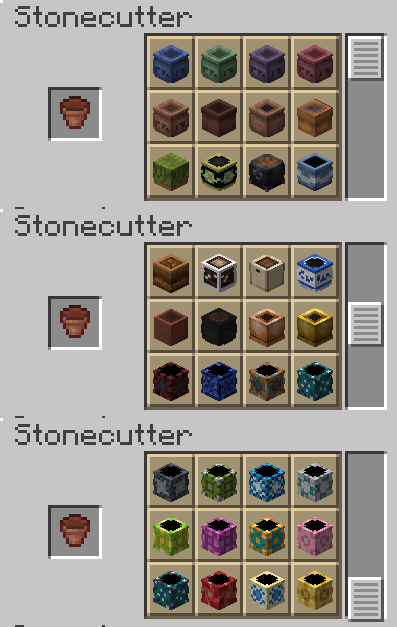
Get new pot designs by putting a flower pot in a stonecutter! There's 60 designs to choose from, so there should be something for everyone. These are player heads with custom textures, but you can use any other player heads as well!
You can also put a barrel in a stonecutter to get an open variant of it.
⚒️ Change soil!
You can change the soil in half-pots by right-clicking on the top of it with a supported block! (Can use any block in Creative mode)
List of supported soil blocks
Generally its any soil-like block, but there's some different ones as well.🌱 Natural Ground Blocks:
- Grass Block
- Dirt
- Coarse Dirt
- Rooted Dirt
- Podzol
- Mycelium
- Mud
- Packed Mud
- Moss Block
- Pale Moss Block
🏖️ Sand & Gravel:
- Sand
- Red Sand
- Gravel
- Clay
❄️ Cold Blocks:
- Ice
- Packed Ice
- Blue Ice
- Snow Block
🪨 Underground Blocks:
- Stone
- Tuff
- Calcite
- Basalt
- Blackstone
- Dripstone Block
- Mossy Stone Bricks
🔥 Nether & End Blocks:
- Netherrack
- Soul Sand
- Soul Soil
- Magma Block
- Nether Wart Block
- Warped Wart Block
- Crimson Nylium
- Warped Nylium
- End Stone
🪵 Organic Blocks:
- Bamboo Block
- Mangrove Roots
- Muddy Mangrove Roots
- Hay Block
- Slime Block
- Honey Block
- Honeycomb Block
- Beehive
- Bee Nest
- All Logs
- All Leaves
- All Terracotta
⚙️ Utility Blocks:
- Crafting Table
- Smithing Table
- Furnace
- Blast Furnace
- Smoker
- Chiseled Bookshelf
🦴 Special Blocks:
- Amethyst Block
- Copper Block
- Netherite Block
- Lapis Block
- Bone Block
🌊 Water Blocks:
- All Coral Blocks
- Sponge
- Wet Sponge

🌻 Rotate plants!
Hold a stick and crouch on top of a potted plant to rotate it! Each rotation is 15 degrees. If you hold the stick in your off-hand then each rotation is 7.5 degrees!
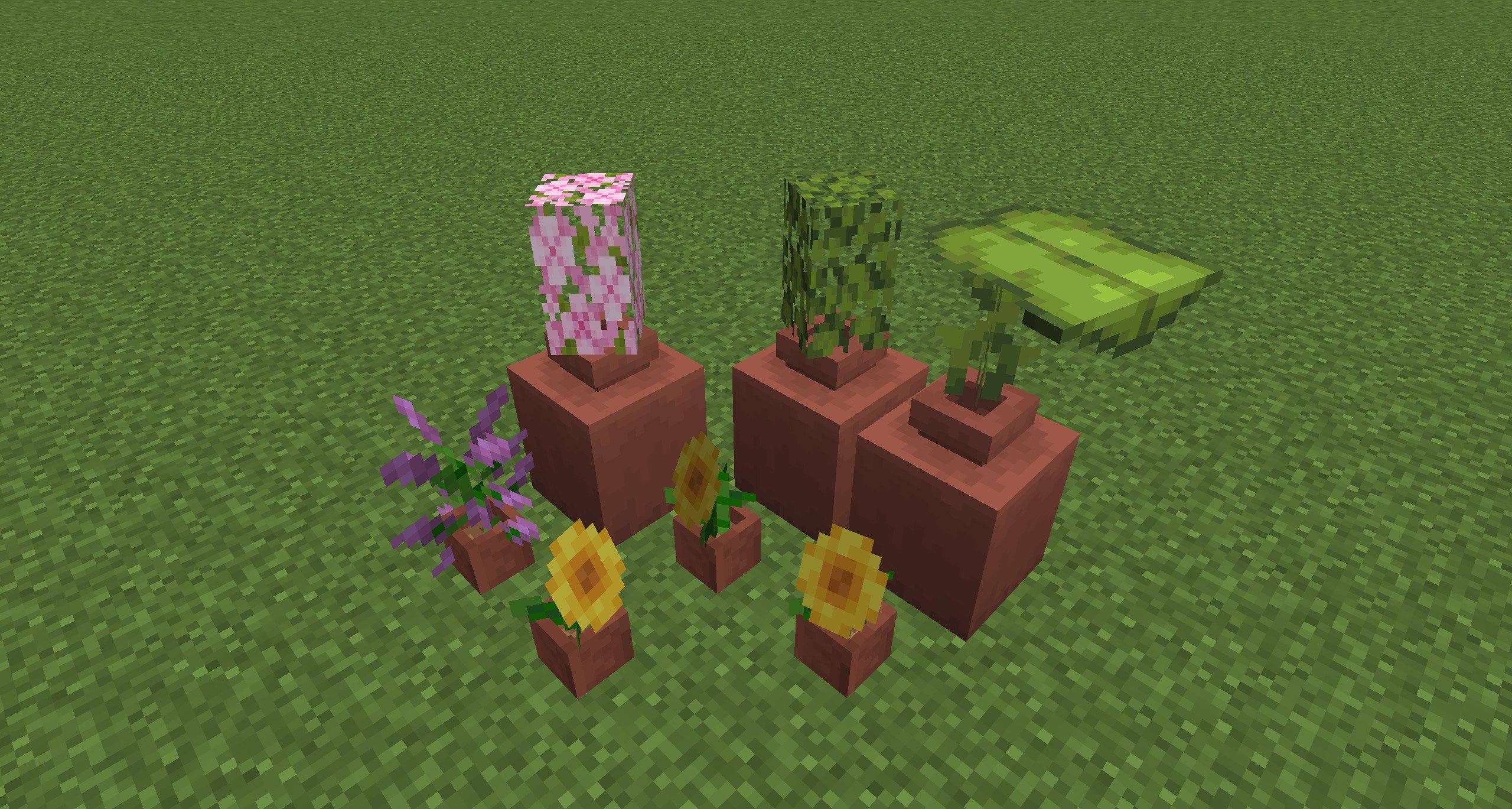
🎉New variations for everyone!
Even plants that already could be placed in flower pots got support for new looks! Combine both for variety!
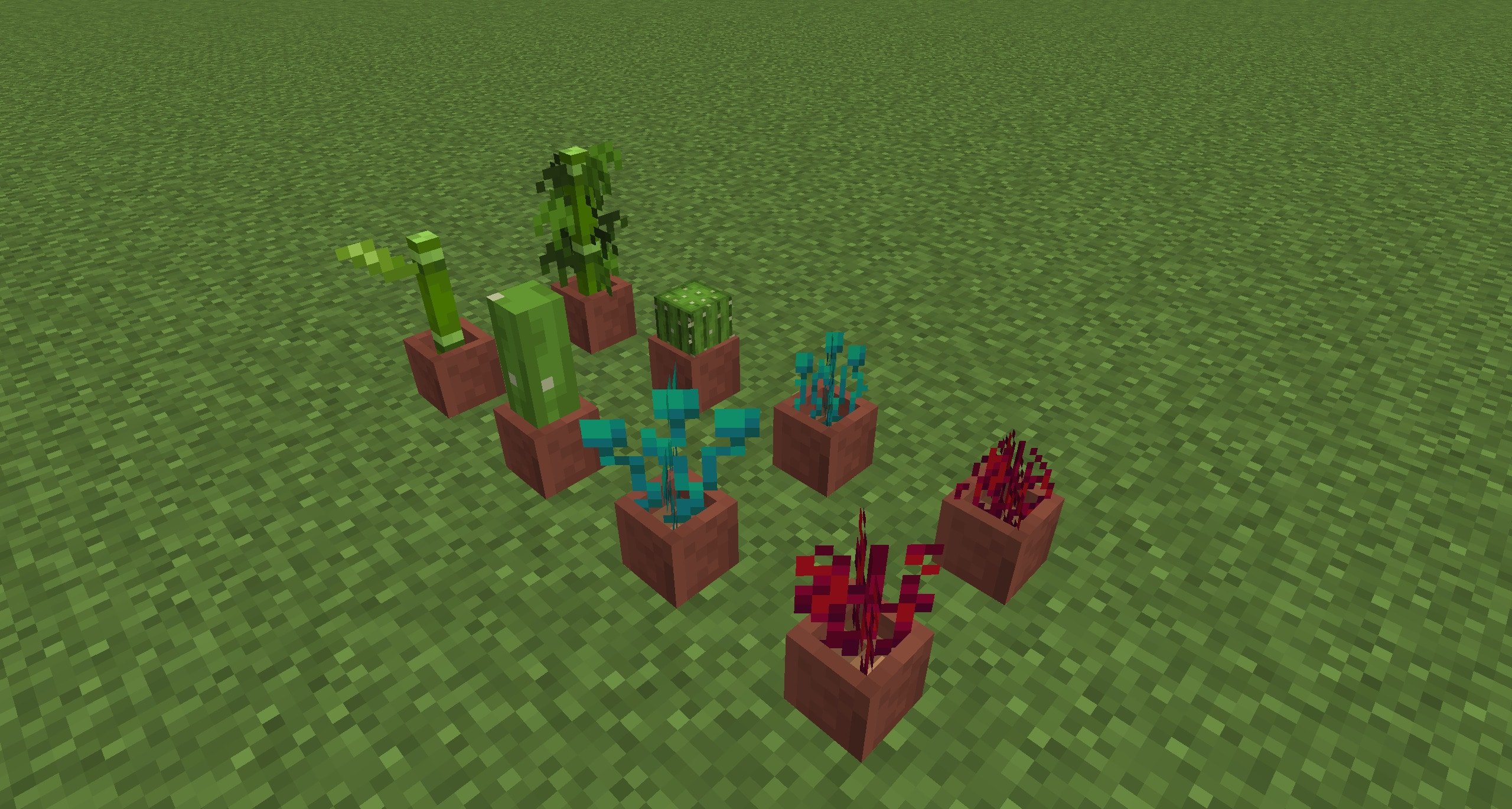
🪴Planting freedom!
Crouch on top of a flower pot or decorated pot while holding a plant of your choice to place it in the pot!
Crouch and place a two-tall flower on the ground to make it one-tall!
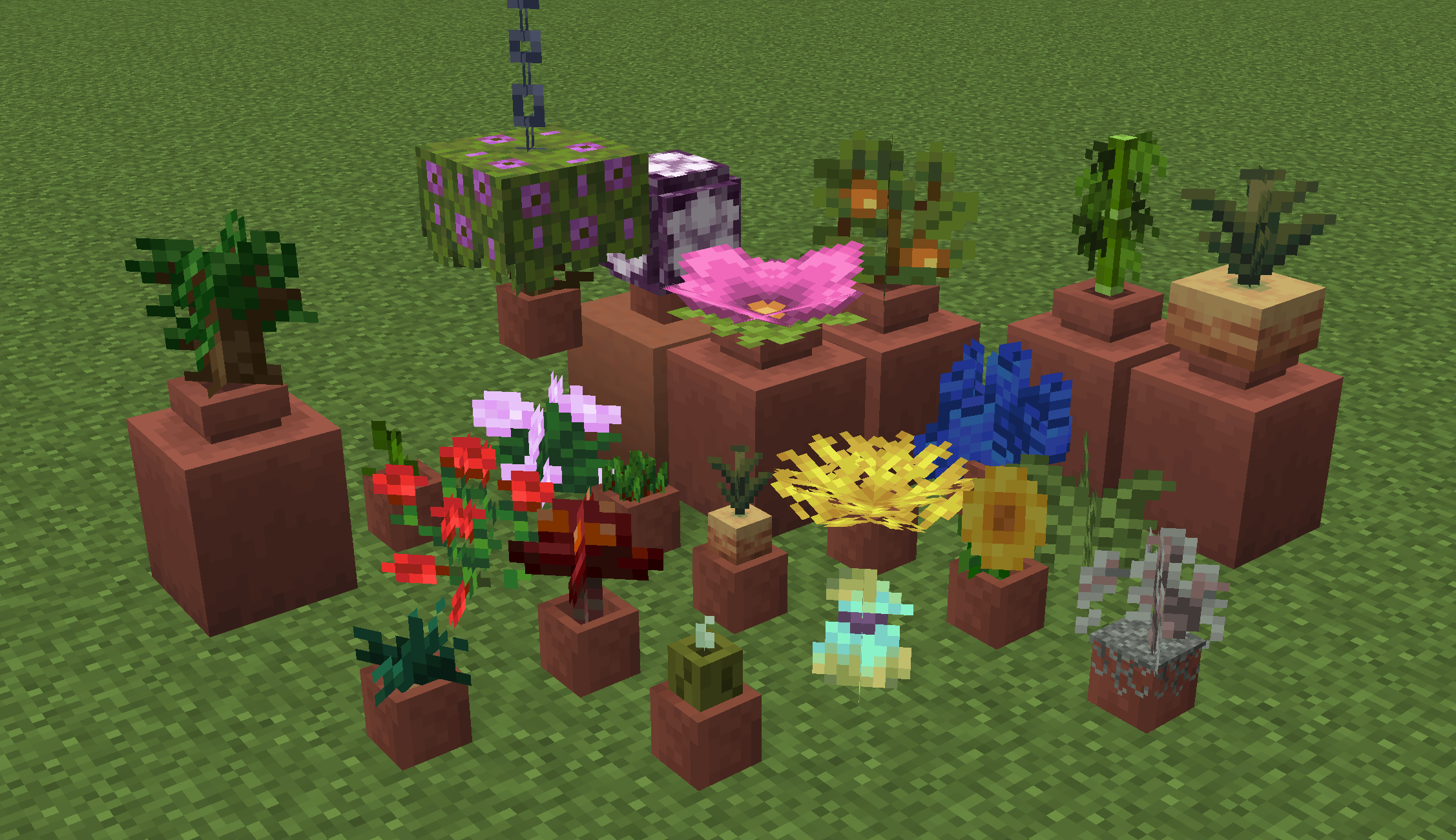
📜Important
In versions v1.7 and below, in Creative mode the plants wont break if you break the pot, so use this command if you want to break them /function gardenersdream:pot_broken
Some plants dont drop anything back when you break the pot. This is due to them having a different display block than the item used to place it (like wheat).
To change how quickly the datapack checks for broken plants you can use /function gardenersdream:_settings to adjust it to 0.3s, 1.0s or 2.0s (default).
List of supported & unsupported plants.
Plants you might not expect to be supported are in bold!| SUPPORTED | SUPPORTED | SUPPORTED |
|---|---|---|
| All Two-Tall Plants | All Flowers | All Leaves |
| All Saplings | All Pale Nature Blocks | Big & Small Dripleaf |
| Fern | Grass | Sugar Cane |
| Kelp | Seagrass | Wheat |
| Beetroot | Carrot | Potato |
| Sweet & Glow Berries | Flowering Azalea | Azalea |
| All Mushrooms & Fungus | Weeping Vines | Twisting Vines |
| Nether Wart | Nether Sprouts | Warped Roots |
| Dead Bush | Mangrove Roots | Hanging Roots |
| Pitcher Plant & Pod | Torchflower & Seeds | Wither Rose |
| Bamboo | Cactus | Crimson Roots |
| Sea Pickle | All Corals & Coral Fans | Spore Blossom |
| Chorus Flower & Fruit | Melon & Pumpkin Seeds | Vines |
| Pink Petals | Sculk Vein & Sensor | Glow Lichen |
| UNSUPPORTED |
|---|
| Lily Pad |
| Cocoa Beans |
🏗️Expand your building options!
Who could say no to more options? Like look at this hidden lighting! What else could you hide...?
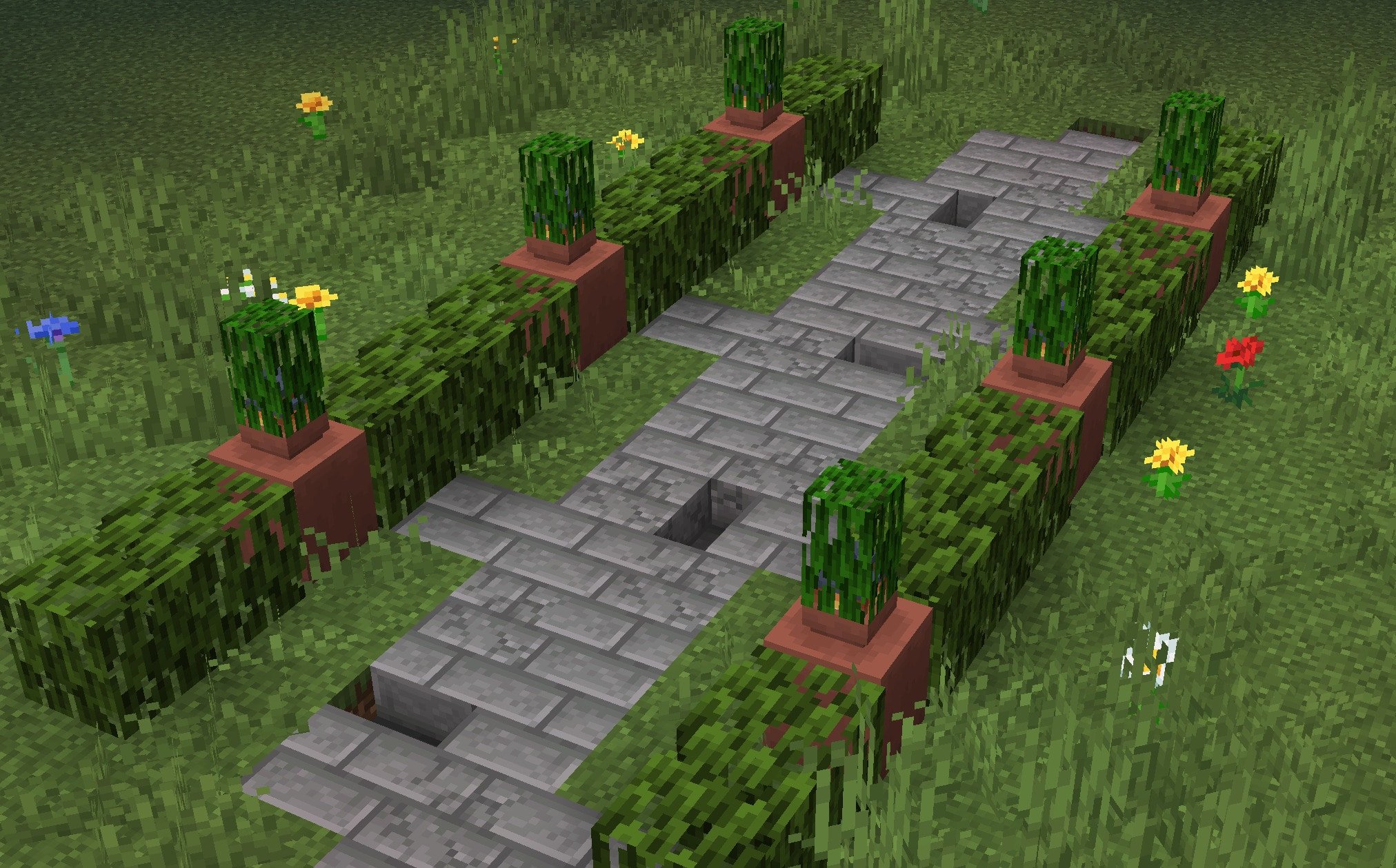
If you find any issues or have any suggestions, you can DM me on Discord @Gurkis
Verfügbare Versionen
Gardener's Dream auf dem Server installieren
Server bestellen
Bestelle einen Minecraft Java Server mit mindestens 3 GB RAM (4 GB empfohlen).
datapack Loader setzen
Wähle im Panel unter "Egg" den datapack-Loader und die passende Minecraft-Version (26.3).
Mod installieren
Öffne den Mod-Browser im Dashboard und suche nach "Gardener's Dream". Klicke "Installieren" – fertig! Alternativ: Lade die .jar via SFTP in den /mods Ordner.
Kompatibilität
Mod-Loader
Minecraft-Versionen
26.3, 26.2, 26.1.2 (+48 weitere)
Server-seitig
✓ ErforderlichEmpfohlener RAM
4 GB(min. 3 GB)Häufige Fragen
Gardener's Dream Server crasht beim Start – was tun?
Häufigste Ursache: falsche datapack-Version oder zu wenig RAM. Prüfe im Server-Log (latest.log), ob ein "OutOfMemoryError" oder "Mixin"-Fehler auftritt. Bei Mado Hosting: Stelle sicher, dass mindestens 3 GB RAM zugewiesen sind und der Loader zur Mod-Version passt (26.3). Über das Panel kannst du den Loader mit einem Klick wechseln.
Ist Gardener's Dream mit datapack und fabric und forge und neoforge und quilt kompatibel?
Gardener's Dream unterstützt offiziell datapack, fabric, forge, neoforge, quilt für Minecraft 26.3, 26.2, 26.1.2. Achtung: Forge- und Fabric-Mods sind NICHT untereinander kompatibel – wähle einen Loader und bleibe dabei. Im Mado Dashboard werden inkompatible Loader-Kombinationen automatisch erkannt.
Server laggt mit Gardener's Dream – wie optimiere ich die Performance?
Empfohlener RAM: 4 GB (+1 GB pro 8 Spieler). Prüfe mit /spark profiler, ob Gardener's Dream den meisten Tick-Time verbraucht. Häufige Fixes: Server-View-Distance auf 8-10 reduzieren, bei Forge "performant" oder "starlight" als Zusatz-Mod installieren. Bei Mado Hosting läuft dein Server auf NVMe-SSDs mit dedizierten CPU-Kernen für minimale Latenz.
Ähnliche Mods

![[ETF] Entity Texture Features](https://cdn.modrinth.com/data/BVzZfTc1/af683d206d50b05258d865b0d6e4aa2f2cee12f2_96.webp)
![[EMF] Entity Model Features](https://cdn.modrinth.com/data/4I1XuqiY/6e5bbd0d06b1741bfdab6c0cfab6de8fdaf0064c_96.webp)



Modded Server mieten
Installiere Gardener's Dream mit nur einem Klick auf deinem Server.