
Glore
Glowing ores & armor trims.
Screenshots



Über diese Mod
Glore is a mod that adds glowing ores and armor trims. You can adjust the configs to make any block or armor trim material emit various levels of light.
Brightness
Blocks
- Diamond Ore: 15
- Emerald Ore: 12
- Gold Ore: 10
- Lapis Ore: 7
- Copper Ore: 7
- Iron Ore: 4
- Coal Ore: 4
- Redstone Ore: Dynamic, same behavior as vanilla.
Armor Trims
- Amethyst: 4 per piece.
- Redstone: 2 per piece.
Client / Server Info
This mod can work when only on the client, when only on the server, and when on both, but there are issues with it not being on both.
Client Only: Only the armor trim glowing effect works.
Server Only: Only the block glowing effect works, and new blocks' light emissions do not take effect for clients until they rejoin the server or re-enter the chunk.
Both: All effects work without issues.
Colors
To get the light this mod adds to be colored you will need to use this mod alongside a shader that supports colored lighting. This mod was made and tested with Complementary Reimagined + Euphoria Patches' colored lighting setting enabled, but other shaders should work aswell.
Config
1.21
There is a main config json (glore.json) in the config folder, which allows you to adjust which blocks emit light, and how much light they emit. Additionally, there is a second config "glore_trims.json" allowing you to adjust which armor trims make you emit light when worn, and how much light each armor piece emits.1.20.x
There are two config jsons for this mod found in the mods folder alongside the mod jar. They are generated when you open the game with the mod installed, and you can adjust them appropriately to change which blocks glow and how brightly they glow.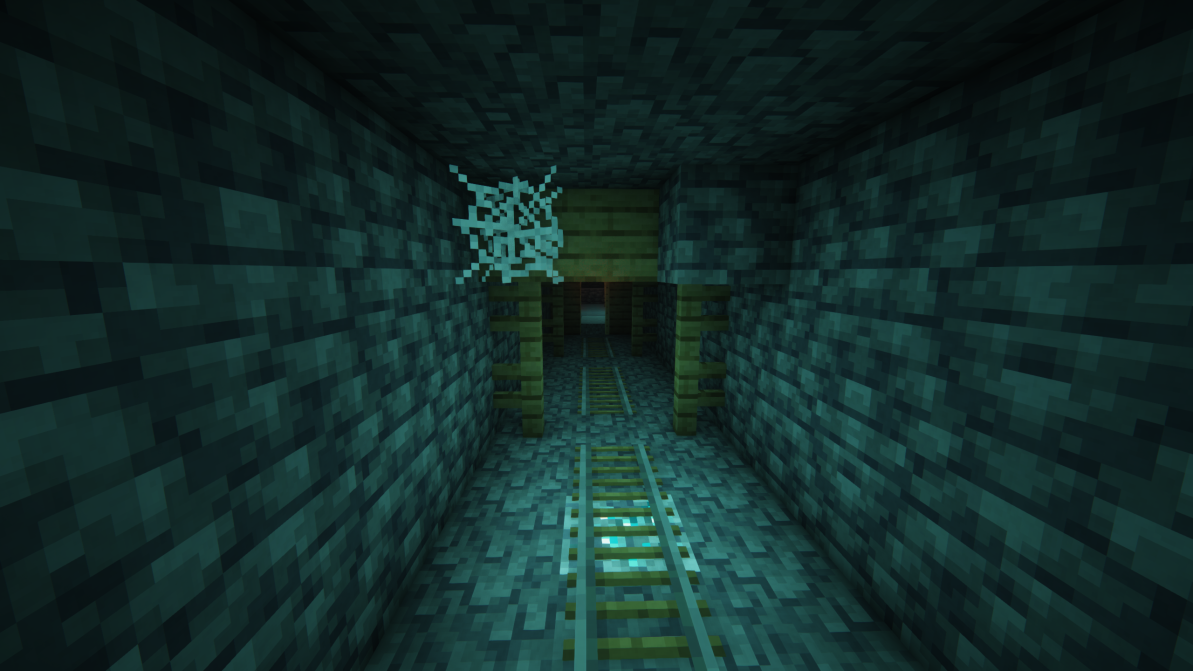
Discord: https://discord.gg/HHqKa8vTAN
This mod may be used in any modpack.
Verfügbare Versionen
Glore auf dem Server installieren
Server bestellen
Bestelle einen Minecraft Java Server mit mindestens 3 GB RAM (4 GB empfohlen).
fabric Loader setzen
Wähle im Panel unter "Egg" den fabric-Loader und die passende Minecraft-Version (26.2).
Mod installieren
Öffne den Mod-Browser im Dashboard und suche nach "Glore". Klicke "Installieren" – fertig! Alternativ: Lade die .jar via SFTP in den /mods Ordner.
Kompatibilität
Mod-Loader
Minecraft-Versionen
26.2, 26.1.2, 26.1.1 (+14 weitere)
Server-seitig
✓ ErforderlichEmpfohlener RAM
4 GB(min. 3 GB)Häufige Fragen
Glore Server crasht beim Start – was tun?
Häufigste Ursache: falsche fabric-Version oder zu wenig RAM. Prüfe im Server-Log (latest.log), ob ein "OutOfMemoryError" oder "Mixin"-Fehler auftritt. Bei Mado Hosting: Stelle sicher, dass mindestens 3 GB RAM zugewiesen sind und der Loader zur Mod-Version passt (26.2). Über das Panel kannst du den Loader mit einem Klick wechseln.
Ist Glore mit fabric und forge und neoforge kompatibel?
Glore unterstützt offiziell fabric, forge, neoforge für Minecraft 26.2, 26.1.2, 26.1.1. Achtung: Forge- und Fabric-Mods sind NICHT untereinander kompatibel – wähle einen Loader und bleibe dabei. Im Mado Dashboard werden inkompatible Loader-Kombinationen automatisch erkannt.
Server laggt mit Glore – wie optimiere ich die Performance?
Empfohlener RAM: 4 GB (+1 GB pro 8 Spieler). Prüfe mit /spark profiler, ob Glore den meisten Tick-Time verbraucht. Häufige Fixes: Server-View-Distance auf 8-10 reduzieren, bei Forge "performant" oder "starlight" als Zusatz-Mod installieren. Bei Mado Hosting läuft dein Server auf NVMe-SSDs mit dedizierten CPU-Kernen für minimale Latenz.
Ähnliche Mods

![[ETF] Entity Texture Features](https://cdn.modrinth.com/data/BVzZfTc1/af683d206d50b05258d865b0d6e4aa2f2cee12f2_96.webp)
![[EMF] Entity Model Features](https://cdn.modrinth.com/data/4I1XuqiY/6e5bbd0d06b1741bfdab6c0cfab6de8fdaf0064c_96.webp)



Modded Server mieten
Installiere Glore mit nur einem Klick auf deinem Server.