
Gregtech Terminals
An improved QoL for GregTechCEu with enhanced features
Screenshots

Über diese Mod
A Lightweight GregTech Modern Addon

What makes our terminals so great?
GregTech Terminals offers three very useful Quality of Life gadgets for your modpack experience; the Multi-Structure Manager, the Schematic Interface, and the Dismantler.
Multi-Structure Manager:
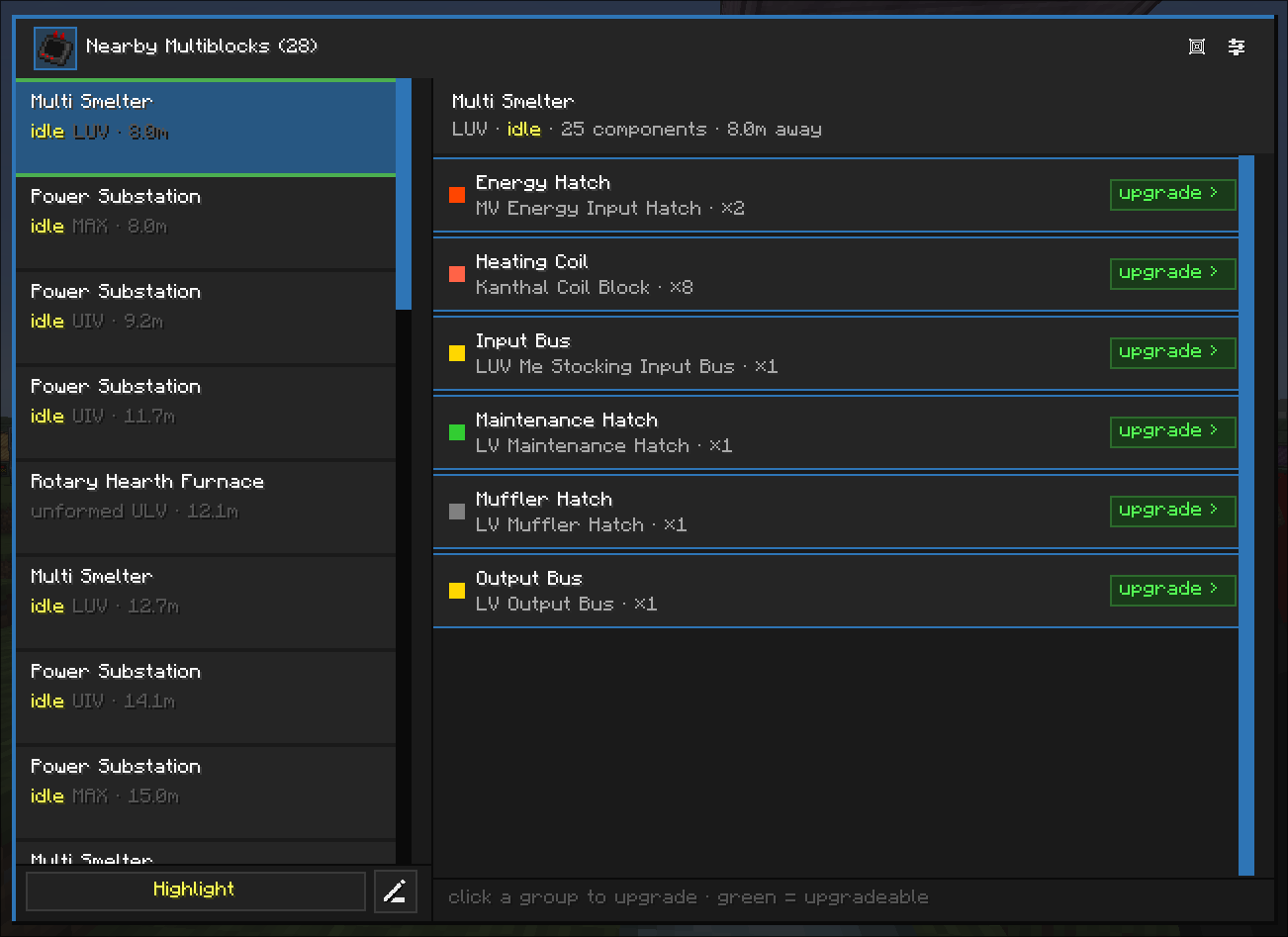
This gadget sees all multiblocks within a 32-block radius and allows you to upgrade any tiered blocks such as Coils, I/O Hatches, I/0 Buses, Energy Hatches, Parallel Hatches, Mufflers, and even custom Tiered Casings, directly from the player's inventory or AE2! It connects straight to your ME Network through a ME Wireless Access Point just like a Wireless Terminal, and also has the ability to request blocks for you. (requesting is currently a planned feature and not complete)
Schematic Interface:
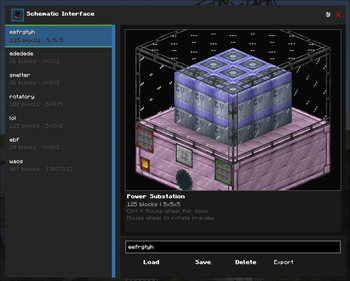
This gadget allows you to shift + right-click a multiblock controller in order to copy all blocks that are part of a structure to save it as a named blueprint for easy pasting later. It also allows you to connect it to your ME Network to paste blocks from it and request blocks for you that aren't available in your inventory or network. (requesting is currently a planned feature and not complete)
Dismantler:
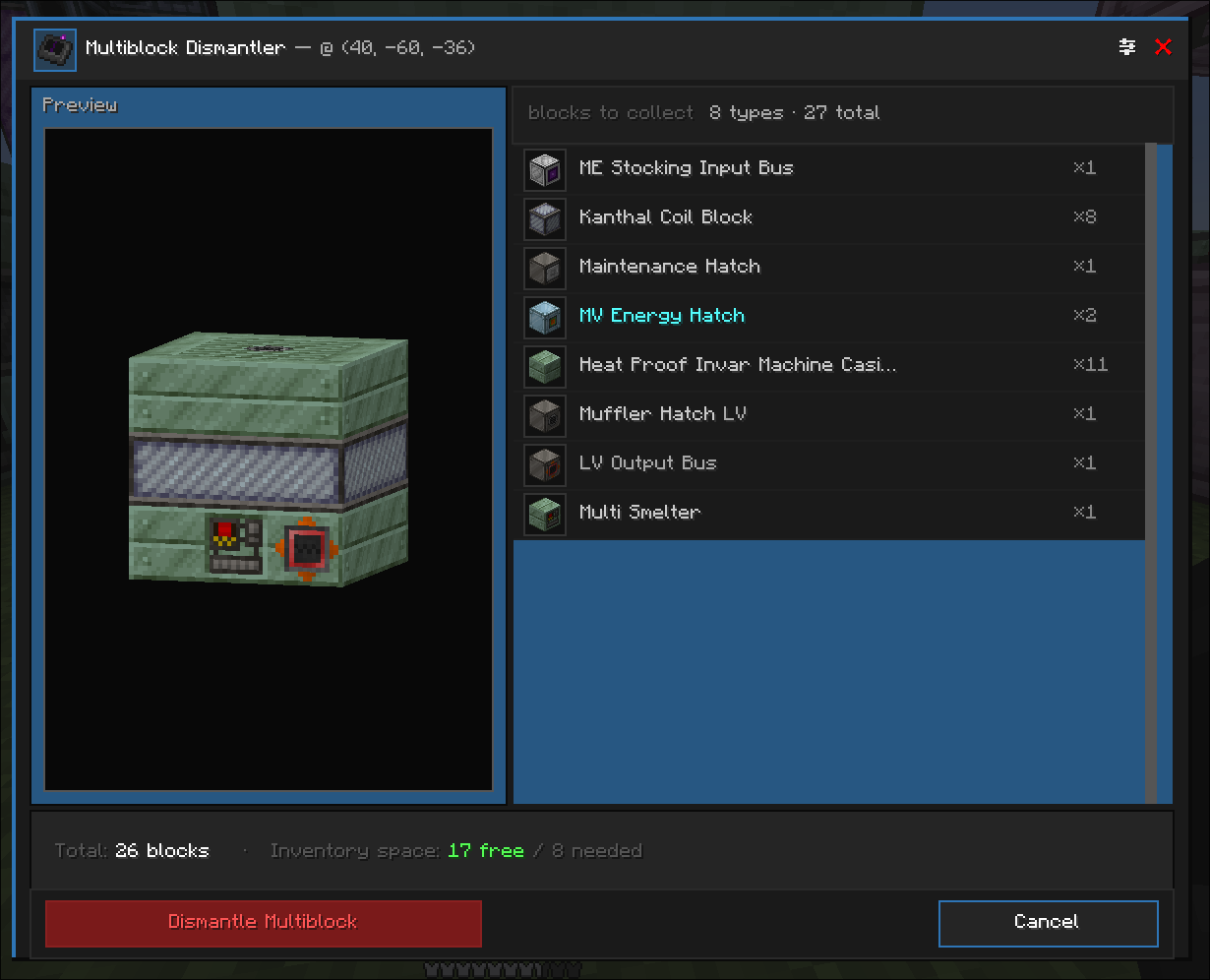
This gadget allows you to shift + right-click a multiblock controller in order to pick up all blocks that are a part of the structure and put them in the player's inventory. Any excess blocks picked up by the dismantler will be dropped on the ground if player inventory is full.
Energy Analyzer:
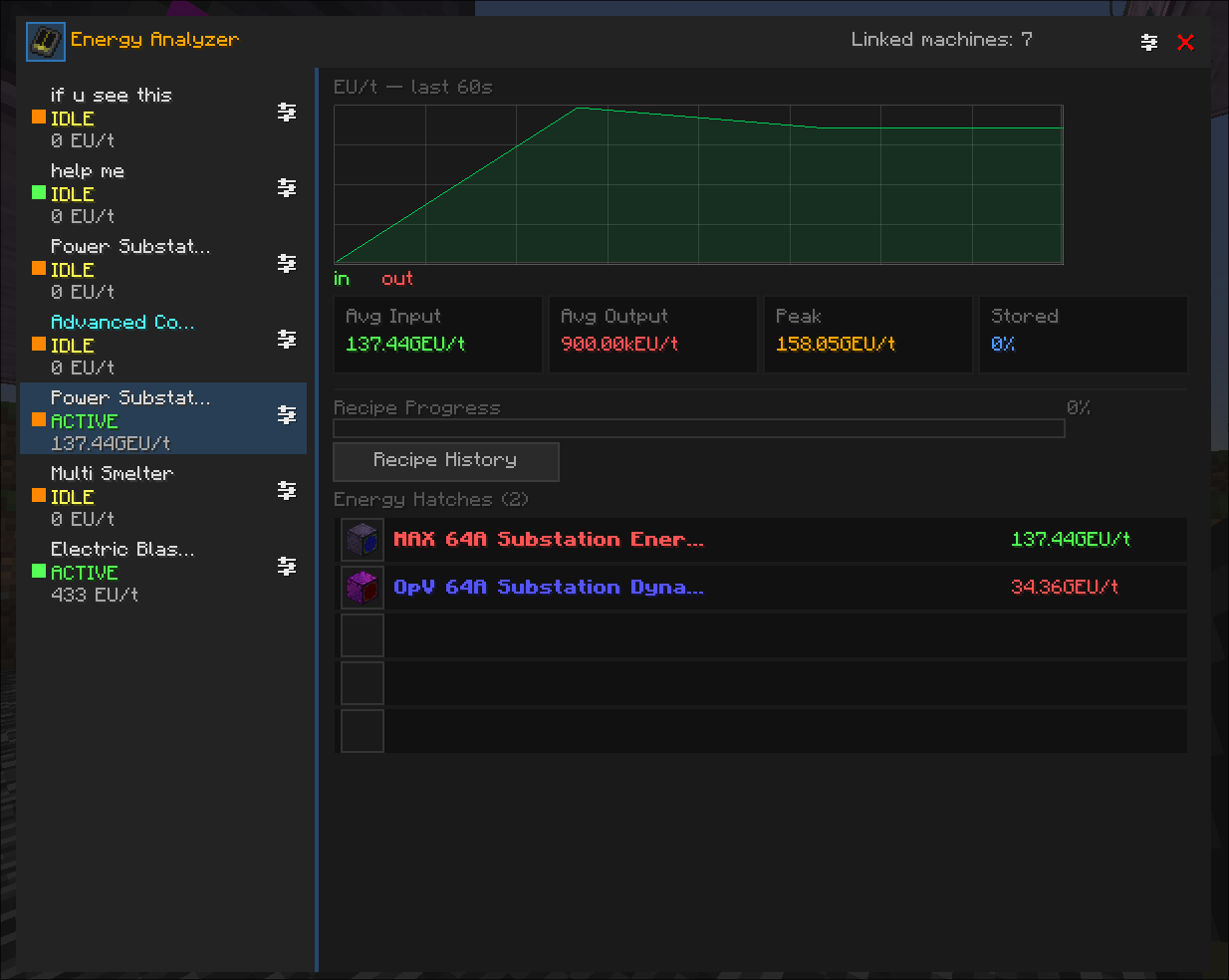
This final gadget allows you to record and monitor the energy usage of your machines; it can link Multiblocks, I/O Energy Hatches, singleblocks, and Battery Boxes?? (This items does not have a recipe, so you may need to cheat or give it a recipe as a packdev)
Supported Mods & Packs (coming soon)
Any mods or modpacks listed below will have specially-tailored integrations for unique types of hatches and tiered casings within the mods.
- AstroGreg:Exsilium
- TerraFirmaGreg
- Phoenix Forge Technologies
- GTM Things
Please report any bugs specific to these projects here so we can continue to support them. If you would like your project to be integrated feel free to leave a suggestion here on GitHub or contact us on Discord.
Credits
Special Thanks to Haze Vista, for providing textures and ideas.
yan (yan072600) for translating the mod to simplified chinese and make the mod able to translate to another languages.
GTM Things for inspiring Multi-Structure Manager.
GregTech CEu Modern.
WhitePhant0m for adding support for AE2 Wireless terminals in Curio slots.
Contributors are welcomed and encouraged!
Verfügbare Versionen
Gregtech Terminals auf dem Server installieren
Server bestellen
Bestelle einen Minecraft Java Server mit mindestens 3 GB RAM (4 GB empfohlen).
forge Loader setzen
Wähle im Panel unter "Egg" den forge-Loader und die passende Minecraft-Version (1.20.1).
Mod installieren
Öffne den Mod-Browser im Dashboard und suche nach "Gregtech Terminals". Klicke "Installieren" – fertig! Alternativ: Lade die .jar via SFTP in den /mods Ordner.
Kompatibilität
Mod-Loader
Minecraft-Versionen
1.20.1
Server-seitig
✓ ErforderlichEmpfohlener RAM
4 GB(min. 3 GB)Häufige Fragen
Gregtech Terminals Server crasht beim Start – was tun?
Häufigste Ursache: falsche forge-Version oder zu wenig RAM. Prüfe im Server-Log (latest.log), ob ein "OutOfMemoryError" oder "Mixin"-Fehler auftritt. Bei Mado Hosting: Stelle sicher, dass mindestens 3 GB RAM zugewiesen sind und der Loader zur Mod-Version passt (1.20.1). Über das Panel kannst du den Loader mit einem Klick wechseln.
Ist Gregtech Terminals mit forge kompatibel?
Gregtech Terminals unterstützt offiziell forge für Minecraft 1.20.1. Im Mado Dashboard werden inkompatible Loader-Kombinationen automatisch erkannt.
Server laggt mit Gregtech Terminals – wie optimiere ich die Performance?
Empfohlener RAM: 4 GB (+1 GB pro 8 Spieler). Prüfe mit /spark profiler, ob Gregtech Terminals den meisten Tick-Time verbraucht. Häufige Fixes: Server-View-Distance auf 8-10 reduzieren, bei Forge "performant" oder "starlight" als Zusatz-Mod installieren. Bei Mado Hosting läuft dein Server auf NVMe-SSDs mit dedizierten CPU-Kernen für minimale Latenz.
Ähnliche Mods






Modded Server mieten
Installiere Gregtech Terminals mit nur einem Klick auf deinem Server.