
Modrinth · Fabric · Client-Mod
Hypixel Simple Chat
Hypixel Simple Chat ist eine clientseitige Mod. Du installierst sie auf deinem Rechner, auf dem Server ist sie nicht nötig.
Cleans up Skyblock chat, 200+ formatted msg , chat tabs, History, search, change color etc...
- Downloads
- 4.0K
- Autor
- Sympatoche
- Loader
- Fabric
- Minecraft
- 1.21 – 26.3
- Aktualisiert
- –
Screenshots
So sieht Hypixel Simple Chat aus
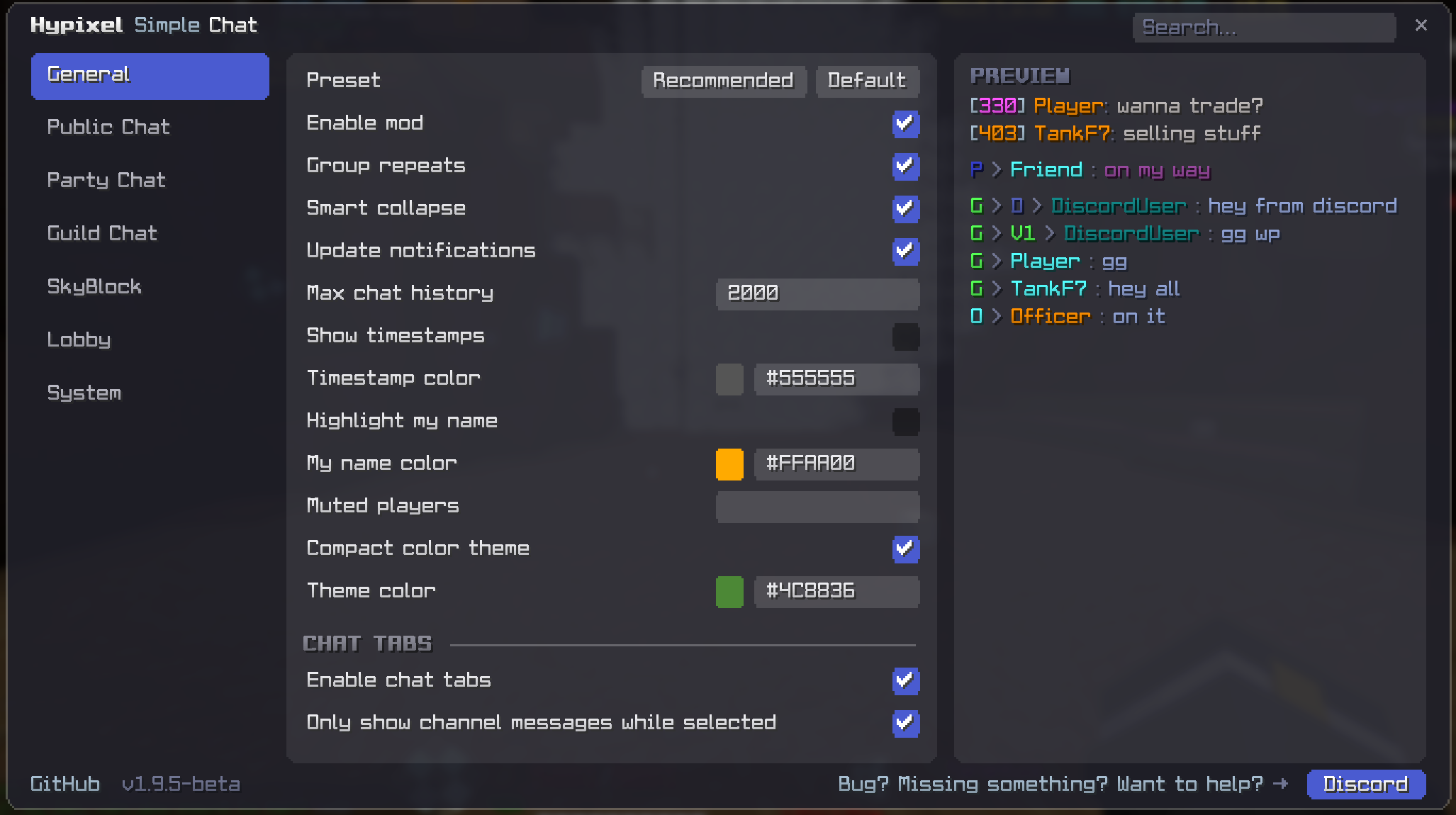
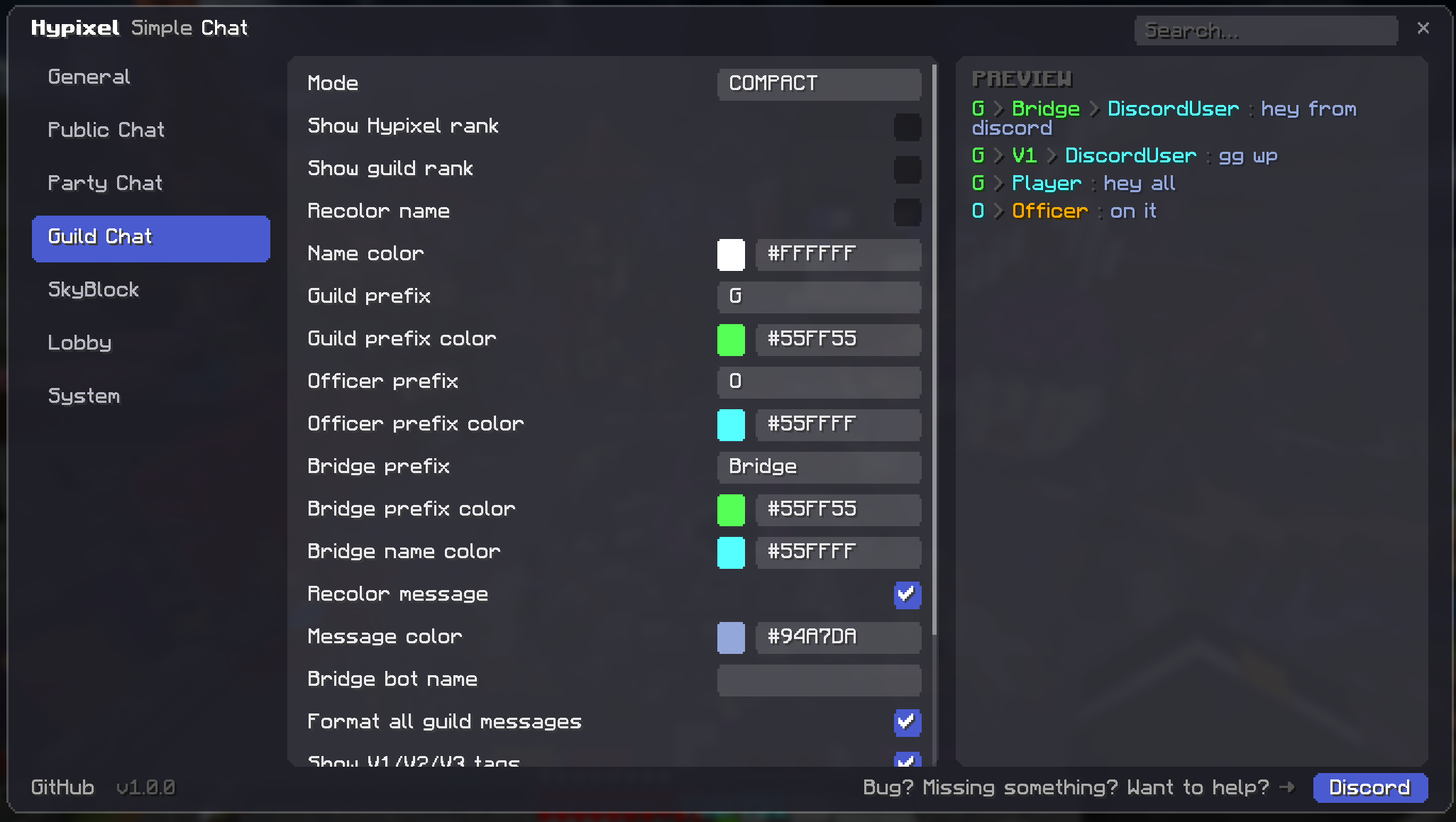
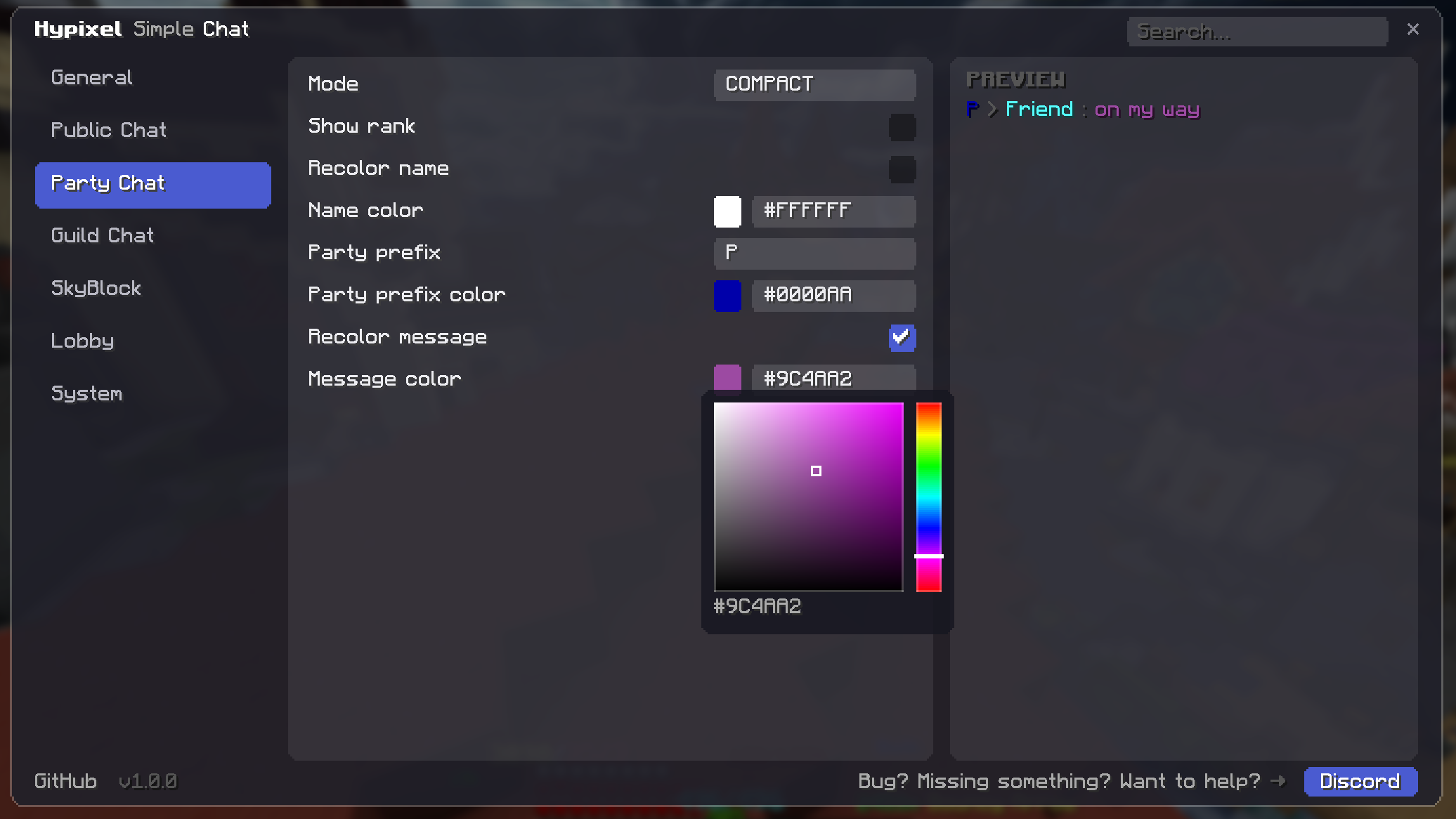
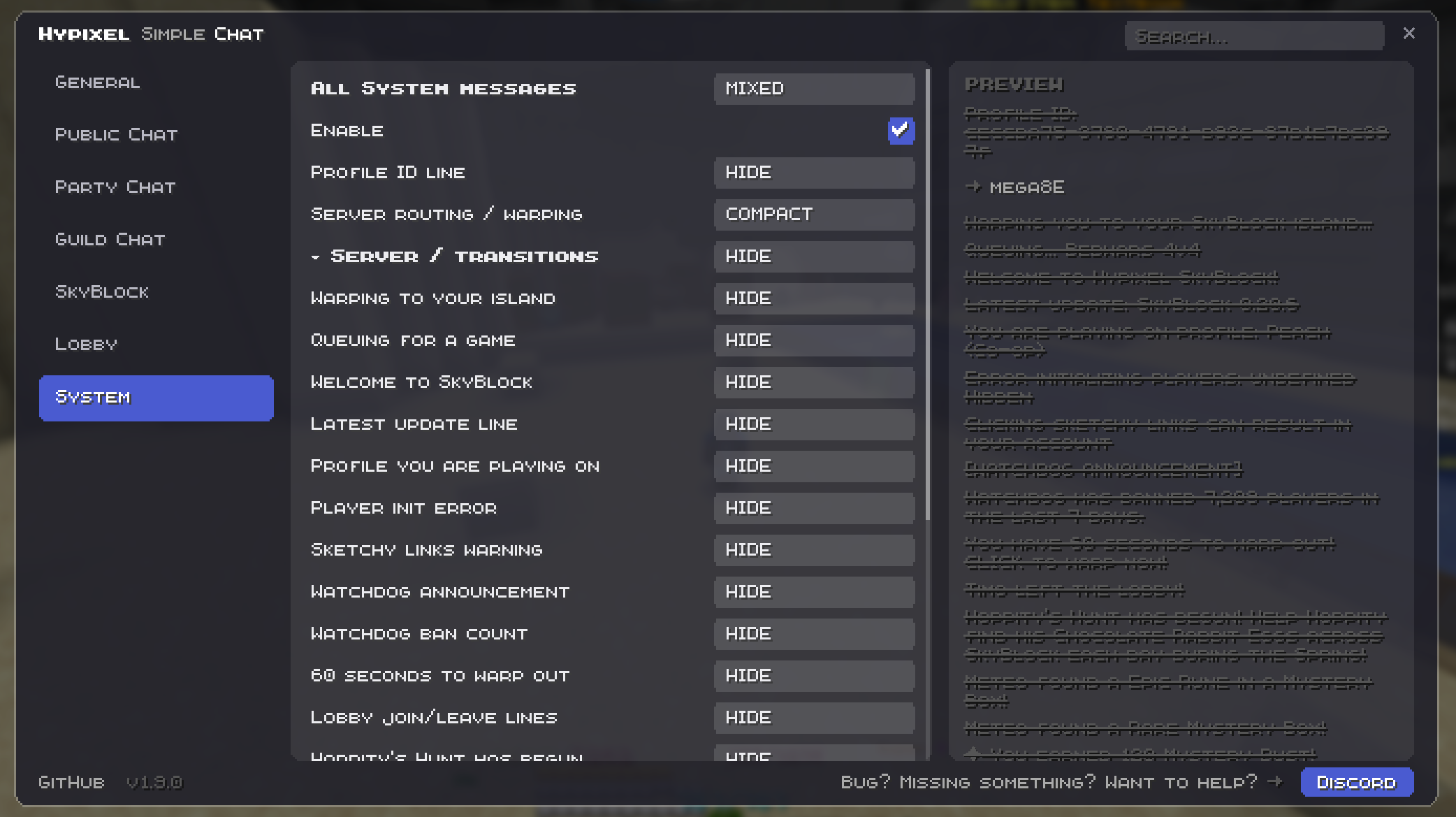
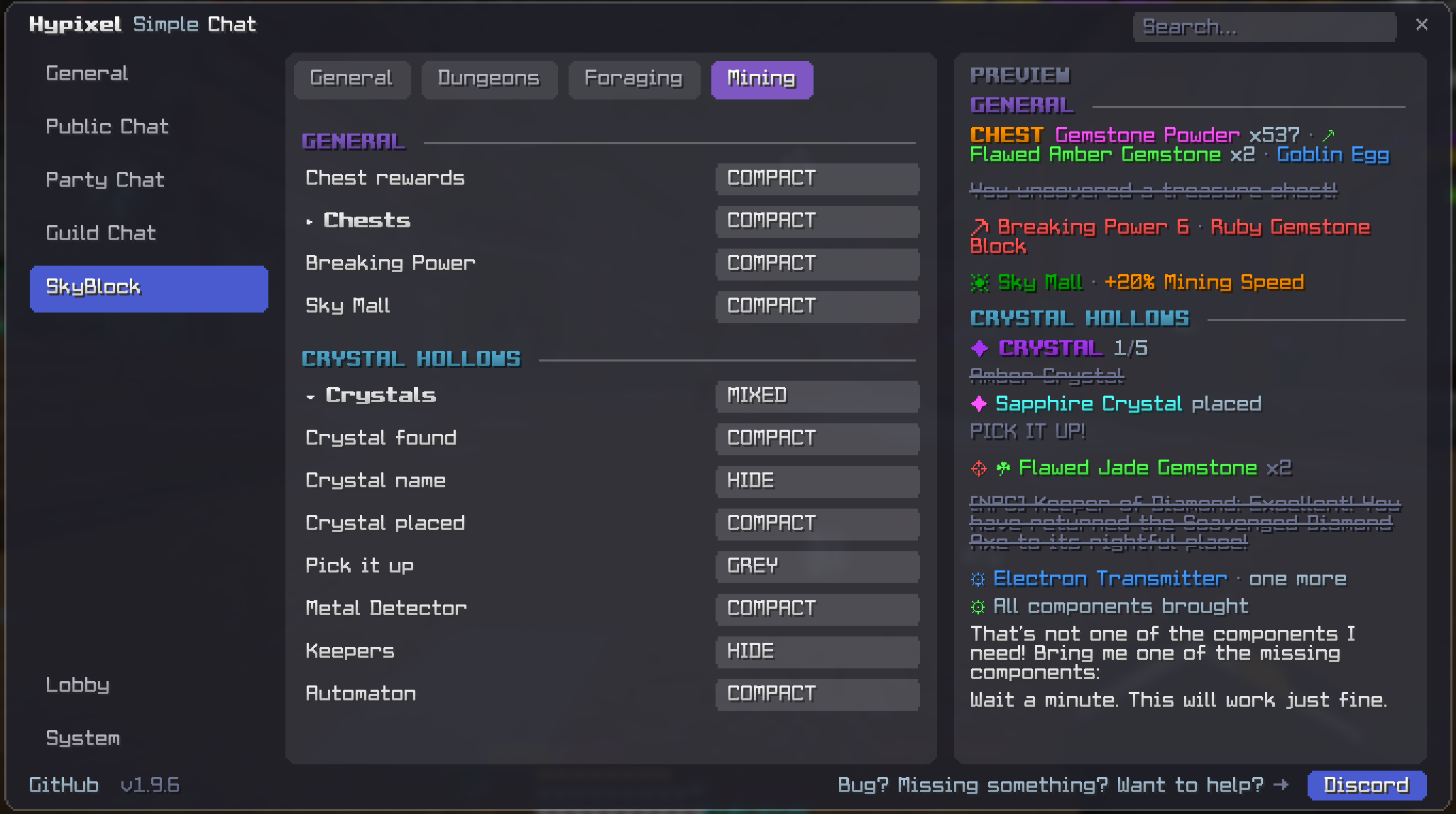
Bilder: Hypixel Simple Chat auf Modrinth, vom Projektteam veröffentlicht.
Einrichtung
Hypixel Simple Chat auf deinem Client installieren
Clientseitige Mods laufen nur auf deinem Rechner. Mehr Server-RAM ändert an ihrer Leistung nichts.
- 01
Loader lokal installieren
Installiere Fabric für deine Minecraft-Version in deinem Launcher.
- 02
Datei herunterladen
Lade die Hypixel Simple Chat-Datei für deinen Loader und exakt deine Minecraft-Version herunter, zum Beispiel 26.3.
- 03
In den Mods-Ordner legen
Lege die .jar-Datei in den lokalen Ordner .minecraft/mods und entferne ältere Duplikate.
- 04
Starten
Starte Minecraft mit dem Loader-Profil. Auf dem Server musst du nichts ändern.
- Auf dem Server
- Nicht nötig
- Auf dem Client
- Erforderlich
- Loader
- Fabric
- Minecraft
- 26.3, 26.2, 26.1.2 +14 weitere
- Lizenz
- GNU Lesser General Public License v3.0 only
Versionen
Veröffentlichte Versionen
Nimm die Datei, die zu Loader und Minecraft-Version deines Servers passt. Server und Spieler brauchen dieselbe Version.
Hypixel Simple Chat · Modrinth- Hypixel Simple Chat 1.11.114. November 2026Minecraft 26.3, 26.2 · Fabric
- Hypixel Simple Chat 1.1025. Oktober 2026Minecraft 26.1, 26.1.1, 26.1.2, 26.2, 26.3 · Fabric
- GuildZip 1.4.812. Juni 2026Minecraft 1.21, 1.21.1, 1.21.10, 1.21.11, 1.21.2, 1.21.3, 1.21.4, 1.21.5, 1.21.6, 1.21.7, 1.21.8, 1.21.9 · Fabric
Originalbeschreibung des Projektautors
Hypixel Simple Chat
Your chat. Your rules.

Cleans up Hypixel Skyblock chat, 200+ formatted msg , chat tabs, History, search, change color etc...
| Hypixel sends | You see |
|---|---|
You have 18 items stashed away!(This totals 16 types of items stashed!)>>> CLICK HERE to pick them up! <<< |
Stash · 18 items · 16 types [PICK UP] |
CAPTURE! You caught a Mantis Shrimp and gained 2x Mantis Shrimp Shard! |
CAPTURE! Mantis Shrimp x2 |
☠ Player was killed by Kuudra. |
☠ Player · Kuudra |
Guild > [MVP+] Player: Anyone doing F7? |
G > Player: Anyone doing F7? |
Mangrove Tree Gift. You helped cut 100.0% and gained 5 rewards! |
Mangrove Tree Gift - 100% | 5 rewardsHover for session reward totals. |
| The same message repeated 14 times | One line with an (x14) counter |
Examples with compact formatting and repeat grouping enabled. Channel prefixes and rank display are customizable. The stash's [PICK UP] button stays clickable.
Tree Gift totals: hover over the latest Tree Gift message to see your accumulated rewards for that tree type this session. Totals update with each gift, keeping any reward ranges shown by Hypixel.
📋 Full feature list
- Per-channel formatting (Public / Party / Guild / Officer) — custom prefixes, colors and rank display
- Guild Discord bridge cleanup with V1/V2/V3 tags
- Auto-collapse repeated messages with an
(xN)counter — smart mode merges lines differing only by numbers - Chat tabs: route what you send (
/ac,/pc,/gc) or filter what you see - Local tab excludes Party, Guild and Officer messages in channel filter mode
- Optional unread counters for Party and Guild in channel filter mode
- Custom Rules — highlight matching text or hide messages, with channel selection and optional case sensitivity
- Custom highlight colors, bold, italic and underline
- Ctrl+F search, right-click copy and extended history
- Compact Pickup Stash reminders with a working
[PICK UP]button and grouped pickup summaries - Player muting with
/hsc mute <name>and/hsc unmute <name> - Optional
[HH:MM]timestamps - Config menu with settings search, tooltips, HSV color picker, presets and live previews
- Master switch: turn the mod off to restore vanilla chat behavior
- Client-side only, with a built-in update checker
🎯 The essentials
- Less spam. Keep, shorten, dim or hide messages. Preview changes as you go.
- Easier conversations. Switch between All, Local, Party and Guild. Search with Ctrl+F, right-click to copy.
- Your colors. Customize chat colors and prefixes. Item rarity colors are preserved in compact messages.
🎨 Custom Rules
Highlight words with your own colors and bold, italic or underline — or hide messages containing unwanted phrases. Choose the channel and optional case sensitivity.
Example: highlight downtime in Party chat → Anyone need downtime?
Bold illustrates the highlight here; colors are customizable in-game. Open /hsc → Custom Rules to get started.
⚡ Guild Discord Bridge?
Need the bridge itself? → Minecraft-Bridge-Chat
Running a Discord bridge in your guild? Simple Chat cleans up its relayed messages — short bot alias, clear Discord username, and [V1] / [V2] / [V3] guild tags.
Made with ❤️ by Tjiba
⭐ If Simple Chat helps you, follow the project on Modrinth !
Muss Hypixel Simple Chat auf dem Minecraft Server installiert werden?
Nein. Modrinth kennzeichnet Hypixel Simple Chat serverseitig als nicht unterstützt. Installiere die Mod nur im lokalen Mods-Ordner. Dein Server kann unverändert bleiben, sofern die Projektseite keine zusätzliche Abhängigkeit nennt.
Welche Version und welchen Loader braucht Hypixel Simple Chat?
Nutze eine Datei für Fabric und exakt deine Minecraft-Version. Unterstützt werden unter anderem 26.3, 26.2, 26.1.2. Dateien für verschiedene Loader sind nicht austauschbar.
Hypixel Simple Chat funktioniert nicht – was kann ich prüfen?
Prüfe zuerst Minecraft-Version, Loader-Version und erforderliche Abhängigkeiten. Da die Mod clientseitig ist, löst mehr Server-RAM das Problem nicht.
Ähnliche Mods
Beliebte Mods aus derselben Kategorie
 Server-fähig

YetAnotherConfigLib (YACL)
von isxander
A builder-based configuration library for Minecraft!
 Server-fähig

Text Placeholder API
von Patbox
Placeholder and Text manipulation library for your Minecraft mods.
 Nur Client

Dynamic FPS
von juliand665
Reduce resource usage while Minecraft is in the background, idle, or on battery.
 Server-fähig

No Chat Reports
von Aizistral
Makes chat unreportable (where possible)
Mods für deinen eigenen Server gesucht?
Im Katalog findest du Mods, die auf Minecraft Servern laufen.