Modrinth · Fabric, Forge, NeoForge
Joy of Painting auf deinem Minecraft Server
Joy of Painting läuft auf Minecraft Servern mit Fabric oder Forge oder NeoForge. Bestell deinen Server, stell den Loader im Panel ein und installiere die Mod mit einem Klick im Mod-Browser.
This mod lets you craft a blank canvas and a palette, with which you can paint your own pictures and hang them on a wall like the vanilla paintings.
- Downloads
- 4.1M
- Autor
- xerca
- Loader
- Fabric, Forge, NeoForge
- Minecraft
- 1.12.2 – 26.2
- Aktualisiert
- –
Screenshots
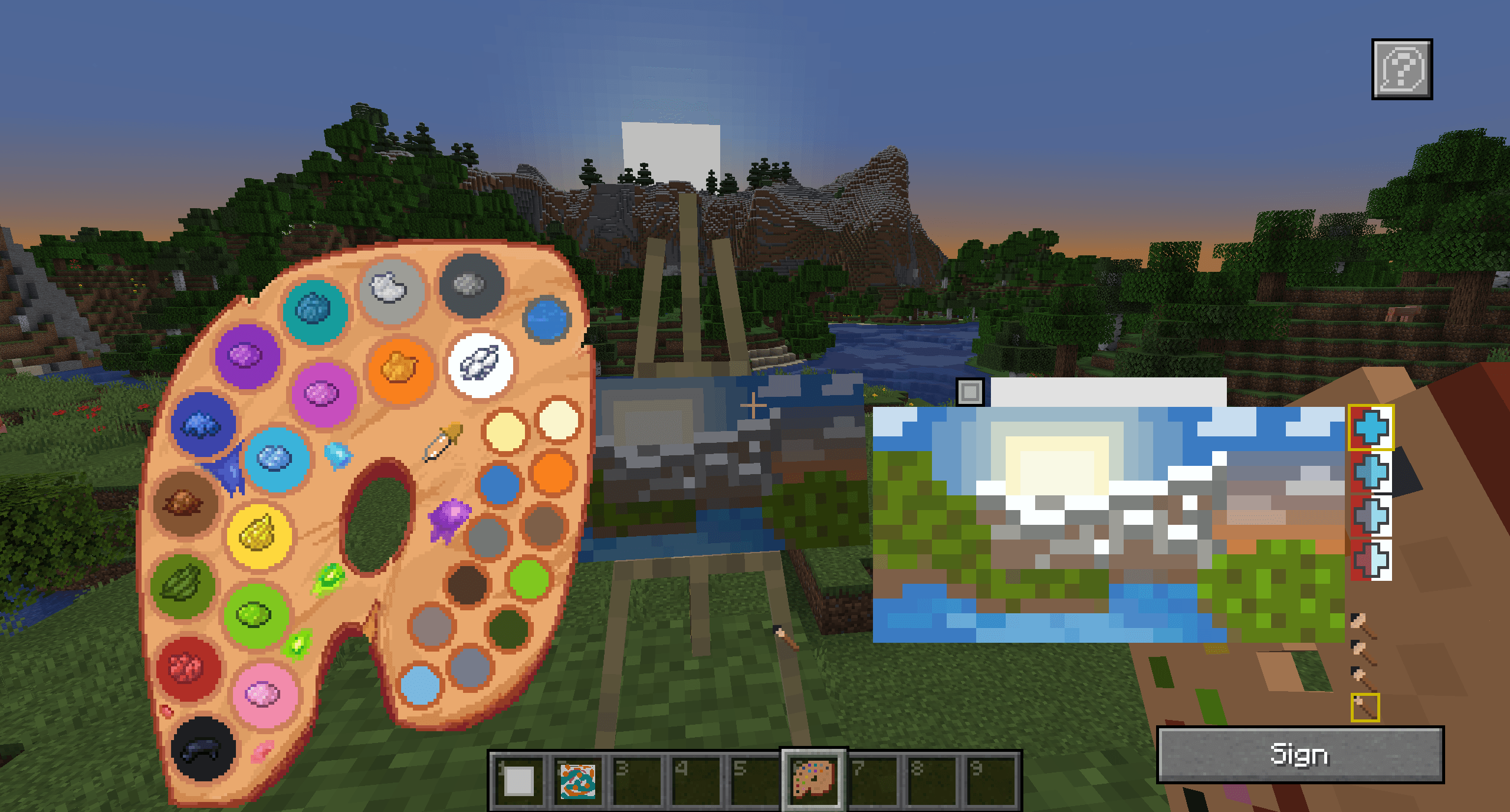
So sieht Joy of Painting aus
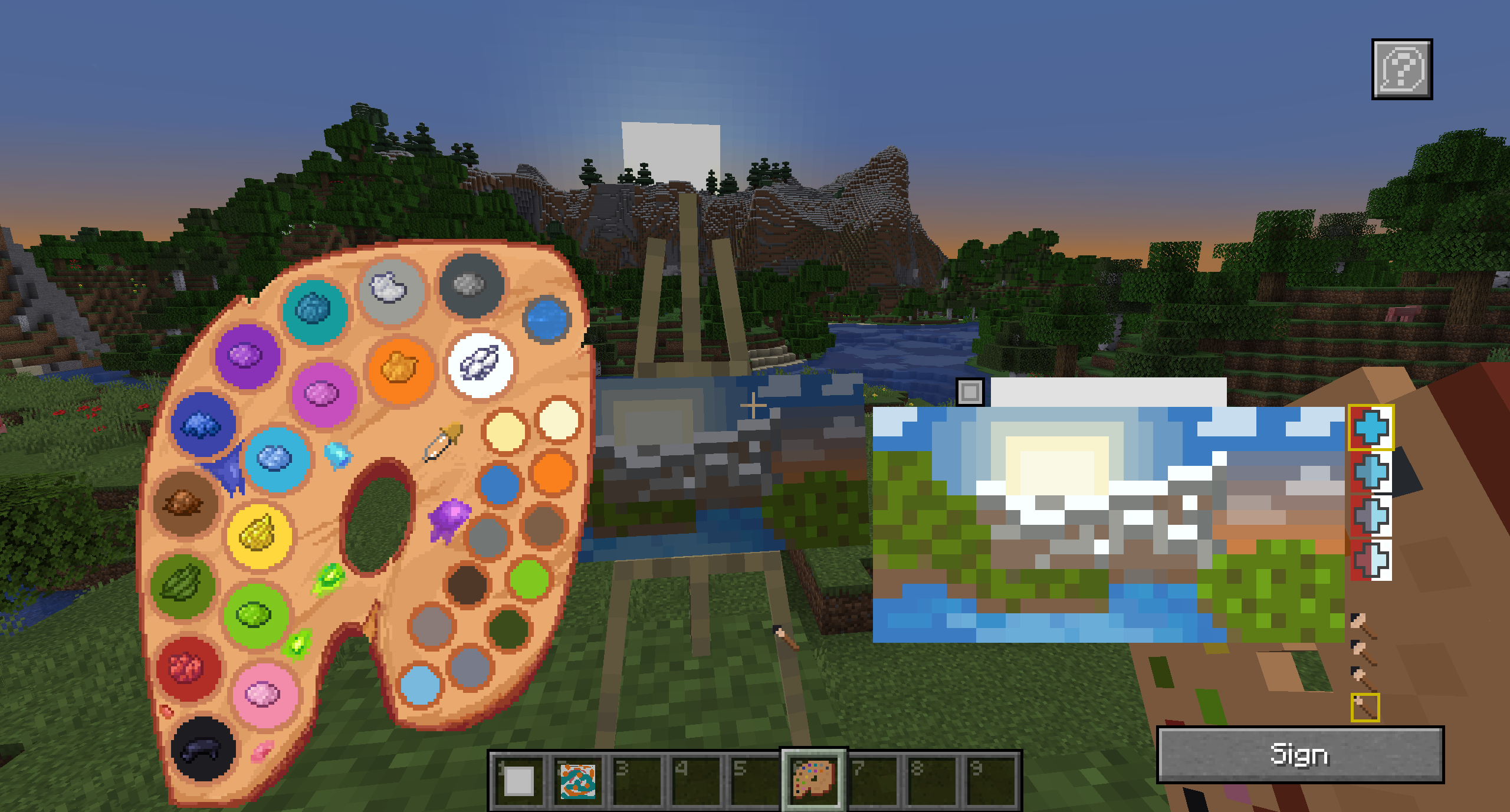
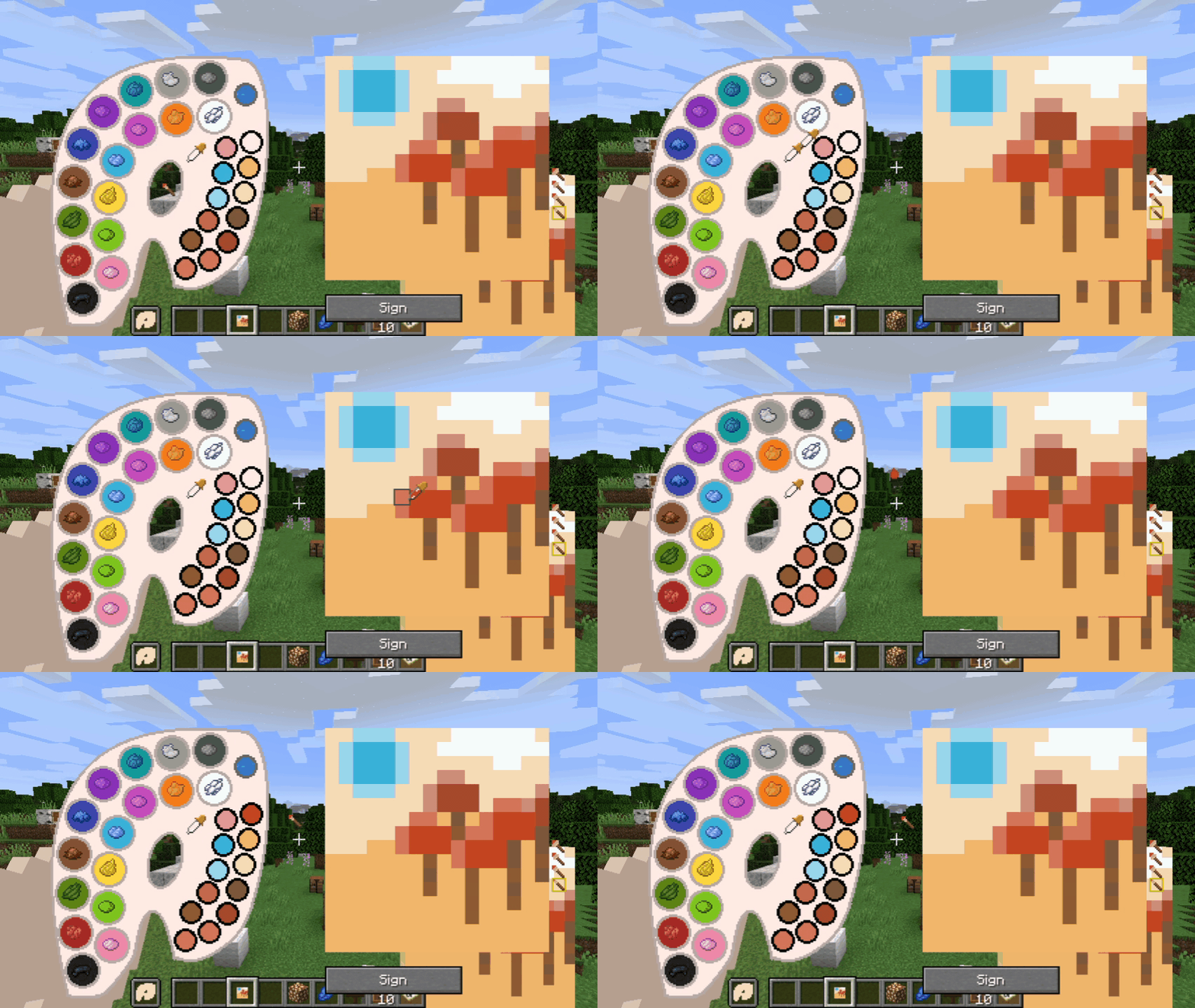
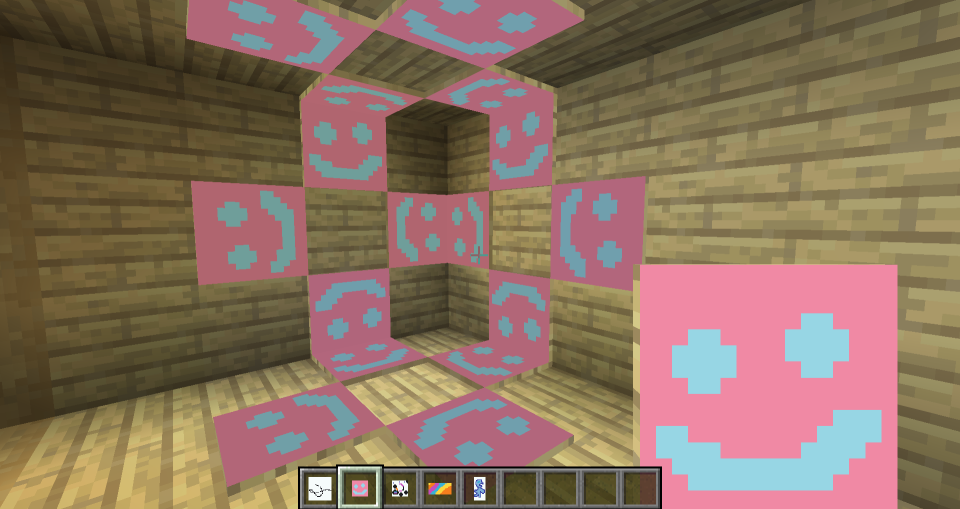
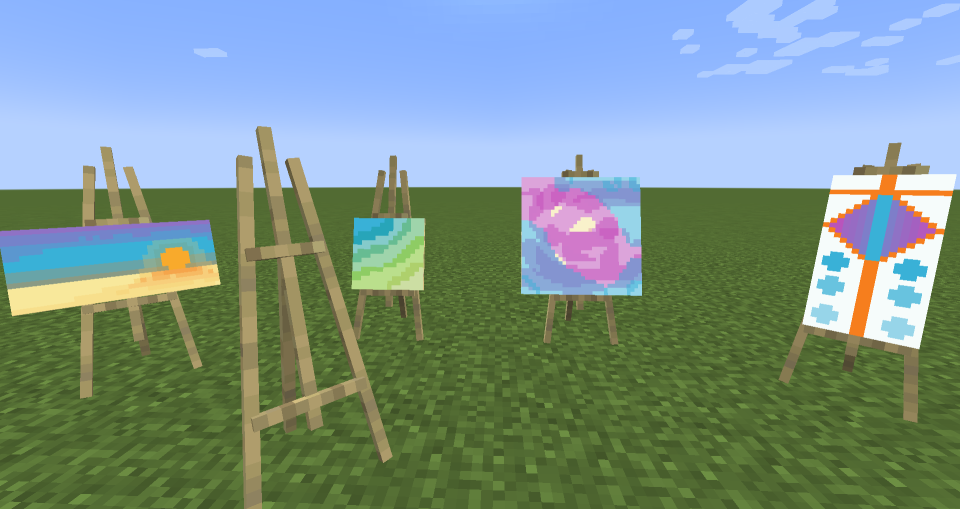
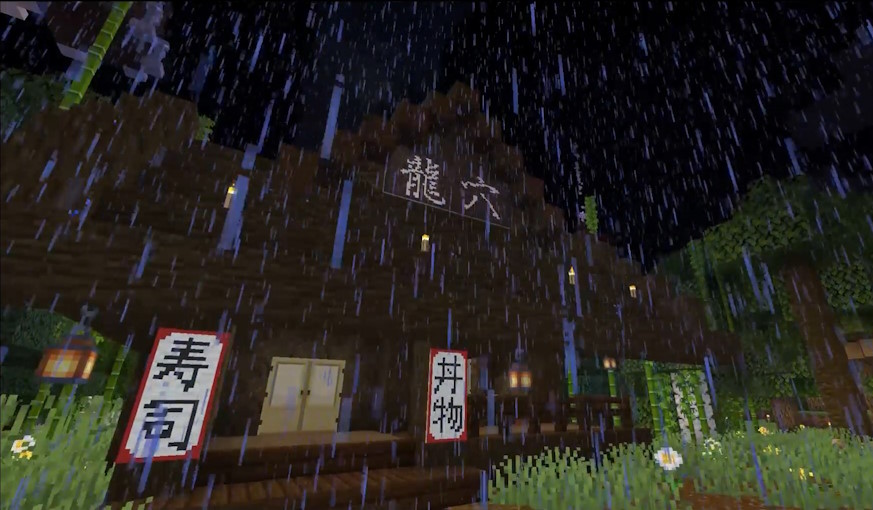
Bilder: Joy of Painting auf Modrinth, vom Projektteam veröffentlicht.
Einrichtung
Joy of Painting auf dem Server installieren
Server und Spieler brauchen denselben Loader und dieselbe Minecraft-Version. Sichere die Welt, bevor du Mods hinzufügst oder aktualisierst.
- 01
Konfigurieren
4 GB RAM sind vorausgewählt. Laufzeit und Add-ons wählst du selbst, bezahlt wird per Kreditkarte oder PayPal.
- 02
Loader einstellen
Stell im Panel die Serversoftware auf Fabric oder Forge oder NeoForge und wähl die passende Minecraft-Version, zum Beispiel 26.2.
- 03
Mod installieren
Such im Mod-Browser nach „Joy of Painting“ und installiere die Version für deinen Loader. Alternativ lädst du die .jar per SFTP in den Ordner mods. Erforderliche Abhängigkeiten stehen auf der Projektseite.
- 04
Verbinden
Alle Spieler installieren Joy of Painting in derselben Version lokal und verbinden sich über die Serveradresse aus dem Panel.
- Auf dem Server
- Erforderlich
- Auf dem Client
- Erforderlich
- Loader
- Fabric, Forge, NeoForge
- Minecraft
- 26.2, 26.1.2, 1.21.8 +20 weitere
- Lizenz
- GNU General Public License v3.0 or later
Das Panel
Mods installieren, Fehler finden.
Echte Screenshots aus dem Mado Panel. Beides ist bei jedem Minecraft Server enthalten.
Mod-Browser
Modrinth und CurseForge direkt im Panel.
Der Browser filtert nach deiner Minecraft-Version. Mods installierst du mit einem Klick, ohne .jar-Dateien hochzuladen.

KI-Crash-Analyse
Wenn ein Mod crasht, liest die Analyse das Log.
Mods scheitern oft an einer falschen Loader-Version, Java-Version oder fehlenden Abhängigkeit. Die Analyse nennt eine wahrscheinliche Ursache und einen Lösungsvorschlag.

Versionen
Veröffentlichte Versionen
Nimm die Datei, die zu Loader und Minecraft-Version deines Servers passt. Server und Spieler brauchen dieselbe Version.
Joy of Painting · Modrinth- Joy of Painting 26.2-1.0.020. Juli 2026Minecraft 26.2 · Fabric
- Joy of Painting 26.1.2-1.0.020. Juli 2026Minecraft 26.1.2 · Fabric
- Joy of Painting 1.21.11-1.0.119. Juli 2026Minecraft 1.21.11 · Fabric
- Joy of Painting 1.21.10-1.0.119. Juli 2026Minecraft 1.21.10 · Fabric
- Joy of Painting 1.21.8-1.0.119. Juli 2026Minecraft 1.21.8 · Fabric
Originalbeschreibung des Projektautors
This mod lets you craft a blank canvas and a palette, with which you can paint your own pictures and hang them on a wall like the vanilla paintings. Let your creativity roam free or paint memes and experience the joy of painting.
If you are interested in making music as well, check Music Maker Mod, or check my other mods:
Features
- Color mixing mechanic faithful to vanilla and fun to use
- Painted canvases can be hung on a wall (small ones can also be put on the floor or ceiling)
- Multiple brush sizes and brush opacity
- Multiple canvas sizes and shapes
- All 16 million colors are available (as long as you can mix them)
- Undo mistakes with CTRL+Z
- You can see the paintings while on hand and in the inventory too
- Pleasant painting sound effects
- Color picking tool on full palettes
- Easels you can paint on
- Toggleable tooltips on the painting GUI
- Importing and exporting paintings to files via commands
- Canvas and palette in the GUI can be moved anywhere, so that you can see your reference objects
- Painting the canvas sides (frames)
- Glass canvases for transparent paintings
Note about Forge/Neoforge after 1.21:
Starting with Minecraft 1.21, every major version will have Fabric support, and only certain versions will have Neoforge support. For other versions, you can try the Fabric file using Neoforge with Sinytra connector and Forgified fabric api. The other Forge won't be supported.
New features in 1.21.1-2.0.0 and 1.20.1-2.0.0

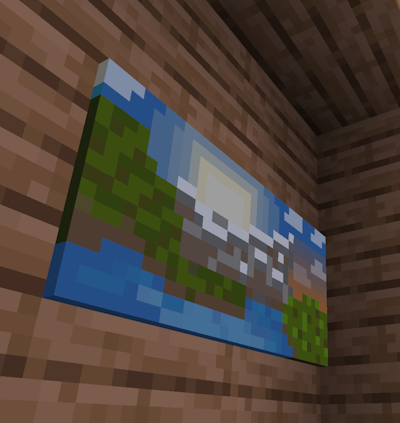
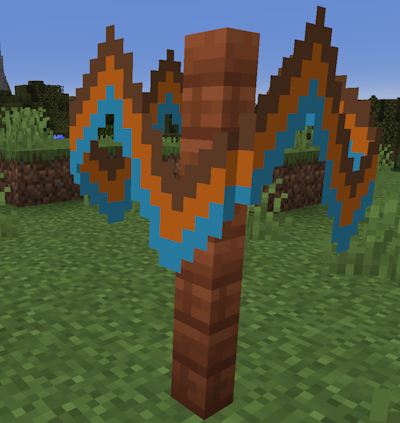
- Glass canvases that make transparent paintings!
- Ability to paint side frames! Click the toggle frames button next to the canvas holder in the GUI to paint the frames. You can also paint glass canvas frames transparent to make them invisible.
- You can now stack signed paintings up to 16 items.
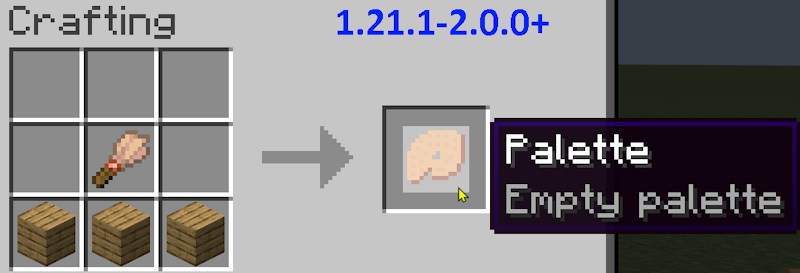
- Changed palette recipe to require a brush. Now that it is a regular recipe, it will show up in the recipe book.
- Other small improvements
Usage Guide
- First, craft a palette and a canvas. Crafting recipes are given below.
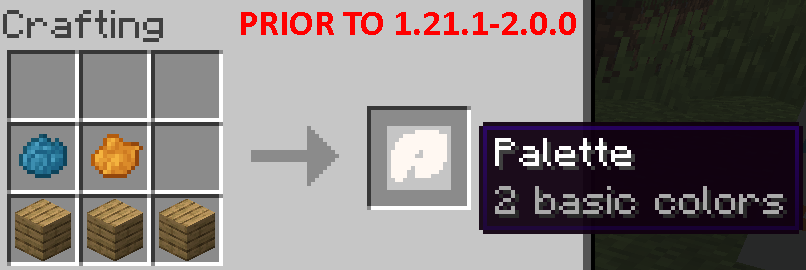
- Prior to 1.21.1-2.0.0, you need at least one dye to craft a palette. Starting with that version, the palette recipe uses a brush and does not need dyes.
- You can then fill the palette by crafting it with dyes that it doesn't have. Each dye corresponds to a basic color in the palette.
- There are four canvas sizes. The basic one is 1 block sized. The others are 1x2, 2x1 and 2x2 block sized.
- Right click with a canvas to view its content.
- Right click with a palette to open its GUI, where you can mix custom colors.
- Using a canvas in one hand and a palette on the other opens the painting GUI. You can mix colors here as well.
- You can also place the canvas on an easel and right click the easel with a palette at hand.
- The color mixing rules work the same way as the vanilla leather armor dyeing mechanic.
- Change the brush size or opacity with the mouse wheel or by clicking on the GUI element
- Undo mistakes with the CTRL+Z shortcut
- After painting a canvas, you can hang it on a wall similar to vanilla paintings.
- Sign a painting to give it a name and make it unchangeable.
- Copy signed paintings by crafting them together with an empty canvas of the same shape.
Import/Export guide:
- Commands are: "/paintexport <filename>" and "/paintimport <filename>"
- You can import/export paintings between worlds and servers.
- Paintings are imported from and exported to a "paintings" folder inside your minecraft directory.
- In order to import a painting in survival mode, you need to hold an empty canvas and a full palette on your hands.
Crafting Recipes
Canvas types:
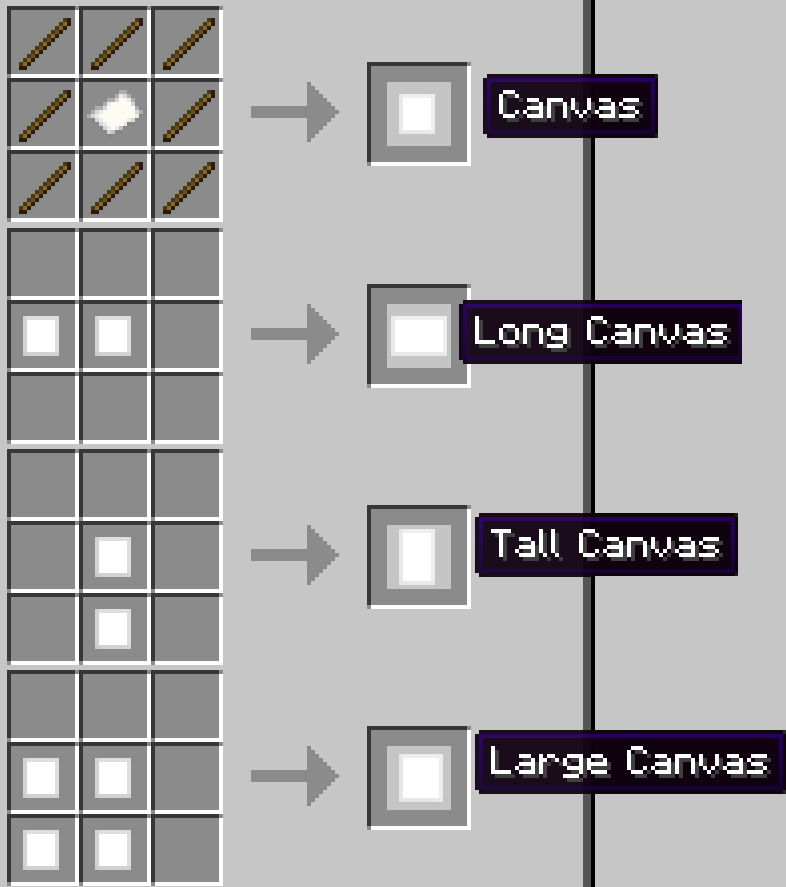
Glass canvases (1.21.1-2.0.0 and newer versions):

To craft a palette before 1.21.1-2.0.0, you need at least one kind of dye:
Starting with 1.21.1-2.0.0, you need a brush:
You can fill an existing palette with other dyes later:

You can copy signed paintings:
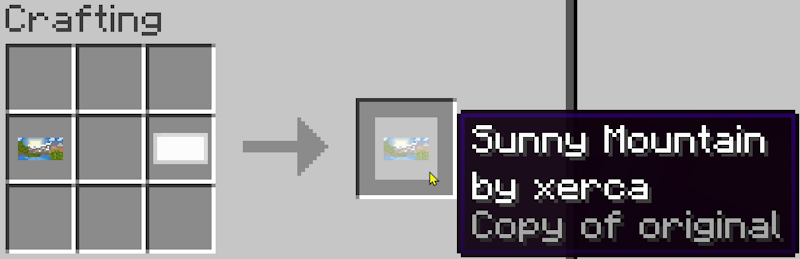
Crafting an easel:

Community
There is a Discord server, where you can share your creations with the world!
About shaders:
The newer versions (1.18.2 and above) seem to work fine with most shaders, but there is no guarantee that it will work with every shader. Unfortunately, there is not much I can do in case it doesn't work.
Credits
- Credits to Kompotiklvun for the lovely palette texture.
- Credits to Edgewalker_Blue for providing the Simplified Chinese translation.
- Credits to SamKMadden for providing the Japanese and Swedish translations.
- Credits to Bionic for commissioning the Fabric port. Thanks to him, I feel motivated to port not only this, but also my other mods to Fabric.
Joy of Painting Server crasht beim Start – was tun?
Häufige Ursachen: Loader- oder Minecraft-Version passen nicht zur Mod-Datei, eine Abhängigkeit fehlt oder der RAM reicht nicht. Such im Log (latest.log) nach „OutOfMemoryError“, „Mixin“ oder fehlenden Mods. Bei Mado wertet die KI-Crash-Analyse das Log aus und schlägt eine Ursache vor. Loader und Version änderst du im Panel.
Mit welchem Loader läuft Joy of Painting?
Laut Modrinth unterstützt Joy of Painting Fabric, Forge, NeoForge für Minecraft 26.2, 26.1.2, 1.21.8. Forge- und Fabric-Dateien sind nicht untereinander austauschbar: Wähl einen Loader für Server und Clients.
Wie viel RAM braucht ein Server mit Joy of Painting?
Als Orientierung 3–4 GB für einen Server mit dieser Mod. Das ist eine Schätzung, keine gemessene Mindestanforderung. Weitere Mods, viele Spieler und große Sichtweiten brauchen mehr. Ob eine Mod die Tick-Zeit belastet, siehst du mit dem spark-Profiler.
Ähnliche Mods
Beliebte Mods aus derselben Kategorie
 Nur Client

Iris Shaders
von coderbot
A modern shader pack loader for Minecraft intended to be compatible with existing OptiFine shader packs
 Nur Client

[ETF] Entity Texture Features
von Traben
Emissive, Random & Custom texture support for entities in resourcepacks just like Optifine but for Fabric
 Nur Client

[EMF] Entity Model Features
von Traben
EMF is an, OptiFine format, Custom Entity Model replacement mod available for Fabric and Forge.
 Nur Client

Not Enough Animations
von tr7zw
Bringing first-person animations to the third-person
Bereit für deinen Server mit Joy of Painting?
4 GB RAM ab 8,00 € im Monat. 35 % auf den 1. Monat mit MADO35.