Mining & Placing Animations
Adds customizable animations to blocks when mining and placing! (Mining Quakes successor)
Screenshots
Über diese Mod
Animated Blocks
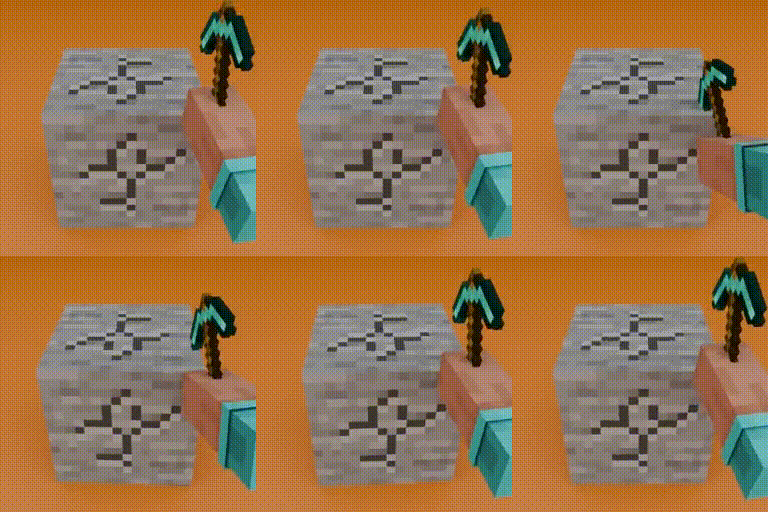
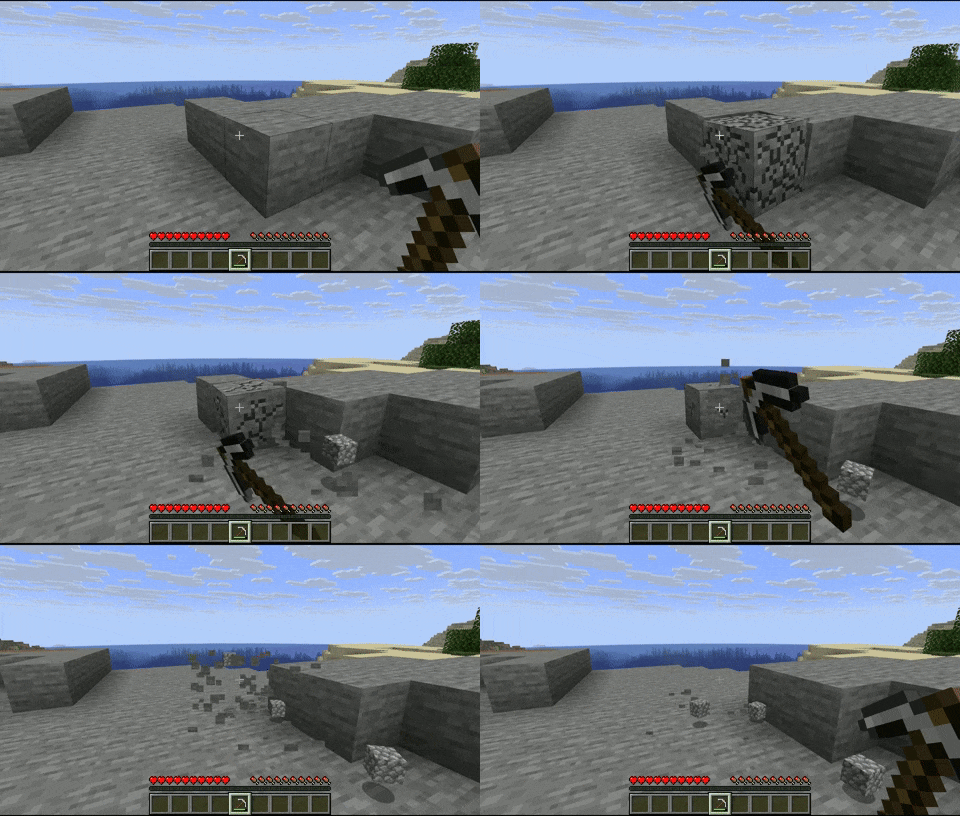
Blocks will now have an animation when mined and placed!
| Mining Animation | Placing Animation (only in 2.0.0+) |
|---|---|
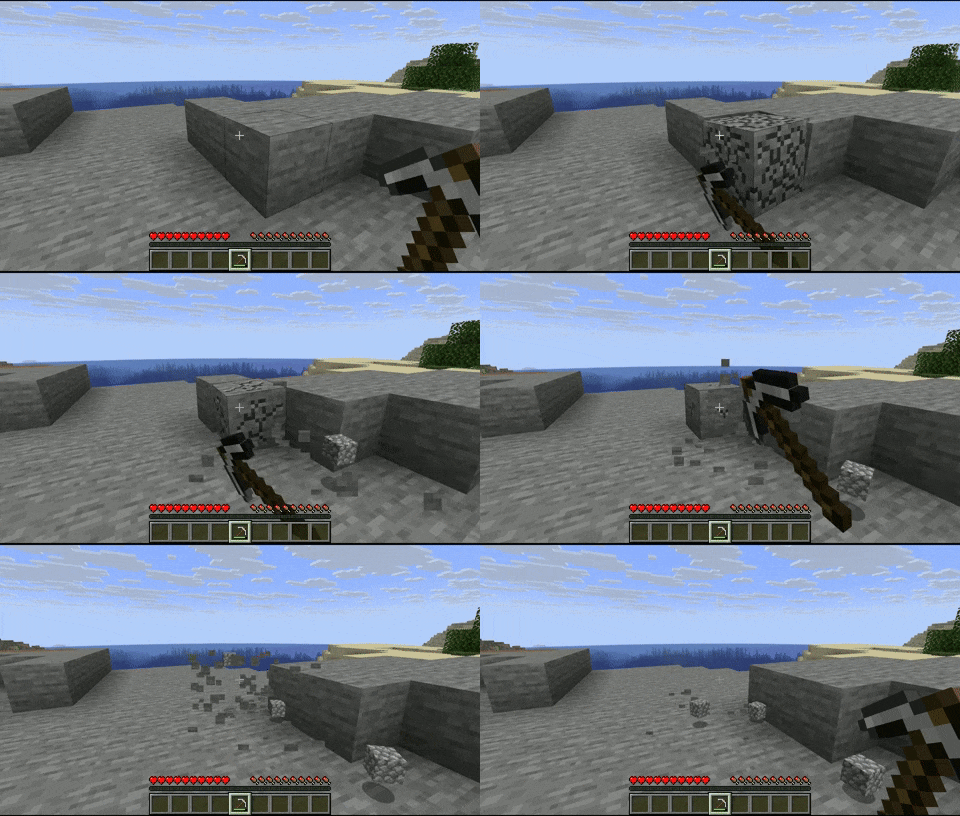 |
 |
Customization
The animations are fully customizable via resource packs.
example

animations_config.json:
{
  "global": {                 // all the blocks will have these animations by default
    "mining_animation": "mining_and_placing_animations:animations/global_mining_animation",
    "placing_animation": "mining_and_placing_animations:animations/global_placing_animation"
  },
  "specific": [               // you can set a specific animation for certain block(s)
    {
      "blocks": [
        "minecraft:dirt",
        "minecraft:stone",
        "#minecraft:slabs"    // you can use tags
      ],
      "mining_animation": "mining_and_placing_animations:animations/dirt_mining_animation",
      "placing_animation": "mining_and_placing_animations:animations/dirt_placing_animation"
    },
    {
      "blocks": [
        "minecraft:cobblestone"
      ],
      "mining_animation": "mining_and_placing_animations:animations/cobblestone"  // if you don't put a 'placing_animation', it will take the global placing animation, same for the mining animation
    }
  ],
  "mining_blacklist": [
    "#minecraft:beds",        // you can use tags
    "#minecraft:doors",
    "minecraft:oak_planks",
  ],
  "placing_blacklist": [
    "#minecraft:pressure_plates",
    "minecraft:rail",
    "minecraft:snow_block"
  ]
}
The animation files have to be under the directory 'animations'.
dirt_mining_animation.json (example of a possible mining animation, same for the placing animation):
{
  "duration": 0.15,           // length of the animation in seconds
  "pivot_point": [0.5, 1.0, 0.5],
  "keyframes": [
    {
      "time": 0.0,
      "translation": [0.0, 0.0, 0.0],
      "rotation": [-22.5, 0.0, 45.0],
      "scale": [0.5, 0.5, 0.5]
    },
    {
      "time": 0.05,
      "translation": [20.0, 0.0, -20.0],
      "rotation": [0.0, 0.0, 0.0],
      "scale": [1.0, 1.0, 1.0]
    },
    {
      "time": 0.10,
      "translation": [0.0, -15.0, 0.0],
      "rotation": [0.0, -90.0, 0.0],
      "scale": [1.5, 1.5, 1.5]
    },
    {
      "time": 0.15,
      "translation": [0.0, 0.0, 0.0],
      "rotation": [0.0, 0.0, 0.0],
      "scale": [1.0, 1.0, 1.0]
    }
  ]
}
You can have as many animations as you want!
Verfügbare Versionen
Mining & Placing Animations auf deinem Client installieren
Mod-Loader lokal installieren
Installiere fabric für deine lokale Minecraft-Version.
Passende Datei herunterladen
Wähle die Mining & Placing Animations-Datei für fabric und Minecraft 1.21.11.
Mod installieren
Lege die .jar-Datei in deinem lokalen .minecraft/mods-Ordner ab und starte Minecraft neu. Eine Installation auf dem Server ist nicht nötig.
Kompatibilität
Mod-Loader
Minecraft-Versionen
1.21.11, 1.21.10, 1.21.9 (+8 weitere)
Server-seitig
✗ Nicht unterstütztEmpfohlener RAM
4 GB(min. 3 GB)Häufige Fragen
Muss Mining & Placing Animations auf dem Minecraft Server installiert werden?
Nein. Modrinth kennzeichnet Mining & Placing Animations serverseitig als nicht unterstützt. Installiere die Mod nur im lokalen Minecraft-Mods-Ordner. Dein Server kann unverändert bleiben, sofern die Mod-Seite keine zusätzliche Abhängigkeit nennt.
Welche Version und welchen Loader braucht Mining & Placing Animations?
Nutze eine Datei für fabric, forge, neoforge und exakt deine Minecraft-Version. Unterstützte Versionen sind unter anderem 1.21.11, 1.21.10, 1.21.9. Loader-Dateien sind nicht untereinander austauschbar.
Mining & Placing Animations funktioniert nicht – was kann ich prüfen?
Prüfe zuerst Minecraft-Version, Loader-Version und erforderliche Abhängigkeiten. Lege die .jar-Datei im lokalen .minecraft/mods-Ordner ab und entferne ältere Duplikate. Da die Mod clientseitig ist, löst mehr Server-RAM dieses Problem nicht.
Ähnliche Mods

![[ETF] Entity Texture Features](https://cdn.modrinth.com/data/BVzZfTc1/af683d206d50b05258d865b0d6e4aa2f2cee12f2_96.webp)
![[EMF] Entity Model Features](https://cdn.modrinth.com/data/4I1XuqiY/6e5bbd0d06b1741bfdab6c0cfab6de8fdaf0064c_96.webp)



Minecraft Server für deine Gruppe
Mining & Placing Animations bleibt auf deinem Client. Hoste dazu eine kompatible Welt für deine Mitspieler.