
MobStacker
Greatly increases performance by stacking mobs together reducing the physical number of entities in the world with a config for further customization. Includes a mob cap module.
Screenshots
Über diese Mod


MobStacker is a performance Minecraft mod to optimize entity handling, addressing a common cause of performance issues in vanilla and modded environments. By intelligently "stacking" similar mobs in close proximity, MobStacker significantly reduces server load and enhances client-side performance without compromising gameplay mechanics.
💡 Note: MobStacker preserves all loot and mob properties within stacked entities. Named mobs (via name tags) are exempt from stacking to maintain uniqueness.
Key Benefits
- 🚀 Server Performance Boost: Dramatically reduces entity processing overhead.
- 📈 Enhanced Client FPS: Lowers strain on client-side rendering.
- 🌐 Optimized Network Traffic: Minimizes entity data transmission.
- 🎮 Cleaner Gameplay: Reduces visual clutter in mob-dense areas.
- 💾 Memory Usage Reduction: Lowers overall memory footprint.
Performance Improvement
While actual performance gains vary based on server specifications, player count, and mod configurations, MobStacker can provide substantial improvements, especially in environments with:
- High mob density
- Numerous entity-adding mods
- Large, active player bases
🔗 Note:
- MobStacker has a built in configurable spawn cap module to reduce mob spawns per chunk.
Features
| Feature | Description |
|---|---|
| 📦 Smart Stacking | Automatically combines identical mob types within a configurable radius |
| 🔢 Customizable Stacks | Set preferred maximum stack sizes |
| ❤️ Flexible Health Management | Configurable options for stack health and death mechanics |
| 🚫 Selective Stacking | Ability to exclude specific entities or entire mods |
| 🔪 Stack Splitting | Implemented separator item functionality for dividing stacks |
Configuration
| Option | Description | Default |
|---|---|---|
killWholeStackOnDeath |
Determines if entire stack dies when one mob is killed | false |
stackHealth |
Combines health of stacked mobs when enabled | false |
maxMobStackSize |
Maximum number of mobs in a single stack | 16 |
stackRadius |
Radius within which mobs attempt to stack | 6.0 |
enableSeparator |
Toggles use of separator item for stack splitting | false |
consumeSeparator |
Determines if separator item is consumed on use | true |
separatorItem |
Specifies the item used as a separator | "minecraft:diamond" |
enableAssimilator |
Toggles use of assimilator item for stackable toggle | false |
consumeAssimilator |
Determines if assimilator item is consumed on use | true |
assimilatorItem |
Specifies the item used as a assimilator | "minecraft:emerald" |
ignoredEntities |
List of entities excluded from stacking | [] |
ignoredMods |
List of mod IDs whose entities are excluded from stacking | [] |
Commands
All commands require operator permissions (level 2) and are prefixed with /mobstacker.
Configuration Commands
# Toggle whole stack death
/mobstacker stackerConfig killWholeStackOnDeath [true|false]

# Toggle health stacking
/mobstacker stackerConfig stackHealth [true|false]

# Set maximum stack size
/mobstacker stackerConfig maxStackSize [value]

# Set stack radius
/mobstacker stackerConfig stackRadius [value]

# Toggle separator functionality
/mobstacker stackerConfig separator enableSeparator [true|false]

# Toggle separator consumption
/mobstacker stackerConfig separator consumeSeparator [true|false]

# Set separator item
/mobstacker stackerConfig separator separatorItem [item_id]

# Toggle assimilator functionality
/mobstacker stackerConfig assimilator enableAssimilator [true|false]

# Toggle assimilator consumption
/mobstacker stackerConfig assimilator consumeAssimilator [true|false]

# Set assimilator item
/mobstacker stackerConfig assimilator assimilatorItem [item_id]
Entity and Mod Management
# Ignore specific entity
/mobstacker ignore entity [entity_id]

# Ignore all entities from a mod
/mobstacker ignore mod [mod_id]

# Remove entity from ignore list
/mobstacker unignore entity [entity_id]

# Remove mod from ignore list
/mobstacker unignore mod [mod_id]

# Set stack size for specific entity
/mobstacker setStackSize [entity] [size]
NOTE: An entity can be given the tag {Stackdata-blocked: {CanStack:0b}} to prevent it from stacking.
Mob Cap Management
# Set mob cap for mob categories
/mobstacker mobCapConfig [options]
Additional Notes
- 🔄 Automatic stacking occurs when compatible mobs move to a new block.
- 👑 Boss entities receive special handling to preserve custom names and health bars.
- 🔌 API available for custom merging conditions, death handlers, and entity data modifiers.
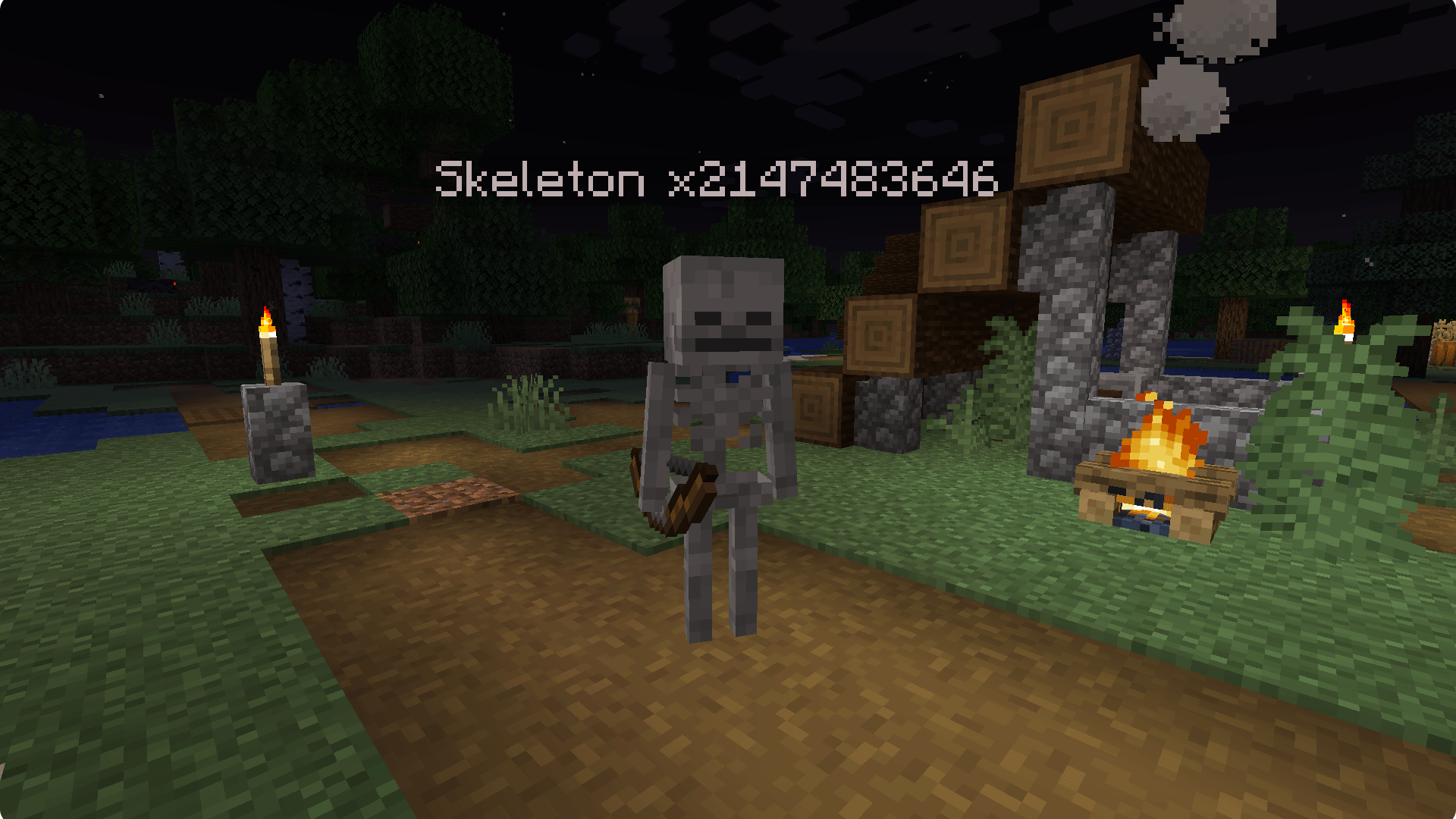
- 📊 Stacked mobs display stack size in their name (e.g., "Zombie x5").
- 🐑🐷🧟 Compatible with various entity types: animals, monsters, and NPCs.
Report issues to the issue tracker on github.
Verfügbare Versionen
MobStacker auf dem Server installieren
Server bestellen
Bestelle einen Minecraft Java Server mit mindestens 3 GB RAM (4 GB empfohlen).
fabric Loader setzen
Wähle im Panel unter "Egg" den fabric-Loader und die passende Minecraft-Version (1.21.5).
Mod installieren
Öffne den Mod-Browser im Dashboard und suche nach "MobStacker". Klicke "Installieren" – fertig! Alternativ: Lade die .jar via SFTP in den /mods Ordner.
Kompatibilität
Mod-Loader
Minecraft-Versionen
1.21.5, 1.21.4, 1.21.4-pre1 (+25 weitere)
Server-seitig
✓ ErforderlichEmpfohlener RAM
4 GB(min. 3 GB)Häufige Fragen
MobStacker Server crasht beim Start – was tun?
Häufigste Ursache: falsche fabric-Version oder zu wenig RAM. Prüfe im Server-Log (latest.log), ob ein "OutOfMemoryError" oder "Mixin"-Fehler auftritt. Bei Mado Hosting: Stelle sicher, dass mindestens 3 GB RAM zugewiesen sind und der Loader zur Mod-Version passt (1.21.5). Über das Panel kannst du den Loader mit einem Klick wechseln.
Ist MobStacker mit fabric und forge und neoforge und quilt kompatibel?
MobStacker unterstützt offiziell fabric, forge, neoforge, quilt für Minecraft 1.21.5, 1.21.4, 1.21.4-pre1. Achtung: Forge- und Fabric-Mods sind NICHT untereinander kompatibel – wähle einen Loader und bleibe dabei. Im Mado Dashboard werden inkompatible Loader-Kombinationen automatisch erkannt.
Server laggt mit MobStacker – wie optimiere ich die Performance?
Empfohlener RAM: 4 GB (+1 GB pro 8 Spieler). Prüfe mit /spark profiler, ob MobStacker den meisten Tick-Time verbraucht. Häufige Fixes: Server-View-Distance auf 8-10 reduzieren, bei Forge "performant" oder "starlight" als Zusatz-Mod installieren. Bei Mado Hosting läuft dein Server auf NVMe-SSDs mit dedizierten CPU-Kernen für minimale Latenz.
Ähnliche Mods






Modded Server mieten
Installiere MobStacker mit nur einem Klick auf deinem Server.
Details
- Lizenz
- GNU Lesser General Public License v3.0 only
- Server-seitig
- Erforderlich