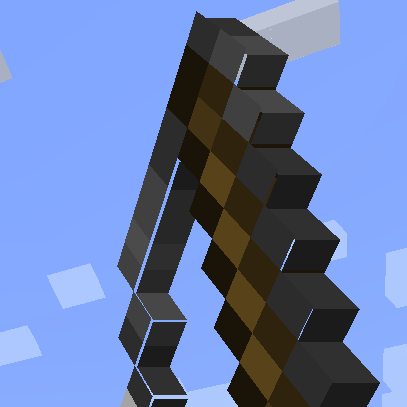
Model Gap Fix
Fixes gaps in Block Models and Item Models
Über diese Mod
Model Gap FIX
This is a simple client mod that fixes https://bugs.mojang.com/browse/MC-73186
which affects both Block Models and Item Models and possibly other models too
The mod works by removing texture zooming, making every model face use 100% of its texture, unlike of what it did previoulsly.
Thisnot only fixes this bugs on items (where it's most noticeable) but with block models too and everything else that might use those functions.
This issue was especially noticeable with custom block models or some 2d items.
Q&A:
- Will this slow down my game?
Not at all! Removing texture zooming just removes some code and has no impact. If you however want to be nit picky the mod also slightly tweaks item models in a way that could add a ouple more quads for concave item textures compared to vanilla so in that case it could very slightly worse that vanilla. This is however negligible and could only be an issue when trying to run high resolution packs
- How does this work?
The base fix is simply removing texture zooming. This is extremly simple to do and immediately "fixes up" all those problematic gaps on models.
For 2d item models something else is needed as this alone creates another kind of tiny gaps in them due to the way they are generated, quad by quad. These are very tiny and they flicker so I had to fix those too. To do so I've changed the item model generator to never create a quad that encompasses a transparent pixel and instead create multiple quads for each row of solid pixel in the same direction. This allows me to slightly increase the size of all these side quads without creating new gaps in the process, thus covering all gaps seamlessly. Note that this last part only applies to forge as fabric does not seem to have such tiny lines and the models work right away with no extra quad
Verfügbare Versionen
Model Gap Fix auf deinem Client installieren
Mod-Loader lokal installieren
Installiere fabric für deine lokale Minecraft-Version.
Passende Datei herunterladen
Wähle die Model Gap Fix-Datei für fabric und Minecraft 1.21.10.
Mod installieren
Lege die .jar-Datei in deinem lokalen .minecraft/mods-Ordner ab und starte Minecraft neu. Eine Installation auf dem Server ist nicht nötig.
Kompatibilität
Mod-Loader
Minecraft-Versionen
1.21.10, 1.21.8, 1.21.7 (+17 weitere)
Server-seitig
✗ Nicht unterstütztEmpfohlener RAM
4 GB(min. 3 GB)Häufige Fragen
Muss Model Gap Fix auf dem Minecraft Server installiert werden?
Nein. Modrinth kennzeichnet Model Gap Fix serverseitig als nicht unterstützt. Installiere die Mod nur im lokalen Minecraft-Mods-Ordner. Dein Server kann unverändert bleiben, sofern die Mod-Seite keine zusätzliche Abhängigkeit nennt.
Welche Version und welchen Loader braucht Model Gap Fix?
Nutze eine Datei für fabric, forge, neoforge, quilt und exakt deine Minecraft-Version. Unterstützte Versionen sind unter anderem 1.21.10, 1.21.8, 1.21.7. Loader-Dateien sind nicht untereinander austauschbar.
Model Gap Fix funktioniert nicht – was kann ich prüfen?
Prüfe zuerst Minecraft-Version, Loader-Version und erforderliche Abhängigkeiten. Lege die .jar-Datei im lokalen .minecraft/mods-Ordner ab und entferne ältere Duplikate. Da die Mod clientseitig ist, löst mehr Server-RAM dieses Problem nicht.
Ähnliche Mods


Minecraft Server für deine Gruppe
Model Gap Fix bleibt auf deinem Client. Hoste dazu eine kompatible Welt für deine Mitspieler.