
Modrinth · Fabric, Forge, NeoForge, Quilt · Client mod
Model Gap Fix
Model Gap Fix is a client-side mod. Install it on your computer; the server does not need it.
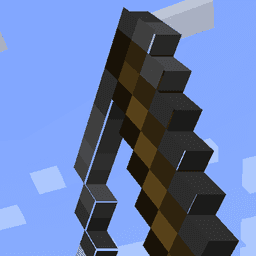
Fixes gaps in Block Models and Item Models
- Downloads
- 34.1M
- Author
- MehVahdJukaar
- Loader
- Fabric, Forge, NeoForge, Quilt
- Minecraft
- 1.18.1 – 1.21.8
- Updated
- –
Setup
Install Model Gap Fix on your client
Client-side mods only run on your computer. More server RAM does not change their performance.
- 01
Install the loader locally
Install Fabric or Forge or NeoForge or Quilt for your Minecraft version in your launcher.
- 02
Download the file
Download the Model Gap Fix file for your loader and your exact Minecraft version, for example 1.21.8.
- 03
Add it to the mods folder
Put the .jar file in your local .minecraft/mods folder and remove older duplicates.
- 04
Launch
Launch Minecraft with the loader profile. Nothing needs to change on the server.
- On the server
- Not needed
- On the client
- Required
- Loader
- Fabric, Forge, NeoForge, Quilt
- Minecraft
- 1.21.8, 1.21.7, 1.21.6 +17 more
- License
- GNU General Public License v3.0 only
Releases
Published releases
Pick the file that matches your server’s loader and Minecraft version. The server and players need the same release.
Model Gap Fix · Modrinth- 1.21.10-1.12October 14, 2025Minecraft 1.21.10 · Fabric
- 1.21.5-1.12April 7, 2025Minecraft 1.21.5, 1.21.6, 1.21.7, 1.21.8 · NeoForge
- 1.21.5-1.12April 7, 2025Minecraft 1.21.5, 1.21.6, 1.21.7, 1.21.8 · Fabric
- 1.21.3-1.11December 23, 2024Minecraft 1.21.3, 1.21.4 · NeoForge
- 1.21.3-1.10December 7, 2024Minecraft 1.21.3, 1.21.4 · Fabric
Original description by the project author
Model Gap FIX
This is a simple client mod that fixes https://bugs.mojang.com/browse/MC-73186
which affects both Block Models and Item Models and possibly other models too
The mod works by removing texture zooming, making every model face use 100% of its texture, unlike of what it did previoulsly.
Thisnot only fixes this bugs on items (where it's most noticeable) but with block models too and everything else that might use those functions.
This issue was especially noticeable with custom block models or some 2d items.
Q&A:
- Will this slow down my game?
Not at all! Removing texture zooming just removes some code and has no impact. If you however want to be nit picky the mod also slightly tweaks item models in a way that could add a ouple more quads for concave item textures compared to vanilla so in that case it could very slightly worse that vanilla. This is however negligible and could only be an issue when trying to run high resolution packs
- How does this work?
The base fix is simply removing texture zooming. This is extremly simple to do and immediately "fixes up" all those problematic gaps on models.
For 2d item models something else is needed as this alone creates another kind of tiny gaps in them due to the way they are generated, quad by quad. These are very tiny and they flicker so I had to fix those too. To do so I've changed the item model generator to never create a quad that encompasses a transparent pixel and instead create multiple quads for each row of solid pixel in the same direction. This allows me to slightly increase the size of all these side quads without creating new gaps in the process, thus covering all gaps seamlessly. Note that this last part only applies to forge as fabric does not seem to have such tiny lines and the models work right away with no extra quad
Does Model Gap Fix need to be installed on the Minecraft server?
No. Modrinth marks Model Gap Fix as unsupported on the server side. Install it only in your local mods folder. Your server can stay unchanged unless the project page lists an additional dependency.
Which version and loader does Model Gap Fix require?
Use a file for Fabric, Forge, NeoForge, Quilt and your exact Minecraft version. Supported versions include 1.21.8, 1.21.7, 1.21.6. Files for different loaders are not interchangeable.
Model Gap Fix is not working – what should I check?
First check the Minecraft version, loader version and required dependencies. Because the mod is client-side, more server RAM will not fix it.
Similar mods
Popular mods in the same category
 Client only

Sodium
by jellysquid3
A high-performance rendering engine replacement for Minecraft, which greatly improves frame rates and reduces micro-stutter.
 Client only

Iris Shaders
by coderbot
A modern shader pack loader for Minecraft intended to be compatible with existing OptiFine shader packs
 Client only

Entity Culling
by tr7zw
Using async path-tracing to hide Block-/Entities that are not visible
 Server-ready

FerriteCore
by malte0811
Memory usage optimizations
Looking for mods for your own server?
The catalog lists mods that run on Minecraft servers.