
Modern Furniture
Build your own decoration and world!
Screenshots
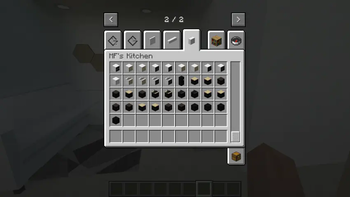
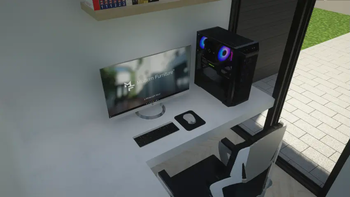
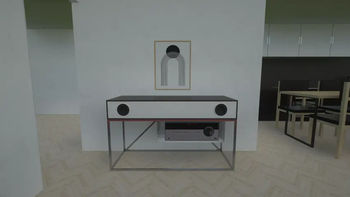
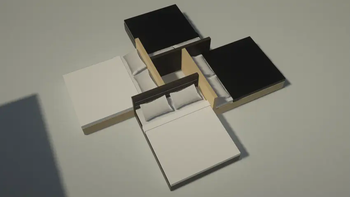
Über diese Mod
IdeaMineCreator is no longer active. This project has been discontinued.
Thank you for your support, and wishing you all the best.






Information:
Welcome to Modern Furniture. It's the only mod comes from Patreon that you can now decorate your house, buildings, interior room and many things by the most realistic world. You can now download it for low textures (x128 textures) which is available in Curseforge.
If you love and want the highest quality (textures from x256, x512 and x1024) for this mod and the emissive textures fix, get it now only on:
 or Ko-fi (for coming soon!)
It adds:
- Adds in 300+ blocks (tables, chairs, TV, kitchens, electronics,...) to create the world.
- Some technology models (computers, laptops,...) can be turned on/off.
- Many more!!
Requires:
- Forge: Optifine
- NeoForge: Unfortunately, NeoForge doesn't have any native mods that add support for emissive textures. You can use this method to get the emissive textures (big thanks to Deftesthawk from CurseForge for that!): Sinytra Connector, Continuity, Sodium (NeoForge Version) or Embeddium
Need Helpppp!
Join me on my Discord. You can ask me if some problems or errors that impact you while using my mod, I'll find and solve them. Otherwise, you can also make some suggestions to help me create together, which is importantly part of society as well as you'll get some updates and announcements.
I hope you enjoy using my mod, and don't hesitate to send screenshot on X (formerly Twitter) or Discord, or make you own showcases including my mod on social media. Thank you so much and have a wonderful day!
This mod made by IdeaMineCreator (NhatCKQ in Vietnamese) from MCreator. Do not re-upload my mod without permission!
Verfügbare Versionen
Modern Furniture auf deinem Client installieren
Mod-Loader lokal installieren
Installiere fabric für deine lokale Minecraft-Version.
Passende Datei herunterladen
Wähle die Modern Furniture-Datei für fabric und Minecraft 1.21.1.
Mod installieren
Lege die .jar-Datei in deinem lokalen .minecraft/mods-Ordner ab und starte Minecraft neu. Eine Installation auf dem Server ist nicht nötig.
Kompatibilität
Mod-Loader
Minecraft-Versionen
1.21.1, 1.20.1, 1.16.5
Server-seitig
✗ Nicht unterstütztEmpfohlener RAM
4 GB(min. 3 GB)Häufige Fragen
Muss Modern Furniture auf dem Minecraft Server installiert werden?
Nein. Modrinth kennzeichnet Modern Furniture serverseitig als nicht unterstützt. Installiere die Mod nur im lokalen Minecraft-Mods-Ordner. Dein Server kann unverändert bleiben, sofern die Mod-Seite keine zusätzliche Abhängigkeit nennt.
Welche Version und welchen Loader braucht Modern Furniture?
Nutze eine Datei für fabric, forge, neoforge und exakt deine Minecraft-Version. Unterstützte Versionen sind unter anderem 1.21.1, 1.20.1, 1.16.5. Loader-Dateien sind nicht untereinander austauschbar.
Modern Furniture funktioniert nicht – was kann ich prüfen?
Prüfe zuerst Minecraft-Version, Loader-Version und erforderliche Abhängigkeiten. Lege die .jar-Datei im lokalen .minecraft/mods-Ordner ab und entferne ältere Duplikate. Da die Mod clientseitig ist, löst mehr Server-RAM dieses Problem nicht.
Ähnliche Mods

![[ETF] Entity Texture Features](https://cdn.modrinth.com/data/BVzZfTc1/af683d206d50b05258d865b0d6e4aa2f2cee12f2_96.webp)
![[EMF] Entity Model Features](https://cdn.modrinth.com/data/4I1XuqiY/6e5bbd0d06b1741bfdab6c0cfab6de8fdaf0064c_96.webp)



Minecraft Server für deine Gruppe
Modern Furniture bleibt auf deinem Client. Hoste dazu eine kompatible Welt für deine Mitspieler.
Details
- Lizenz
- Creative Commons Attribution 4.0 International
- Server-seitig
- Nicht unterstützt