
Net Music
A CD player that can directly play NetEase Cloud network streaming music
Screenshots
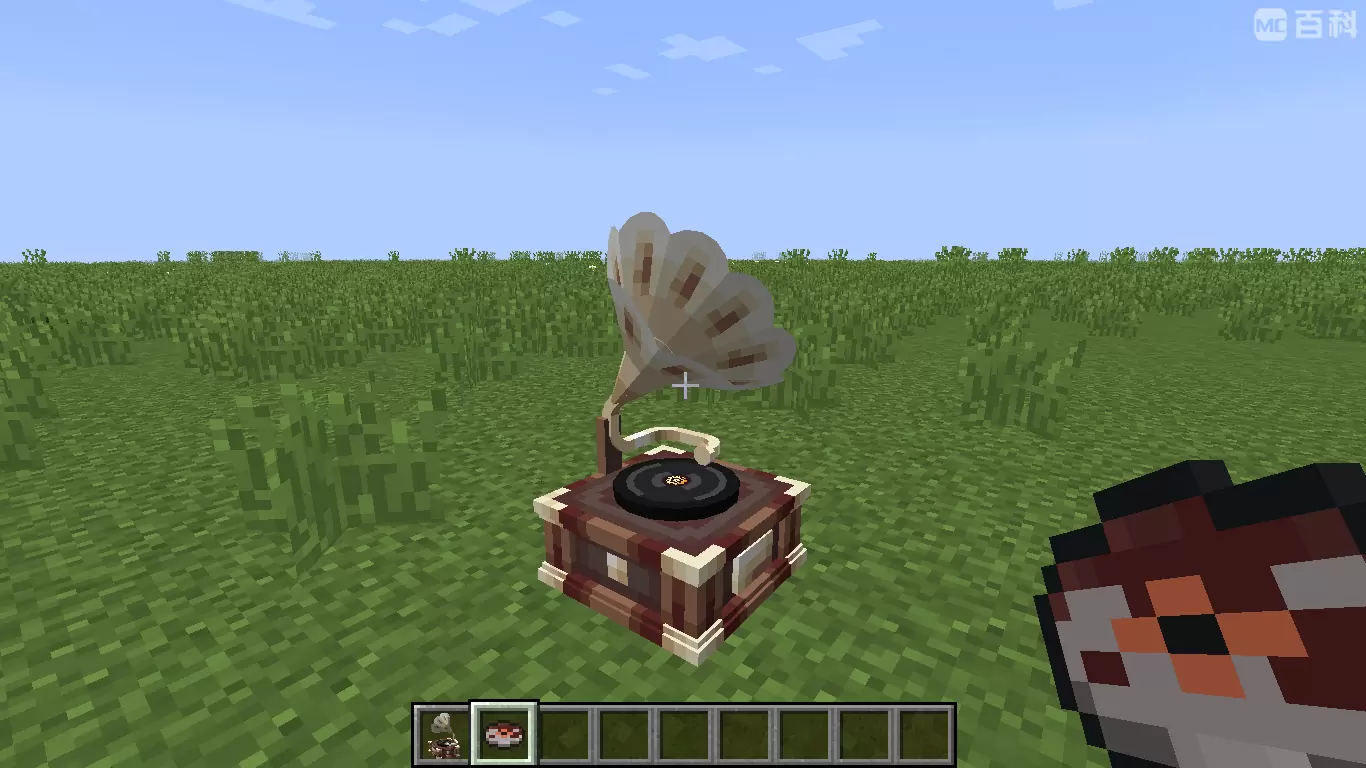
Über diese Mod
Introduce
This mod adds a CD player that can directly play network-streamed music. Its behavior is exactly the same as the vanilla CD player. Other players near the CD player can also hear the music you play!
The songs played on the CD can be customized through NBT data, and support for NetEase Cloud Music has been specially added!
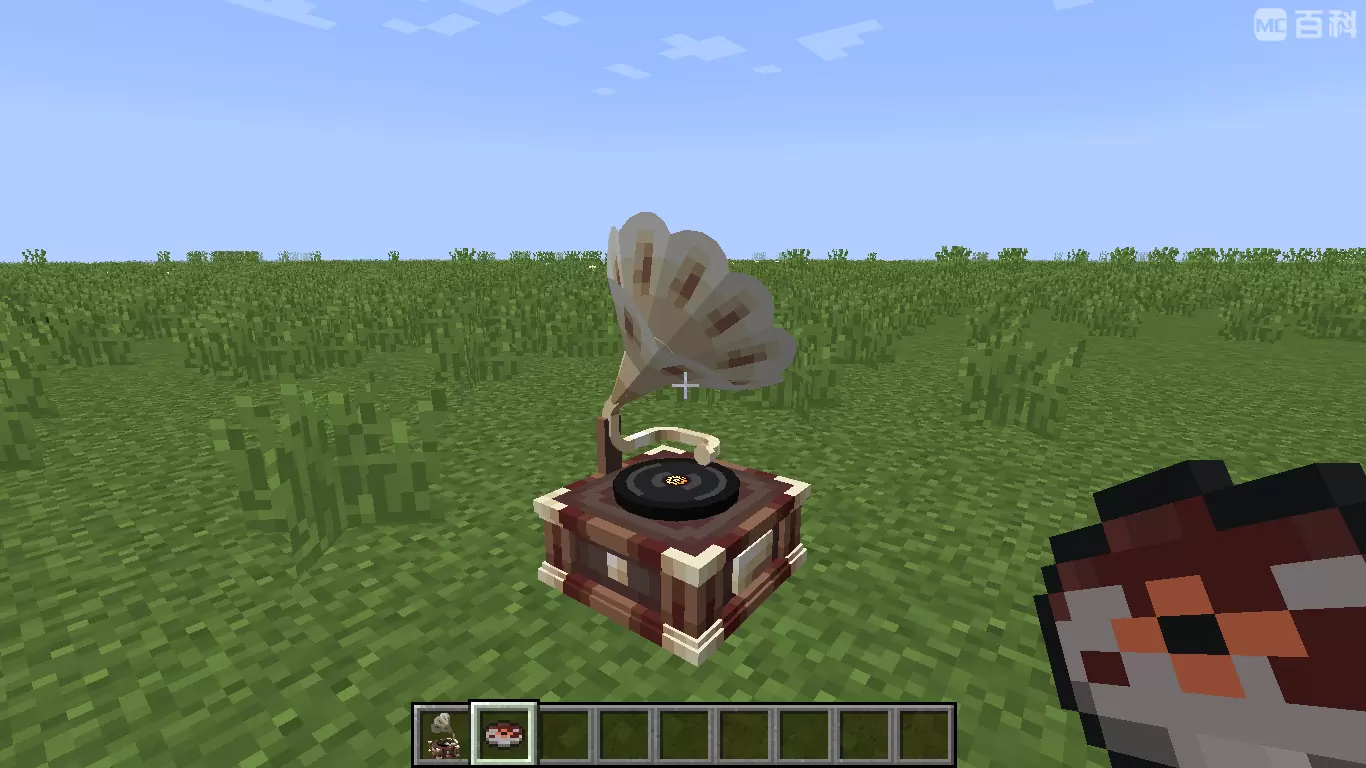
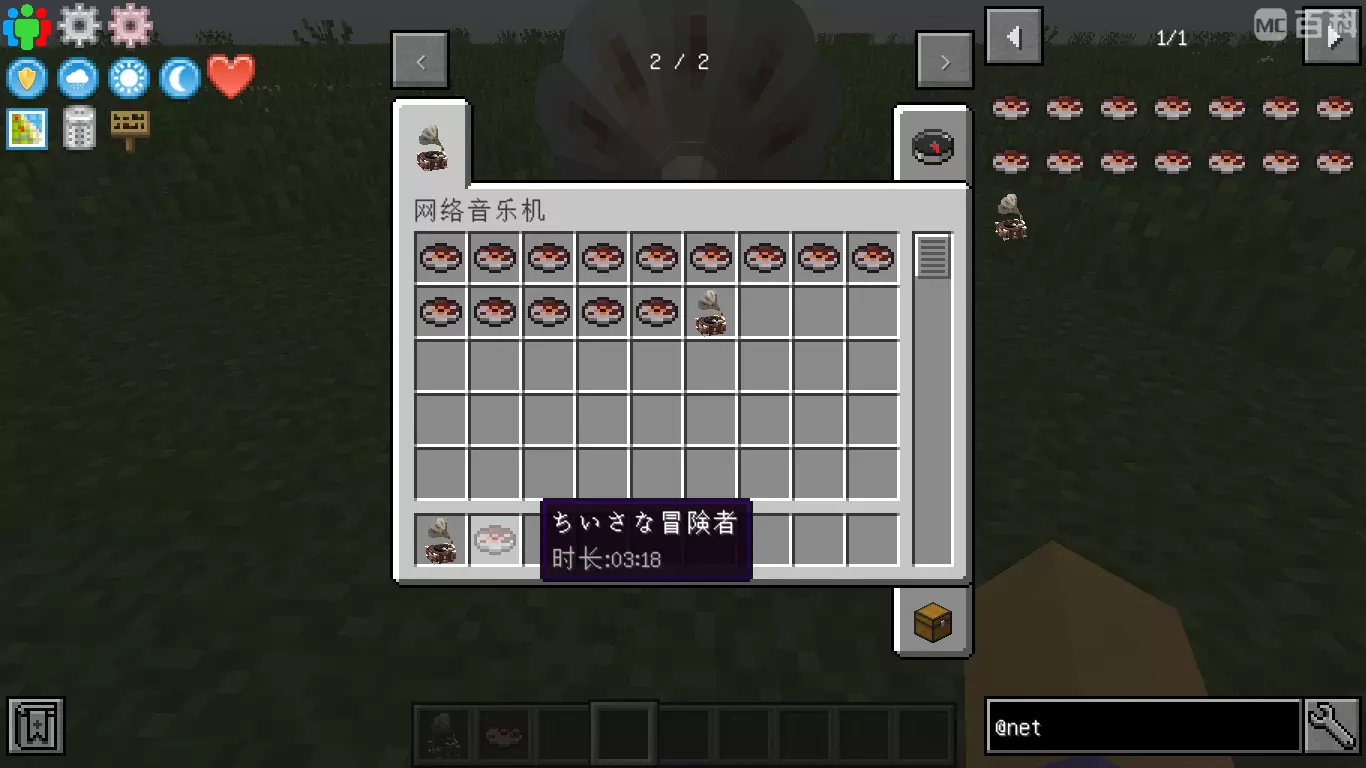
How to Play Custom Music on Server
Plan A: Google Drive
- Make sure NetMusic mod is installed on both server and client side.
- Upload your song to Google Drive (Only MP3 format is supported).
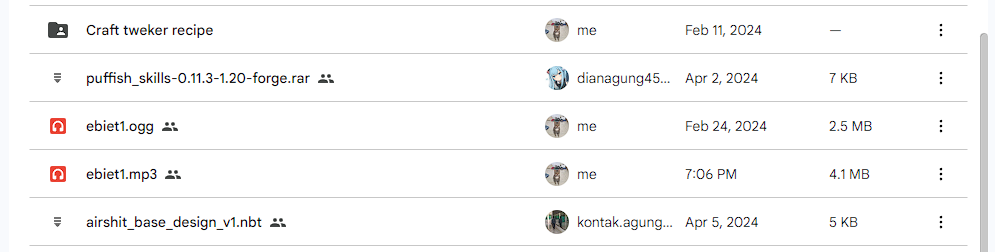
3. Double click on the file, and select the 3 dot icon on the top right. Click "Open in a new window" option.
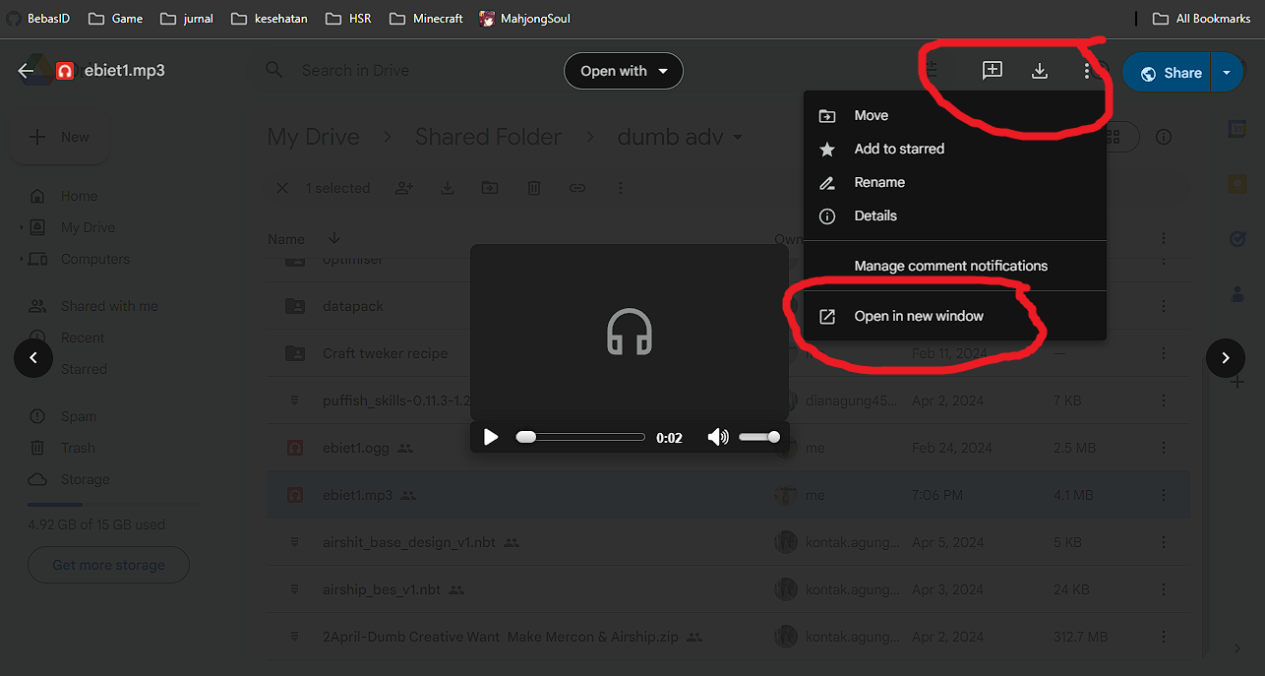
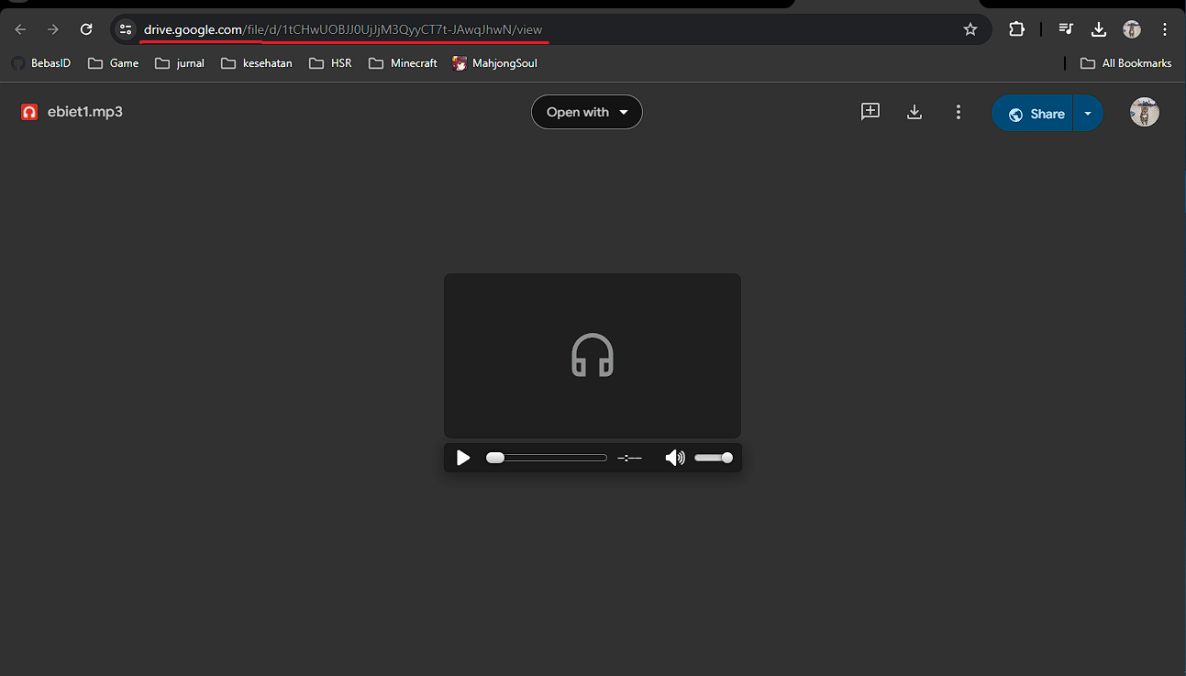
4. In the new window, copy the link in the URL box.
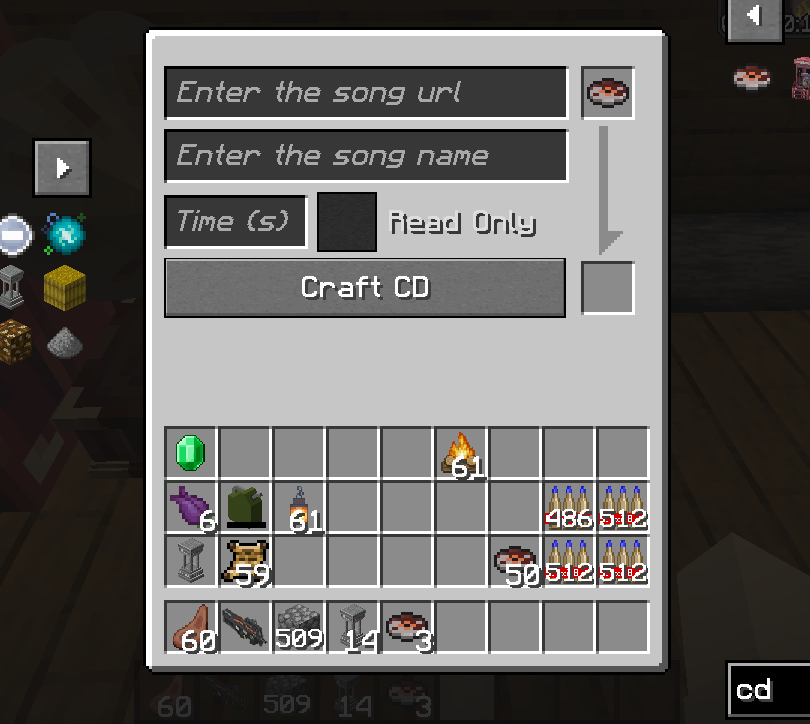
5. Open the in-game GUI, and fill in the details below:"
- Enter the song url: Paste the link here
- Enter the song name: Input the song name
- Time (s): the duration of the song in seconds
6. In the event where the song cannot be played, you will need to convert your link using the template below:
https://drive.usercontent.google.com/download?id={your ID}&export=download&authuser=0
delete {your ID} and paste Gdrive id example link
1tCHwUOBJJ0UjJjM3QyyCT7t-JAwqJhwN

Plan B: YouTube
- find you music youtube url link, I gave you some example :
https://www.youtube.com/watch?v=UqP8rZu6xLM
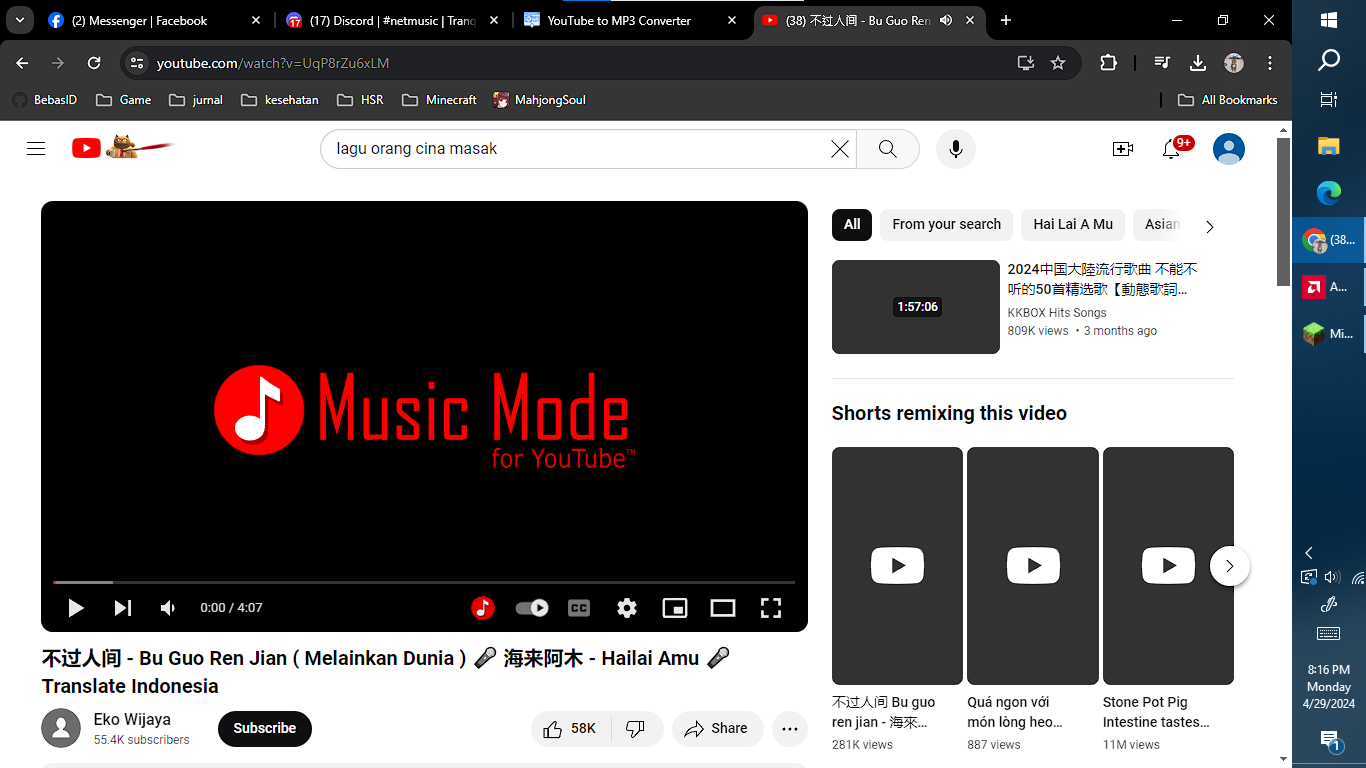
2. now paste your link at yt2mp3 converter: https://mp3-convert.org/youtube-to-mp3-converterss/
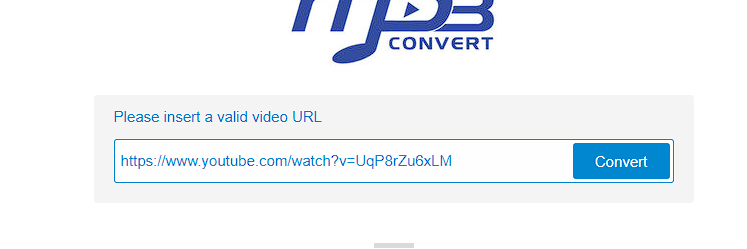
3. convert and you got 2 section download and convert next.
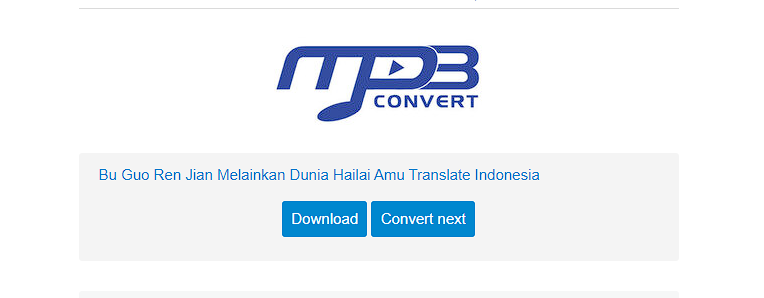
4. Right klik download section and copy link address
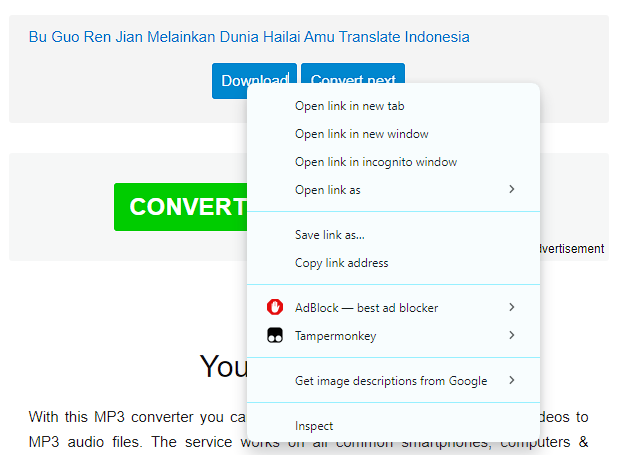
5. input at song url in game, dont forget to input song time

Thanks to Kucing, luckyu19 for the help
Verfügbare Versionen
Net Music auf dem Server installieren
Server bestellen
Bestelle einen Minecraft Java Server mit mindestens 3 GB RAM (4 GB empfohlen).
fabric Loader setzen
Wähle im Panel unter "Egg" den fabric-Loader und die passende Minecraft-Version (26.1.2).
Mod installieren
Öffne den Mod-Browser im Dashboard und suche nach "Net Music". Klicke "Installieren" – fertig! Alternativ: Lade die .jar via SFTP in den /mods Ordner.
Kompatibilität
Mod-Loader
Minecraft-Versionen
26.1.2, 1.21.1, 1.21 (+16 weitere)
Server-seitig
✓ ErforderlichEmpfohlener RAM
4 GB(min. 3 GB)Häufige Fragen
Net Music Server crasht beim Start – was tun?
Häufigste Ursache: falsche fabric-Version oder zu wenig RAM. Prüfe im Server-Log (latest.log), ob ein "OutOfMemoryError" oder "Mixin"-Fehler auftritt. Bei Mado Hosting: Stelle sicher, dass mindestens 3 GB RAM zugewiesen sind und der Loader zur Mod-Version passt (26.1.2). Über das Panel kannst du den Loader mit einem Klick wechseln.
Ist Net Music mit fabric und forge und neoforge kompatibel?
Net Music unterstützt offiziell fabric, forge, neoforge für Minecraft 26.1.2, 1.21.1, 1.21. Achtung: Forge- und Fabric-Mods sind NICHT untereinander kompatibel – wähle einen Loader und bleibe dabei. Im Mado Dashboard werden inkompatible Loader-Kombinationen automatisch erkannt.
Server laggt mit Net Music – wie optimiere ich die Performance?
Empfohlener RAM: 4 GB (+1 GB pro 8 Spieler). Prüfe mit /spark profiler, ob Net Music den meisten Tick-Time verbraucht. Häufige Fixes: Server-View-Distance auf 8-10 reduzieren, bei Forge "performant" oder "starlight" als Zusatz-Mod installieren. Bei Mado Hosting läuft dein Server auf NVMe-SSDs mit dedizierten CPU-Kernen für minimale Latenz.
Ähnliche Mods

![[ETF] Entity Texture Features](https://cdn.modrinth.com/data/BVzZfTc1/af683d206d50b05258d865b0d6e4aa2f2cee12f2_96.webp)
![[EMF] Entity Model Features](https://cdn.modrinth.com/data/4I1XuqiY/6e5bbd0d06b1741bfdab6c0cfab6de8fdaf0064c_96.webp)



Modded Server mieten
Installiere Net Music mit nur einem Klick auf deinem Server.
Details
- Lizenz
- Creative Commons Attribution Non Commercial Share Alike 4.0 International
- Server-seitig
- Erforderlich