
No Chat Reports
Makes chat unreportable (where possible)
Screenshots
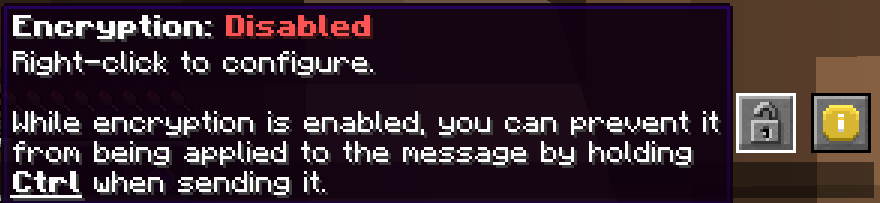
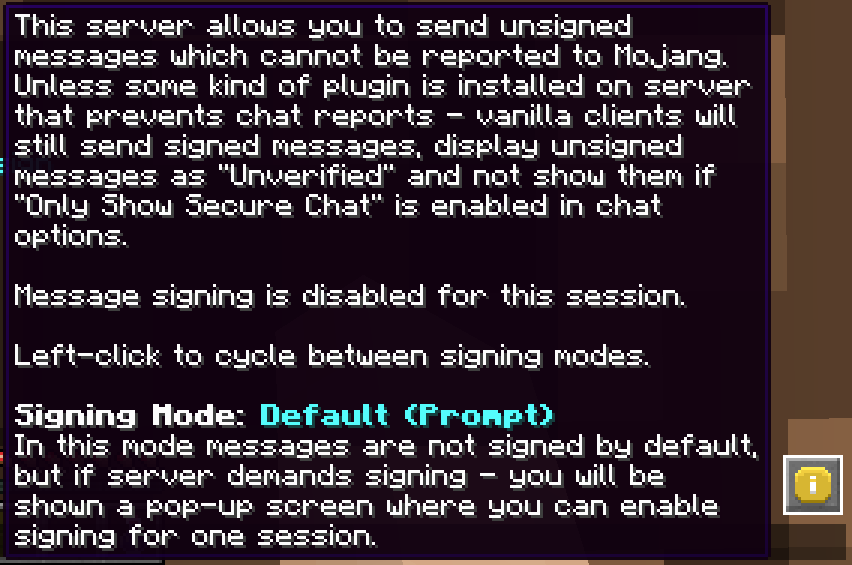
About this Mod
No Chat Reports




This mod strips cryptographic signatures which are attached to every chat message sent from 1.19 and onwards. Removing them makes it impossible to track and associate your chat messages with your Minecraft client, and, by extension, Microsoft account.
As of 1.19.1, it also disables Player Chat Reporting
Please notice that, while I am aware of Guardian and certain other exploits that allow you to counteract reporting systems on the client against the will of the server, I am consciously choosing to not integrate them as part of this mod. No Chat Reports will only remain effective on the client side if the server allows it to be. If you do not like servers that enforce chat signing and fully support chat reporting - I advise to simply not play on them.
Also, while there are many plugins out there that "borrow" the name and even icon of NoChatReports, please be aware that I have not authored any of them and cannot say how well they do their job.
Installation and Usage:
NoChatReports supports both Fabric and Forge, just download the version for your respective modloader and game version. It can be installed on either the client, server, or on both sides, and will function differently depending on which sides it is present on:
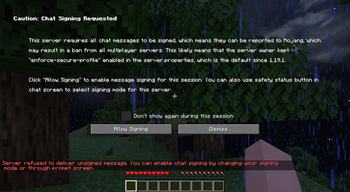
If the server does require you to sign messages and you are on either 1.19.1 or 1.19.2, you will not be able to join the server unless you agree to send signed messages (NoChatReports will supply a warning screen), if you are on 1.19.3 or higher, you will still be able to join the server, but will not be able to use chat-related commands (other commands do still work)
2. Only Server: Clients will still attach signatures when sending messages to the server, but the server will strip them before relaying them to other players. This way chat reporting will not work for any players that join. You can enable the conversion of player to system messages in the config, to prevent players without the mod from seeing them as "Not Secure"
As of 1.20.2 the server cannot disable the "unsigned messages" warning on the client. It can only be disabled if the client has NoChatReports (or a similar mod) installed.
3. Both Client and Server: Signatures will be stripped on the client side before sending messages to the server, which will not attempt to verify message signatures. Chat reporting and "Only Show Secure Chat" will not function, and players will be notified that those features are disabled by the mod when trying to use them.
Although NoChatReports can function when it is only present on one of either sides, NoChatReports can be configured to demand itself to be installed on the respective other side in order to play. This way you can install it on the server and require all clients that join to have NoChatReports installed, but you can also leave it server-only if you prefer.
Additionally, if installed on the client, NoChatReports will disable Telemetry (similar to what No Telemetry does).
To make sure that your server is compatible with NoChatReports, you can take a look at this part of the wiki.
Configuration
The configuration files are located in the NoChatReports subfolder of the default config folder.
NCR-Client.json stores Client-Side settings
NCR-Common.json stores Server-Side settings
NCR-Encryption.json stores Chat Encryption settings (Only effective on the client)
NCR-ServerPreferences.json stores Per-Server Signing Modes
You can find more information here.
Chat Encryption
I have put together a video dedicated to Chat Encryption, watching it will help you to learn how it is used (and whether you should): https://www.youtube.com/watch?v=e7RzNP32k-s
Documentation:
You can find documentation and other information relevant to this mod on the wiki. It currently features the following articles:
- Configuration Files
- Protecting Server Players
- How to Get Safe Server Status
- I Got Banned!
- To Encrypt or Not to Encrypt
- The Realms Question
For Developers:
If you develop your own mod, plugin or other server software that in some way prevents chat reports, you can make clients with No Chat Reports installed recognize servers running your software as safe. I wrote a small article about this. For clarification or further inquiries - contact me via Discord, link in "External resources".
Reasoning:
See my videos for an explanation of how message signatures and chat reporting work in the game, their failures and the reasoning behind the creation of this mod:
Available Versions
How to Install No Chat Reports on Your Server
Order Server
Order a Minecraft Java server with at least 3 GB RAM (4 GB recommended).
Set fabric Loader
In the panel under "Egg", select the fabric loader and matching Minecraft version (26.3).
Install Mod
Open the mod browser in the dashboard and search for "No Chat Reports". Click "Install" – done! Alternatively, upload the .jar via SFTP to the /mods folder.
Compatibility
Mod Loaders
Minecraft Versions
26.3, 26.2, 26.1.2 (+33 more)
Server-side
~ OptionalRecommended RAM
4 GB(min. 3 GB)Frequently Asked Questions
No Chat Reports server crashes on startup – what to do?
Most common cause: wrong fabric version or insufficient RAM. Check the server log (latest.log) for "OutOfMemoryError" or "Mixin" errors. With Mado Hosting: ensure at least 3 GB RAM is allocated and the loader matches the mod version (26.3). You can switch loaders with one click in the panel.
Is No Chat Reports compatible with fabric and forge and neoforge and quilt?
No Chat Reports officially supports fabric, forge, neoforge, quilt for Minecraft 26.3, 26.2, 26.1.2. Note: Forge and Fabric mods are NOT cross-compatible – pick one loader and stick with it. The Mado dashboard automatically detects incompatible loader combinations.
Server lagging with No Chat Reports – how to optimize performance?
Recommended RAM: 4 GB (per 8 players). Use /spark profiler to check if No Chat Reports consumes the most tick time. Common fixes: reduce server view-distance to 8-10, install "performant" or "starlight" as supplementary mods on Forge. With Mado Hosting, your server runs on NVMe SSDs with dedicated CPU cores for minimal latency.
Similar Mods






Rent Modded Server
Install No Chat Reports with just one click on your server.