
Modrinth · Fabric, Quilt · Client-Mod
Presence Footsteps
Presence Footsteps ist eine clientseitige Mod. Du installierst sie auf deinem Rechner, auf dem Server ist sie nicht nötig.
..An Overly complicated Sound Mod...
- Downloads
- 41.8M
- Autor
- Sollace
- Loader
- Fabric, Quilt
- Minecraft
- 1.10 – 26.3
- Aktualisiert
- –
Screenshots
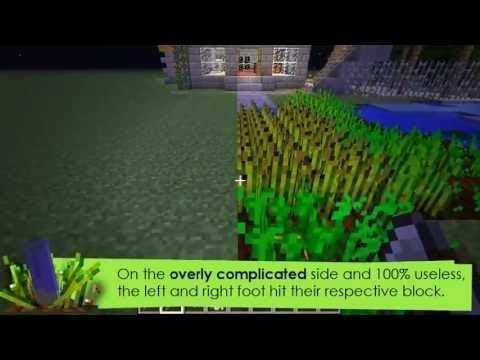
So sieht Presence Footsteps aus

Bilder: Presence Footsteps auf Modrinth, vom Projektteam veröffentlicht.
Einrichtung
Presence Footsteps auf deinem Client installieren
Clientseitige Mods laufen nur auf deinem Rechner. Mehr Server-RAM ändert an ihrer Leistung nichts.
- 01
Loader lokal installieren
Installiere Fabric oder Quilt für deine Minecraft-Version in deinem Launcher.
- 02
Datei herunterladen
Lade die Presence Footsteps-Datei für deinen Loader und exakt deine Minecraft-Version herunter, zum Beispiel 26w14a.
- 03
In den Mods-Ordner legen
Lege die .jar-Datei in den lokalen Ordner .minecraft/mods und entferne ältere Duplikate.
- 04
Starten
Starte Minecraft mit dem Loader-Profil. Auf dem Server musst du nichts ändern.
- Auf dem Server
- Nicht nötig
- Auf dem Client
- Erforderlich
- Loader
- Fabric, Quilt
- Minecraft
- 26w14a, 26.3-rc-3, 26.3 +76 weitere
- Lizenz
- LicenseRef-Polyform-Shield-1.0
Versionen
Veröffentlichte Versionen
Nimm die Datei, die zu Loader und Minecraft-Version deines Servers passt. Server und Spieler brauchen dieselbe Version.
Presence Footsteps · Modrinth- PresenceFootsteps-1.10.0+1.2110. Juni 2024Minecraft 1.21, 1.21-rc1, 1.21.1 · Fabric, Quilt
- PresenceFootsteps-1.9.5+1.20.516. Mai 2024Minecraft 1.20.5, 1.20.6 · Fabric, Quilt
- Presence Footsteps 1.9.4+1.20.415. Mai 2024Minecraft 1.20.4 · Fabric, Quilt
- Presence Footsteps 1.9.4+1.20.215. Mai 2024Minecraft 1.20.2 · Fabric, Quilt
- Presence Footsteps 1.9.4+1.20.115. Mai 2024Minecraft 1.20.1 · Fabric, Quilt
Originalbeschreibung des Projektautors
Presence-Footsteps




..An Overly complicated Sound Mod...
This is the continuation of Huricaaan (Ha3)'s original mod, maintained and updated to the latest version of Minecraft. All previous features have been restored and some new ones added, with new development promised for the future on the opensource github profile!
Expect to see a more rich and immersive Minecraft world, one where Presence Footsteps adds new and more dynamic sounds for every block the player walks on. Every block has its own material assigned to it, and can make their own, customized sounds to better match what they're made of.
- Wooden chests are creaky and old,
- stone is dusty and rough.
- Piston heads sound like wood, whilst their bodies are stone,
- even cake sounds like you might destroy if you step in the frosting!
- Tall grass and bristles make a dry, rustling sound as you step through them,
- Magma sounds like it's literally cooking your souls!
Not only that, but the latest version includes step sounds for certain non-block entities:
Shulkers make the same creaky box noises as Shulker boxes, boats sound like wood, and armour stands creak and produce a stone stepping sound as you walk on their stone slab base.
Sound Packs
Presence Footsteps is fully customisable with resource packs. The mod by default includes a its own sounds
and material mappings for the vanilla blocks, however if you don't like those sounds or want to use your own, these can be overridden with your own values by installing a resource pack from the community.
Mod Support
Presence Footsteps will attempt to figure out the sounds of modded blocks by looking at the vanilla material/sound types they use.
If your mod is using very unique sounds though, you can add mappings to your mod to directly control what sounds presence footsteps uses for your block by
following the guide on our wiki
Muss Presence Footsteps auf dem Minecraft Server installiert werden?
Nein. Modrinth kennzeichnet Presence Footsteps serverseitig als nicht unterstützt. Installiere die Mod nur im lokalen Mods-Ordner. Dein Server kann unverändert bleiben, sofern die Projektseite keine zusätzliche Abhängigkeit nennt.
Welche Version und welchen Loader braucht Presence Footsteps?
Nutze eine Datei für Fabric, Quilt und exakt deine Minecraft-Version. Unterstützt werden unter anderem 26w14a, 26.3-rc-3, 26.3. Dateien für verschiedene Loader sind nicht austauschbar.
Presence Footsteps funktioniert nicht – was kann ich prüfen?
Prüfe zuerst Minecraft-Version, Loader-Version und erforderliche Abhängigkeiten. Da die Mod clientseitig ist, löst mehr Server-RAM das Problem nicht.
Ähnliche Mods
Beliebte Mods aus derselben Kategorie
 Nur Client

Iris Shaders
von coderbot
A modern shader pack loader for Minecraft intended to be compatible with existing OptiFine shader packs
 Nur Client

[ETF] Entity Texture Features
von Traben
Emissive, Random & Custom texture support for entities in resourcepacks just like Optifine but for Fabric
 Nur Client

[EMF] Entity Model Features
von Traben
EMF is an, OptiFine format, Custom Entity Model replacement mod available for Fabric and Forge.
 Nur Client

Not Enough Animations
von tr7zw
Bringing first-person animations to the third-person
Mods für deinen eigenen Server gesucht?
Im Katalog findest du Mods, die auf Minecraft Servern laufen.