
Modrinth · Fabric, Forge, NeoForge
Pyrite auf deinem Minecraft Server
Pyrite läuft auf Minecraft Servern mit Fabric oder Forge oder NeoForge. Bestell deinen Server, stell den Loader im Panel ein und installiere die Mod mit einem Klick im Mod-Browser.
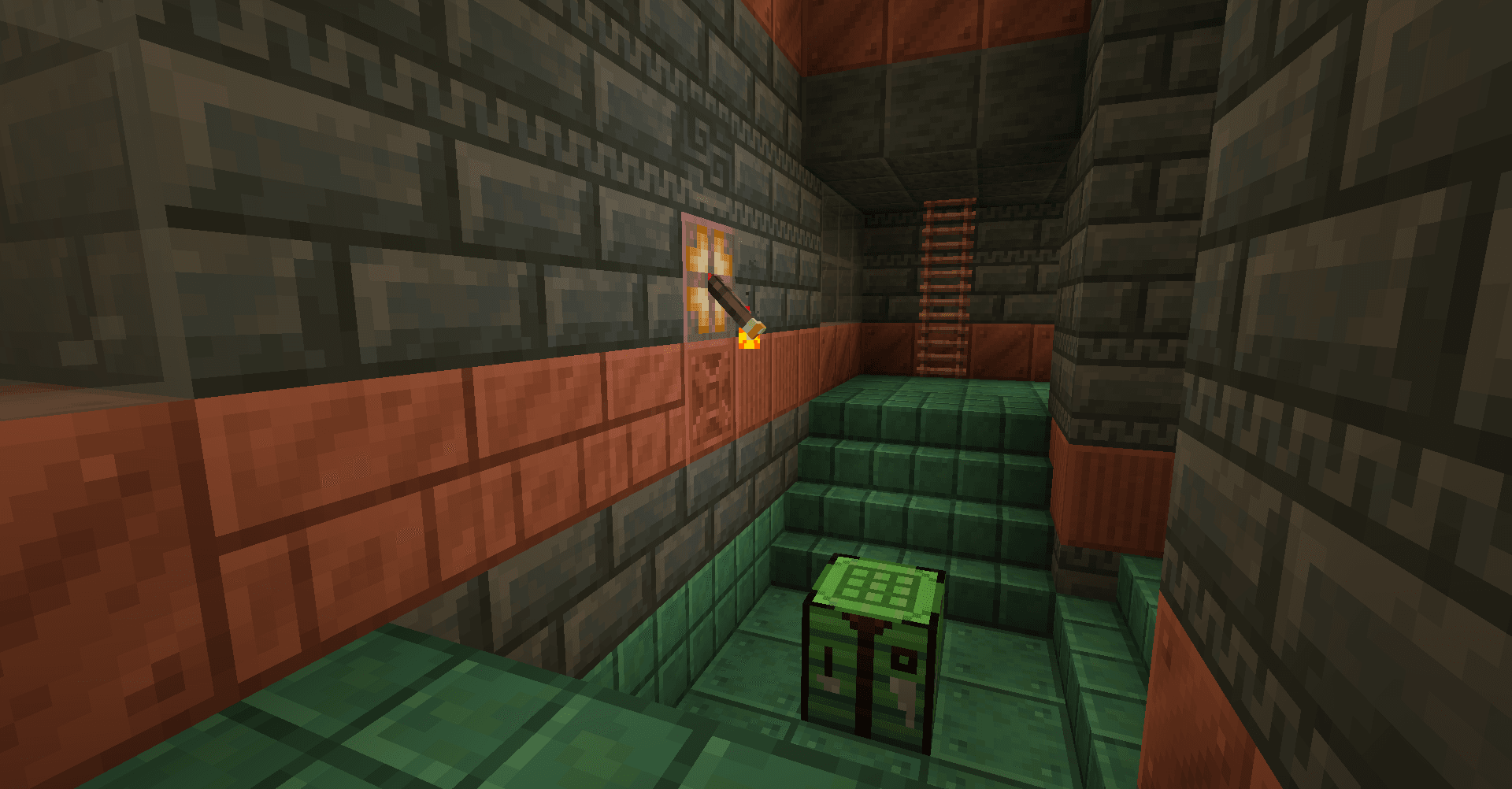
Variations of Vanilla blocks, including dyed wood planks and bricks, new material blocks and more to complete your colourful builds.
- Downloads
- 40.0K
- Autor
- Cassian
- Loader
- Fabric, Forge, NeoForge
- Minecraft
- 1.16 – 26.3
- Aktualisiert
- –
Screenshots
So sieht Pyrite aus


Bilder: Pyrite auf Modrinth, vom Projektteam veröffentlicht.
Einrichtung
Pyrite auf dem Server installieren
Server und Spieler brauchen denselben Loader und dieselbe Minecraft-Version. Sichere die Welt, bevor du Mods hinzufügst oder aktualisierst.
- 01
Konfigurieren
4 GB RAM sind vorausgewählt. Laufzeit und Add-ons wählst du selbst, bezahlt wird per Kreditkarte oder PayPal.
- 02
Loader einstellen
Stell im Panel die Serversoftware auf Fabric oder Forge oder NeoForge und wähl die passende Minecraft-Version, zum Beispiel 26.3.
- 03
Mod installieren
Such im Mod-Browser nach „Pyrite“ und installiere die Version für deinen Loader. Alternativ lädst du die .jar per SFTP in den Ordner mods. Erforderliche Abhängigkeiten stehen auf der Projektseite.
- 04
Verbinden
Alle Spieler installieren Pyrite in derselben Version lokal und verbinden sich über die Serveradresse aus dem Panel.
- Auf dem Server
- Erforderlich
- Auf dem Client
- Erforderlich
- Loader
- Fabric, Forge, NeoForge
- Minecraft
- 26.3, 26.2, 26.1.2 +93 weitere
- Lizenz
- MIT License
Das Panel
Mods installieren, Fehler finden.
Echte Screenshots aus dem Mado Panel. Beides ist bei jedem Minecraft Server enthalten.
Mod-Browser
Modrinth und CurseForge direkt im Panel.
Der Browser filtert nach deiner Minecraft-Version. Mods installierst du mit einem Klick, ohne .jar-Dateien hochzuladen.

KI-Crash-Analyse
Wenn ein Mod crasht, liest die Analyse das Log.
Mods scheitern oft an einer falschen Loader-Version, Java-Version oder fehlenden Abhängigkeit. Die Analyse nennt eine wahrscheinliche Ursache und einen Lösungsvorschlag.

Versionen
Veröffentlichte Versionen
Nimm die Datei, die zu Loader und Minecraft-Version deines Servers passt. Server und Spieler brauchen dieselbe Version.
Pyrite · ModrinthOriginalbeschreibung des Projektautors



About
Pyrite helps to fill out your block palette when building with various vanilla blocks! Looking to build with coloured blocks? Try out new Stained Planks, Dyed Lamps or Dyed Bricks in all the dye colours and more! Looking to flex your wealth? Try out Cut, Chiseled and Pillar variants of all the various resource blocks! Best of all, these variants (depending on the block) can include stairs, slabs, fences, fence gates, walls, wall gates, trapdoors, pressure plates, buttons - everything you need to decorate as you want.
Pyrite 0.18 also allows you to easily pick and choose what features you want, optionally allowing you to disable the entire mod!
For more info, check out the wiki!
Features

1,364 blocks and counting...
- Stained Planks, in every colour of dye (and more!)
- This includes stained wood slabs, stairs, fences, fence gates, pressure plates, doors, crafting tables, ladders, signs, and buttons as well!
- Dyed Bricks, in every colour of dye (and more!)
- This includes dyed brick slabs, stairs, and walls!
- Resource Block Variants, letting you more easily decorate with riches!
- Iron, Gold, Emerald, Diamond, Netherite, Quartz, Amethyst, Lapis, and Copper Blocks now have consistent block variations, including: Cut Blocks/Stairs/Slabs, Bricks, Chiseled, Pillar, Smooth, Bars, Doors, Trapdoors, Pressure Plates, and Buttons.
- Wall Gates, because your walls deserve matching gates just like your fences have!
- This includes wall gates for every vanilla wall type.
- Terracotta Bricks, which come in all dye colours.
- This includes dyed brick slabs, stairs, and walls!
- Dyed Torches, perfect for just a little bit of colour.
- Torch Levers, to hide redstone in plain sight.
- New Glass blocks! Framed Glass acts as an ornate glass variant, and Switchable Glass will become opaque when provided with redstone power.
- Framed Glass also has a pane variant, and Stained Framed Glass and Glass Pane variants.
- New Nether Bricks, including Charred Nether Bricks and Blue Nether Bricks.
- New Stone Brick Variants, including Smooth Stone and Cobblestone sets.
- Grass Turf, for detailing your lawns.
- This includes grass, podzol, mycelium, and dirt path slabs, stairs, and carpets as well!
- Slab and Stairs for Concrete blocks.
- Crafting Tables for all vanilla wood types.
Installation
Pyrite is a client and server mod for Fabric and NeoForge 1.21.1, 26.1, and 26.2. Its dependencies are listed below.
Dependencies
- Fabric API is required on Fabric Loader.
- EMI or RRV is recommended to view crafting recipes.
Mod Compatibility
Pyrite adds additional content when the following mods are installed.
- The Aether: Skyroot Crafting Tables, and Wall Gates for all Aether wall blocks.
- Columns: Columns for all Pyrite wall blocks.
- More Chest Variants: Chest variants for all Pyrite wood types.
FAQ
- Will this mod be ported to other versions/loaders?
- The mod actively supports the latest version of Minecraft (currently 26.3), and the current modding version, 26.1. I do not currently have time to manage backports to older versions or any other loaders.
License

Pyrite's code is available under the open source MIT License. Note that this means you are required to attribute the mod if you use any content from it in your own projects.
Credits
Pyrite is inspired by mods like Quark, Stoneworks, and Charm that expand on Minecraft's block palette.
Many textures are adapted from and inspired by vanilla Minecraft and removed features of such. These textures belong to Mojang.
Pyrite Server crasht beim Start – was tun?
Häufige Ursachen: Loader- oder Minecraft-Version passen nicht zur Mod-Datei, eine Abhängigkeit fehlt oder der RAM reicht nicht. Such im Log (latest.log) nach „OutOfMemoryError“, „Mixin“ oder fehlenden Mods. Bei Mado wertet die KI-Crash-Analyse das Log aus und schlägt eine Ursache vor. Loader und Version änderst du im Panel.
Mit welchem Loader läuft Pyrite?
Laut Modrinth unterstützt Pyrite Fabric, Forge, NeoForge für Minecraft 26.3, 26.2, 26.1.2. Forge- und Fabric-Dateien sind nicht untereinander austauschbar: Wähl einen Loader für Server und Clients.
Wie viel RAM braucht ein Server mit Pyrite?
Als Orientierung 3–4 GB für einen Server mit dieser Mod. Das ist eine Schätzung, keine gemessene Mindestanforderung. Weitere Mods, viele Spieler und große Sichtweiten brauchen mehr. Ob eine Mod die Tick-Zeit belastet, siehst du mit dem spark-Profiler.
Ähnliche Mods
Beliebte Mods aus derselben Kategorie
 Nur Client

Iris Shaders
von coderbot
A modern shader pack loader for Minecraft intended to be compatible with existing OptiFine shader packs
 Nur Client

[ETF] Entity Texture Features
von Traben
Emissive, Random & Custom texture support for entities in resourcepacks just like Optifine but for Fabric
 Nur Client

[EMF] Entity Model Features
von Traben
EMF is an, OptiFine format, Custom Entity Model replacement mod available for Fabric and Forge.
 Nur Client

Not Enough Animations
von tr7zw
Bringing first-person animations to the third-person
Bereit für deinen Server mit Pyrite?
4 GB RAM ab 8,00 € im Monat. 35 % auf den 1. Monat mit MADO35.