
Radiance (Windows)
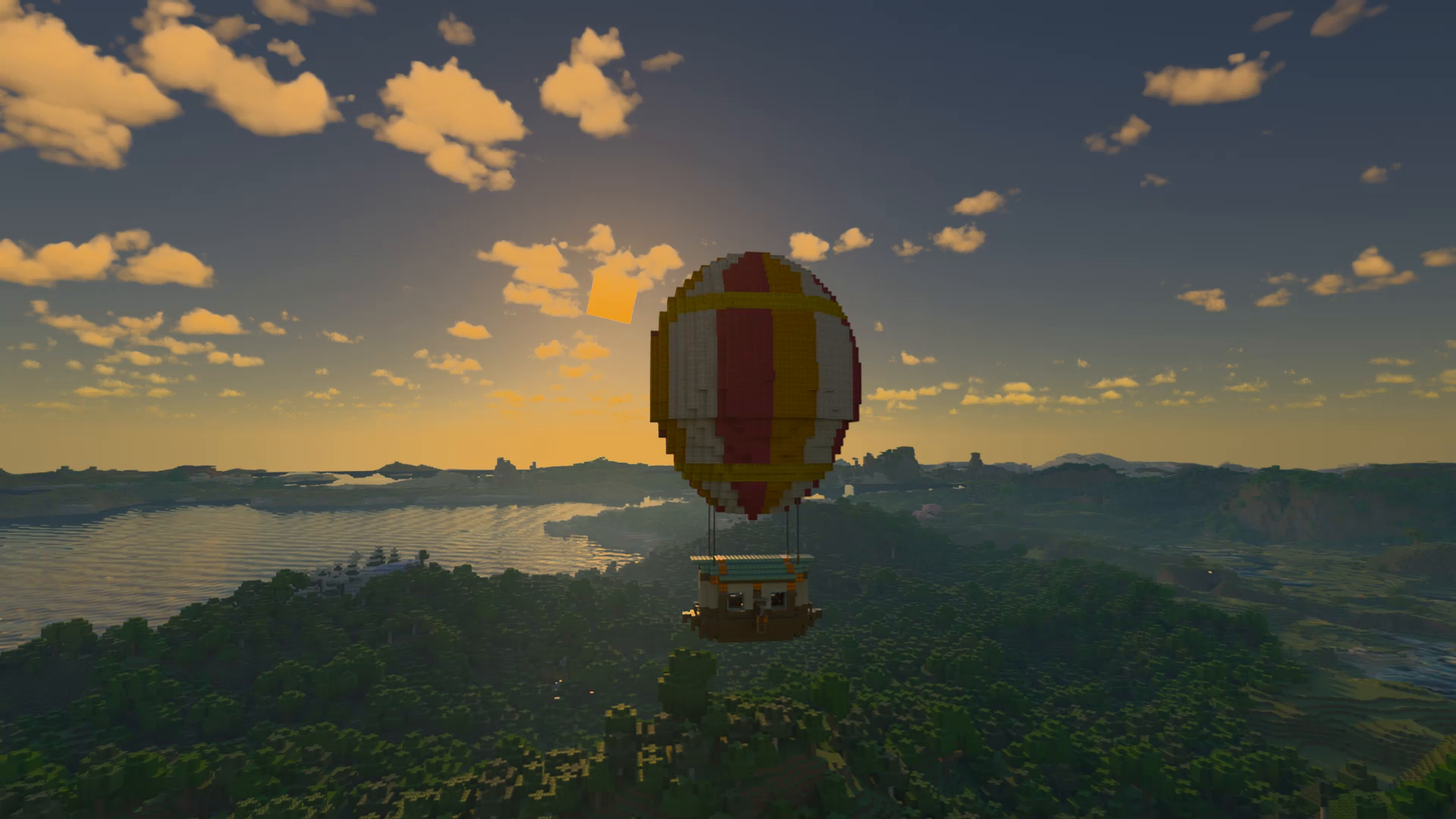
Radiance is rebuilt of Minecraft OpenGL on a Vulkan C++ backend, featuring native Hardware Ray Tracing. Break free from OpenGL limits for Minecraft on Windows.
Screenshots


Über diese Mod
Radiance
Important: This modrinth project contains only Windows versions of Radiance. For Linux versions, please view this modrinth project.
Radiance is a Minecraft mod that completely replace the vanilla OpenGL renderer with our Vulkan C++ renderer, which supports high performance rendering and hardware-accelerated ray tracing.
Due to the variety of C++ usage in the modern industrial rendering pipeline, a seamless integration of a modern industrial rendering module (such as DLSS and FSR) into our Vulkan C++ renderer is thus possible.
System Requirements
Operating System: Windows 10/11 (64-bit)
Graphics API: Vulkan-compatible GPU with VK_KHR_ray_tracing_pipeline extension
Hardware: GPU with VK_KHR_ray_tracing_pipeline extension (NVIDIA RTX Series or AMD/Intel cards supporting this extension)
Installation Guide
Please view Github Pages for detailed installation guides.
Credits
This project uses Vulkan technology. Please refer to this page for more information.
This project uses Nvidia's DLSS (Deep Learning Super Sampling) technology. Please refer to this page and this page for more information.
This project uses FSR3. Please refer to this page for more information.
This project uses XeSS SR. Please refer to this page for more information.
Special thanks to all contributors of open-source libraries used in this project, including NRD, GLFW, GLM, STB Image and VMA. If any are not credited and should be, please inform the author and credit will be applied where required.
Disclaimer
- This is a community-made third-party mod and is not affiliated with, authorized, sponsored, endorsed by, or otherwise officially connected to Mojang Studios or Microsoft. A commonly used wording on mod platforms is: "NOT AN OFFICIAL MINECRAFT SERVICE. NOT APPROVED BY OR ASSOCIATED WITH MOJANG OR MICROSOFT."
- Minecraft and related names, logos, and assets are trademarks and/or intellectual property of Mojang Studios and/or Microsoft.
- This project is also not affiliated with, sponsored by, or endorsed by NVIDIA. NVIDIA / GeForce / RTX / DLSS are trademarks of NVIDIA Corporation and remain the property of their respective owners.
- This mod is provided "AS IS" without warranties. You assume all risks arising from its use (including, but not limited to, crashes, visual issues, data loss, or incompatibilities with other mods). Please back up your worlds and configs before installation.
Verfügbare Versionen
Radiance (Windows) auf deinem Client installieren
Mod-Loader lokal installieren
Installiere fabric für deine lokale Minecraft-Version.
Passende Datei herunterladen
Wähle die Radiance (Windows)-Datei für fabric und Minecraft 1.21.4.
Mod installieren
Lege die .jar-Datei in deinem lokalen .minecraft/mods-Ordner ab und starte Minecraft neu. Eine Installation auf dem Server ist nicht nötig.
Kompatibilität
Mod-Loader
Minecraft-Versionen
1.21.4, 1.21.1, 1.20.1
Server-seitig
✗ Nicht unterstütztEmpfohlener RAM
4 GB(min. 3 GB)Häufige Fragen
Muss Radiance (Windows) auf dem Minecraft Server installiert werden?
Nein. Modrinth kennzeichnet Radiance (Windows) serverseitig als nicht unterstützt. Installiere die Mod nur im lokalen Minecraft-Mods-Ordner. Dein Server kann unverändert bleiben, sofern die Mod-Seite keine zusätzliche Abhängigkeit nennt.
Welche Version und welchen Loader braucht Radiance (Windows)?
Nutze eine Datei für fabric, forge, neoforge und exakt deine Minecraft-Version. Unterstützte Versionen sind unter anderem 1.21.4, 1.21.1, 1.20.1. Loader-Dateien sind nicht untereinander austauschbar.
Radiance (Windows) funktioniert nicht – was kann ich prüfen?
Prüfe zuerst Minecraft-Version, Loader-Version und erforderliche Abhängigkeiten. Lege die .jar-Datei im lokalen .minecraft/mods-Ordner ab und entferne ältere Duplikate. Da die Mod clientseitig ist, löst mehr Server-RAM dieses Problem nicht.
Ähnliche Mods

![[ETF] Entity Texture Features](https://cdn.modrinth.com/data/BVzZfTc1/af683d206d50b05258d865b0d6e4aa2f2cee12f2_96.webp)
![[EMF] Entity Model Features](https://cdn.modrinth.com/data/4I1XuqiY/6e5bbd0d06b1741bfdab6c0cfab6de8fdaf0064c_96.webp)



Minecraft Server für deine Gruppe
Radiance (Windows) bleibt auf deinem Client. Hoste dazu eine kompatible Welt für deine Mitspieler.