
Real Camera
Make the camera more realistic in the first-person view.
Screenshots
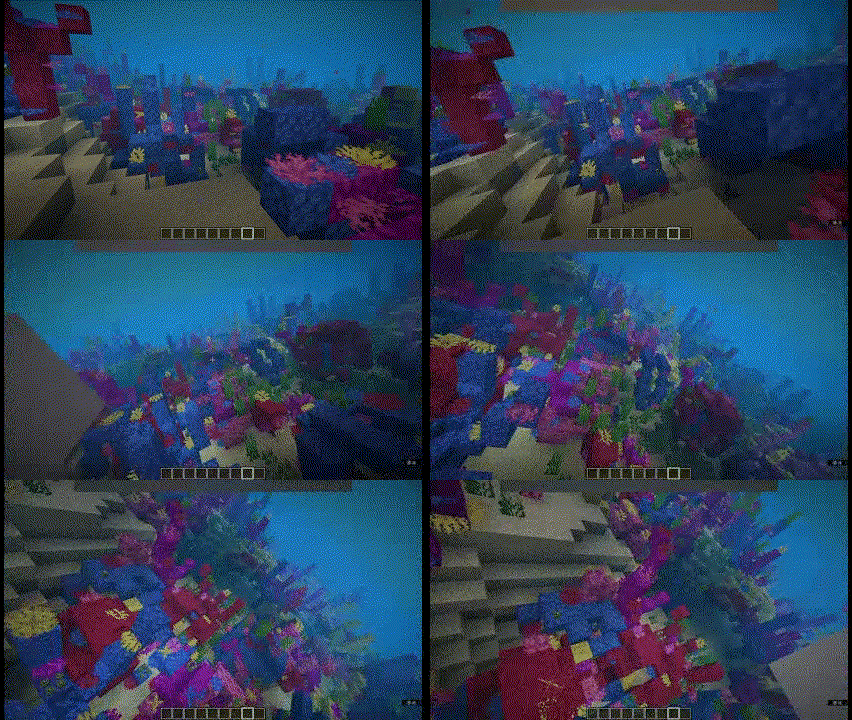
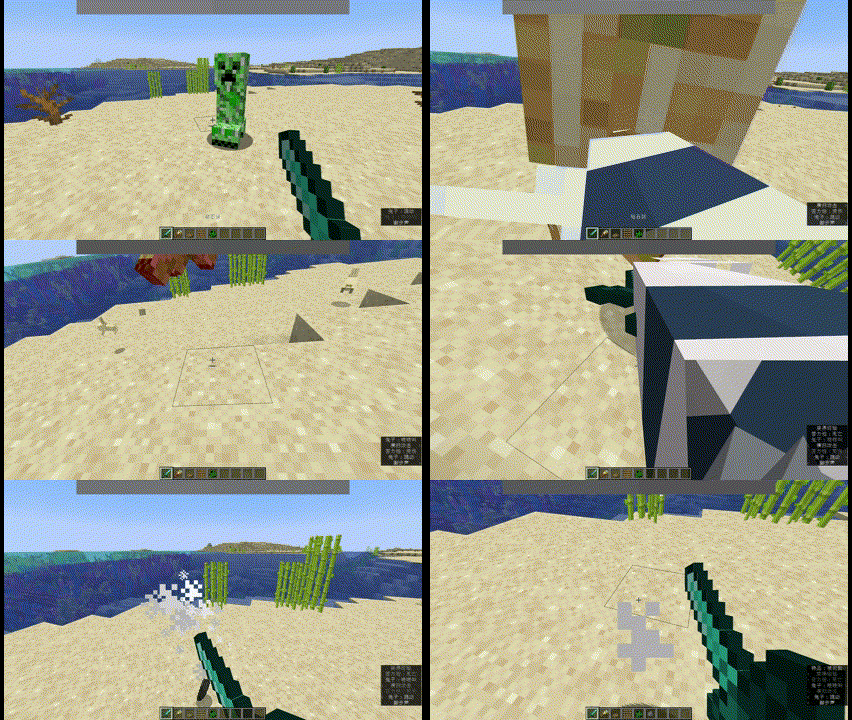
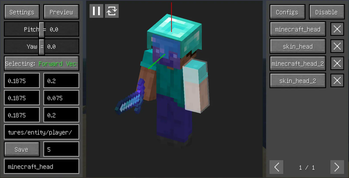
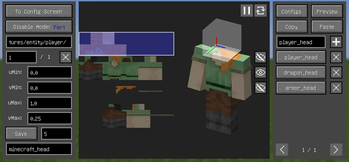
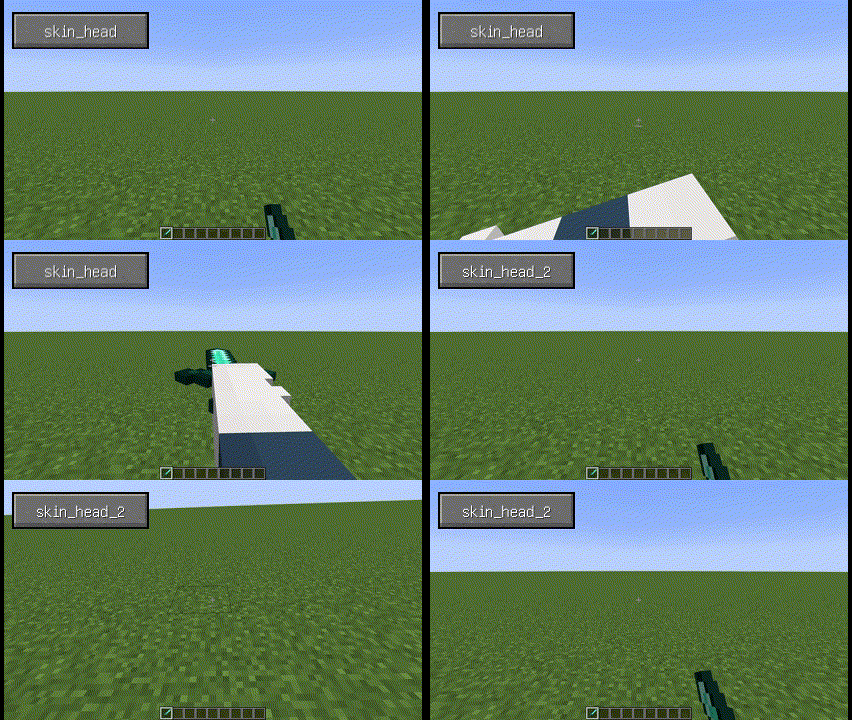
Über diese Mod
Real Camera
Make the camera more realistic in the first-person view.
Supported versions: 1.18.2-1.20.4 Forge, 1.18.2-26.1 Fabric, 1.21-26.1 NeoForge.
Features
- Bind the camera to a specific part of the body.
- Customize the position and rotation of the camera.
- Render player model in first-person perspective.
- Use F6 to toggle the feature on or off and other hotkeys to adjust the camera.
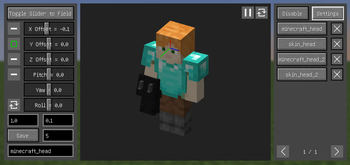
- Configure these features in the Config Screen (Cloth Config required) and the Model View Screen (0.6+).
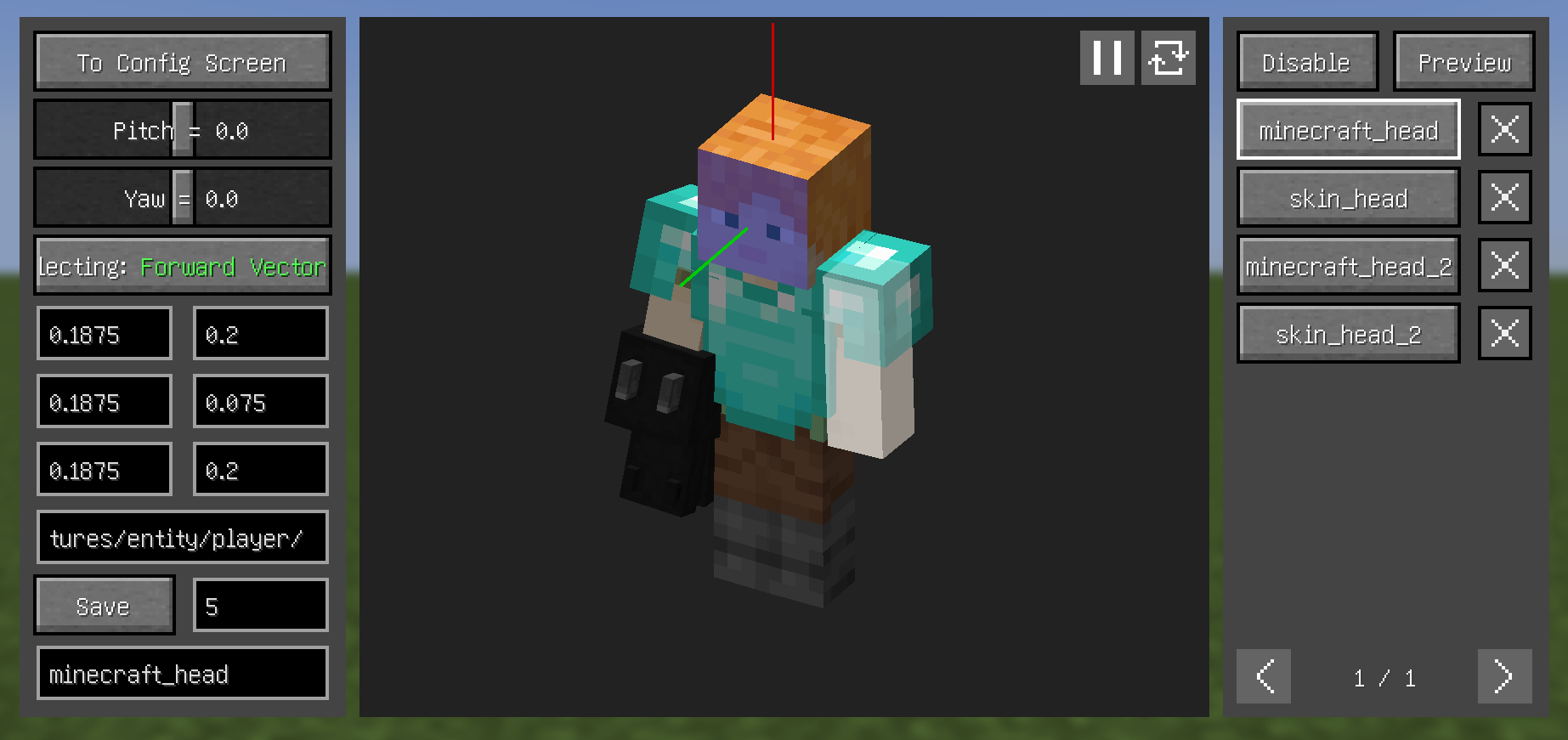
Configuration (0.6+)
- Theoretically, most mod models are supported, but need to be configured manually:
- First, set the key binding for
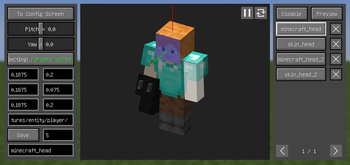
Open Model View Screen. - Open the model view screen and left click with left Alt held to select the corresponding face of the model, scroll with left Alt held to switch between the different layers of the model.
- By clicking the
Selectingbutton on the left, switch between the three to select theForward Vector,Upward Vector, andTarget Plane. - From the top right button, enter the
Previewsection, where you can see the relative relationship between the camera and the model and make certain adjustments (you can also adjust through key bindings). - Enter a name and save.
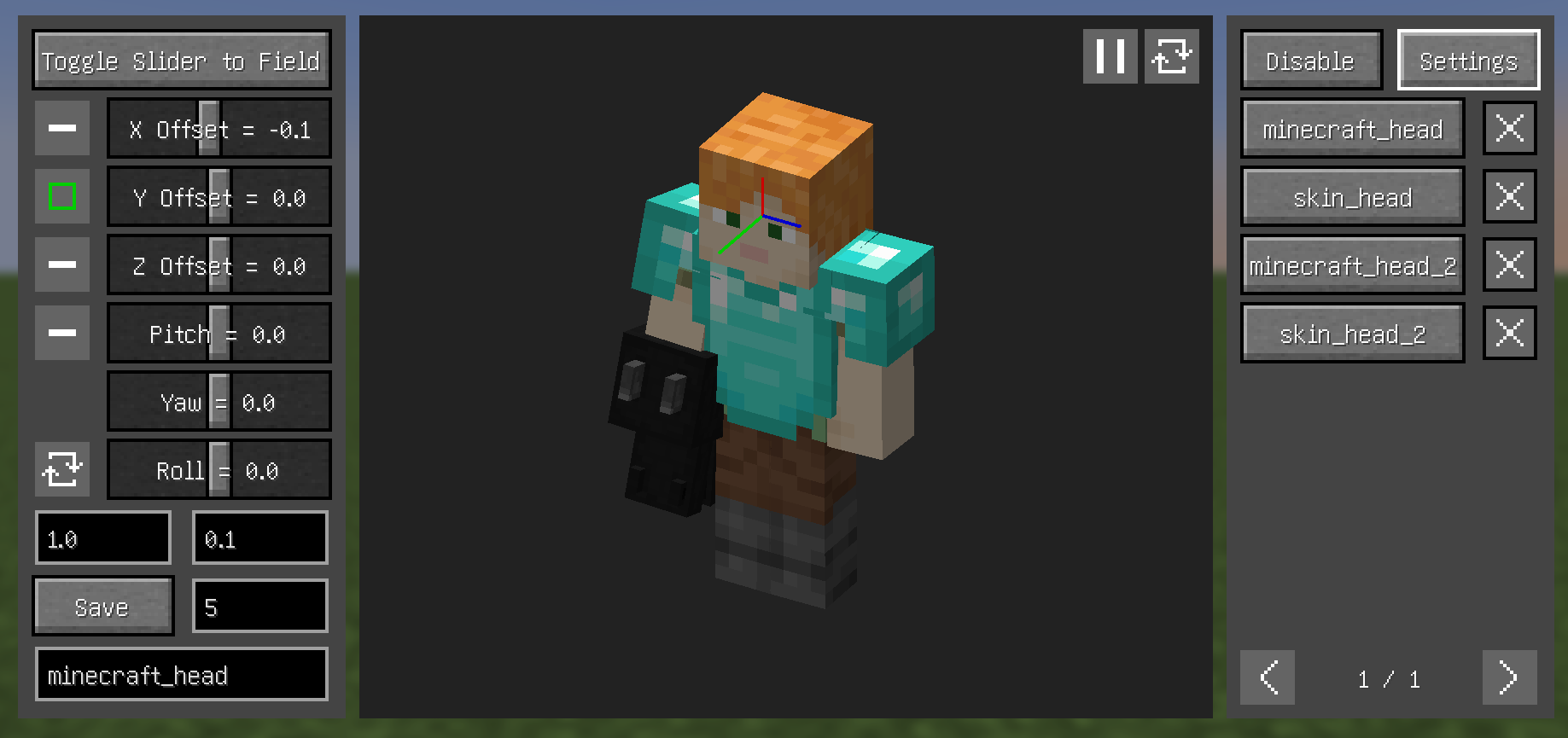
Tips
- Configs can have their priority adjusted - higher priority configs appear higher in the right-side list
- Disable depth in
Previewsection to hide models blocking the view - About
Disablesection (current version still rough, complex operations):- When texture ID field is empty, use Left Alt+Left Click to select texture
- Model parts contained by blue boxes won't be rendered
- Left-click drag to select in texture view, other keys cancel selection
- Left Alt+Left Click quickly selects hovered parts
- In
Allmode, entire texture's model won't render (blue box containing the texture in left panel indicates this) 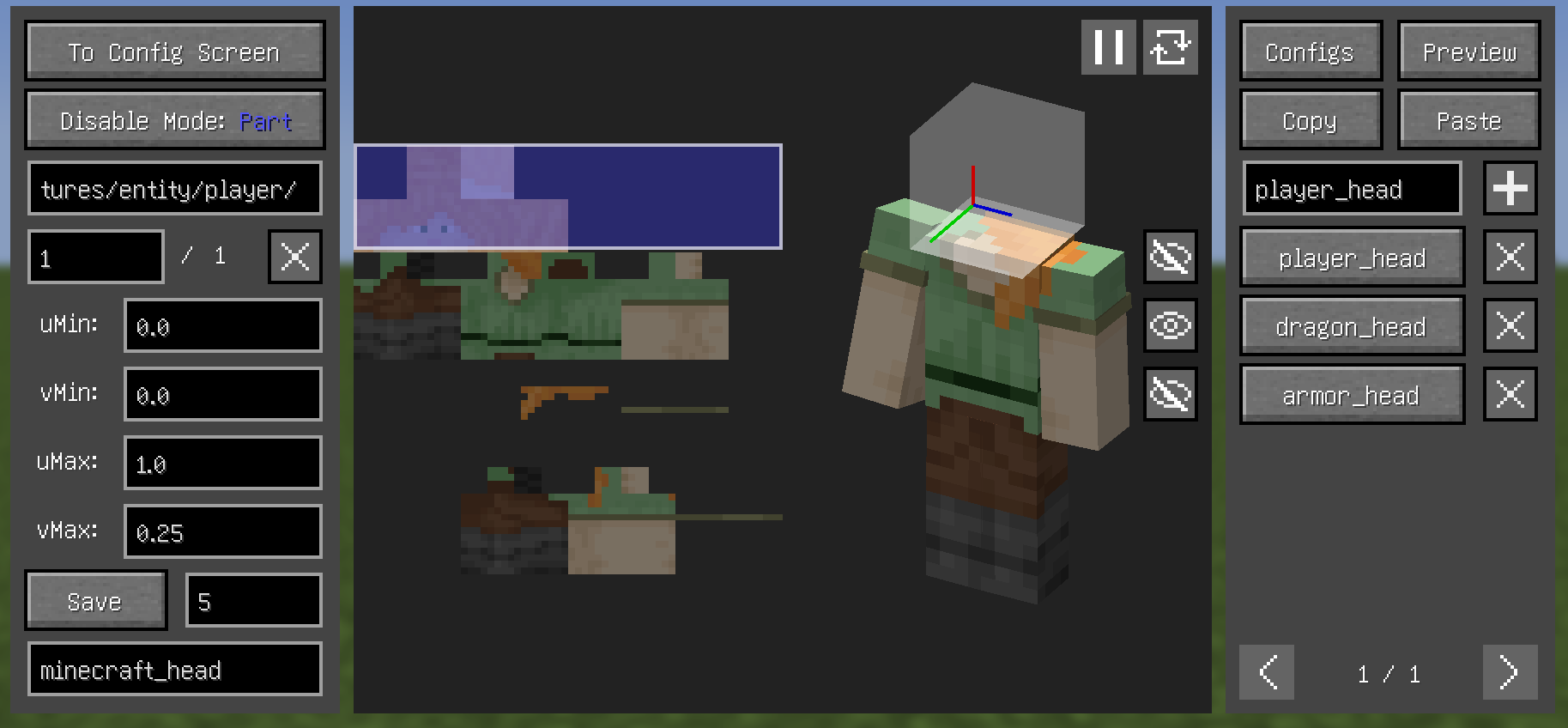
Dependencies
- Fabric:
- Both:
- (Optional but recommended) Cloth Config API
FAQ
- A part of the model (e.g. hair) is always in the way, how to make it invisible?
- Increasing this value may help, or use
Disablesection
- Increasing this value may help, or use
- What key to press can open Model View Screen?
- Set the key binding by yourself
- Why can't i open the Config Screen?
- Please downlowd Cloth Config API
- Why does it show binding failed when use YSM models?
- Snapshot 0.6.15 "try" to fix problems, but it didn't fix completely
- If Minecraft version is 1.20.1, then bind upward vector to head left (or right) side, and set roll angle to 90 (or -90) in preview section
- why does the head of YSM model disappear when in the Model View Screen?
- You downloaded Better Combat, just put it away
Compatibility
Incompatible:
- OptiFine
- Armourer's Workshop (Mod version 0.6+)
- Armors based on GeckoLib
- Customizable Player Models
- Epic Fight (Mod version 0.6-)
- Timeless and Classics Zero,version 1.1.4+
Compatible:
- most camera mods
- most player model mods
- Armourer's Workshop (Mod version 0.6-)
- Epic Fight (Mod version 0.6+)
- First-person Model
- Not Enough Animations
- ParCool!
- Pehkui
- Player Animation Lib
- Timeless and Classics Zero,version 1.0.3-
- Yes Steve Model (Not stably compatible)
Real Camera auf deinem Client installieren
Mod-Loader lokal installieren
Installiere fabric für deine lokale Minecraft-Version.
Passende Datei herunterladen
Wähle die Real Camera-Datei für fabric und Minecraft 26.3.
Mod installieren
Lege die .jar-Datei in deinem lokalen .minecraft/mods-Ordner ab und starte Minecraft neu. Eine Installation auf dem Server ist nicht nötig.
Kompatibilität
Mod-Loader
Minecraft-Versionen
26.3, 26.2, 26.1.2 (+17 weitere)
Server-seitig
✗ Nicht unterstütztEmpfohlener RAM
4 GB(min. 3 GB)Häufige Fragen
Muss Real Camera auf dem Minecraft Server installiert werden?
Nein. Modrinth kennzeichnet Real Camera serverseitig als nicht unterstützt. Installiere die Mod nur im lokalen Minecraft-Mods-Ordner. Dein Server kann unverändert bleiben, sofern die Mod-Seite keine zusätzliche Abhängigkeit nennt.
Welche Version und welchen Loader braucht Real Camera?
Nutze eine Datei für fabric, forge, neoforge und exakt deine Minecraft-Version. Unterstützte Versionen sind unter anderem 26.3, 26.2, 26.1.2. Loader-Dateien sind nicht untereinander austauschbar.
Real Camera funktioniert nicht – was kann ich prüfen?
Prüfe zuerst Minecraft-Version, Loader-Version und erforderliche Abhängigkeiten. Lege die .jar-Datei im lokalen .minecraft/mods-Ordner ab und entferne ältere Duplikate. Da die Mod clientseitig ist, löst mehr Server-RAM dieses Problem nicht.
Ähnliche Mods

![[ETF] Entity Texture Features](https://cdn.modrinth.com/data/BVzZfTc1/af683d206d50b05258d865b0d6e4aa2f2cee12f2_96.webp)
![[EMF] Entity Model Features](https://cdn.modrinth.com/data/4I1XuqiY/6e5bbd0d06b1741bfdab6c0cfab6de8fdaf0064c_96.webp)



Minecraft Server für deine Gruppe
Real Camera bleibt auf deinem Client. Hoste dazu eine kompatible Welt für deine Mitspieler.