Scribble
Expertly edit your books with rich formatting options, page utilities and more!
Screenshots


Über diese Mod
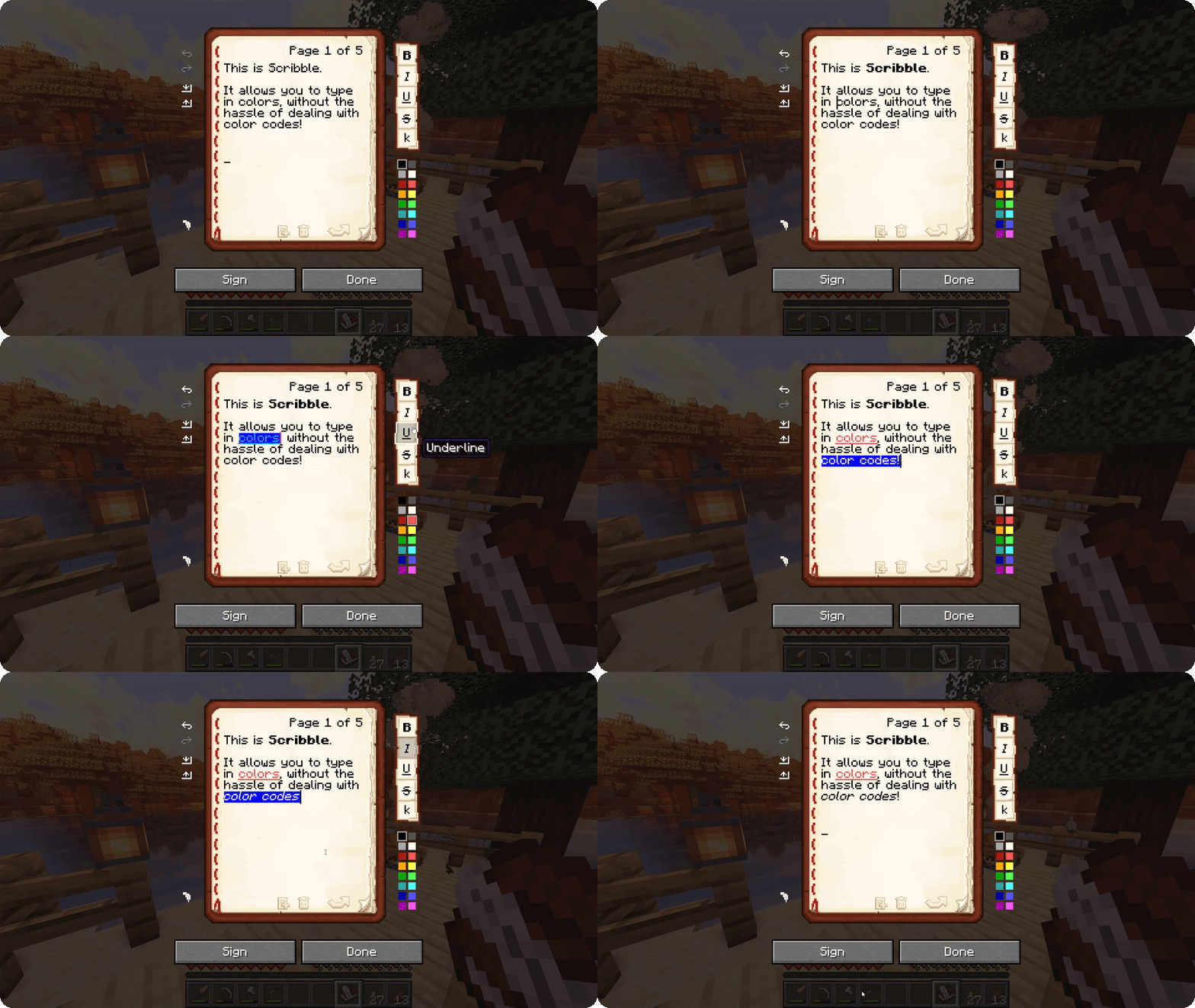
Scribble is a client-side mod to make editing books easier! It comes with a bunch of quality-of-life features,
allowing you to precisely manage pages in your book, format text using colors and various modifiers, save/load your
books to keep a backup, and much more! And the best thing is, everyone else on the server can see this, even if they
don't have the mod themselves!
By default, Scribble intentionally keeps very close to vanilla. It doesn't change any behaviour, but takes the intended
book experience, and just sprinkles some nice-to-haves on top. Every single feature is configurable, Scribble gives
you
options when you want it to, and stays out of your way when you need it to.
But there's more! Scribble comes with lots of little features here and there:
- See two pages at once! If you're jealous of Bedrock players being able to see two pages at once, you can now also
toggle this setting in Scribble! This still works seamlessly with every other feature (even lecterns!). - Insert or remove pages at any point, using the extra buttons below the page. No more shuffling around with
copy-pasting pages. - Skip to any page you want! You can click the page number and type in a page to jump to. Or, hold SHIFT while going
a page forward and go all the way to the end! - Center the book GUI! Minecraft places the book screen at the very top of your screen, which is inconsistent with
every other GUI in the game. Scribble fixes that! - Edit books with existing color codes easily! Scribble will seamlessly take over the color codes that are already
there, and allow you to edit them. - Don't lose your progress! If you're trying to close while you have unsaved work, Scribble will ask if you're sure.
- Undo or redo any action! Oops, accidentally deleted something? Don't worry, it's just a single Ctrl-Z away.
Verfügbare Versionen
Scribble auf deinem Client installieren
Mod-Loader lokal installieren
Installiere fabric für deine lokale Minecraft-Version.
Passende Datei herunterladen
Wähle die Scribble-Datei für fabric und Minecraft 26.3.
Mod installieren
Lege die .jar-Datei in deinem lokalen .minecraft/mods-Ordner ab und starte Minecraft neu. Eine Installation auf dem Server ist nicht nötig.
Kompatibilität
Mod-Loader
Minecraft-Versionen
26.3, 26.2, 26.1.2 (+21 weitere)
Server-seitig
✗ Nicht unterstütztEmpfohlener RAM
4 GB(min. 3 GB)Häufige Fragen
Muss Scribble auf dem Minecraft Server installiert werden?
Nein. Modrinth kennzeichnet Scribble serverseitig als nicht unterstützt. Installiere die Mod nur im lokalen Minecraft-Mods-Ordner. Dein Server kann unverändert bleiben, sofern die Mod-Seite keine zusätzliche Abhängigkeit nennt.
Welche Version und welchen Loader braucht Scribble?
Nutze eine Datei für fabric, forge, neoforge, quilt und exakt deine Minecraft-Version. Unterstützte Versionen sind unter anderem 26.3, 26.2, 26.1.2. Loader-Dateien sind nicht untereinander austauschbar.
Scribble funktioniert nicht – was kann ich prüfen?
Prüfe zuerst Minecraft-Version, Loader-Version und erforderliche Abhängigkeiten. Lege die .jar-Datei im lokalen .minecraft/mods-Ordner ab und entferne ältere Duplikate. Da die Mod clientseitig ist, löst mehr Server-RAM dieses Problem nicht.
Ähnliche Mods






Minecraft Server für deine Gruppe
Scribble bleibt auf deinem Client. Hoste dazu eine kompatible Welt für deine Mitspieler.