
SDM Shop (Legacy)
A multifunctional shop for creating an economy on an modpack or server
Screenshots
Über diese Mod
What a SDM Shop?
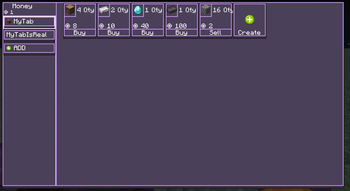
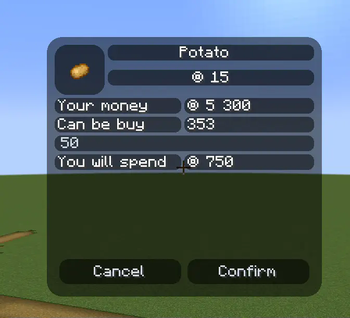
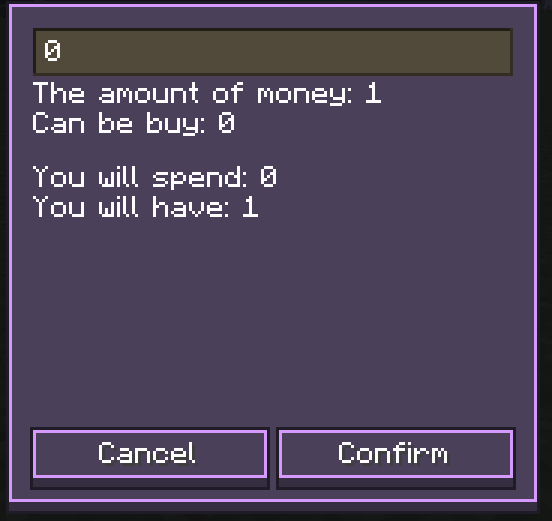
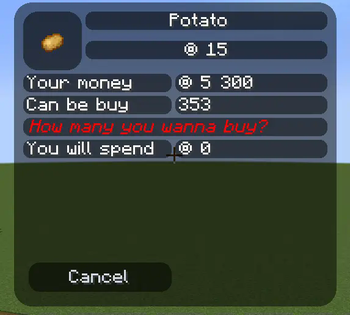
The mod adds an in-game store with which you can build your economy
The mod is inspired by FTB Money and Oxygen Shop
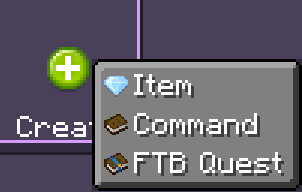
What can I sell or buy?
- Items
- Item By Tag
- Commands
- Achivments
- Locate Biome/Structure
- XP or Level
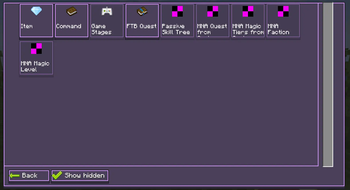
Integrations
- Stages (Game Stages)
- Quests (FTB Quests)
- Skill Points (Passive Skill Tree)
- MNA Faction (Mana And Artifice)
- MNA Level (Mana And Artifice)
- MNA Progression (Mana And Artifice)
- MNA Tier(Mana And Artifice)
How i can edit shop?
- To customize the content, use
/sdmshop edit_mode
How i can set or send money?
- If you have administrator rights, then you can use the command /sdmshop set
; - Use
/sdmshop balanceto view your balance,/sdmshop payto pay someone money from your balance.
How open shop ?
- Use key bind (Default key
O) - Use the button in the upper-left inventory screen
Can I change the style of the store if I like it?
- The mod has the ability to customize the interface style for yourself. To do this, go to the
SDMShop/sdmshop-clientconfig file - If you have administrator rights you can reload style
/sdmshop reloadClient
If I want to use it on a server ?
You can disable key binding on the server so that players can't open the store. If you are an administrator, you can open the store to the player using the /sdmshop open_screen command. This is useful if you are creating an NPC.
My Information
Verfügbare Versionen
SDM Shop (Legacy) auf dem Server installieren
Server bestellen
Bestelle einen Minecraft Java Server mit mindestens 3 GB RAM (4 GB empfohlen).
fabric Loader setzen
Wähle im Panel unter "Egg" den fabric-Loader und die passende Minecraft-Version (1.21.3).
Mod installieren
Öffne den Mod-Browser im Dashboard und suche nach "SDM Shop (Legacy)". Klicke "Installieren" – fertig! Alternativ: Lade die .jar via SFTP in den /mods Ordner.
Kompatibilität
Mod-Loader
Minecraft-Versionen
1.21.3, 1.21.2, 1.21.1 (+5 weitere)
Server-seitig
✓ ErforderlichEmpfohlener RAM
4 GB(min. 3 GB)Häufige Fragen
SDM Shop (Legacy) Server crasht beim Start – was tun?
Häufigste Ursache: falsche fabric-Version oder zu wenig RAM. Prüfe im Server-Log (latest.log), ob ein "OutOfMemoryError" oder "Mixin"-Fehler auftritt. Bei Mado Hosting: Stelle sicher, dass mindestens 3 GB RAM zugewiesen sind und der Loader zur Mod-Version passt (1.21.3). Über das Panel kannst du den Loader mit einem Klick wechseln.
Ist SDM Shop (Legacy) mit fabric und forge und neoforge kompatibel?
SDM Shop (Legacy) unterstützt offiziell fabric, forge, neoforge für Minecraft 1.21.3, 1.21.2, 1.21.1. Achtung: Forge- und Fabric-Mods sind NICHT untereinander kompatibel – wähle einen Loader und bleibe dabei. Im Mado Dashboard werden inkompatible Loader-Kombinationen automatisch erkannt.
Server laggt mit SDM Shop (Legacy) – wie optimiere ich die Performance?
Empfohlener RAM: 4 GB (+1 GB pro 8 Spieler). Prüfe mit /spark profiler, ob SDM Shop (Legacy) den meisten Tick-Time verbraucht. Häufige Fixes: Server-View-Distance auf 8-10 reduzieren, bei Forge "performant" oder "starlight" als Zusatz-Mod installieren. Bei Mado Hosting läuft dein Server auf NVMe-SSDs mit dedizierten CPU-Kernen für minimale Latenz.
Ähnliche Mods


![CobbleDollars [Cobblemon Addon]](https://cdn.modrinth.com/data/s7N7AsqL/684040a264fc1d7f9b856ec5d2da39767398c7ad.png)

Modded Server mieten
Installiere SDM Shop (Legacy) mit nur einem Klick auf deinem Server.