
Serious Player Animations
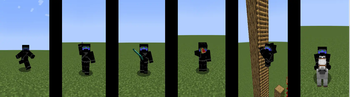
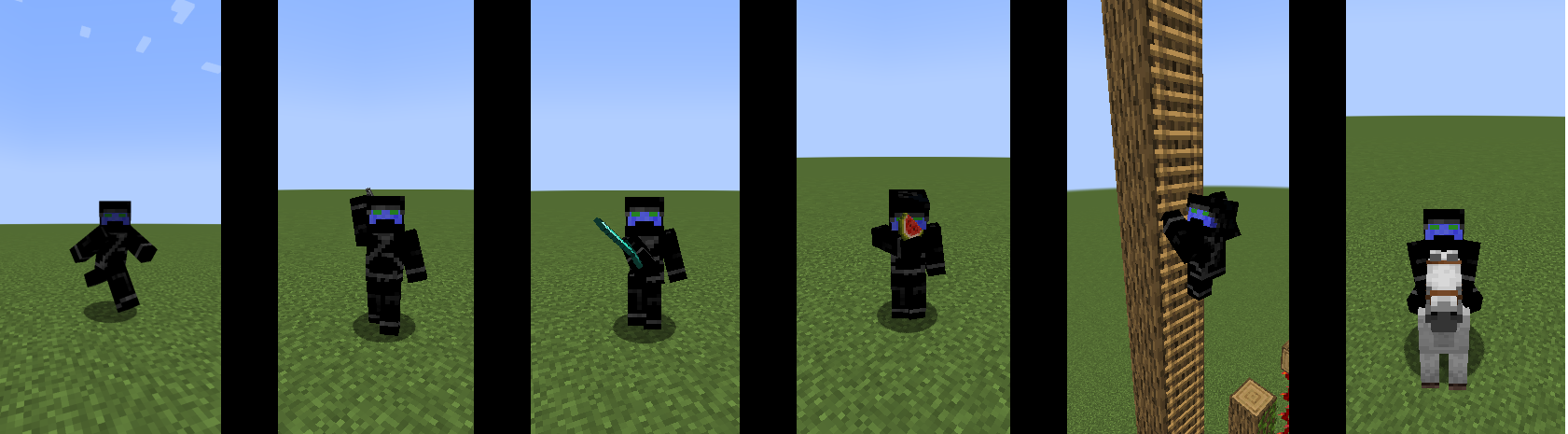
A mod adding cool animations to the player.
Screenshots
Über diese Mod

Important
playerAnimator and Cloth Config must be installed to use this mod.
About
A client side mod that adds cool animations to the player.
Compatibility
- Can I use Fresh Animations?
- Yes
- Can I use Eating Animations?
- Also Yes
- What about Not Enough Animations?
- Yes, as of version 1.1.1 animations should work
What if I want to make my own animations?
- This mod supports resource packs and animations that are compatible with player animator / emotecraft
- See the template resource pack here
Planned Features
- More animations when using different items
- Better compatibility with other mods
Known Issues
- Is incompatible with many mods' custom animations
- Report compatibility issues here
Links
Verfügbare Versionen
Serious Player Animations auf deinem Client installieren
Mod-Loader lokal installieren
Installiere fabric für deine lokale Minecraft-Version.
Passende Datei herunterladen
Wähle die Serious Player Animations-Datei für fabric und Minecraft 1.21.1.
Mod installieren
Lege die .jar-Datei in deinem lokalen .minecraft/mods-Ordner ab und starte Minecraft neu. Eine Installation auf dem Server ist nicht nötig.
Kompatibilität
Mod-Loader
Minecraft-Versionen
1.21.1, 1.20.4, 1.20.3 (+3 weitere)
Server-seitig
✗ Nicht unterstütztEmpfohlener RAM
4 GB(min. 3 GB)Häufige Fragen
Muss Serious Player Animations auf dem Minecraft Server installiert werden?
Nein. Modrinth kennzeichnet Serious Player Animations serverseitig als nicht unterstützt. Installiere die Mod nur im lokalen Minecraft-Mods-Ordner. Dein Server kann unverändert bleiben, sofern die Mod-Seite keine zusätzliche Abhängigkeit nennt.
Welche Version und welchen Loader braucht Serious Player Animations?
Nutze eine Datei für fabric, forge und exakt deine Minecraft-Version. Unterstützte Versionen sind unter anderem 1.21.1, 1.20.4, 1.20.3. Loader-Dateien sind nicht untereinander austauschbar.
Serious Player Animations funktioniert nicht – was kann ich prüfen?
Prüfe zuerst Minecraft-Version, Loader-Version und erforderliche Abhängigkeiten. Lege die .jar-Datei im lokalen .minecraft/mods-Ordner ab und entferne ältere Duplikate. Da die Mod clientseitig ist, löst mehr Server-RAM dieses Problem nicht.
Ähnliche Mods

![[ETF] Entity Texture Features](https://cdn.modrinth.com/data/BVzZfTc1/af683d206d50b05258d865b0d6e4aa2f2cee12f2_96.webp)
![[EMF] Entity Model Features](https://cdn.modrinth.com/data/4I1XuqiY/6e5bbd0d06b1741bfdab6c0cfab6de8fdaf0064c_96.webp)



Minecraft Server für deine Gruppe
Serious Player Animations bleibt auf deinem Client. Hoste dazu eine kompatible Welt für deine Mitspieler.