
Server Browser
Making modded servers easier to find by finding them in game!
Screenshots
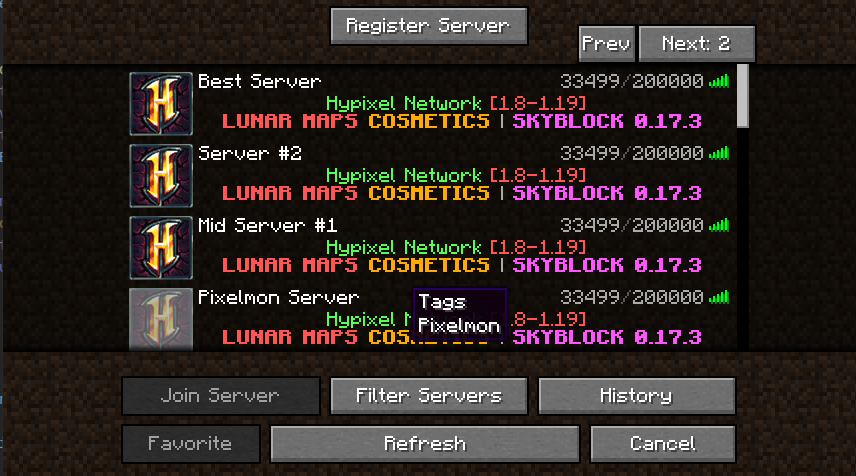
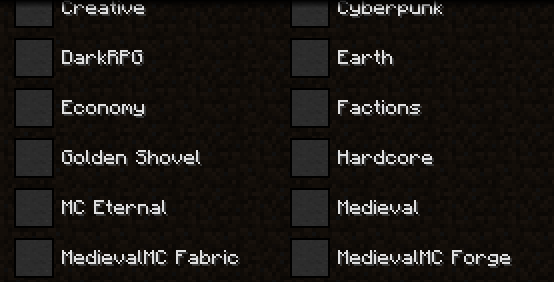
Über diese Mod
Server Browser
Are you looking for a modded server to play on for the pack you just downloaded? Server Browser makes it easy to find a server to play on!
A mod designed for modpack authors to make it easier for their users to find servers to play on!
If you are a server owner, you can register it here
If you'd like to make a tag request for a modpack (recommended only if you have community servers), do it here
Main Menu
This menu can be gotten to by going to the multiplayer screen, and in the top left clicking 'Server Browser'

Server Filtering
if you wanted to filter a server by various types, you can do that!

For Modpack Authors
ServerBrowser includes features for Modpack authors to make it easier to manage as well! Blacklisted servers will prevent what was entered into the array from appearing in the ServerBrowser, it will not remove anything from a players 'favorite' servers (the regular multiplayer screen)

The config allows for a pre determined modpack filter that will remove any other modpacks from the tag list. resulting in something like this:

Finally, if you run official servers for your modpack, you can also add them to appear at the top of the players 'favorites' list.

Verfügbare Versionen
Server Browser auf deinem Client installieren
Mod-Loader lokal installieren
Installiere fabric für deine lokale Minecraft-Version.
Passende Datei herunterladen
Wähle die Server Browser-Datei für fabric und Minecraft 1.21.5.
Mod installieren
Lege die .jar-Datei in deinem lokalen .minecraft/mods-Ordner ab und starte Minecraft neu. Eine Installation auf dem Server ist nicht nötig.
Kompatibilität
Mod-Loader
Minecraft-Versionen
1.21.5, 1.21.4, 1.21.3 (+13 weitere)
Server-seitig
✗ Nicht unterstütztEmpfohlener RAM
4 GB(min. 3 GB)Häufige Fragen
Muss Server Browser auf dem Minecraft Server installiert werden?
Nein. Modrinth kennzeichnet Server Browser serverseitig als nicht unterstützt. Installiere die Mod nur im lokalen Minecraft-Mods-Ordner. Dein Server kann unverändert bleiben, sofern die Mod-Seite keine zusätzliche Abhängigkeit nennt.
Welche Version und welchen Loader braucht Server Browser?
Nutze eine Datei für fabric, forge, neoforge und exakt deine Minecraft-Version. Unterstützte Versionen sind unter anderem 1.21.5, 1.21.4, 1.21.3. Loader-Dateien sind nicht untereinander austauschbar.
Server Browser funktioniert nicht – was kann ich prüfen?
Prüfe zuerst Minecraft-Version, Loader-Version und erforderliche Abhängigkeiten. Lege die .jar-Datei im lokalen .minecraft/mods-Ordner ab und entferne ältere Duplikate. Da die Mod clientseitig ist, löst mehr Server-RAM dieses Problem nicht.
Ähnliche Mods






Minecraft Server für deine Gruppe
Server Browser bleibt auf deinem Client. Hoste dazu eine kompatible Welt für deine Mitspieler.