
ServerPulse
Effortless Minecraft performance monitoring with pre-configured Grafana/InfluxDB via Docker.
Screenshots


Über diese Mod

ServerPulse is your all-in-one server monitoring solution that combines powerful metrics collection, beautiful visualizations, real-time alerting, and effortless setup. Monitor TPS, memory, entities, and more through professional Grafana dashboards - all up and running in minutes with Docker!
Tired of guessing why your server is lagging? Frustrated with complex monitoring setups? ServerPulse is what you are looking for!
If you need support, or you have any question, join our Discord server
Why ServerPulse?
- Zero-Configuration Monitoring: Get started in minutes with our Docker Compose setup - InfluxDB, Grafana, and pre-built dashboards, all ready to go!
- Universal Platform Support: Works with any Bukkit-based, Velocity, BungeeCord and Fabric server while taking advantage of Paper-specific optimizations when available
- Complete Solution: Not just a metrics exporter - includes the entire monitoring stack optimized for time-series data
- Per-World Performance Tracking: Uniquely monitor metrics separately for each world - find problem areas fast!
- Advanced Tagging System: Group and filter metrics by server, network, region, or any custom dimension
- Production-Ready Infrastructure: Built-in health checks, automatic reconnection, and proper error handling
Real-Time Metrics Include:
- TPS (1m, 5m, 15m)
- MSPT (last, min, max, 1m, 5m, 15m)
- CPU Usage (System, JVM, Available Processors)
- Online Players
- Player Ping Statistics (min, max, avg)
- JVM Memory (Used, Committed, Max Heap)
- Disk Usage (Usable Bytes & Percent)
- Per-World Stats:
- Loaded Chunks
- Total Entities
Alert Notification System:
- Multi-Platform Support: Choose between Discord or Telegram for notifications
- Instant Notifications: Get alerted when TPS drops, memory spikes, or other
critical events occur - Customizable Thresholds: Set your own alert conditions for any metric
- Intelligent Alert Grouping: Prevents notification spam during ongoing issues
- Easy Integration: Simple webhook setup for Discord or bot configuration for
Telegram
Technical Features:
- Efficient & Safe: Asynchronous tasks and batch writing minimize performance
impact - Platform Detection: Automatically detects your server type and uses the optimal implementation
- Flexible Configuration: Customize metrics collection intervals, alerts, and
tagging - Professional Dashboards: Start monitoring immediately with pre-designed Grafana
dashboards - Open Source: Full transparency and community-driven development
Requirements:
- Server: Any Bukkit-based, Velocity, BungeeCord or Fabric server (Bukkit, Spigot, Paper, or forks like Purpur, Pufferfish)
- System: Docker and Docker Compose for the monitoring stack
- Optional: Discord server or Telegram bot for alert notifications
Quick Start:
Clone, compose up, and you're monitoring! Full setup guide at https://github.com/renvins/serverpulse
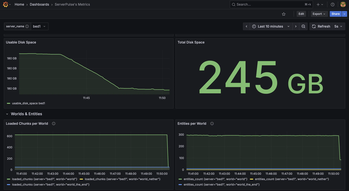
Screenshots: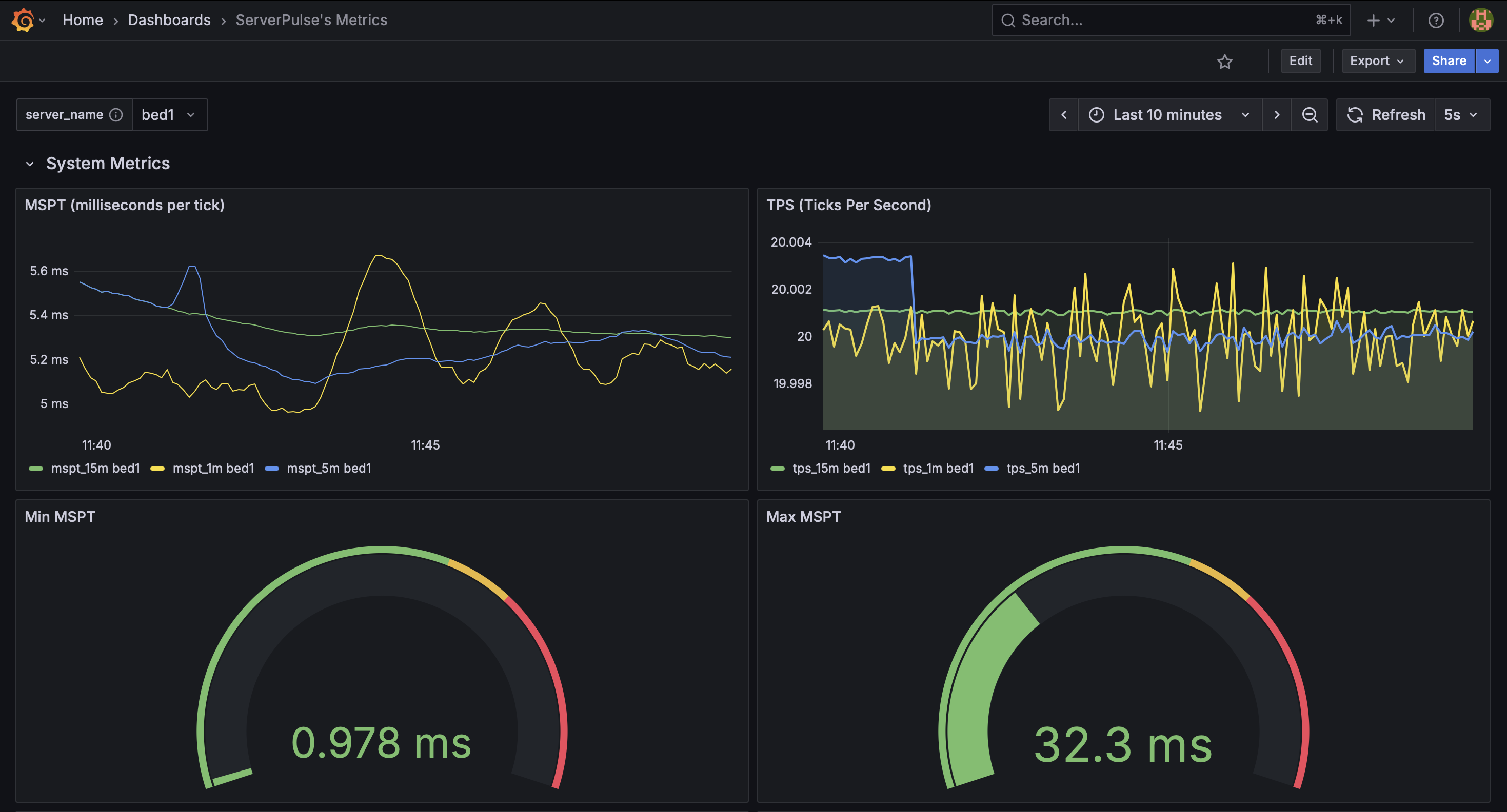
Example dashboard view 1: System Metrics
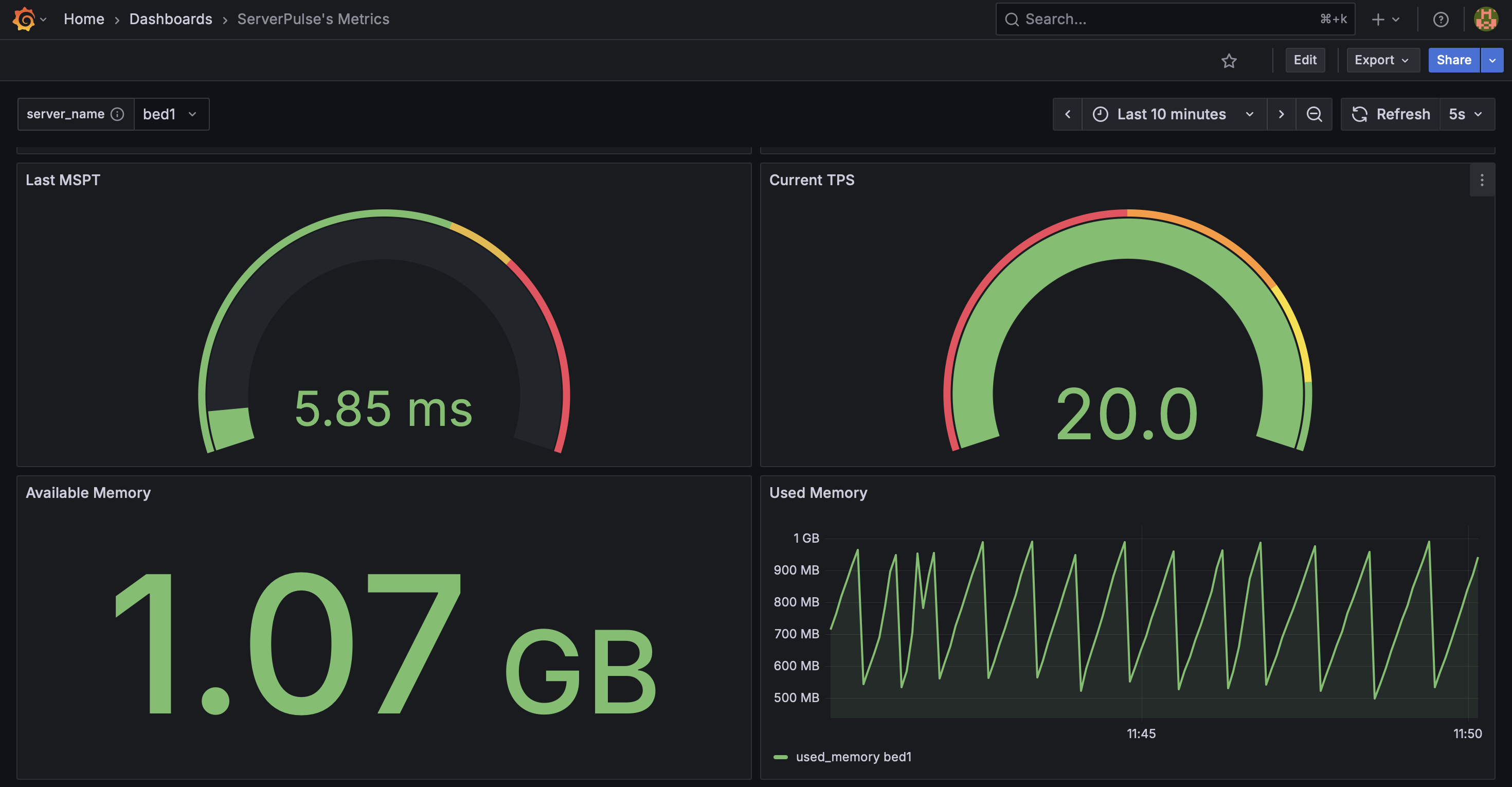
Example dashboard view 2: System Metrics 2
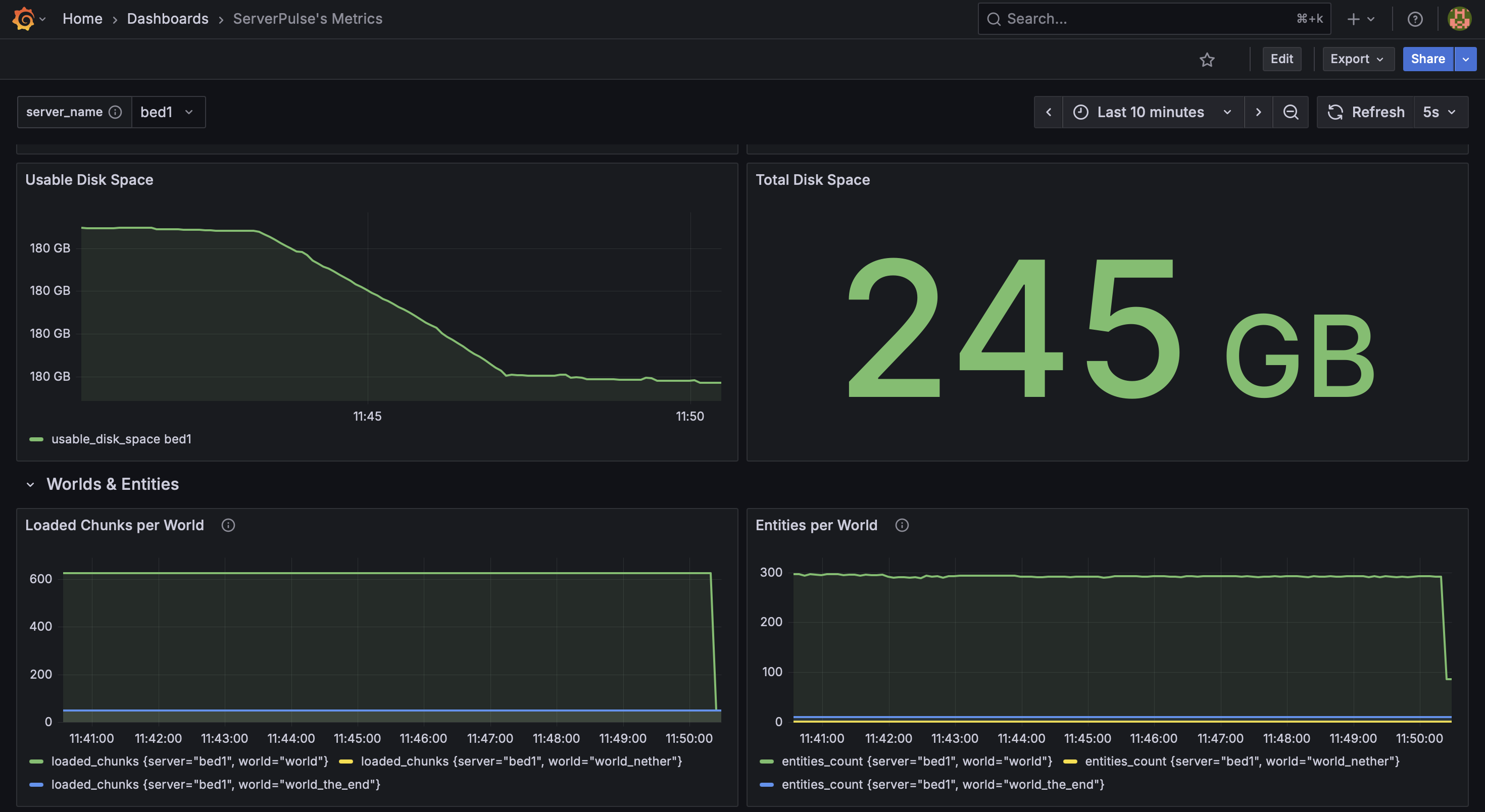
Example dashboard view 3: System & World Metrics
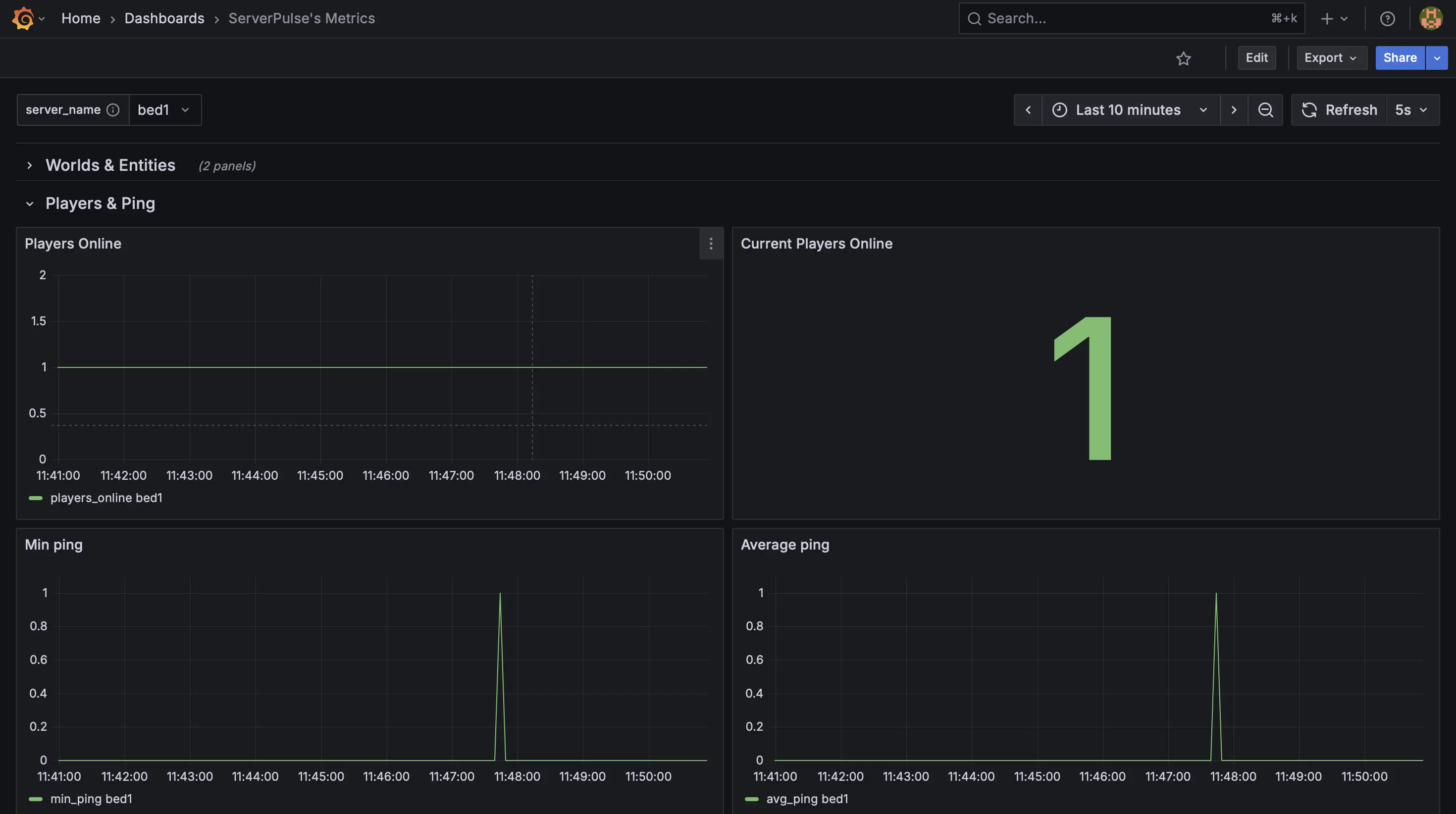
Example dashboard view 4: Player Metrics
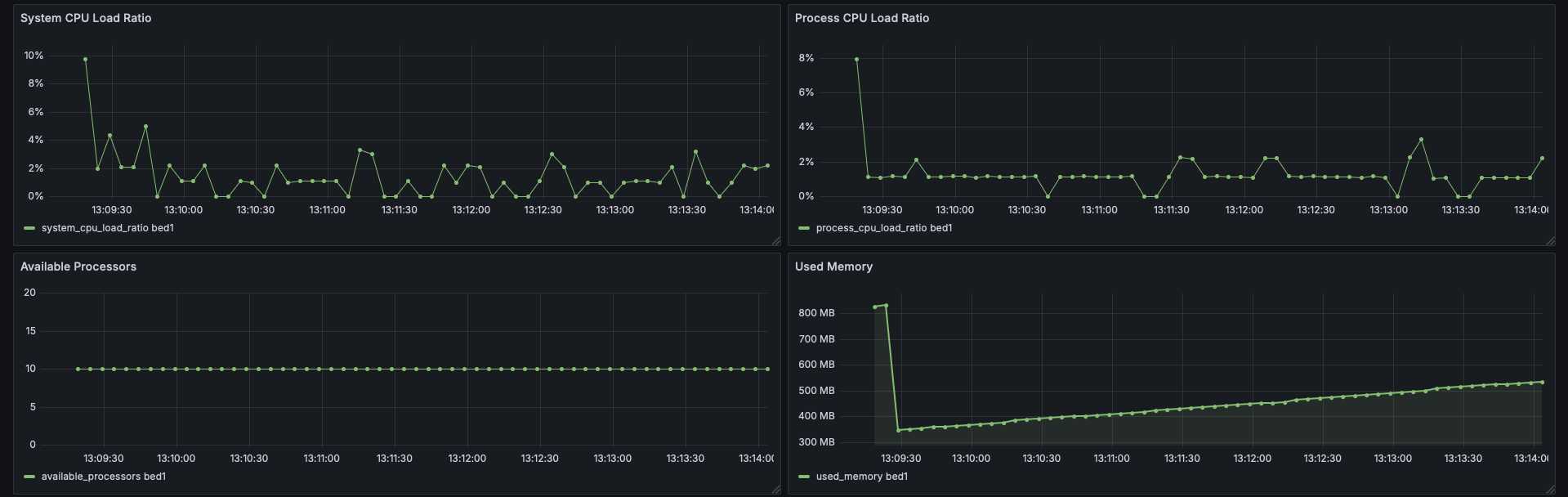
Example dashboard view 5: CPU Stats
Support & Contributions:
- Issues & Features https://github.com/renvins/serverpulse/issues
- Contributing https://github.com/renvins/serverpulse/blob/master/CONTRIBUTING.md
- Discord https://discord.gg/jZUqcemc4G
Ready to take control of your server's performance with a professional monitoring solution? Download ServerPulse today!
Verfügbare Versionen
ServerPulse auf dem Server installieren
Server bestellen
Bestelle einen Minecraft Java Server mit mindestens 3 GB RAM (4 GB empfohlen).
bukkit Loader setzen
Wähle im Panel unter "Egg" den bukkit-Loader und die passende Minecraft-Version (1.21.10).
Mod installieren
Öffne den Mod-Browser im Dashboard und suche nach "ServerPulse". Klicke "Installieren" – fertig! Alternativ: Lade die .jar via SFTP in den /mods Ordner.
Kompatibilität
Mod-Loader
Minecraft-Versionen
1.21.10, 1.21.8, 1.21.7 (+1 weitere)
Server-seitig
✓ ErforderlichEmpfohlener RAM
4 GB(min. 3 GB)Häufige Fragen
ServerPulse Server crasht beim Start – was tun?
Häufigste Ursache: falsche bukkit-Version oder zu wenig RAM. Prüfe im Server-Log (latest.log), ob ein "OutOfMemoryError" oder "Mixin"-Fehler auftritt. Bei Mado Hosting: Stelle sicher, dass mindestens 3 GB RAM zugewiesen sind und der Loader zur Mod-Version passt (1.21.10). Über das Panel kannst du den Loader mit einem Klick wechseln.
Ist ServerPulse mit bukkit und bungeecord und fabric und paper und purpur und spigot und velocity kompatibel?
ServerPulse unterstützt offiziell bukkit, bungeecord, fabric, paper, purpur, spigot, velocity für Minecraft 1.21.10, 1.21.8, 1.21.7. Im Mado Dashboard werden inkompatible Loader-Kombinationen automatisch erkannt.
Server laggt mit ServerPulse – wie optimiere ich die Performance?
Empfohlener RAM: 4 GB (+1 GB pro 8 Spieler). Prüfe mit /spark profiler, ob ServerPulse den meisten Tick-Time verbraucht. Häufige Fixes: Server-View-Distance auf 8-10 reduzieren, bei Forge "performant" oder "starlight" als Zusatz-Mod installieren. Bei Mado Hosting läuft dein Server auf NVMe-SSDs mit dedizierten CPU-Kernen für minimale Latenz.
Ähnliche Mods






Modded Server mieten
Installiere ServerPulse mit nur einem Klick auf deinem Server.
Details
- Lizenz
- GNU Lesser General Public License v3.0 only
- Server-seitig
- Erforderlich