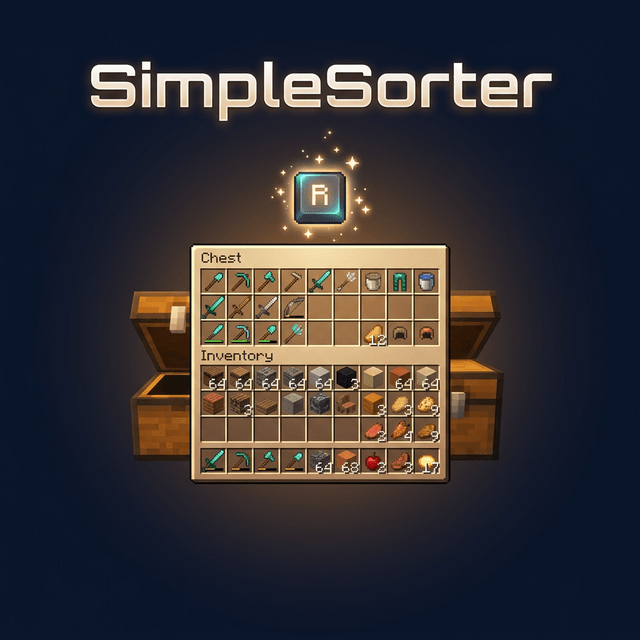

Modrinth · Fabric, Forge, NeoForge · Client-Mod
SimplesorterR
SimplesorterR ist eine clientseitige Mod. Du installierst sie auf deinem Rechner, auf dem Server ist sie nicht nötig.
A lightweight client-side mod for effortless inventory management in Minecraft.
- Downloads
- 429.1K
- Autor
- Zzai
- Loader
- Fabric, Forge, NeoForge
- Minecraft
- 1.20 – 26.3
- Aktualisiert
- –
Screenshots
So sieht SimplesorterR aus
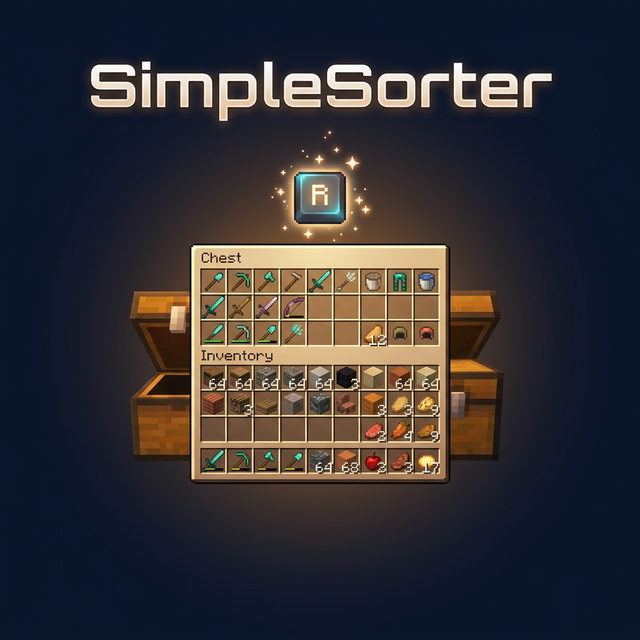
Bilder: SimplesorterR auf Modrinth, vom Projektteam veröffentlicht.
Einrichtung
SimplesorterR auf deinem Client installieren
Clientseitige Mods laufen nur auf deinem Rechner. Mehr Server-RAM ändert an ihrer Leistung nichts.
- 01
Loader lokal installieren
Installiere Fabric oder Forge oder NeoForge für deine Minecraft-Version in deinem Launcher.
- 02
Datei herunterladen
Lade die SimplesorterR-Datei für deinen Loader und exakt deine Minecraft-Version herunter, zum Beispiel 26.3-snapshot-4.
- 03
In den Mods-Ordner legen
Lege die .jar-Datei in den lokalen Ordner .minecraft/mods und entferne ältere Duplikate.
- 04
Starten
Starte Minecraft mit dem Loader-Profil. Auf dem Server musst du nichts ändern.
- Auf dem Server
- Nicht nötig
- Auf dem Client
- Erforderlich
- Loader
- Fabric, Forge, NeoForge
- Minecraft
- 26.3-snapshot-4, 26.3, 26.2-snapshot-8 +31 weitere
- Lizenz
- LicenseRef-All-Rights-Reserved
Versionen
Veröffentlichte Versionen
Nimm die Datei, die zu Loader und Minecraft-Version deines Servers passt. Server und Spieler brauchen dieselbe Version.
SimplesorterR · Modrinth- 3.6.319. November 2026Minecraft 26.3 · NeoForge
- 3.6.319. November 2026Minecraft 26.2 · NeoForge
- 3.6.319. November 2026Minecraft 26.1.2, 26.1.1, 26.1 · NeoForge
- 3.6.319. November 2026Minecraft 1.21.11 · NeoForge
- 3.6.319. November 2026Minecraft 1.21.10 · NeoForge
Originalbeschreibung des Projektautors
SimpleSorterR
A lightweight client-side inventory sorting mod.
Features
One-Key Smart Sorting
Open an inventory or container and press R to sort items.
- Auto Stack Merging — Automatically consolidates partial stacks of the same item into full stacks, freeing up valuable slots
- Creative Tab Native Sorting — Items are arranged using Minecraft’s Creative Mode tab order and support modded items
- Custom Sort Order — Adjust
tabOrderin the config file to change tab priority - Pinned Items — Configure
pinnedItemsto keep specific items always sorted first - Dynamic Container Blacklist — All storage containers are sortable by default (including modded containers like Reinforced Chests). Functional containers are excluded by exact class names in
blockedContainers; you can also press B while a container is open to toggle it automatically - No-Screen Main Inventory Sorting — Enable
sortInventoryWhenNoScreento sort the player main inventory with R while no screen is open - Config Hot-Reload — Edit
simplesorter.jsondirectly, changes take effect on the next R-key sort without restarting the game - Pure Client-Side — Sorting is performed by simulated clicks, so the server does not need the mod
Mouse Tweaks
Shift + Drag to Quick-Move
Hold Shift and left-click drag across multiple slots — every slot you pass over will be instantly quick-moved to the opposite inventory.
Useful when moving many slots at once.
Shift + Double-Click to Move All Same Items
While holding an item on your cursor, Shift + Double-Click on a matching item to instantly quick-move all identical items from that inventory to the other side.
Useful for pulling all matching items out of a chest.
Space + Double-Click to Move Everything
Hold Space and Double-Click any slot in a container to instantly quick-move every single item from that inventory to the opposite side.
Useful for quickly emptying a chest.
V + Double-Click to Deposit Matching Items
Hold V and Double-Click any filled slot in a container to quick-move matching items from the player main inventory into the container, but only when that item already exists in the container.
- Does not move hotbar slots
- Does not move locked slots
- Does not move items that are not already present in the container
- Does not trigger while an item is held on the cursor
Useful for topping up a sorted chest from your main inventory.
Slot Locking
Hold Alt and click any slot to lock it — locked slots display an overlay.
- Locked slots are never moved when sorting with R
- Locked hotbar slots are protected from Q-key drops (prevents accidental discarding)
- Lock state is automatically saved and independent per save file
- Alt + click again to unlock
- Hold Alt + left-click drag to lock or unlock multiple slots in one sweep. The first slot decides whether the drag locks or unlocks
- Overlay color can be customized with
lockOverlayColor, supporting both#RRGGBBand#AARRGGBB
Color values use Hex color codes. Both #RRGGBB and #AARRGGBB are supported. The 8-digit format uses ARGB order: AA opacity, RR red, GG green, BB blue. It is not RGBA.
Common AA values: 40 very transparent, 80 half transparent, C0 mostly opaque, FF fully opaque. Examples: #80FF0000 half-transparent red, #8000FF00 half-transparent green, #800000FF half-transparent blue.
Useful for keeping tools in fixed slots and reducing accidental drops.
Auto Replacer
- Tool Break Replacement — When a held tool breaks, automatically equips a replacement of the same type from your inventory
- Stackable Item Refill — When a held stackable item runs out (e.g. placing blocks), automatically refills from your inventory
- Can be toggled on/off in the settings screen
Useful when building or mining with repeated item replacement.
Caps Lock + Double-Click to Batch Drop
Hold Caps Lock and double-click any slot to drop all identical items in that inventory (using the Q-key drop action).
Useful for clearing large quantities of one item.
In-Game Configuration
Press Z + I (default combo) to open a graphical settings panel in-game:
- Tab Sort Order (tabOrder) — Customize the priority of Creative Mode tabs
- Pinned Items (pinnedItems) — Specify item IDs that always sort to the front
- Container Blacklist (blockedContainers) — Add container class names to exclude from sorting, or press B while a container is open to write the current class name automatically
- Lock Overlay Color (lockOverlayColor) — Customize locked-slot overlay color, for example
#80FF0000 - No-Screen Sort (sortInventoryWhenNoScreen) — Allow R to sort the player main inventory while no screen is open
- Z-Key Guard Toggle — Disable the Z-key requirement to open settings with just I
- Auto Replacer Toggle — Enable/disable automatic tool and item replacement
- Localized UI — Settings interface automatically adapts to your game language (English / Chinese)
Also accessible from Mod Menu if installed.
Advanced settings can be edited directly in
config/simplesorter.json. Changes take effect on the next R-key sort.
⚠️
blockedContainersuses exact class-name matching, not fuzzy matching. Depending on mappings and Minecraft version, class names may look likeGenericContainerScreenHandlerinstead ofChestMenu; the safest workflow is opening the target container and pressing B so the mod writes the correct name for you.
Requirements
| Dependency | Required? | Notes |
|---|---|---|
| Fabric Loader ≥ 0.16.5 | ✅ Required | Mod loader |
| Fabric API | ✅ Required | Core API library |
| Fabric Language Kotlin | ✅ Required | Kotlin runtime support |
| Cloth Config API | ❌ Bundled | Config screen framework (already included in the mod jar) |
| Mod Menu | ❌ Optional | Adds a settings entry in the mod list |
Installation
- Install Fabric Loader and Fabric API
- Download Fabric Language Kotlin and place it in your
modsfolder - Pick the jar matching your Minecraft version and drop it into your
modsfolder - Launch the game
Keybind Reference
All keybinds appear under the SimpleSorterR category in Minecraft’s Controls screen and can be changed there.
| Key | Action | Context |
|---|---|---|
| R | Sort & organize inventory | While a container is open; can also sort the main inventory with no screen if enabled |
| Alt + Click | Lock / Unlock slot | Prevents that slot from being sorted |
| Alt + Left-Drag | Batch lock / unlock slots | Drag across multiple slots |
| B | Toggle current container blacklist | When the current container should not be sorted |
| Caps Lock + Double-Click | Batch drop identical items | Quickly clear large stacks |
| Shift + Drag | Quick-move multiple slots | Drag across slots while holding Shift |
| Shift + Double-Click | Move all identical items | While holding an item on cursor |
| Space + Double-Click | Move all items from container | Empty an entire inventory at once |
| V + Double-Click | Deposit matching items | Move only items already present in the container from main inventory |
| Z + I | Open settings screen | Available anytime |
SimpleSorterR
A simple Minecraft inventory sorting tool.
Muss SimplesorterR auf dem Minecraft Server installiert werden?
Nein. Modrinth kennzeichnet SimplesorterR serverseitig als nicht unterstützt. Installiere die Mod nur im lokalen Mods-Ordner. Dein Server kann unverändert bleiben, sofern die Projektseite keine zusätzliche Abhängigkeit nennt.
Welche Version und welchen Loader braucht SimplesorterR?
Nutze eine Datei für Fabric, Forge, NeoForge und exakt deine Minecraft-Version. Unterstützt werden unter anderem 26.3-snapshot-4, 26.3, 26.2-snapshot-8. Dateien für verschiedene Loader sind nicht austauschbar.
SimplesorterR funktioniert nicht – was kann ich prüfen?
Prüfe zuerst Minecraft-Version, Loader-Version und erforderliche Abhängigkeiten. Da die Mod clientseitig ist, löst mehr Server-RAM das Problem nicht.
Ähnliche Mods
Beliebte Mods aus derselben Kategorie
 Nur Client

Mouse Tweaks
von YaLTeR
Enhances inventory management by adding various functions to the mouse buttons.
 Server-fähig

Clumps
von jaredlll08
Clumps XP orbs together to reduce lag
 Nur Client

Inventory Profiles Next
von blackd
Take control over your inventory. Sort. Move matching Items. Throw all. Locked slots. Gear sets! And much more.
 Server-fähig

Shulker Box Tooltip
von MisterPeModder
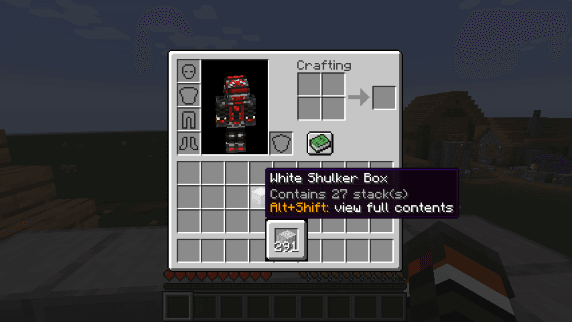
View the contents of shulker boxes from your inventory
Mods für deinen eigenen Server gesucht?
Im Katalog findest du Mods, die auf Minecraft Servern laufen.