
Sodium Options API
Config API for adding Sodium options with a better categories menu
Screenshots
Über diese Mod

This mod adds cross-platform events for adding Sodium/Embeddium options menu integration. For example, you can add an option page to Embeddium on Forge, Fabric Sodium 0.5 on 1.20.1, and Fabric/NeoForge Sodium 0.6 on 1.21.1 with one event:
OptionGUIConstruction.EVENT.register((pages) -> pages.add(new TestOptionPage()));
If you're an end user, and you don't have this mod installed already as a library for another Sodium addon, you can install it alongside Reese's Options to get improved category menu, with drop-down support so that it's easier to navigate. This will take effect even for mods that don't use this API and inject into Sodium options directly.
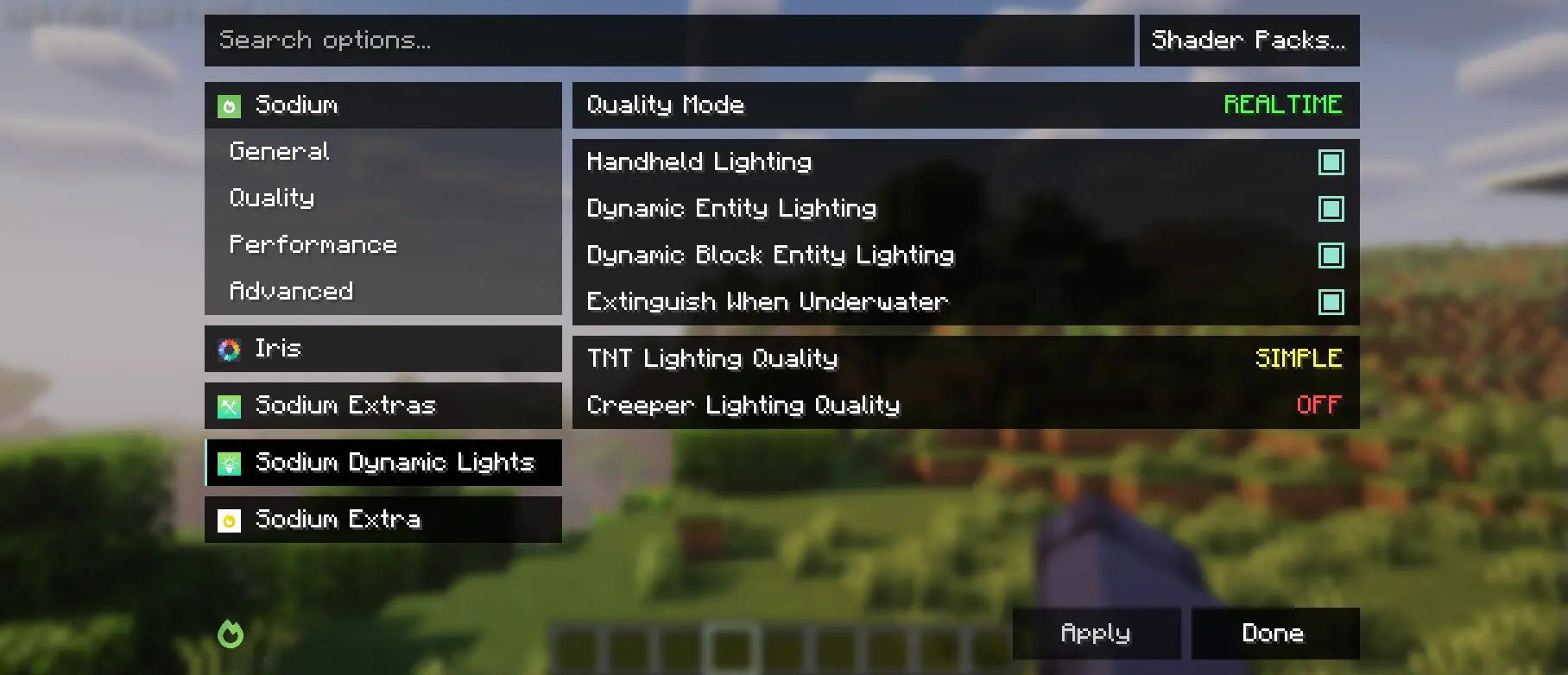
This mod is partially a fork of the Embeddium categories API and options events, with heavy changes to support upstream Sodium. While it makes changes to the Reese's Sodium Options menu, it does so via mixin for compatibility reasons, so you will need to install both.
Using the API
First, you will need to add this mod to your dev environment, using the Maven release for Curseforge or Modrinth.
modImplementation("maven.modrinth:sodium-options-api:version")
Then, this mod provides three events in toni.sodiumoptionsapi.api:
OptionGUIConstruction.EVENT, called once in the GUI constructor, allows adding entire pages. This is probably the one you want.OptionPageConstruction.EVENT, called for each OptionPage. Use this if you want to add a group of toggles to the performance tab or something.OptionGroupConstruction.EVENT, called for each group of options. Use this if you want to insert a single option into an existing group, or modify the vanilla ones.
Verfügbare Versionen
Sodium Options API auf deinem Client installieren
Mod-Loader lokal installieren
Installiere fabric für deine lokale Minecraft-Version.
Passende Datei herunterladen
Wähle die Sodium Options API-Datei für fabric und Minecraft 1.21.5.
Mod installieren
Lege die .jar-Datei in deinem lokalen .minecraft/mods-Ordner ab und starte Minecraft neu. Eine Installation auf dem Server ist nicht nötig.
Kompatibilität
Mod-Loader
Minecraft-Versionen
1.21.5, 1.21.4, 1.21.1 (+2 weitere)
Server-seitig
✗ Nicht unterstütztEmpfohlener RAM
4 GB(min. 3 GB)Häufige Fragen
Muss Sodium Options API auf dem Minecraft Server installiert werden?
Nein. Modrinth kennzeichnet Sodium Options API serverseitig als nicht unterstützt. Installiere die Mod nur im lokalen Minecraft-Mods-Ordner. Dein Server kann unverändert bleiben, sofern die Mod-Seite keine zusätzliche Abhängigkeit nennt.
Welche Version und welchen Loader braucht Sodium Options API?
Nutze eine Datei für fabric, forge, neoforge und exakt deine Minecraft-Version. Unterstützte Versionen sind unter anderem 1.21.5, 1.21.4, 1.21.1. Loader-Dateien sind nicht untereinander austauschbar.
Sodium Options API funktioniert nicht – was kann ich prüfen?
Prüfe zuerst Minecraft-Version, Loader-Version und erforderliche Abhängigkeiten. Lege die .jar-Datei im lokalen .minecraft/mods-Ordner ab und entferne ältere Duplikate. Da die Mod clientseitig ist, löst mehr Server-RAM dieses Problem nicht.
Ähnliche Mods


Minecraft Server für deine Gruppe
Sodium Options API bleibt auf deinem Client. Hoste dazu eine kompatible Welt für deine Mitspieler.
Details
- Lizenz
- GNU Lesser General Public License v3.0 only
- Server-seitig
- Nicht unterstützt