
Sodium Options API
Config API for adding Sodium options with a better categories menu
Screenshots
About this Mod

This mod adds cross-platform events for adding Sodium/Embeddium options menu integration. For example, you can add an option page to Embeddium on Forge, Fabric Sodium 0.5 on 1.20.1, and Fabric/NeoForge Sodium 0.6 on 1.21.1 with one event:
OptionGUIConstruction.EVENT.register((pages) -> pages.add(new TestOptionPage()));
If you're an end user, and you don't have this mod installed already as a library for another Sodium addon, you can install it alongside Reese's Options to get improved category menu, with drop-down support so that it's easier to navigate. This will take effect even for mods that don't use this API and inject into Sodium options directly.
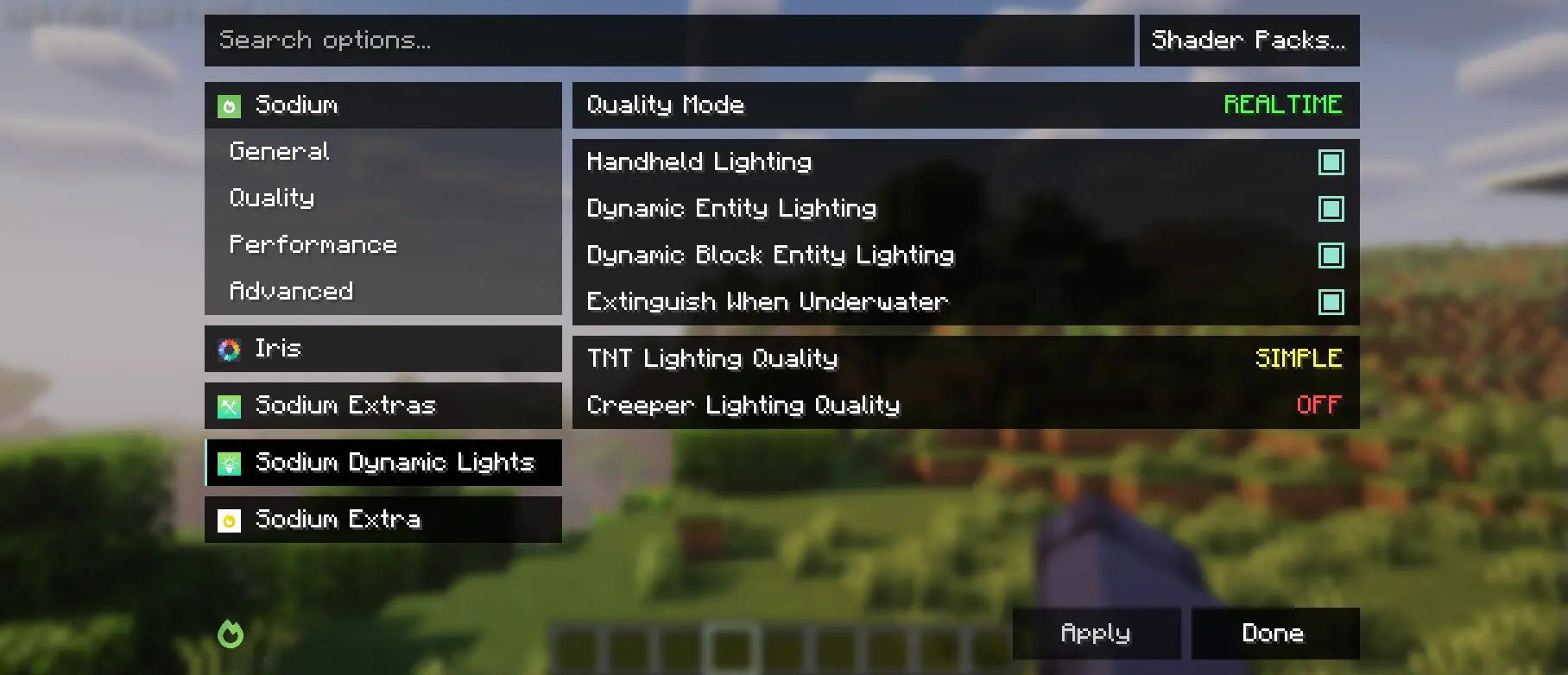
This mod is partially a fork of the Embeddium categories API and options events, with heavy changes to support upstream Sodium. While it makes changes to the Reese's Sodium Options menu, it does so via mixin for compatibility reasons, so you will need to install both.
Using the API
First, you will need to add this mod to your dev environment, using the Maven release for Curseforge or Modrinth.
modImplementation("maven.modrinth:sodium-options-api:version")
Then, this mod provides three events in toni.sodiumoptionsapi.api:
OptionGUIConstruction.EVENT, called once in the GUI constructor, allows adding entire pages. This is probably the one you want.OptionPageConstruction.EVENT, called for each OptionPage. Use this if you want to add a group of toggles to the performance tab or something.OptionGroupConstruction.EVENT, called for each group of options. Use this if you want to insert a single option into an existing group, or modify the vanilla ones.
Available Versions
How to Install Sodium Options API on Your Client
Install the Mod Loader Locally
Install fabric for your local Minecraft version.
Download the Matching File
Choose the Sodium Options API file for fabric and Minecraft 1.21.5.
Install Mod
Place the .jar file in your local .minecraft/mods folder and restart Minecraft. No server-side installation is required.
Compatibility
Mod Loaders
Minecraft Versions
1.21.5, 1.21.4, 1.21.1 (+2 more)
Server-side
✗ UnsupportedRecommended RAM
4 GB(min. 3 GB)Frequently Asked Questions
Does Sodium Options API need to be installed on the Minecraft server?
No. Modrinth marks Sodium Options API as unsupported on the server side. Install it only in your local Minecraft mods folder. Your server can remain unchanged unless the mod page lists an additional dependency.
Which version and loader does Sodium Options API require?
Use a file for fabric, forge, neoforge and your exact Minecraft version. Supported versions include 1.21.5, 1.21.4, 1.21.1. Files for different loaders are not interchangeable.
Sodium Options API is not working – what should I check?
First check the Minecraft version, loader version and required dependencies. Put the .jar file in your local .minecraft/mods folder and remove older duplicates. Because this mod is client-side, adding server RAM will not fix it.
Similar Mods


Minecraft Server for Your Group
Sodium Options API stays on your client. Host a compatible world for your group.