
squaremap
squaremap is a minimalistic & lightweight world map viewer for Minecraft servers, using the vanilla map rendering style
Screenshots
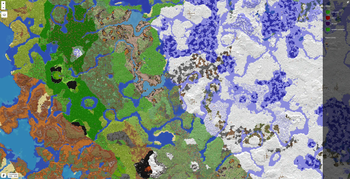
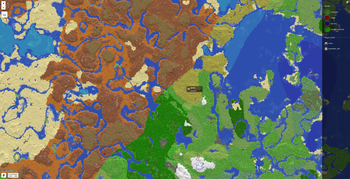
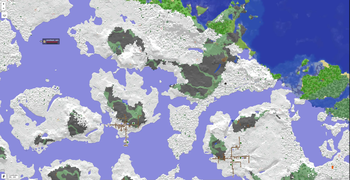
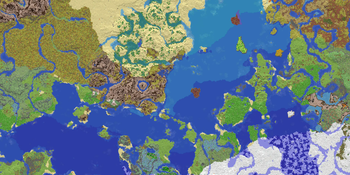
Über diese Mod
squaremap
What is squaremap
squaremap is a minimalistic and lightweight live world map viewer for Minecraft servers.
squaremap hooks into your Minecraft server as a plugin or mod on a supported platform, then generates and manages a live map of your server, viewable in any web browser.
Features
- Ultra fast render times. Get your map rendered today, not next week.
- Simple vanilla-like top down 2D view, designed for navigation.
- Player markers showing yaw rotation, health, and armor.
- Easy to setup and configure.
- Up to date Leaflet front-end.
- Addons and integrations for many popular plugins.
Supported platforms
- Paper
- Sponge
- Fabric (requires Fabric API)
- NeoForge
Downloads
Downloads can be obtained here on Modrinth, or from GitHub releases for all supported platforms.
Development builds
Development builds are available at https://jenkins.jpenilla.xyz/job/squaremap/
Demo
Official squaremap demo: https://squaremap-demo.jpenilla.xyz/
License
This project is licensed under the MIT license
Leaflet (the web ui frontend) is licensed under 2-clause BSD License
API
squaremap provides simple APIs to draw markers, shapes, icons, and etc. on rendered maps. Javadocs are hosted on the maven repository alongside the binaries, and should be automatically downloaded by your IDE. See the README and Wiki for more details about the API.
Verfügbare Versionen
squaremap auf dem Server installieren
Server bestellen
Bestelle einen Minecraft Java Server mit mindestens 3 GB RAM (4 GB empfohlen).
fabric Loader setzen
Wähle im Panel unter "Egg" den fabric-Loader und die passende Minecraft-Version (26.3).
Mod installieren
Öffne den Mod-Browser im Dashboard und suche nach "squaremap". Klicke "Installieren" – fertig! Alternativ: Lade die .jar via SFTP in den /mods Ordner.
Kompatibilität
Mod-Loader
Minecraft-Versionen
26.3, 26.2, 26.1.2 (+15 weitere)
Server-seitig
✗ Nicht unterstütztEmpfohlener RAM
4 GB(min. 3 GB)Häufige Fragen
squaremap Server crasht beim Start – was tun?
Häufigste Ursache: falsche fabric-Version oder zu wenig RAM. Prüfe im Server-Log (latest.log), ob ein "OutOfMemoryError" oder "Mixin"-Fehler auftritt. Bei Mado Hosting: Stelle sicher, dass mindestens 3 GB RAM zugewiesen sind und der Loader zur Mod-Version passt (26.3). Über das Panel kannst du den Loader mit einem Klick wechseln.
Ist squaremap mit fabric und folia und forge und neoforge und paper und sponge kompatibel?
squaremap unterstützt offiziell fabric, folia, forge, neoforge, paper, sponge für Minecraft 26.3, 26.2, 26.1.2. Achtung: Forge- und Fabric-Mods sind NICHT untereinander kompatibel – wähle einen Loader und bleibe dabei. Im Mado Dashboard werden inkompatible Loader-Kombinationen automatisch erkannt.
Server laggt mit squaremap – wie optimiere ich die Performance?
Empfohlener RAM: 4 GB (+1 GB pro 8 Spieler). Prüfe mit /spark profiler, ob squaremap den meisten Tick-Time verbraucht. Häufige Fixes: Server-View-Distance auf 8-10 reduzieren, bei Forge "performant" oder "starlight" als Zusatz-Mod installieren. Bei Mado Hosting läuft dein Server auf NVMe-SSDs mit dedizierten CPU-Kernen für minimale Latenz.
Ähnliche Mods

![[ETF] Entity Texture Features](https://cdn.modrinth.com/data/BVzZfTc1/af683d206d50b05258d865b0d6e4aa2f2cee12f2_96.webp)
![[EMF] Entity Model Features](https://cdn.modrinth.com/data/4I1XuqiY/6e5bbd0d06b1741bfdab6c0cfab6de8fdaf0064c_96.webp)



Modded Server mieten
Installiere squaremap mit nur einem Klick auf deinem Server.