
Modrinth · Fabric, Forge, NeoForge
Take a Seat! auf deinem Minecraft Server
Take a Seat! läuft auf Minecraft Servern mit Fabric oder Forge oder NeoForge. Bestell deinen Server, stell den Loader im Panel ein und installiere die Mod mit einem Klick im Mod-Browser.
20+ sitting animations for an immersive experience!
- Downloads
- 136.7K
- Autor
- Icywhenhot
- Loader
- Fabric, Forge, NeoForge
- Minecraft
- 1.20.1 – 26.3
- Aktualisiert
- –
Screenshots
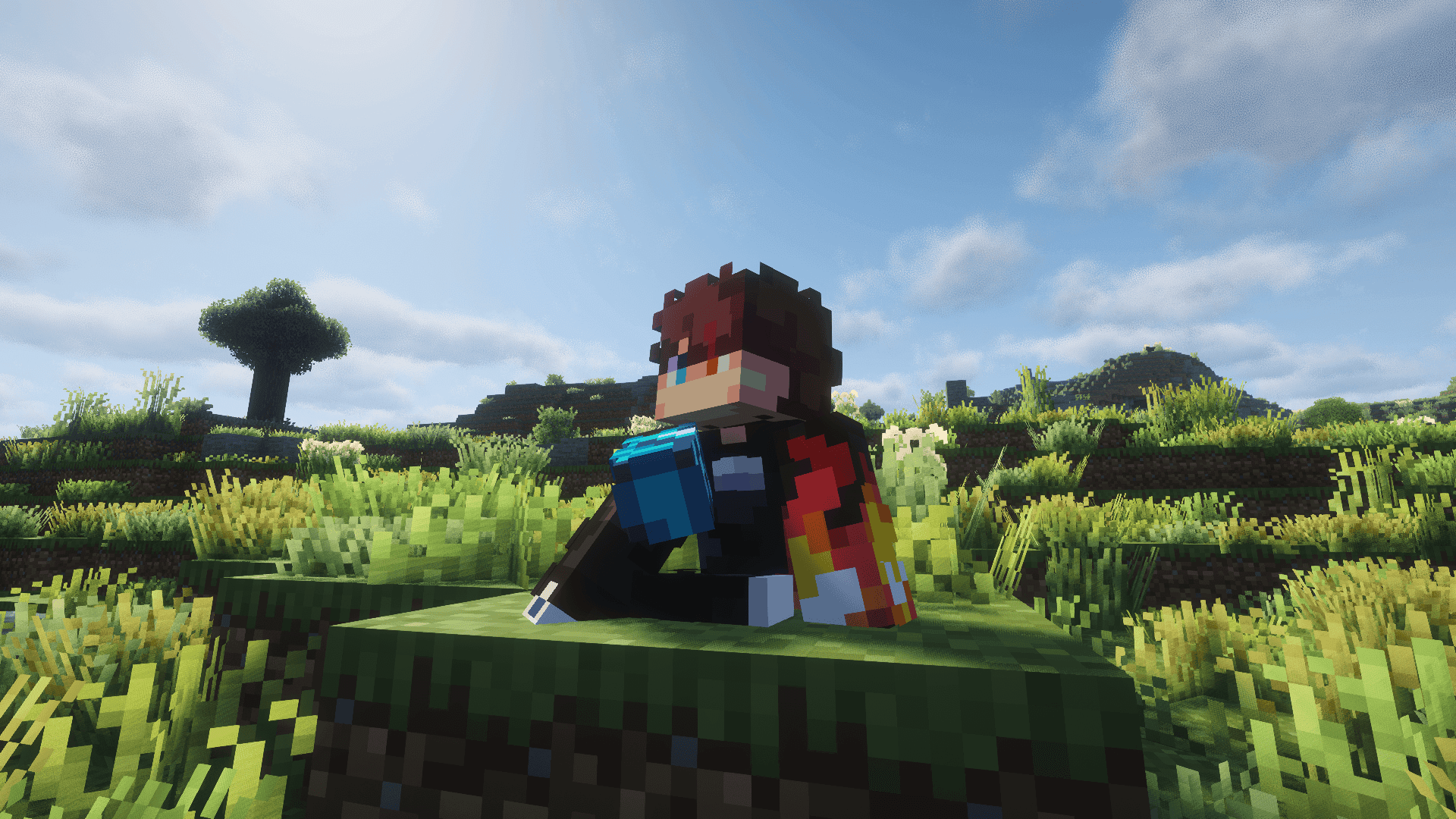
So sieht Take a Seat! aus
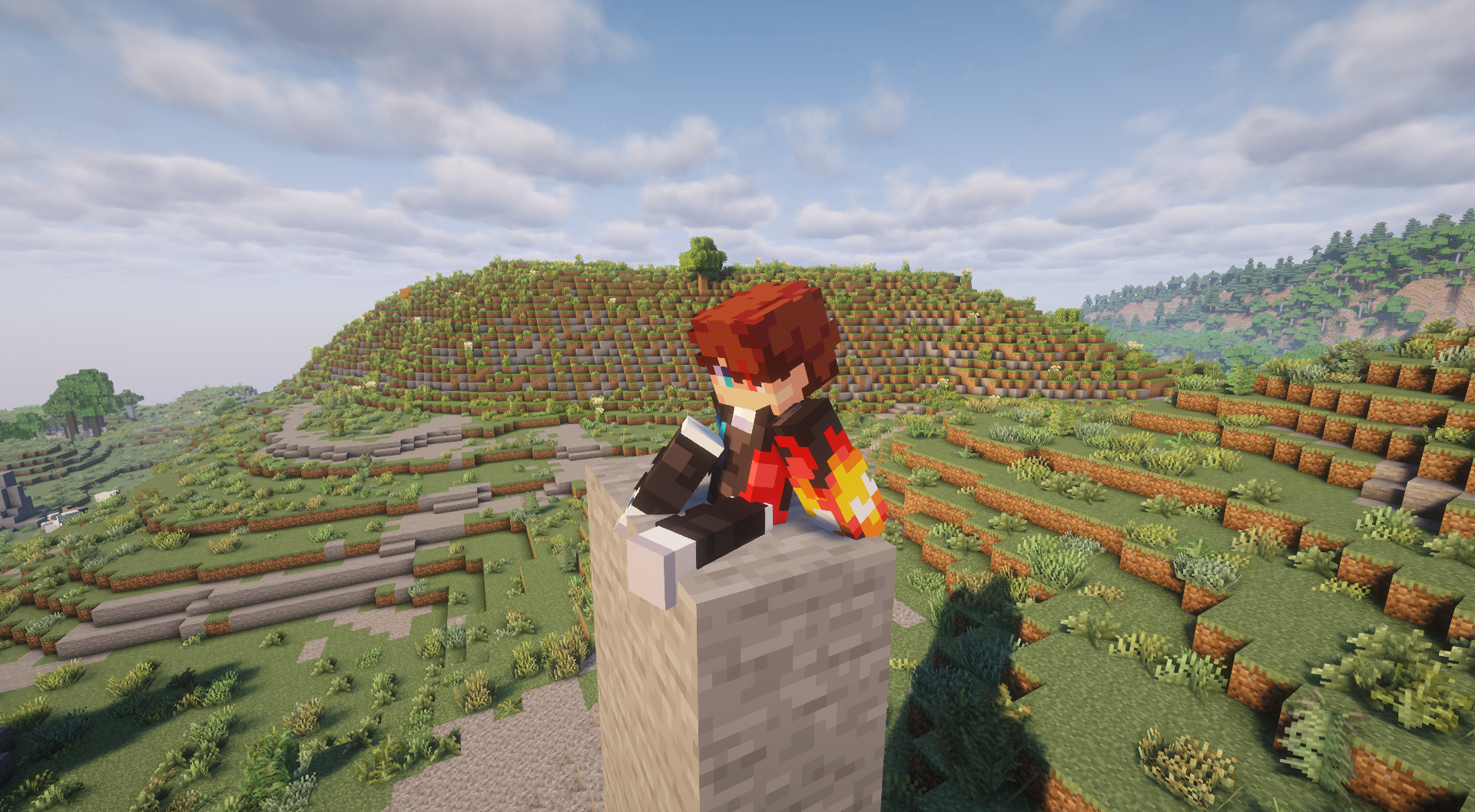
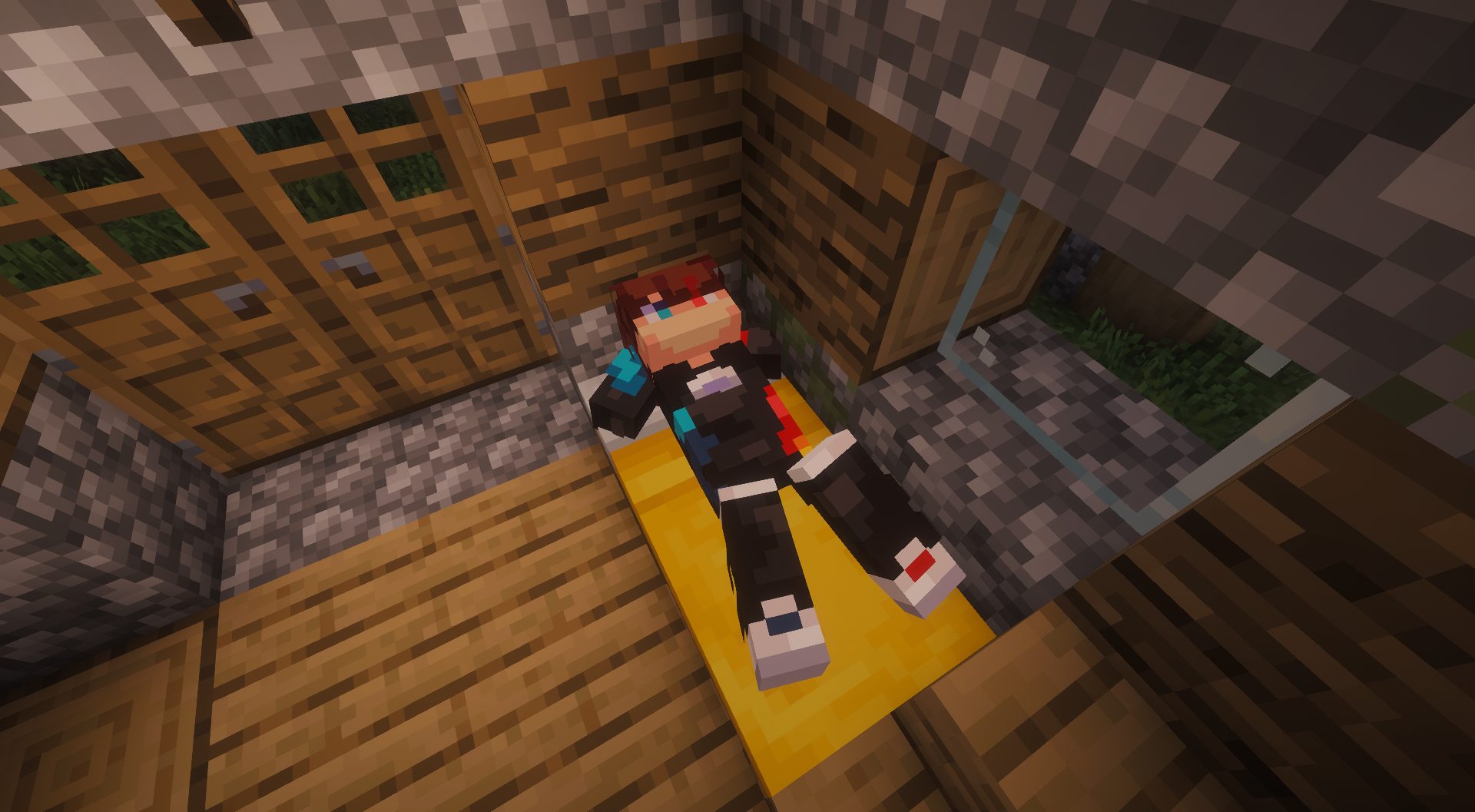
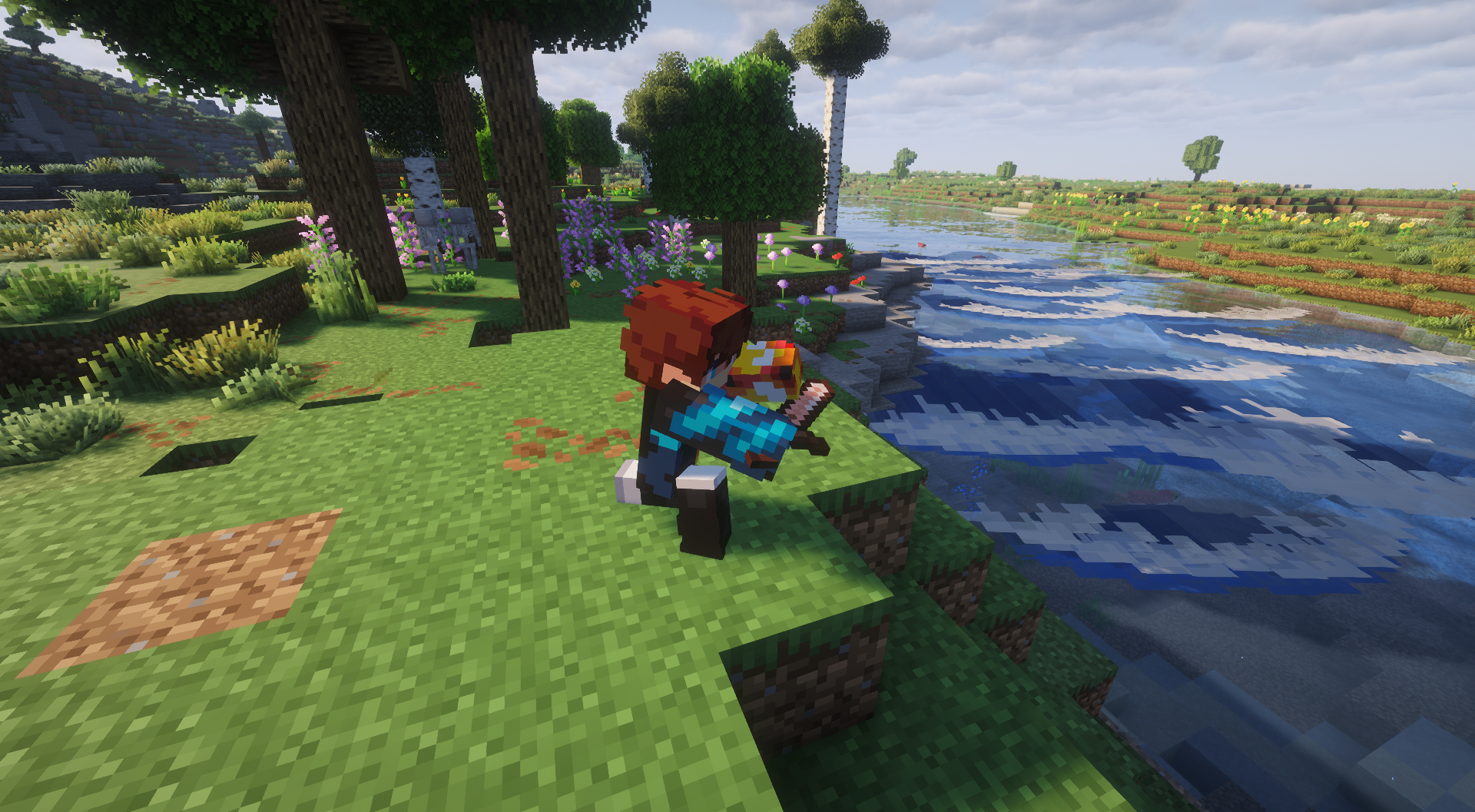
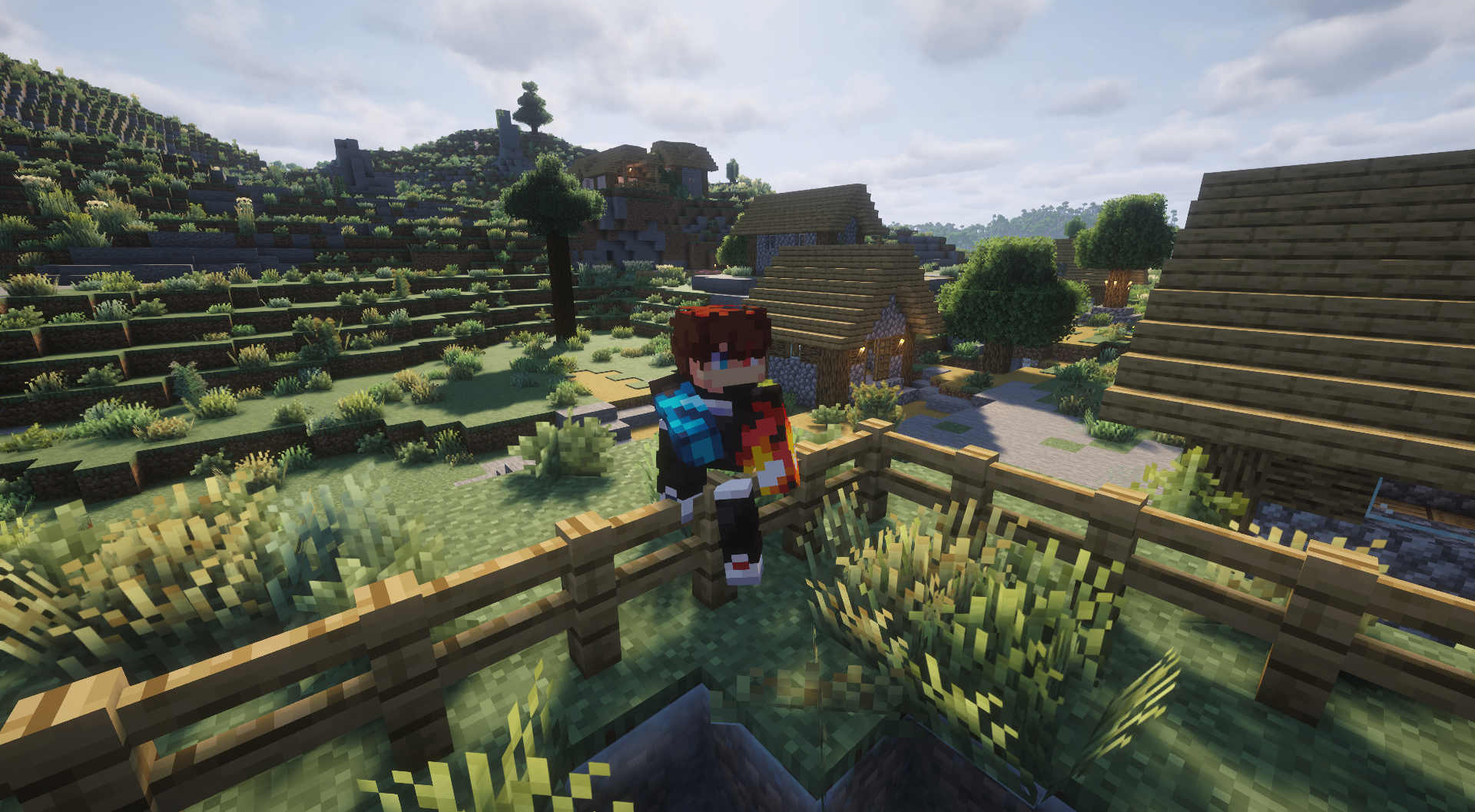
Bilder: Take a Seat! auf Modrinth, vom Projektteam veröffentlicht.
Einrichtung
Take a Seat! auf dem Server installieren
Server und Spieler brauchen denselben Loader und dieselbe Minecraft-Version. Sichere die Welt, bevor du Mods hinzufügst oder aktualisierst.
- 01
Konfigurieren
4 GB RAM sind vorausgewählt. Laufzeit und Add-ons wählst du selbst, bezahlt wird per Kreditkarte oder PayPal.
- 02
Loader einstellen
Stell im Panel die Serversoftware auf Fabric oder Forge oder NeoForge und wähl die passende Minecraft-Version, zum Beispiel 26.3.
- 03
Mod installieren
Such im Mod-Browser nach „Take a Seat!“ und installiere die Version für deinen Loader. Alternativ lädst du die .jar per SFTP in den Ordner mods. Erforderliche Abhängigkeiten stehen auf der Projektseite.
- 04
Verbinden
Alle Spieler installieren Take a Seat! in derselben Version lokal und verbinden sich über die Serveradresse aus dem Panel.
- Auf dem Server
- Optional
- Auf dem Client
- Erforderlich
- Loader
- Fabric, Forge, NeoForge
- Minecraft
- 26.3, 26.2, 26.1.2 +4 weitere
- Lizenz
- MIT License
Das Panel
Mods installieren, Fehler finden.
Echte Screenshots aus dem Mado Panel. Beides ist bei jedem Minecraft Server enthalten.
Mod-Browser
Modrinth und CurseForge direkt im Panel.
Der Browser filtert nach deiner Minecraft-Version. Mods installierst du mit einem Klick, ohne .jar-Dateien hochzuladen.

KI-Crash-Analyse
Wenn ein Mod crasht, liest die Analyse das Log.
Mods scheitern oft an einer falschen Loader-Version, Java-Version oder fehlenden Abhängigkeit. Die Analyse nennt eine wahrscheinliche Ursache und einen Lösungsvorschlag.

Versionen
Veröffentlichte Versionen
Nimm die Datei, die zu Loader und Minecraft-Version deines Servers passt. Server und Spieler brauchen dieselbe Version.
Take a Seat! · Modrinth- Take a Seat! 1.0.416. Oktober 2026Minecraft 1.20.1 · Forge
- Take a Seat! 1.0.414. Oktober 2026Minecraft 26.3 · NeoForge
- Take a Seat! 1.0.414. Oktober 2026Minecraft 26.3 · Fabric
- Take a Seat! 1.0.414. Oktober 2026Minecraft 26.2 · NeoForge
- Take a Seat! 1.0.414. Oktober 2026Minecraft 26.2 · Fabric
Originalbeschreibung des Projektautors


⚠️ Player Animation Library is a required dependency for this mod.
Take a Seat
Sit, lounge, and relax
Press a key and Take a Seat plays a context-aware sitting animation on your player, it figures out what you're near or holding and picks a fitting pose, then keeps your model in frame with a smooth camera. Other players see you sitting too, when they also have the mod.
Take a Seat is a from-scratch rebuild of the discontinued Sitting Plus, running on the Player Animation Library backend.
These are cosmetic animations. You don't actually mount the block — your model poses in place, and moving stands you back up.
How to use
- Press
X(rebindable in Options → Controls → Take a Seat) to sit. - Press it again while seated to cycle to the next variation of the current pose.
- Move (WASD / jump / sneak / sprint) to stand back up.
- Right-click a stair with an empty hand to snap onto it and sit (can be disabled in the config).
- Or use the
/sitcommand:/sitfor context detection,/sit <pose>to force a pose (e.g./sit chair), or/sit <pose> <variant>(e.g./sit bed 2). - You can't sit while airborne, swimming/underwater, or riding something.
How the pose is chosen
When you press the key, Take a Seat checks these in order and uses the first match:
| # | Trigger | Pose | Notes |
|---|---|---|---|
| 1 | Looking at a campfire (within ~2 blocks) | campfiresit |
Looping idle |
| 2 | Looking at a furnace (furnace / blast furnace / smoker) | furnacesit |
Looping idle |
| 3 | Holding a sword | swordsit, swordsit2 |
2 variants |
| 4 | Holding an axe | sittingaxe |
1 variant |
| 5 | Holding a shovel | sittingshovel |
1 variant |
| 6 | Holding a fishing rod | fishing |
Looping cast |
| 7 | Standing on stairs | chairsitting 1–4 |
"Sit in a chair" — 4 variants |
| 8 | Standing on a fence | fencesitting 1–2 |
Perched higher, 2 variants |
| 9 | Standing on a bed | bedlyingdown 1–3 |
Lie down, 3 variants |
| 10 | Standing on a bottom slab | chairsitting 1–4 |
Treated as a chair |
| 11 | Standing on a carpet | Ground poses | Treated as floor |
| 12 | Standing on a #takeaseat:sittable block |
chairsitting 1–4 |
Datapack-defined chairs, incl. modded |
| 13 | Anywhere else (ground) | kneesitting, buttsit, buttsit2, kneeleaning |
Default, 4 variants |
Because the list is checked top-down, what you're looking at or holding wins over what you're standing on, holding a sword while standing on stairs gives you the sword pose, not the chair pose. Empty your hand and look away from campfires and furnaces to get the stair, fence, bed and ground poses.
That's 20 hand-made animations in total, cycled per category by tapping the key again.
Camera
- Auto third person — sitting flips you to third person so you can see the pose (toggle:
enableThirdPersonOnSit). Standing restores your previous view. - Focus on the model — the camera eases downward while seated so the sitting body stays centered (toggle:
enableSitCameraFocus, distance:cameraFocusOffset). - Your F5 is respected — once you're seated you can change view freely, and cycling through poses will not snap the camera back.
Configuration
Edit config/TakeASeatConfig.json, created on first launch:
| Option | Default | Description |
|---|---|---|
enableClickToSit |
true |
Right-click stairs with an empty hand to sit on them |
enableThirdPersonOnSit |
true |
Switch to third person while sitting |
enableSitCameraFocus |
true |
Smoothly lower the camera to focus on the seated model |
cameraFocusOffset |
0.55 |
How far (in blocks) to lower the camera while sitting |
onlyLowerCameraInFirstPerson |
false |
Only apply the camera lowering effect in first person |
enableAfkSit |
false |
Auto-sit after being idle — off by default, as it was non-functional in the original Sitting Plus |
afkSitDelaySeconds |
60 |
Idle seconds before AFK auto-sit triggers |
Multiplayer
Take a Seat syncs poses to other players: when you sit, your client tells the server, which relays it so everyone running Take a Seat mirrors your animation.
The mod should be installed on the server and on each client that wants to see the animations. Players who were already sitting when you join are synced to you automatically — no need for them to stand and sit again.
For datapack and modpack makers
Make any block sittable — it'll use the chair pose — by adding it to the #takeaseat:sittable block tag. Create data/<your_pack>/tags/block/sittable.json:
{
  "replace": false,
  "values": [
    "mymod:fancy_chair",
    "minecraft:lectern"
  ]
}
Bottom slabs and carpets are recognised automatically, so you only need the tag for extra or modded blocks.

Requires: Player Animation Library
I will be fixing bugs across various versions, but the most maintained port is still 26.2 fabric.

Q: Do I need this on the server?
Only if you want other players to see your animations. Install it on the server and on every client that should see people sitting.
Q: What happens if another player doesn't have the mod?
They simply won't see the animation. Nothing breaks for them, and nothing breaks for you.
Q: Am I actually sitting on the block?
No. The poses are purely cosmetic — you don't mount anything, and any movement stands you back up.
Q: Can I use your mod in a modpack?
Yes, feel free to include it.
Q: Can I repost your mod to another site?
No, you cannot.

- SaltyWater: creator of the original Sitting Plus, which inspired this rebuild
- Original Sitting Plus page: curseforge.com/minecraft/mc-mods/sitting
- Stradat: for making the "EMF Compat: Take a Seat" mod which makes Take a seat work with fresh animations: player extensions, and detailed animations!


Take a Seat! Server crasht beim Start – was tun?
Häufige Ursachen: Loader- oder Minecraft-Version passen nicht zur Mod-Datei, eine Abhängigkeit fehlt oder der RAM reicht nicht. Such im Log (latest.log) nach „OutOfMemoryError“, „Mixin“ oder fehlenden Mods. Bei Mado wertet die KI-Crash-Analyse das Log aus und schlägt eine Ursache vor. Loader und Version änderst du im Panel.
Mit welchem Loader läuft Take a Seat!?
Laut Modrinth unterstützt Take a Seat! Fabric, Forge, NeoForge für Minecraft 26.3, 26.2, 26.1.2. Forge- und Fabric-Dateien sind nicht untereinander austauschbar: Wähl einen Loader für Server und Clients.
Wie viel RAM braucht ein Server mit Take a Seat!?
Als Orientierung 3–4 GB für einen Server mit dieser Mod. Das ist eine Schätzung, keine gemessene Mindestanforderung. Weitere Mods, viele Spieler und große Sichtweiten brauchen mehr. Ob eine Mod die Tick-Zeit belastet, siehst du mit dem spark-Profiler.
Ähnliche Mods
Beliebte Mods aus derselben Kategorie
 Nur Client

Iris Shaders
von coderbot
A modern shader pack loader for Minecraft intended to be compatible with existing OptiFine shader packs
 Nur Client

[ETF] Entity Texture Features
von Traben
Emissive, Random & Custom texture support for entities in resourcepacks just like Optifine but for Fabric
 Nur Client

[EMF] Entity Model Features
von Traben
EMF is an, OptiFine format, Custom Entity Model replacement mod available for Fabric and Forge.
 Nur Client

Not Enough Animations
von tr7zw
Bringing first-person animations to the third-person
Bereit für deinen Server mit Take a Seat!?
4 GB RAM ab 8,00 € im Monat. 35 % auf den 1. Monat mit MADO35.