Thaumon
Thaumcraft-inspired decoration blocks for modern Minecraft
Screenshots

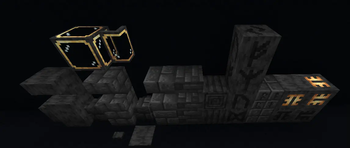
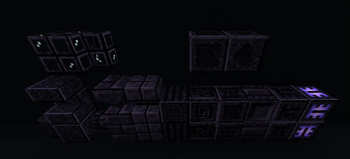
Über diese Mod


This mod was created on a whim after hearing the comments of a user in the CoFH Discord server lamenting the lack of Thaumcraft palette blocks in modern Minecraft. I joked that I would happily do it...in MCreator. Surprisingly, they were cool with that. As of Thaumon 2+, this is no longer the case! No code or assets from MCreator are used.
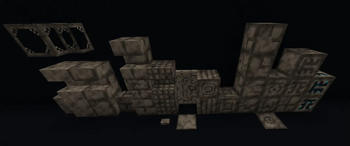
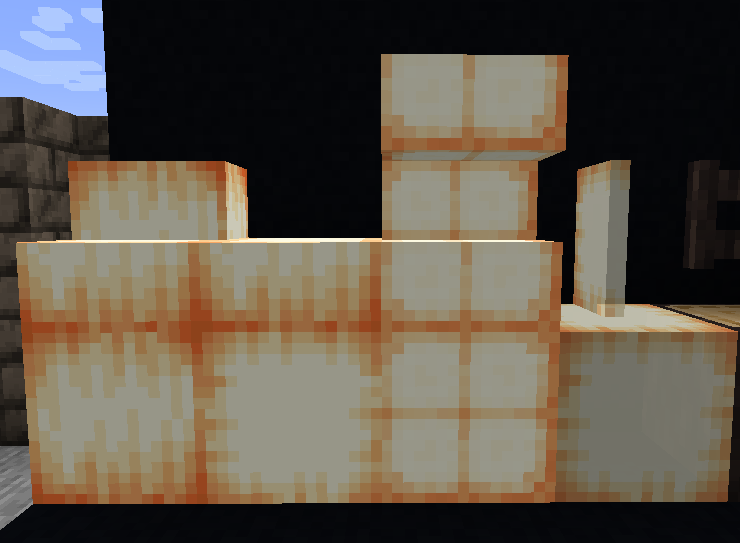
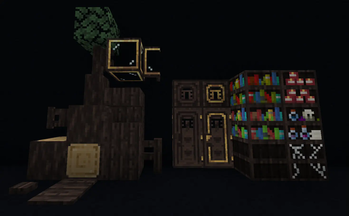
Thaumon is a decoration mod inspired by the blocks and textures of Thaumcraft. It adds Greatwood, Silverwood, Arcane Stone, and Eldritch Stone building materials, as well as a few Amber blocks, and some tabletop decorative doodads. To get started, make some Mutagen by breaking down some amethyst in a stonecutter.
Textures are all original (often edits of vanilla textures because I'm not that great of an artist) and unrelated to any Thaumcraft assets in everything except name.
When Thaumcraft 7 releases, this mod will likely transform into something different. It might become an addon to Thaumcraft, or it might change entirely!
Message regarding Thaumon 1.0.x
This mod's 1.0 versions were created using MCreator. If that bothers you, it probably should! That's okay though - there are no functional objects in those versions besides doors and such, everything is simply a decorative block. There should be no issues arising from MCreator's dubious generated code. If it still bothers you, just update the mod! You should do that anyway, we're adding more stuff.
- Egassy, for suggesting this mod in the first place.
- Exelerium for Russian translations. Check out his amazing resource pack Russian Translations and Fixes
- unilock for crash & bug fixes. She makes cool mods, go check them out!
- nageih for Chinese translations. Also thanks to VM Chinese Group Mod Translations as nageih is a team member.
- Isengrimus for Ukrainian translations.
Verfügbare Versionen
Thaumon auf dem Server installieren
Server bestellen
Bestelle einen Minecraft Java Server mit mindestens 3 GB RAM (4 GB empfohlen).
fabric Loader setzen
Wähle im Panel unter "Egg" den fabric-Loader und die passende Minecraft-Version (1.21.1).
Mod installieren
Öffne den Mod-Browser im Dashboard und suche nach "Thaumon". Klicke "Installieren" – fertig! Alternativ: Lade die .jar via SFTP in den /mods Ordner.
Kompatibilität
Mod-Loader
Minecraft-Versionen
1.21.1, 1.21, 1.20.6 (+3 weitere)
Server-seitig
✓ ErforderlichEmpfohlener RAM
4 GB(min. 3 GB)Häufige Fragen
Thaumon Server crasht beim Start – was tun?
Häufigste Ursache: falsche fabric-Version oder zu wenig RAM. Prüfe im Server-Log (latest.log), ob ein "OutOfMemoryError" oder "Mixin"-Fehler auftritt. Bei Mado Hosting: Stelle sicher, dass mindestens 3 GB RAM zugewiesen sind und der Loader zur Mod-Version passt (1.21.1). Über das Panel kannst du den Loader mit einem Klick wechseln.
Ist Thaumon mit fabric und forge und neoforge und quilt kompatibel?
Thaumon unterstützt offiziell fabric, forge, neoforge, quilt für Minecraft 1.21.1, 1.21, 1.20.6. Achtung: Forge- und Fabric-Mods sind NICHT untereinander kompatibel – wähle einen Loader und bleibe dabei. Im Mado Dashboard werden inkompatible Loader-Kombinationen automatisch erkannt.
Server laggt mit Thaumon – wie optimiere ich die Performance?
Empfohlener RAM: 4 GB (+1 GB pro 8 Spieler). Prüfe mit /spark profiler, ob Thaumon den meisten Tick-Time verbraucht. Häufige Fixes: Server-View-Distance auf 8-10 reduzieren, bei Forge "performant" oder "starlight" als Zusatz-Mod installieren. Bei Mado Hosting läuft dein Server auf NVMe-SSDs mit dedizierten CPU-Kernen für minimale Latenz.
Ähnliche Mods

![[ETF] Entity Texture Features](https://cdn.modrinth.com/data/BVzZfTc1/af683d206d50b05258d865b0d6e4aa2f2cee12f2_96.webp)
![[EMF] Entity Model Features](https://cdn.modrinth.com/data/4I1XuqiY/6e5bbd0d06b1741bfdab6c0cfab6de8fdaf0064c_96.webp)



Modded Server mieten
Installiere Thaumon mit nur einem Klick auf deinem Server.