
VillEdit
Create custom villagers with the VillEdit datapack! This is an easy custom villager creator which works without mods.
Screenshots
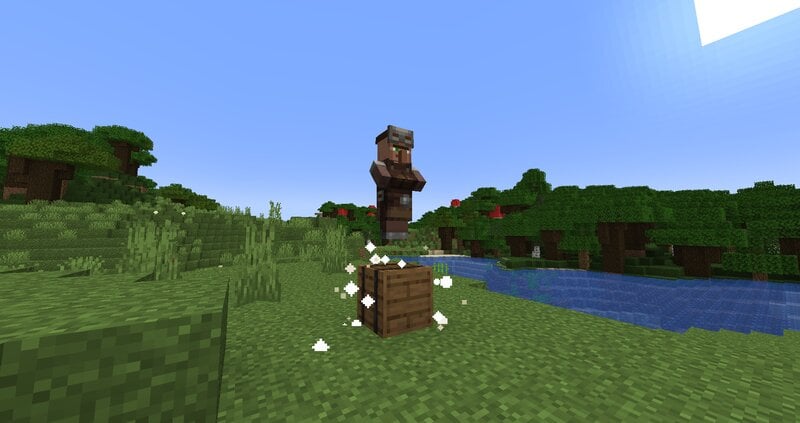
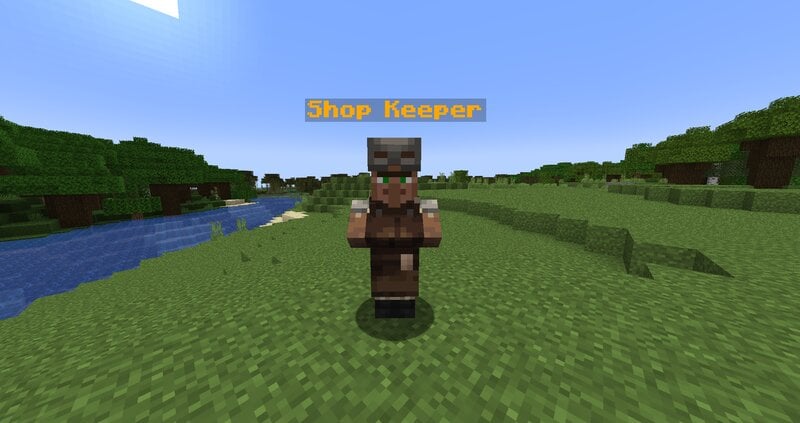
Über diese Mod
VillEdit - Create your own custom villagers
This Datapack was inspired by CommandGeek: https://youtu.be/MmDHKOZLkBc
Description
VillEdit is a Datapack which allows you to create and edit your own custom villagers. You can edit the trades, profession, biome, level and even the name with a fancy menu in no time. At the end, you will get a spawn egg to spawn your custom villager anywhere in the world.
How to use
Spawning the editor
Place down a chest, and then use a villager spawn egg on top of it (sneak and right click the top). This will spawn a Villager Editor. Right click the barrel to open the menu.
Using the editor
To use the editor, simply open the barrel and click the buttons. Each button will explain what it does when you hover over it. There are 5 appearance options:
- Cycle Profession
- Cycle Biome
- Cycle Level
- Toggle Static (NoAI)
- Toggle Glow
- Toggle Silent
- Change Custom Name
Adding a trade
To add a trade, click the green "Add Trade" button. This opens a new menu where you can create the trades by putting items in the UI. You need at least one input item, and an output item, for it to work. You can also toggle whether you want the trade to reward any XP to the player.
Removing trades
To remove trades, you can click the redstone to remove the last trade you added. You can also click on the redstone block twice to reset and remove all the trades.
Saving and exiting
Once you’re done, open the editor and press Save. This will give you the spawn egg to spawn your custom villager. You can use it wherever and whenever you want, but make sure to keep the egg safe. The spawn egg will work even if the datapack is uninstalled. The spawn egg will display the villager's data in the lore of the item (hover over it in the inventory)
To remove the editor, just break it.
Verfügbare Versionen
VillEdit auf dem Server installieren
Server bestellen
Bestelle einen Minecraft Java Server mit mindestens 3 GB RAM (4 GB empfohlen).
datapack Loader setzen
Wähle im Panel unter "Egg" den datapack-Loader und die passende Minecraft-Version (1.21.11).
Mod installieren
Öffne den Mod-Browser im Dashboard und suche nach "VillEdit". Klicke "Installieren" – fertig! Alternativ: Lade die .jar via SFTP in den /mods Ordner.
Kompatibilität
Mod-Loader
Minecraft-Versionen
1.21.11, 1.21.10, 1.21.9 (+20 weitere)
Server-seitig
✓ ErforderlichEmpfohlener RAM
4 GB(min. 3 GB)Häufige Fragen
VillEdit Server crasht beim Start – was tun?
Häufigste Ursache: falsche datapack-Version oder zu wenig RAM. Prüfe im Server-Log (latest.log), ob ein "OutOfMemoryError" oder "Mixin"-Fehler auftritt. Bei Mado Hosting: Stelle sicher, dass mindestens 3 GB RAM zugewiesen sind und der Loader zur Mod-Version passt (1.21.11). Über das Panel kannst du den Loader mit einem Klick wechseln.
Ist VillEdit mit datapack und fabric und forge und neoforge und quilt kompatibel?
VillEdit unterstützt offiziell datapack, fabric, forge, neoforge, quilt für Minecraft 1.21.11, 1.21.10, 1.21.9. Achtung: Forge- und Fabric-Mods sind NICHT untereinander kompatibel – wähle einen Loader und bleibe dabei. Im Mado Dashboard werden inkompatible Loader-Kombinationen automatisch erkannt.
Server laggt mit VillEdit – wie optimiere ich die Performance?
Empfohlener RAM: 4 GB (+1 GB pro 8 Spieler). Prüfe mit /spark profiler, ob VillEdit den meisten Tick-Time verbraucht. Häufige Fixes: Server-View-Distance auf 8-10 reduzieren, bei Forge "performant" oder "starlight" als Zusatz-Mod installieren. Bei Mado Hosting läuft dein Server auf NVMe-SSDs mit dedizierten CPU-Kernen für minimale Latenz.
Ähnliche Mods



![CobbleDollars [Cobblemon Addon]](https://cdn.modrinth.com/data/s7N7AsqL/684040a264fc1d7f9b856ec5d2da39767398c7ad.png)

Modded Server mieten
Installiere VillEdit mit nur einem Klick auf deinem Server.
Details
- Lizenz
- Creative Commons Attribution Share Alike 4.0 International
- Server-seitig
- Erforderlich