Widgets
A customizable HUD mod that displays FPS, ping, coordinates, time, date, memory, CPU, and GPU info. Move widgets anywhere on the screen, adjust their appearance, and toggle them on/off via an in-game config menu.
Über diese Mod
[EN]
Enhance your Minecraft experience with customizable on-screen widgets!Widgets Mod adds a set of useful, fully customizable widgets to your Minecraft HUD, providing real-time information at a glance. Whether you're monitoring your FPS, ping, coordinates, or system performance, this mod has you covered. With an intuitive configuration screen, you can easily tweak the appearance and position of your widgets to suit your needs.
✨ Key Features:
- Multiple Widgets: Display FPS, ping, coordinates, time, date, memory usage, CPU, and GPU info.
- Predefined Positions: Choose from four corners (top-left, top-right, bottom-left, bottom-right) to place your widgets.
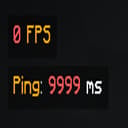
- Color Coding: FPS and ping widgets change color based on their values (e.g., green for high FPS, red for low).
- Configurable Text: Customize the text format for each widget using placeholders (e.g., $fps$, $ping$) and Minecraft color codes.
- Background Toggle: Enable or disable a semi-transparent background for better readability.
- Performance Optimized: Lightweight and efficient, with minimal impact on your game's performance.
- Cloth Config Integration: Easily tweak settings via an in-game configuration screen (requires Cloth Config API).
📋 Supported Widgets:
- FPS: Shows your current frames per second with color-coded indicators.
- Ping: Displays your server ping (multiplayer only) with color-coded values.
- Server Address: Shows the address of the server you are currently playing on.
- Coordinates: Shows your X, Y, Z coordinates in various formats.
- Memory Usage: Monitors your game's memory usage (used/total MB).
- CPU & GPU Info: Shows your CPU and GPU details for system monitoring.
Verfügbare Versionen
Widgets auf deinem Client installieren
Mod-Loader lokal installieren
Installiere fabric für deine lokale Minecraft-Version.
Passende Datei herunterladen
Wähle die Widgets-Datei für fabric und Minecraft 1.21.5.
Mod installieren
Lege die .jar-Datei in deinem lokalen .minecraft/mods-Ordner ab und starte Minecraft neu. Eine Installation auf dem Server ist nicht nötig.
Kompatibilität
Mod-Loader
Minecraft-Versionen
1.21.5, 1.21.4, 1.21.3 (+10 weitere)
Server-seitig
✗ Nicht unterstütztEmpfohlener RAM
4 GB(min. 3 GB)Häufige Fragen
Muss Widgets auf dem Minecraft Server installiert werden?
Nein. Modrinth kennzeichnet Widgets serverseitig als nicht unterstützt. Installiere die Mod nur im lokalen Minecraft-Mods-Ordner. Dein Server kann unverändert bleiben, sofern die Mod-Seite keine zusätzliche Abhängigkeit nennt.
Welche Version und welchen Loader braucht Widgets?
Nutze eine Datei für fabric und exakt deine Minecraft-Version. Unterstützte Versionen sind unter anderem 1.21.5, 1.21.4, 1.21.3. Loader-Dateien sind nicht untereinander austauschbar.
Widgets funktioniert nicht – was kann ich prüfen?
Prüfe zuerst Minecraft-Version, Loader-Version und erforderliche Abhängigkeiten. Lege die .jar-Datei im lokalen .minecraft/mods-Ordner ab und entferne ältere Duplikate. Da die Mod clientseitig ist, löst mehr Server-RAM dieses Problem nicht.
Ähnliche Mods






Minecraft Server für deine Gruppe
Widgets bleibt auf deinem Client. Hoste dazu eine kompatible Welt für deine Mitspieler.