
World Host
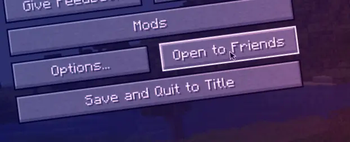
Host your singleplayer worlds without having to run a server or setup port forwarding!
Screenshots
Über diese Mod
World Host



Host your singleplayer worlds without having to run a server or setup port forwarding! In the future, we also plan to support Bedrock Edition clients
through the use of Geyser.
What if my friend doesn't have the mod installed?
If your friend doesn't have the mod installed, you cannot use the friends system with them. However, you can run the command /worldhost ip to get an IP that can be used with tunneling. Do note, however, that not using the friends system could increase ping. If you don't want the ping increase, you can run /worldhost tempip to get a temporary server IP that lasts for at least 60 seconds. Clients who connect within the 60 seconds will remain connected. If you plan to never use the friends system, you can disable it in the mod settings.
How does this mod work?
This mod has a server that your client connects to, this server is used to communicate with other clients using World Host.
- When your friend wants to join you, your friend's client asks the server for an IP address to connect to.
- The server then asks your client to create a join mode (
JoinTypein the protocol). There are two join mods: UPnP and Proxy. - UPnP mode is tried first. Your client tries to open a temporary port forward in your router that your friends client can use to connect to you directly.
- If UPnP succeeds, your client tells the server the port to use, then the server tells your friend's client your IP and the port number.
- If UPnP fails, then your client tells the server to use Proxy mode. The server will then give your friend's client the same "proxy IP" as
/worldhost ipdoes.
/worldhost tempip tries to do UPnP first instead of just giving you the proxy IP straightaway.
License
The mod is open source and licensed under the MIT License.
Verfügbare Versionen
World Host auf deinem Client installieren
Mod-Loader lokal installieren
Installiere fabric für deine lokale Minecraft-Version.
Passende Datei herunterladen
Wähle die World Host-Datei für fabric und Minecraft 1.21.5.
Mod installieren
Lege die .jar-Datei in deinem lokalen .minecraft/mods-Ordner ab und starte Minecraft neu. Eine Installation auf dem Server ist nicht nötig.
Kompatibilität
Mod-Loader
Minecraft-Versionen
1.21.5, 1.21.4, 1.21.3 (+17 weitere)
Server-seitig
✗ Nicht unterstütztEmpfohlener RAM
4 GB(min. 3 GB)Häufige Fragen
Muss World Host auf dem Minecraft Server installiert werden?
Nein. Modrinth kennzeichnet World Host serverseitig als nicht unterstützt. Installiere die Mod nur im lokalen Minecraft-Mods-Ordner. Dein Server kann unverändert bleiben, sofern die Mod-Seite keine zusätzliche Abhängigkeit nennt.
Welche Version und welchen Loader braucht World Host?
Nutze eine Datei für fabric, forge, neoforge, quilt und exakt deine Minecraft-Version. Unterstützte Versionen sind unter anderem 1.21.5, 1.21.4, 1.21.3. Loader-Dateien sind nicht untereinander austauschbar.
World Host funktioniert nicht – was kann ich prüfen?
Prüfe zuerst Minecraft-Version, Loader-Version und erforderliche Abhängigkeiten. Lege die .jar-Datei im lokalen .minecraft/mods-Ordner ab und entferne ältere Duplikate. Da die Mod clientseitig ist, löst mehr Server-RAM dieses Problem nicht.
Ähnliche Mods






Minecraft Server für deine Gruppe
World Host bleibt auf deinem Client. Hoste dazu eine kompatible Welt für deine Mitspieler.