
Breakneck Optimized
Level Up Your Vanilla Client with Increased FPS, Shaders, Quality of Life Enhancements, and Visual Improvements.
Screenshots



About this Modpack


Breakneck Optimized is vanilla Minecraft, tuned. The best performance mods raise and steady your framerate, and voxy draws the world far past your render distance, even with shaders on: all included shader packs support it. On top of that you get support for OptiFine resource packs and the quality-of-life tweaks you'd install anyway. Every mod runs on your side only, so it works on any server and in singleplayer.


voxy turns the terrain beyond your render distance into lightweight LODs, so mountains, coastlines and villages stay in view for miles. It builds them from the chunks you explore, on servers too, and in singleplayer Voxy WorldGen generates the land around you, so the far view is there from the start.
Shaders need to support voxy to light that far terrain, so Breakneck keeps Sodium and Iris on versions where voxy and shaders work together. All eight included shader packs support it:
| Shader pack | Look |
|---|---|
| Photon | Semi-realistic and made for playing |
| Solas | Fantasy style with colored lighting |
| Reverie | Foggy and warm |
| BSL | Bright and colorful |
| Complementary Reimagined | Polished and true to Minecraft, with Unbound built in |
| Glimmer | Natural and light on performance |
| Mellow | Painterly and easy on your computer |
| I Like Vanilla | Vanilla's style, only better |
Turn one on in the video settings, or play without.
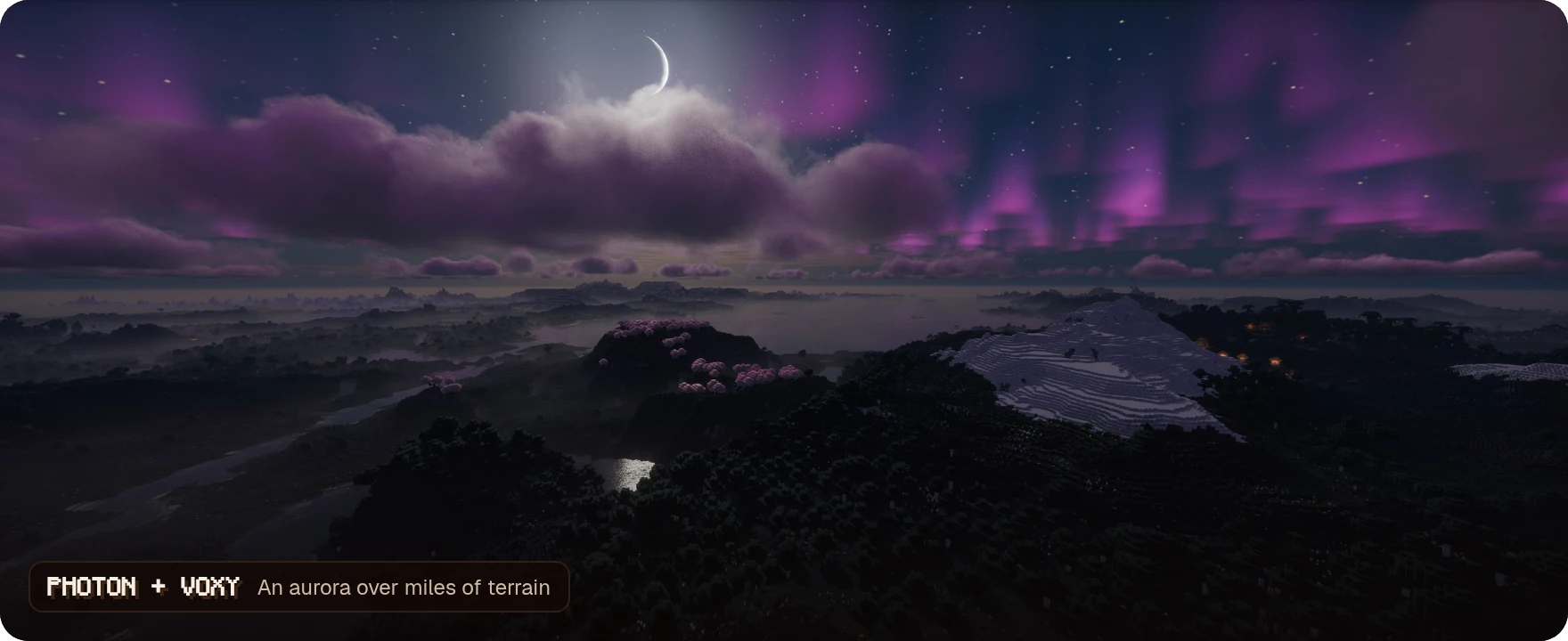
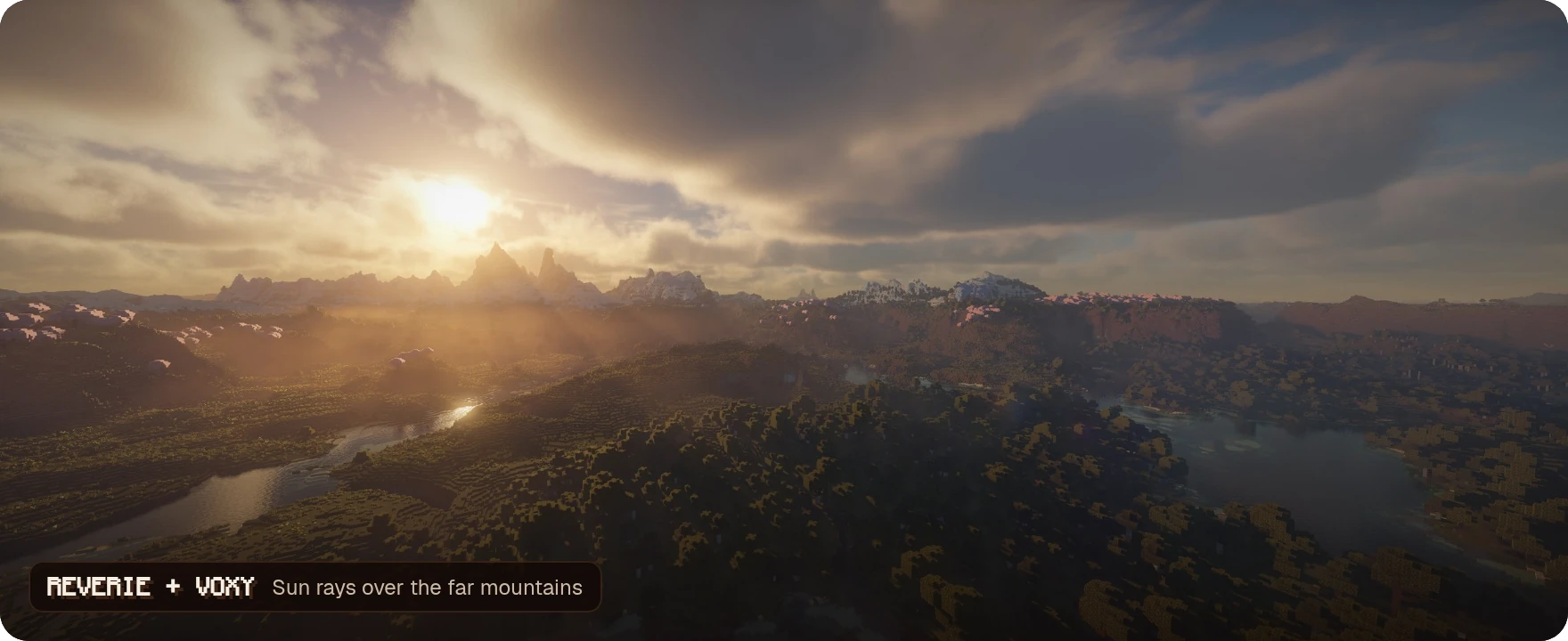
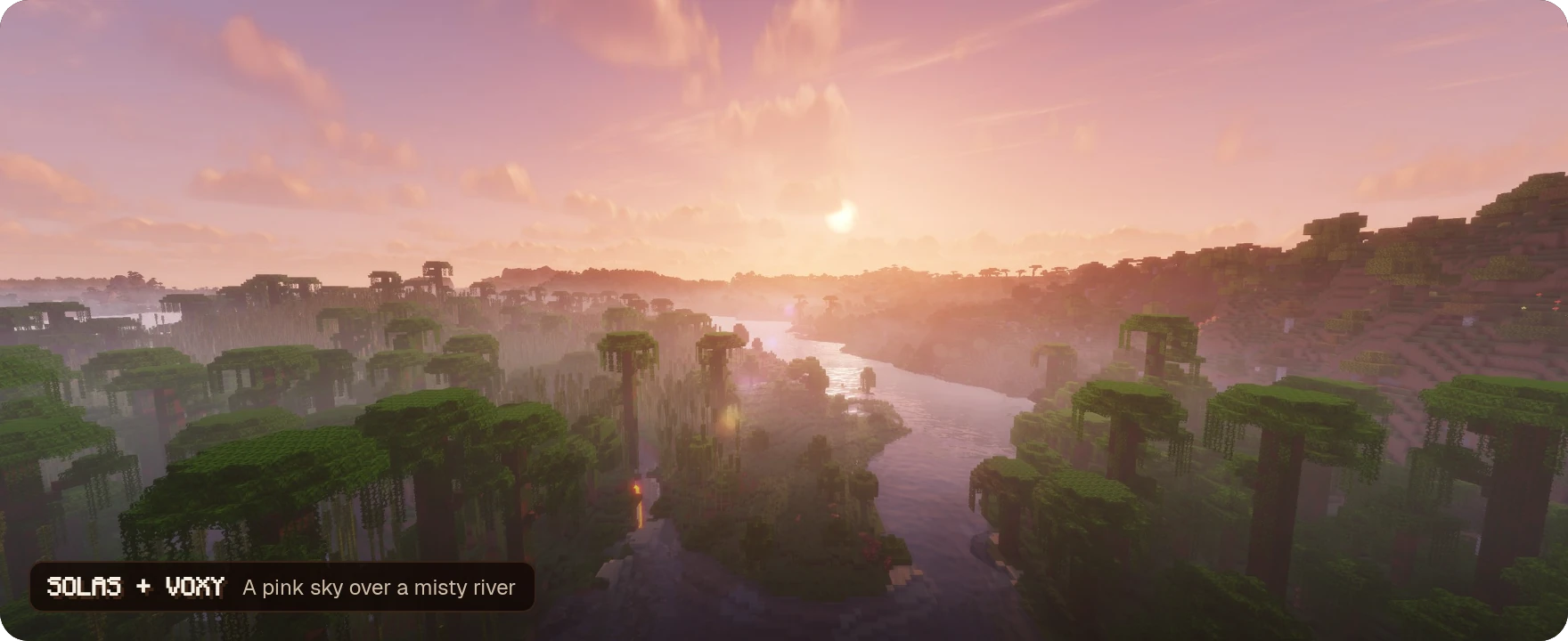
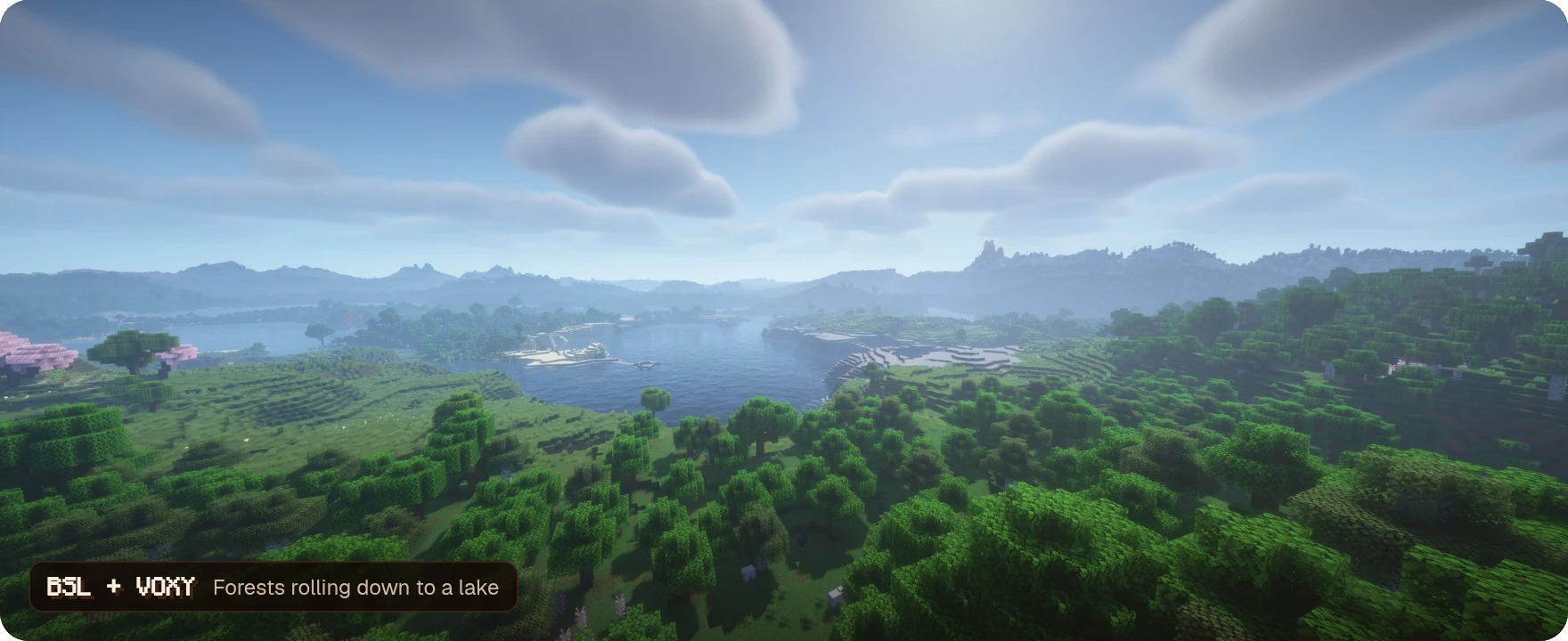
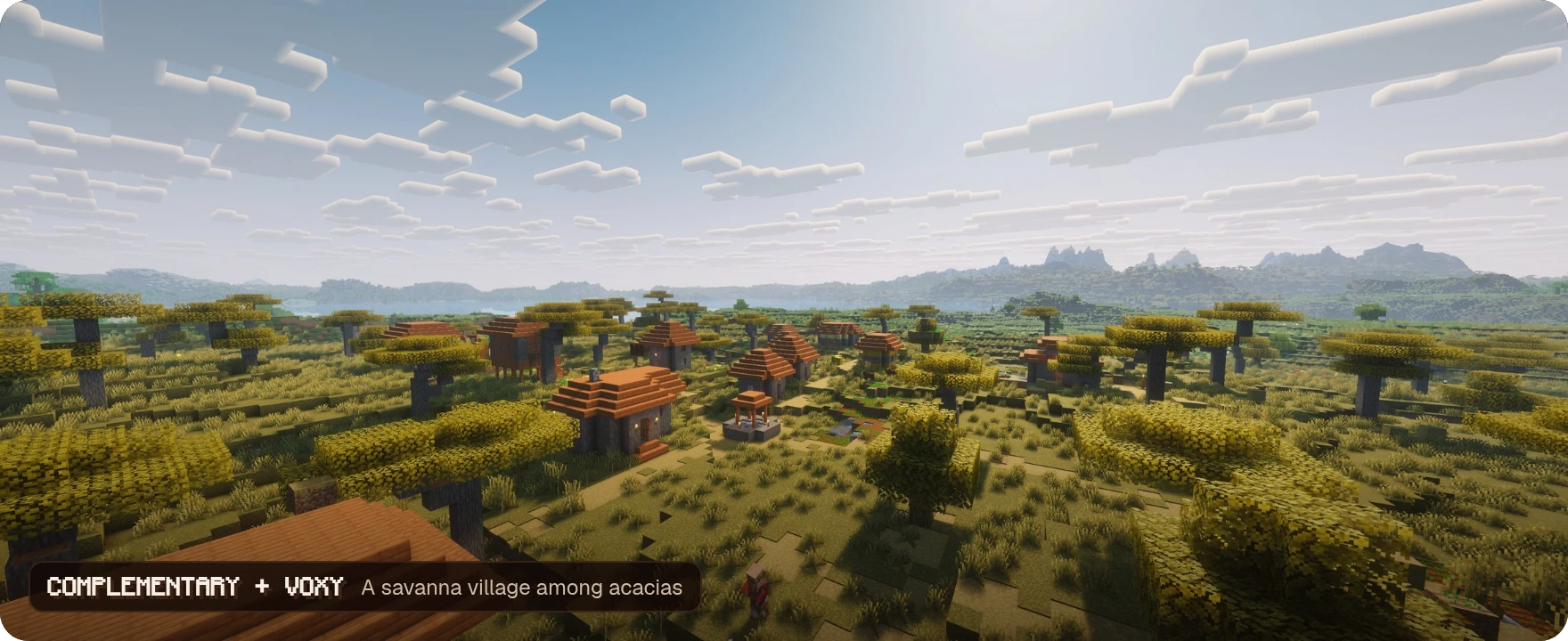
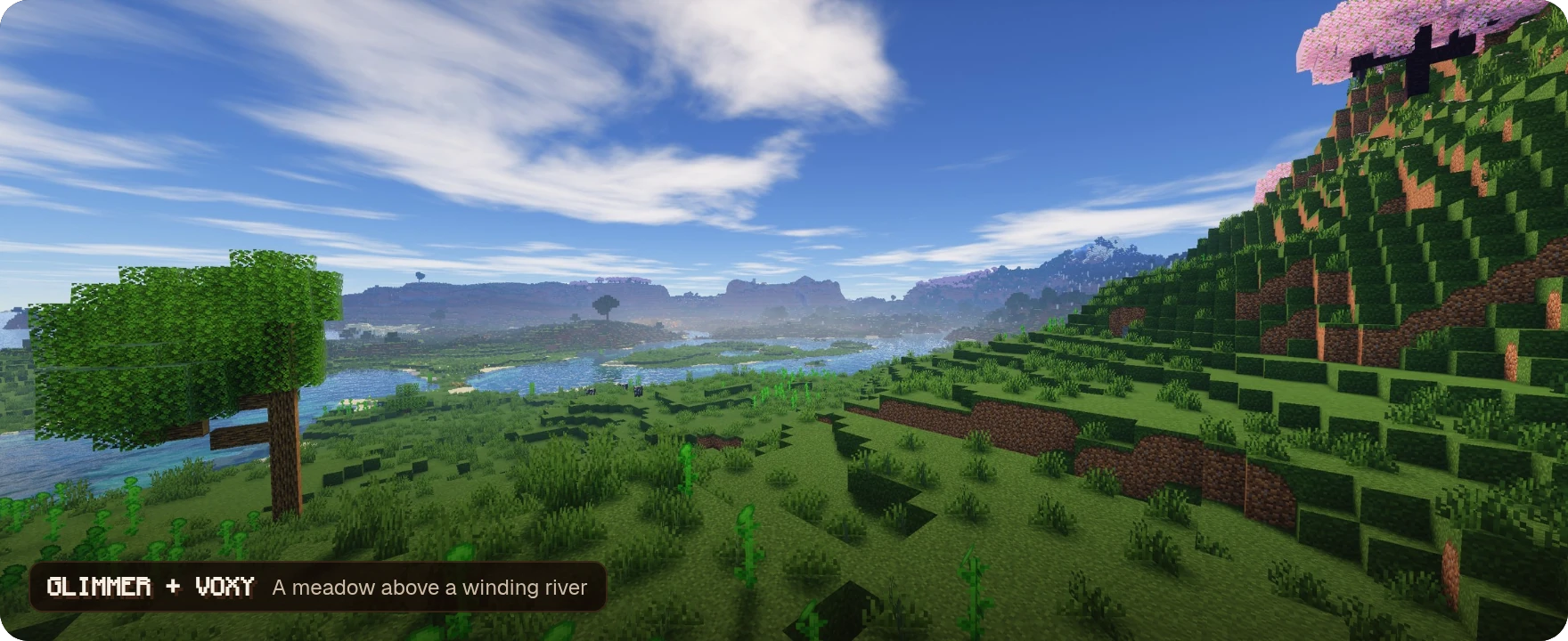
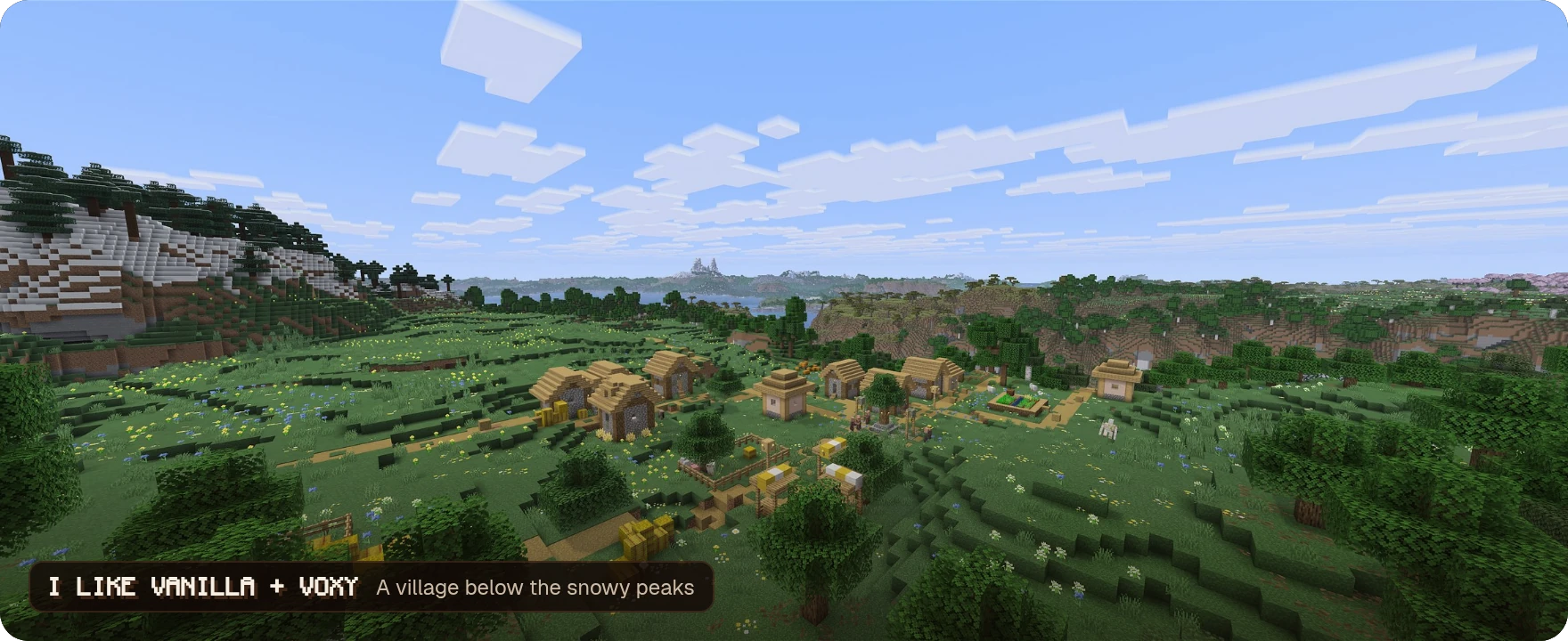
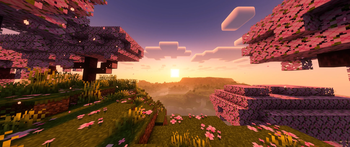
Each shot was taken in Breakneck with voxy and the shader pack named on it.

Sodium rebuilds the renderer, Lithium and C2ME speed up game logic and chunk loading, and FerriteCore and ModernFix cut memory use. ImmediatelyFast, More Culling and AsyncParticles trim what's left, and Dynamic FPS makes the game use fewer resources while it's in the background.
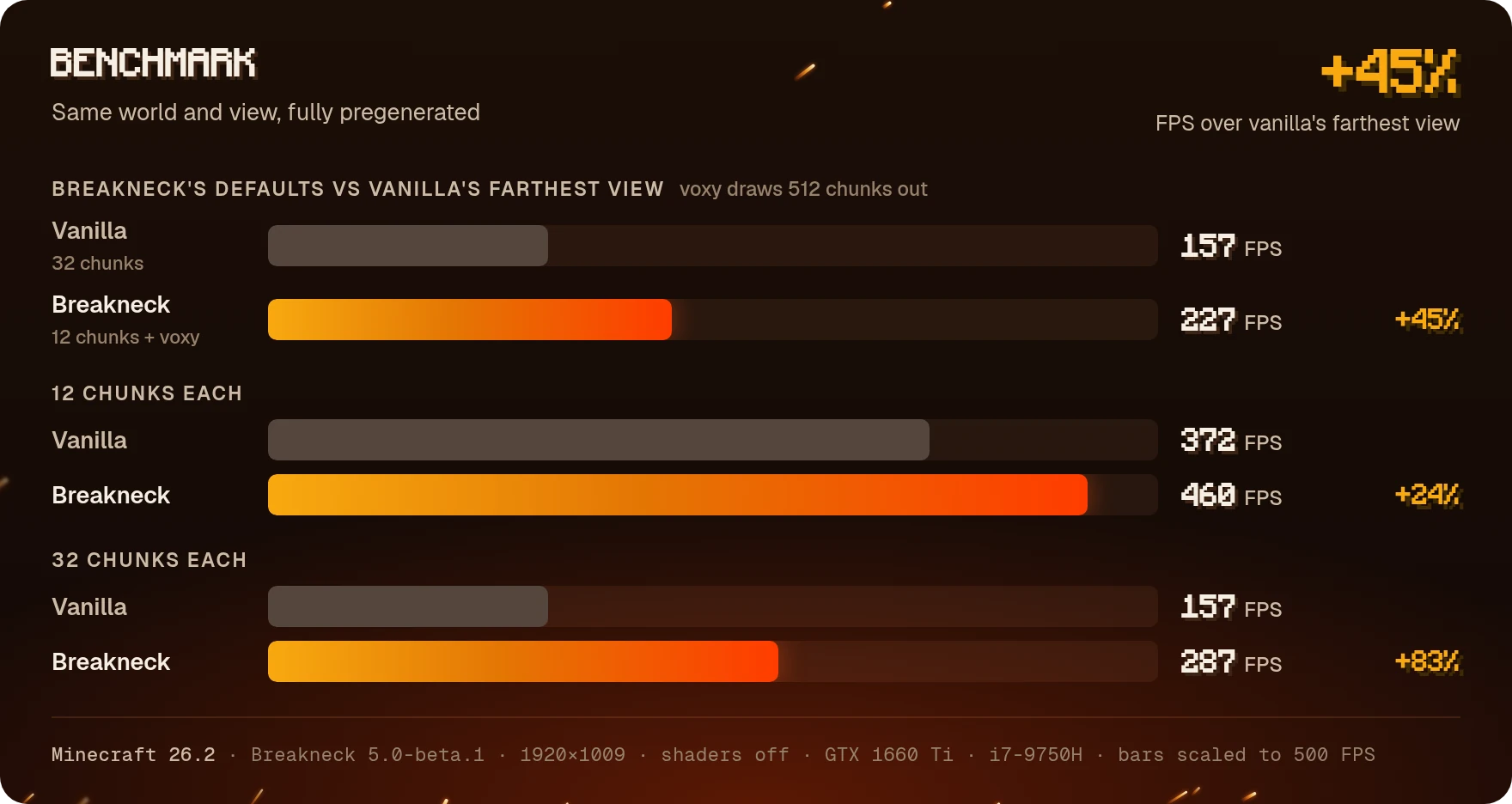
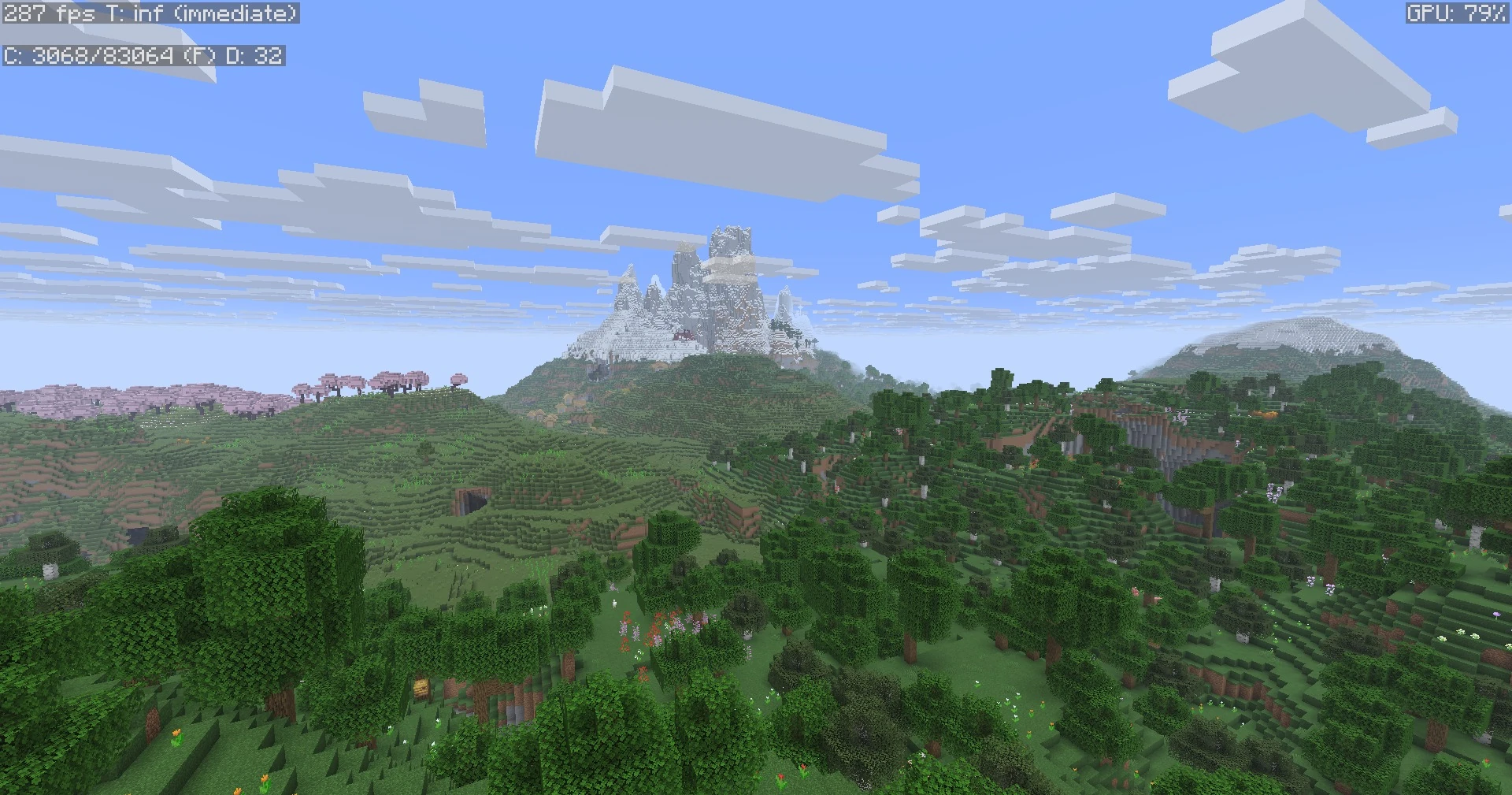
Measured on Minecraft 26.2 with Breakneck 5.0-beta.1, in a world pregenerated 512 chunks out. With its default setup, 12 chunks and voxy, Breakneck shows far more of that world than vanilla at its maximum of 32 chunks, and still gets 45% more frames. The screenshots and settings are under Benchmark details at the bottom.



Fresh Animations brings the mobs to life, and Just Expressions does the same for your skin once it's set up for it.
You also get:
- Leaves that drift in the wind and shake loose when you hit them (Falling Leaves)
- 3D skin layers and capes that sway and bend as you move (3D Skin Layers, Wavey Capes)
- First-person animations in third person (Not Enough Animations)
- Subtle color variation in grass, leaves and water, like on Bedrock (Ambient Environment)
- An optional resource pack for a slightly sharper font (Slightly Improved Font)

Resource packs made for OptiFine work as intended. Here's what handles each feature:
| OptiFine feature | Handled by |
|---|---|
| Shaders | Iris Shaders |
| Connected textures | Continuity |
| Custom entity models | Entity Model Features |
| Random and emissive entity textures | Entity Texture Features |
| Custom item textures | CIT Resewn Continuation |
| Custom GUIs | OptiGUI |
| Animated textures | Animatica Refabricated |
| Custom colors and fog | Polytone |
| Better grass and snow | LambdaBetterGrass |
| Dynamic lights | LambDynamicLights |
| Zoom | Zoomify |
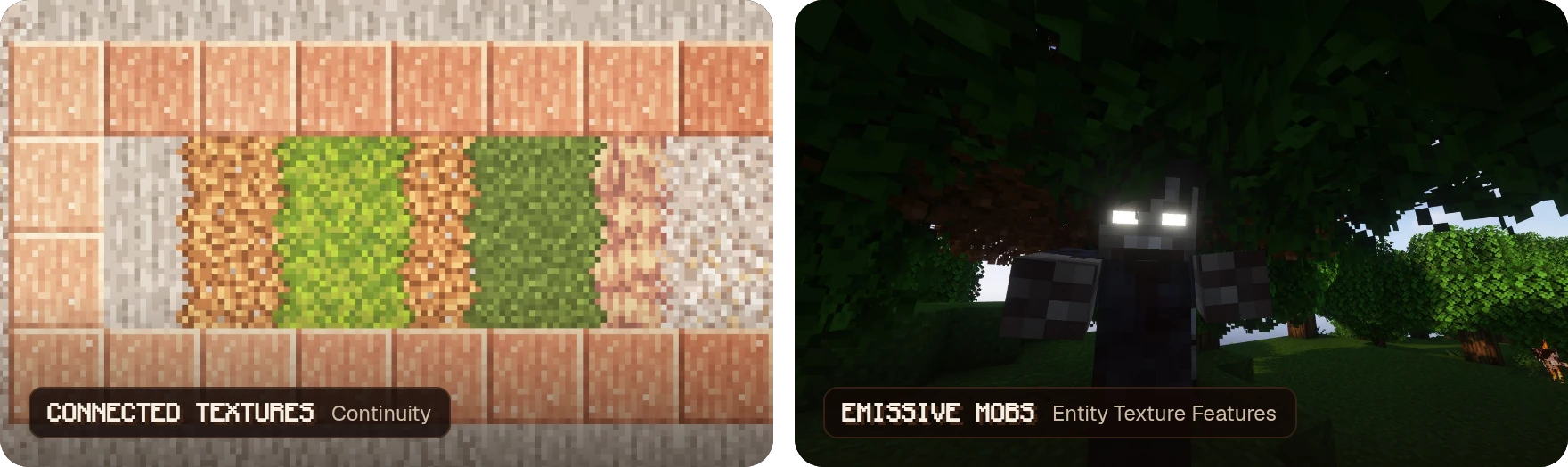
Shown with the Stay True and Tissou's Zombie Pack resource packs.

| What you get | Mod |
|---|---|
| Join servers on any version, from Classic to Bedrock | ViaFabricPlus |
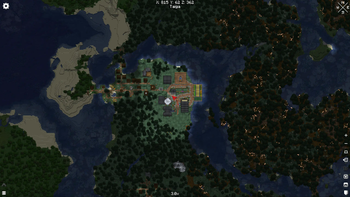
| A full-screen world map | Xaero's World Map |
| Look up any item, recipe or villager trade | Roughly Enough Items |
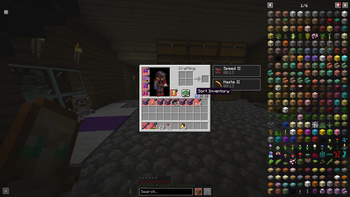
| Sort your inventory, lock slots and save gear sets | Inventory Profiles Next |
| Swap items without opening your inventory | ItemSwapper |
| Faster dragging and scrolling in inventories | Mouse Tweaks |
| Peek inside shulker boxes | Shulker Box Tooltip |
| Hunger and saturation on your HUD | AppleSkin |
| Know what every enchantment does | Enchantment Descriptions |
| Harvest and replant crops with one click | Replanter Forked |
| Open chests through signs and item frames | ClickThrough Plus |
| Proximity voice chat, on servers that have it | Simple Voice Chat |
| Invite friends to your singleplayer world | e4mc |
| Play with a controller | Controllable |
| Keep your chat unreportable | No Chat Reports |
| Browse resource packs and shaders in-game | Resourcify |
| Hide your shield and your own potion particles | Client Tweaks |
| Borderless fullscreen | Cubes Without Borders |
And plenty more. See every mod in the modlist.

Does it work on servers?
Yes. Every mod is client-side, so you can join any server that vanilla Minecraft can. Voice chat needs the server to run Simple Voice Chat too.
Does voxy work on servers?
Yes. It turns the chunks you explore into LODs, so on servers the far view fills in as you travel.
What does voxy need?
A graphics card with OpenGL 4.6 support.
Can I join servers on other versions?
Yes. Pick the server's version with the ViaFabricPlus button on the multiplayer screen.
How do I give it more RAM?
Our RAM guide shows how in each launcher.
Benchmark details
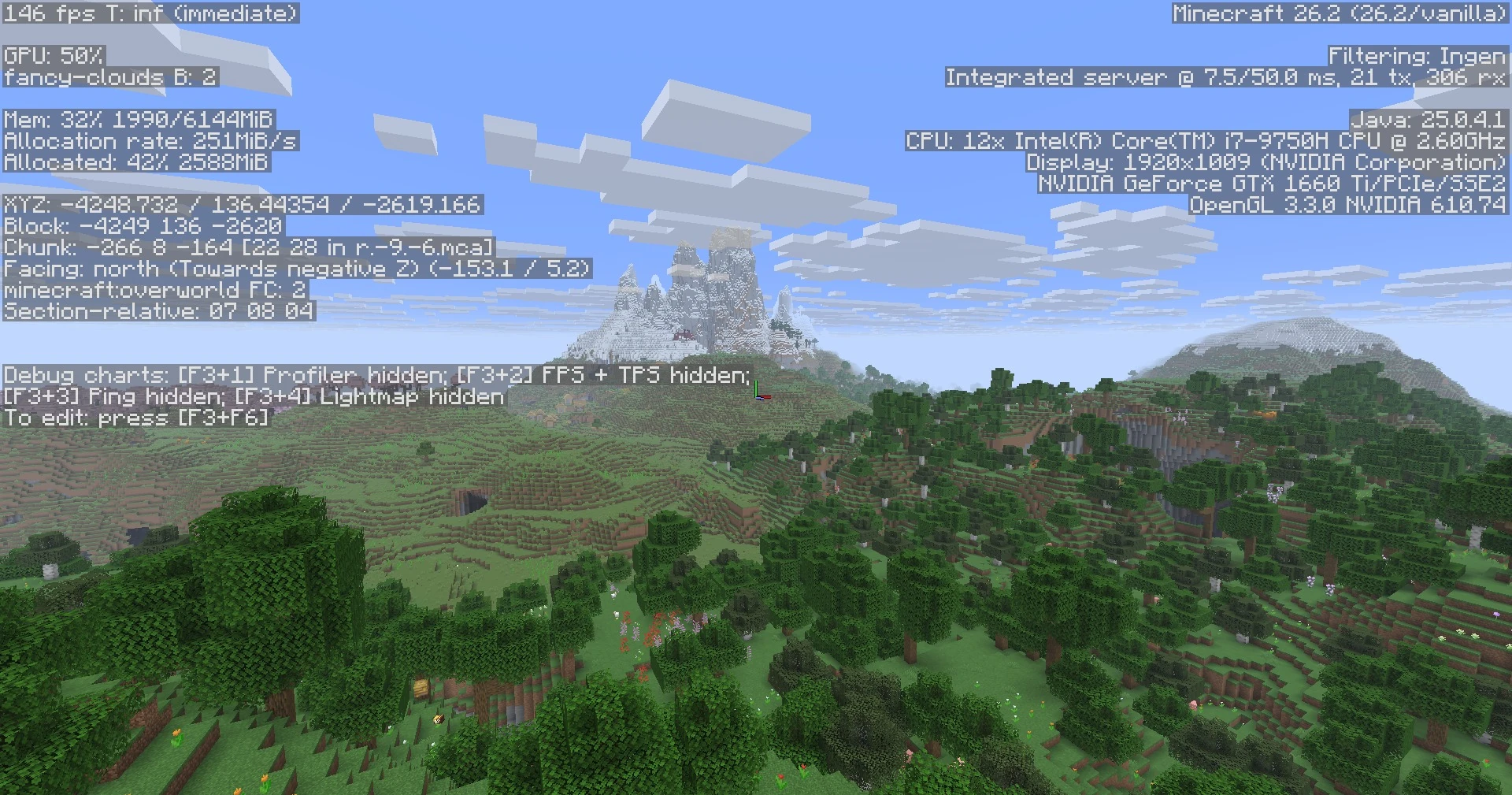
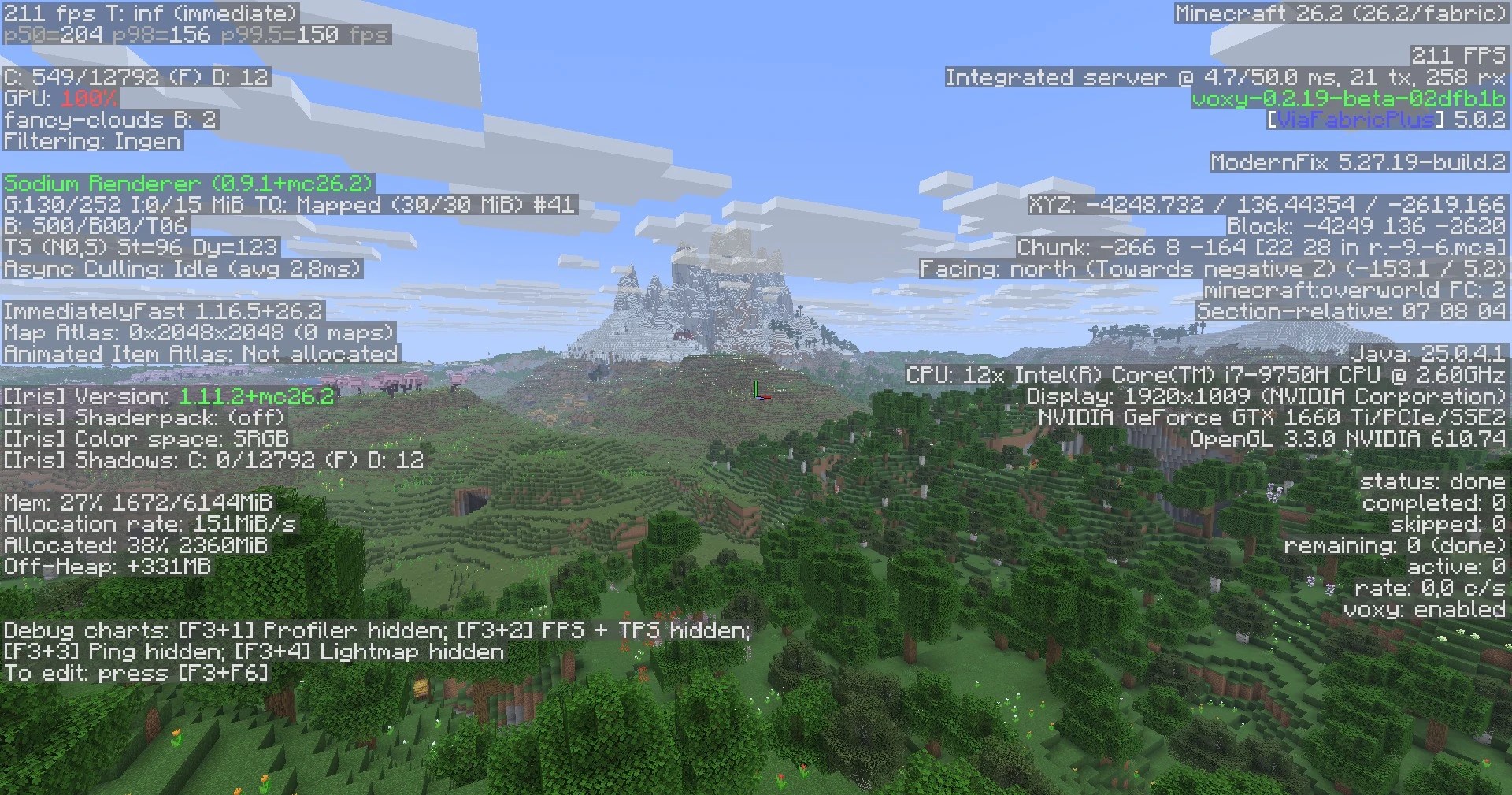
All screenshots were taken in the same world, looking at the same spot, with the same settings apart from render distance and voxy: Minecraft 26.2, Breakneck 5.0-beta.1, a 1920×1009 window and no shaders. Vanilla defaults to 12 chunks and goes up to 32, while Breakneck defaults to 12 chunks with voxy. The world is fully pregenerated 512 chunks out, so voxy has real terrain to draw far past 32 chunks. The computer is a laptop with an Intel Core i7-9750H and a GeForce GTX 1660 Ti, and the game gets 6 GB of memory.
The framerate is the game's own counter, with the rest of the F3 screen hidden on both sides. Breakneck's shots also show the render distance, as D. The last two screenshots show the full F3 screen on each side.
Vanilla at 32 chunks, its maximum
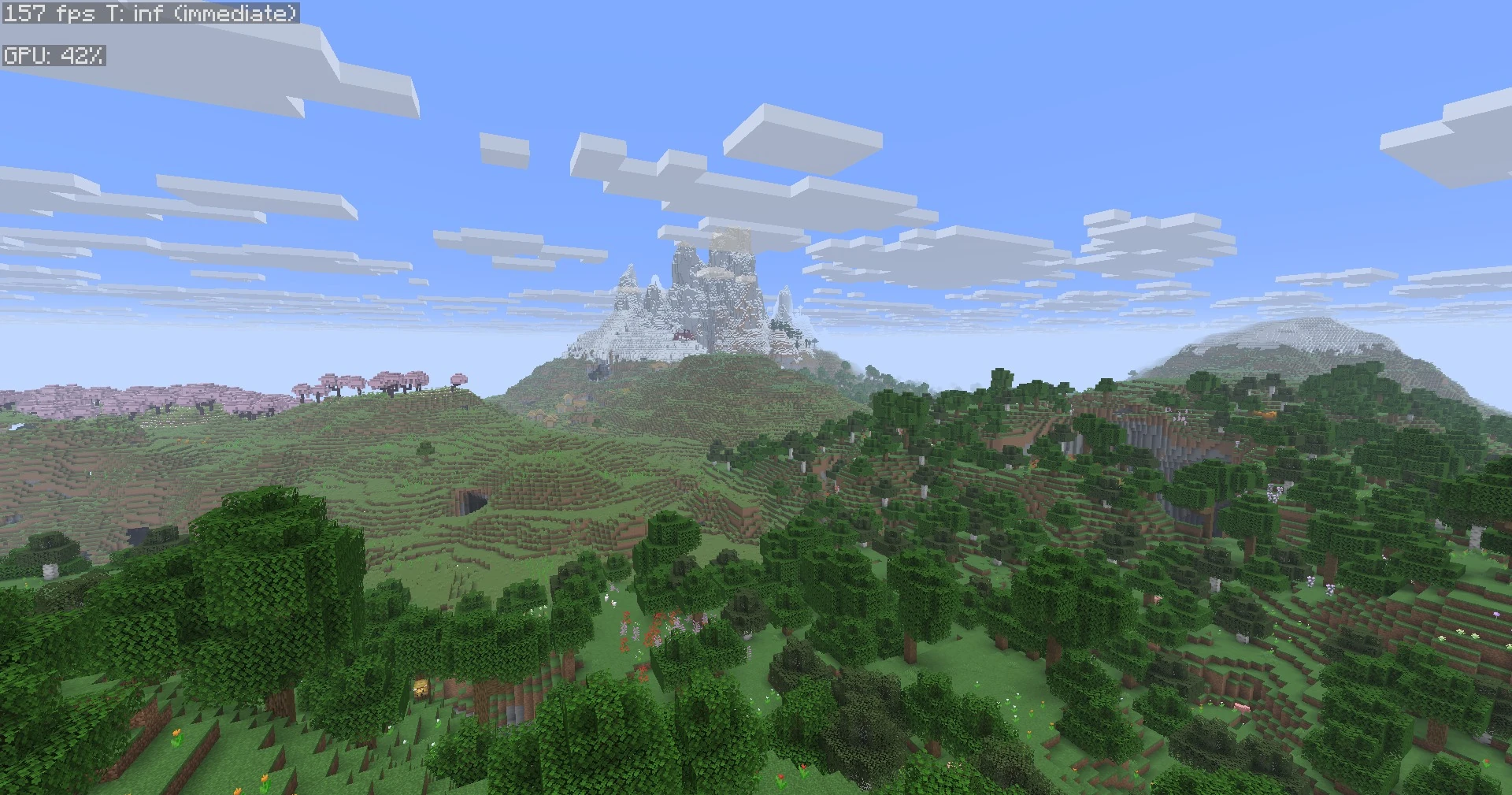
Breakneck's default setup: 12 chunks with voxy
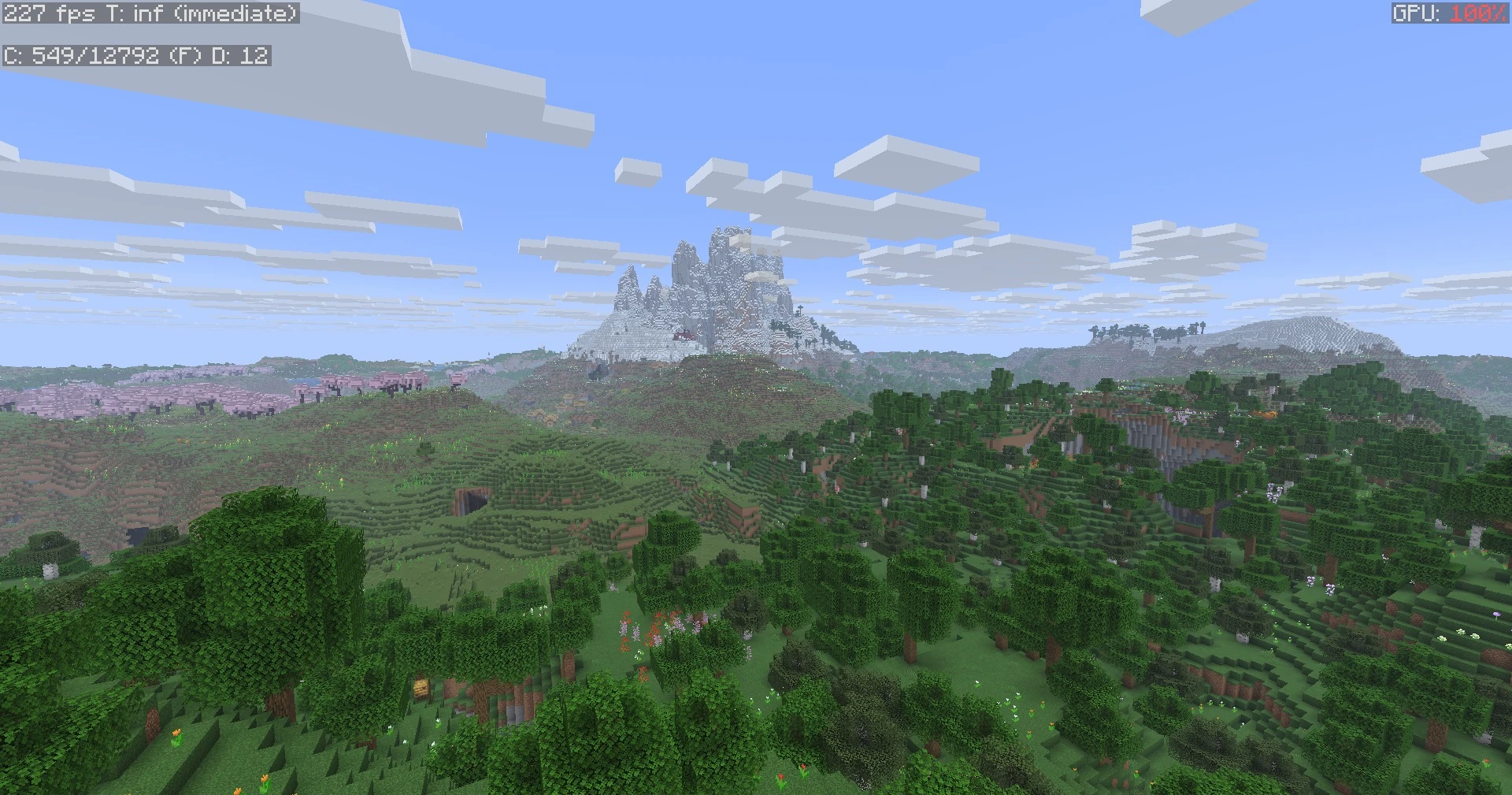
Vanilla at 12 chunks
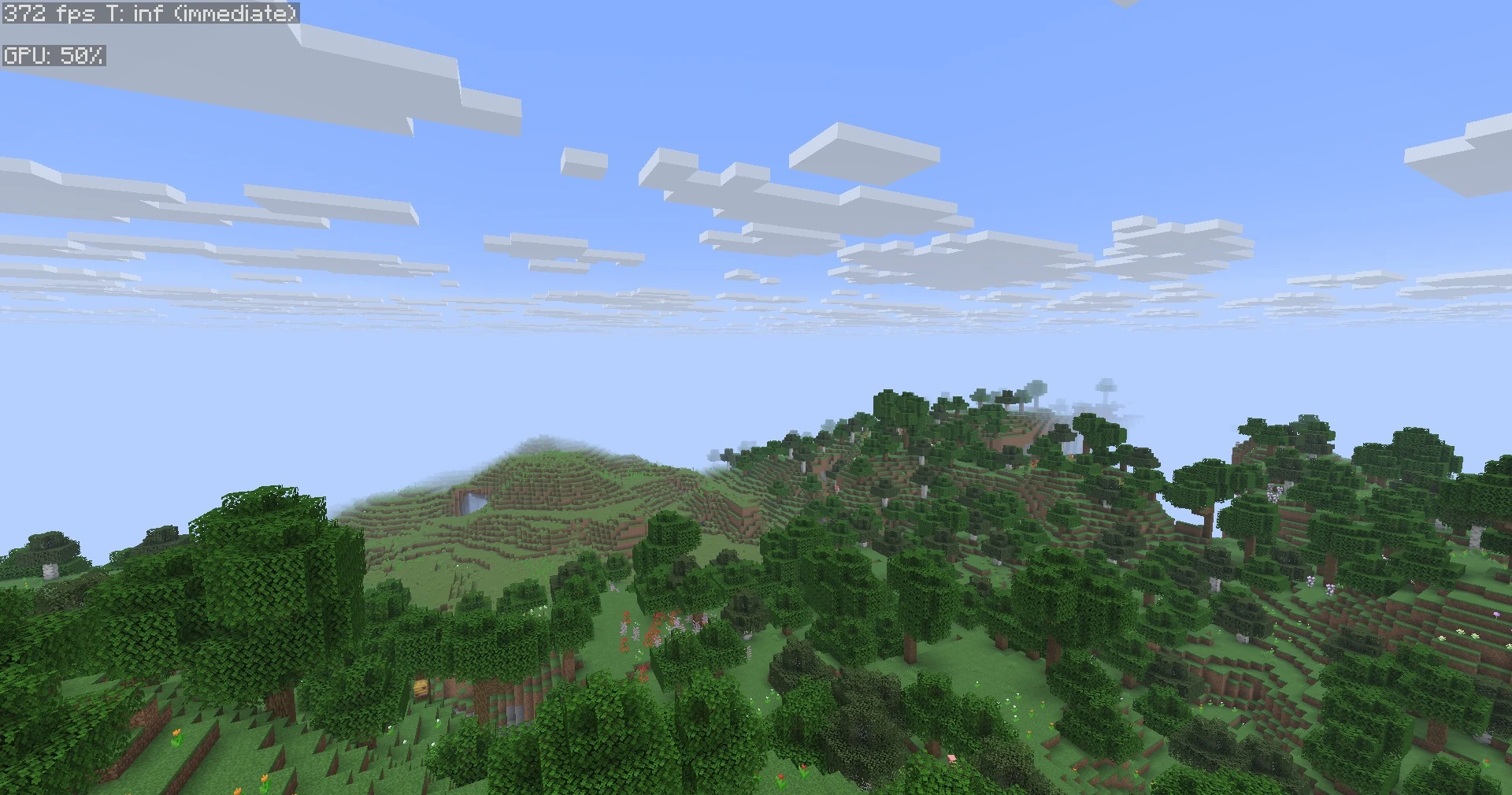
Breakneck at 12 chunks
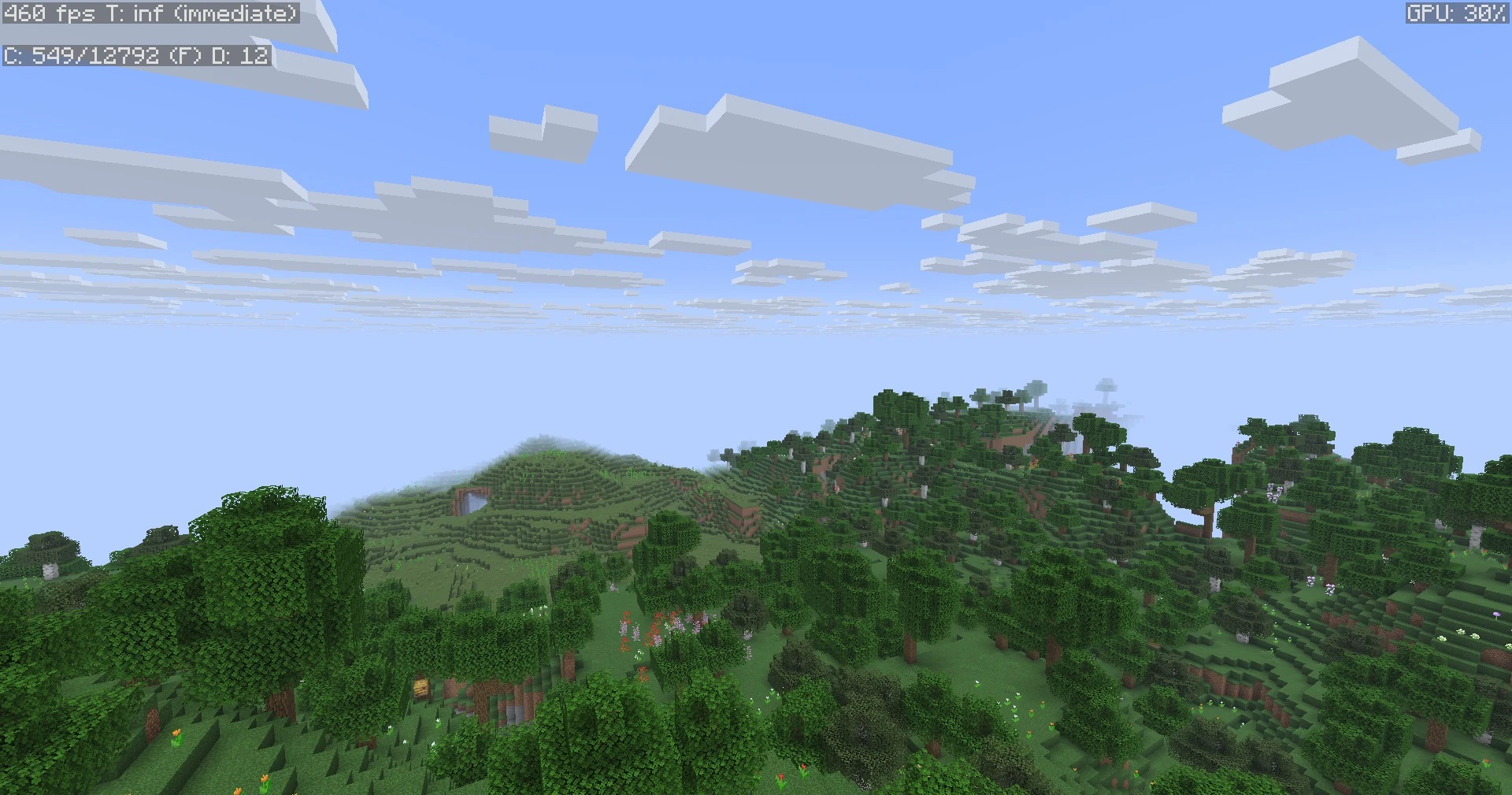
Breakneck at 32 chunks
The full F3 screen in vanilla
The full F3 screen in Breakneck

License: Breakneck is licensed under CC BY 4.0, so you may use it as a base for your own modpacks, as long as you give proper credit. Mods, resource packs and shaderpacks by other authors keep their own licenses. The Breakneck logo and imagery aren't covered and remain all rights reserved.
Available Versions
How to Set Up a Breakneck Optimized Server
Order Server
Choose at least 4 GB RAM (6 GB recommended for Breakneck Optimized). Based on player count: per 8 players.
Install Modpack in Dashboard
Open the modpack browser in the dashboard, search for "Breakneck Optimized" and click "Install". The fabric loader and Minecraft 26.2 are configured automatically.
Start Server & Play
Start the server – all mods are loaded automatically. Share the server IP with friends and play together!
Frequently Asked Questions
Breakneck Optimized server crashes or won't start – what to do?
Most common causes: insufficient RAM or wrong fabric loader. Check latest.log for "OutOfMemoryError" → increase RAM to at least 6 GB. For "Mixin" or "ClassNotFoundException" errors: modpack version and loader don't match. With Mado Hosting, loader and Minecraft version are auto-configured on modpack install – preventing most startup issues.
How much RAM does a Breakneck Optimized server really need?
Minimum 4 GB, recommended 6 GB for stable performance. per 8 players. Important: Minecraft modpacks need more RAM than vanilla – plan extra per additional player. With Mado Hosting, you can scale RAM up live at any time without data loss (from €5.2/month).
Can I add custom mods to Breakneck Optimized without conflicts?
Yes, but check compatibility: only use mods for the same loader (fabric) and same Minecraft version (26.2). Common issues: ID conflicts with recipe mods and incompatible coremod versions. The Mado dashboard mod browser only shows compatible mods and warns about known conflicts.
Breakneck Optimized server lagging – performance tips
1) Increase RAM to 6 GB+. 2) Reduce server view-distance to 8 (server.properties). 3) Pre-generate chunks with the "Chunky" plugin. 4) Use /spark profiler to check which mods consume the most tick time. With Mado Hosting, all servers run on NVMe SSDs with dedicated CPU cores – eliminating hardware as a bottleneck.
Similar Modpacks

![Cobblemon Official Modpack [Fabric]](https://cdn.modrinth.com/data/5FFgwNNP/e7f9ee2e9d361623847853fe2ddce42f519ee64f.png)
![COBBLEVERSE - Pokemon Adventure [Cobblemon]](https://cdn.modrinth.com/data/Jkb29YJU/581ecf54530972afb18a04660afd820f2f24f6c7.png)
![Better MC [FABRIC] - BMC2](https://cdn.modrinth.com/data/shFhR8Vx/a19c2bcb51d38f32f138d3607e91cb2b7b8e387f_96.webp)


Rent Breakneck Optimized Server
Start your own server with automatic modpack installation.
Details
- License
- Creative Commons Attribution 4.0 International
- Server-side
- Unsupported
- Client-side
- Required
Supported Versions
Start your Breakneck Optimized Server now
From €5.20/month; 6 GB RAM is recommended for best performance.
Configure Server →