
Elixir
A well-researched performance & optimization modpack to make the game run smoother! With shader & Fresh Animations support. 26.3 ✔
Screenshots

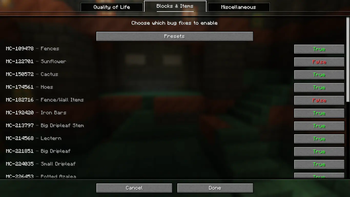

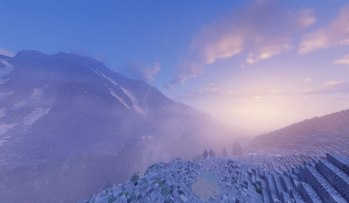


About this Modpack

👋 Welcome to Elixir

What is Elixir?
Elixir is a Fabric modpack dedicated to purely performance and resource pack compatibility. It makes for a great modpack template for new modpacks as it remains up-to-date and allows the user to customize and add on their own mods that they want to the pack without it coming pre-packaged with additional bloat. And it's great for users who don't often use mods because it should act very similarly to vanilla but with much better performance.
Performance & Compatibility
Elixir's optimizations allow for far better FPS, memory usage, chunk loading, resource pack compatibility, modpack compatibility, and more! In general, the specific optimization mods implemented in this pack more often than not lead to better results and compatibility than OptiFine and some other alternatives. As for compatibility, for example, Elixir offers support for resourcepacks such as Fresh Animations, Dramatic Skys, and Redstone Tweaks. NOTE: Support is always dependent on if the mod dependencies are updated to the latest Minecraft versions.
Quality of Life
Quality of life features are secondary to performance, compatibility, and the vanilla feel. Any additions to Elixir are carefully curated to match this criteria. A zoom mod or a mod adding a targeted entity's health to the F3 screen, for example, are simple features that do not distract from the vanilla game, and due to their simplicity, they present practically zero performance or compatibility issues including with other existing mods.
Vanilla Parity
One issue that plagues many other existing performance modpacks is a lack of vanilla parity due to a few included mods or config settings that in some cases affects gameplay in a way that differs from vanilla. This includes parts of the game such as world generation, rng, mob spawning, and entity pathfinding, which can negatively impact redstone contraptions, farms, and lead to conflicts with a larger set of mods that players may also want to use. As a result of its importance, I made it my goal to create a modpack that maintains vanilla parity in gameplay.
Shaders
Using Iris's shader implementation, Elixir enables the usage of both old and new shaderpacks while also benefitting from some very helpful performance mods!
Feature Request?
Any feature suggestions you'd like to see implemented within Elixir? Head over to the issue tracker to suggest them!
Mod List/Adding Mods
You can find a list of mods for each version that's released over on the wiki! This modpack was also made to be built on top of as a base for any other QoL client-side mods you may want such as camera or brightness mods!
Modpack Versioning: x.v#
- "x" corresponds to a full Minecraft update (26.1, 26.4, 28.3, for example)
- "v#" is the modpack version (v1, v2, v7, v15, for example)
- Here are some example versions with this new system: 26.1-snapshot1, 26.1-snapshot4-v3, 26.1-pre2-v2, 26.1-rc1, 26.1-v1, 26.1-v5, 26.1-v9, 27.3.1-snapshot3, 28.4-v2+neoforge
- Previous vs New Versioning Systems: 4.0.0-alpha.1-26.1 vs 26.1-v1, 4.0.0-beta.1-26.1 vs 26.1-v2, 4.0.0-26.1 vs 26.1-v3, 4.0.1-26.1 vs 26.1-v4, 4.1.0-alpha.1-26.2 vs 26.2-v1, 5.3.0-27.4 vs 27.4-v1
Snapshots
Elixir updates live with snapshots to get you all the great performance and features of the standard releases, but for the snapshots too. This includes early releases for Sodium, Iris, and more when available.
🙋 FAQ
Q: How do I install a modpack?
A: You can find instructions for this over on the wiki!
Q: Is this client-side or server-side?
A: Client-side. You should be able to play with it on any server that allows vanilla clients!
Q: How do I report bugs or provide feature suggestions?
A: Simply create an issue over on the issue tracker!
Q: How can I support you?
A: Just following the modpack by pressing the heart icon on the top of the page would be greatly appreciated!
💻 Need your own Minecraft server?
Available Versions
How to Set Up a Elixir Server
Order Server
Choose at least 4 GB RAM (6 GB recommended for Elixir). Based on player count: per 5 players.
Install Modpack in Dashboard
Open the modpack browser in the dashboard, search for "Elixir" and click "Install". The fabric loader and Minecraft 26.3 are configured automatically.
Start Server & Play
Start the server – all mods are loaded automatically. Share the server IP with friends and play together!
Frequently Asked Questions
Elixir server crashes or won't start – what to do?
Most common causes: insufficient RAM or wrong fabric loader. Check latest.log for "OutOfMemoryError" → increase RAM to at least 6 GB. For "Mixin" or "ClassNotFoundException" errors: modpack version and loader don't match. With Mado Hosting, loader and Minecraft version are auto-configured on modpack install – preventing most startup issues.
How much RAM does a Elixir server really need?
Minimum 4 GB, recommended 6 GB for stable performance. per 5 players. Important: Minecraft modpacks need more RAM than vanilla – plan extra per additional player. With Mado Hosting, you can scale RAM up live at any time without data loss (from €5.2/month).
Can I add custom mods to Elixir without conflicts?
Yes, but check compatibility: only use mods for the same loader (fabric) and same Minecraft version (26.3). Common issues: ID conflicts with recipe mods and incompatible coremod versions. The Mado dashboard mod browser only shows compatible mods and warns about known conflicts.
Elixir server lagging – performance tips
1) Increase RAM to 6 GB+. 2) Reduce server view-distance to 8 (server.properties). 3) Pre-generate chunks with the "Chunky" plugin. 4) Use /spark profiler to check which mods consume the most tick time. With Mado Hosting, all servers run on NVMe SSDs with dedicated CPU cores – eliminating hardware as a bottleneck.
Similar Modpacks

![Cobblemon Official Modpack [Fabric]](https://cdn.modrinth.com/data/5FFgwNNP/e7f9ee2e9d361623847853fe2ddce42f519ee64f.png)
![COBBLEVERSE - Pokemon Adventure [Cobblemon]](https://cdn.modrinth.com/data/Jkb29YJU/581ecf54530972afb18a04660afd820f2f24f6c7.png)
![Better MC [FABRIC] - BMC2](https://cdn.modrinth.com/data/shFhR8Vx/a19c2bcb51d38f32f138d3607e91cb2b7b8e387f_96.webp)


Rent Elixir Server
Start your own server with automatic modpack installation.
Details
- License
- BSD 3-Clause "New" or "Revised" License
- Server-side
- Unsupported
- Client-side
- Required
Supported Versions
Start your Elixir Server now
From €5.20/month; 6 GB RAM is recommended for best performance.
Configure Server →