
Fabulously Optimized
Beautiful graphics, speedy performance and familiar features in a simple package. Wilderness Bound alpha!
Screenshots
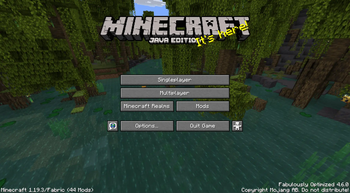
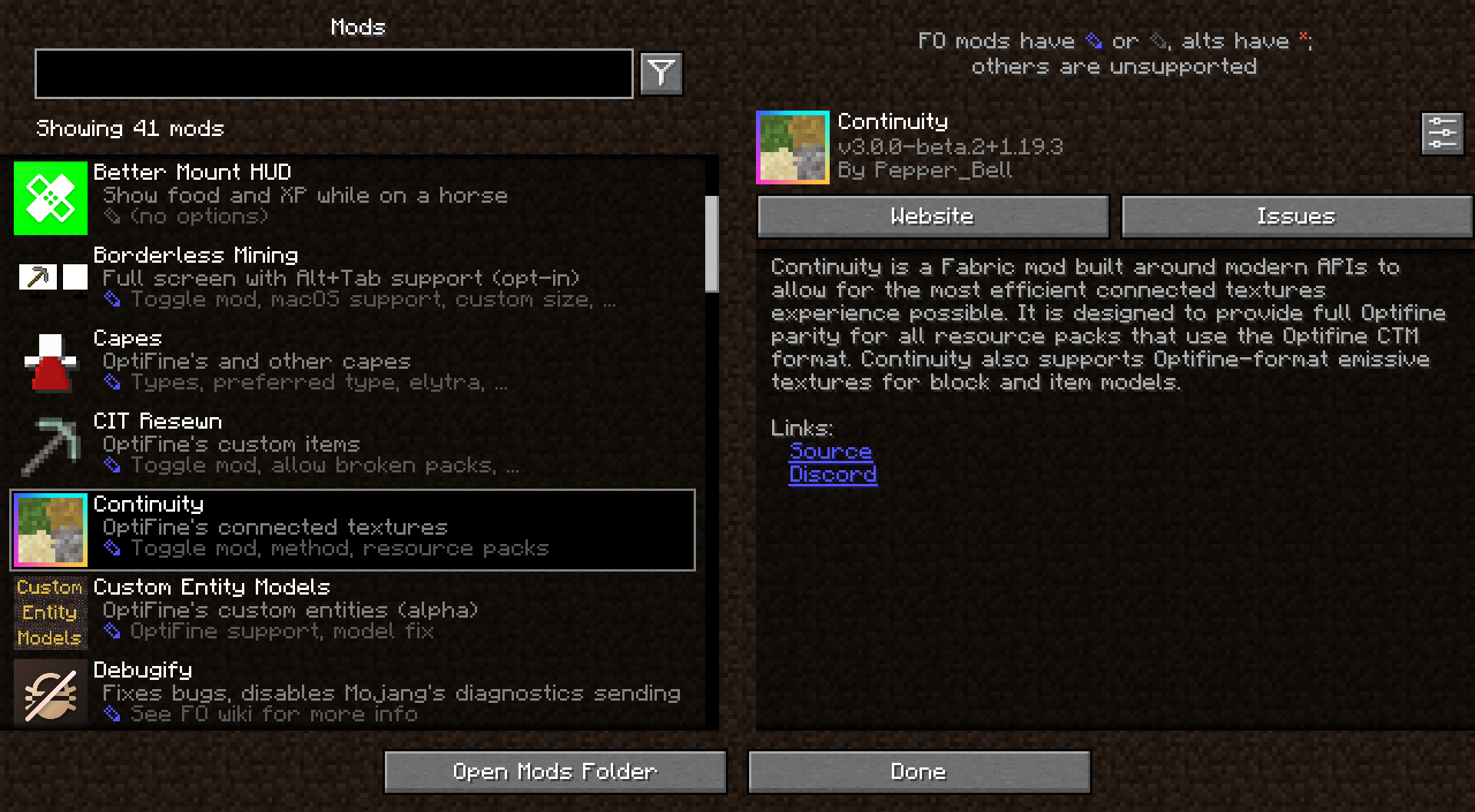




About this Modpack


Wilderness Bound alpha available!
A simple Minecraft modpack focusing on performance and graphics enhancements.

By using this modpack, you agree to the following disclaimers.
Performance
Fabulously Optimized is faster than competing game clients, thanks to modern performance mods like Sodium, Lithium, and others. The bundled mods have been carefully selected to be safe in your worlds and provide noticeable speed benefits on any device.
OptiFine parity
Fabulously Optimized supports most OptiFine features, including shaders, connected textures, and zoom. If your resource pack states "OptiFine required," it will probably function here as well. You can even get your own free cape!
Feels familiar
Fabulously Optimized includes features that allow you to experience Minecraft just as you remember it, no matter what version you've used before. This means you can use game controllers, play local worlds with friends, view advancements in a large window, and much more.
Works everywhere
Fabulously Optimized does not include content mods, so you can play on any world or server. While you can use any game launcher to play the pack, we recommend and provide support for specific ones that offer the best experience.
Up to date
Fabulously Optimized receives fast updates and stands as one of the first modpacks to upgrade to newer Minecraft versions. Updating the modpack is easy and will preserve your mod settings, where possible.
Built on Fabric
Fabulously Optimized uses the Fabric mod loader, which is lightweight, fast, and supports a lot of mods. You can use the modpack as a base to add your favorite mods to.
Open development
Fabulously Optimized is open-source, and so are most of its mods. We welcome user suggestions and collaborate with mod developers to create a better user experience for everyone.
Helpful community
We have a growing community of friendly members who enjoy discussing the pack, translating its content, and helping each other. Join us today!
FAQ
Q: How do I install, update, add mods, or do something else?
Q: Something broke or you should add something!
Q: What mods does it have?
A: Click any version and scroll down or see the comparison table.
Q: I like the modpack. How can I contribute?
A: Ways you can help are described here. Thank you!
Q: Do I need the modpack on the server?
A: No, the pack works on all servers that allow vanilla clients. A detailed answer and server setup tips are here.
If you need a host, click here - 25% off for the first month!
Q: I have more questions!
More info can be found on our homepage download.fo.
Available Versions
How to Set Up a Fabulously Optimized Server
Order Server
Choose at least 4 GB RAM (6 GB recommended for Fabulously Optimized). Based on player count: per 8 players.
Install Modpack in Dashboard
Open the modpack browser in the dashboard, search for "Fabulously Optimized" and click "Install". The fabric loader and Minecraft 26.3 are configured automatically.
Start Server & Play
Start the server – all mods are loaded automatically. Share the server IP with friends and play together!
Frequently Asked Questions
Fabulously Optimized server crashes or won't start – what to do?
Most common causes: insufficient RAM or wrong fabric loader. Check latest.log for "OutOfMemoryError" → increase RAM to at least 6 GB. For "Mixin" or "ClassNotFoundException" errors: modpack version and loader don't match. With Mado Hosting, loader and Minecraft version are auto-configured on modpack install – preventing most startup issues.
How much RAM does a Fabulously Optimized server really need?
Minimum 4 GB, recommended 6 GB for stable performance. per 8 players. Important: Minecraft modpacks need more RAM than vanilla – plan extra per additional player. With Mado Hosting, you can scale RAM up live at any time without data loss (from €5.2/month).
Can I add custom mods to Fabulously Optimized without conflicts?
Yes, but check compatibility: only use mods for the same loader (fabric) and same Minecraft version (26.3). Common issues: ID conflicts with recipe mods and incompatible coremod versions. The Mado dashboard mod browser only shows compatible mods and warns about known conflicts.
Fabulously Optimized server lagging – performance tips
1) Increase RAM to 6 GB+. 2) Reduce server view-distance to 8 (server.properties). 3) Pre-generate chunks with the "Chunky" plugin. 4) Use /spark profiler to check which mods consume the most tick time. With Mado Hosting, all servers run on NVMe SSDs with dedicated CPU cores – eliminating hardware as a bottleneck.
Similar Modpacks
![Cobblemon Official Modpack [Fabric]](https://cdn.modrinth.com/data/5FFgwNNP/e7f9ee2e9d361623847853fe2ddce42f519ee64f.png)
![COBBLEVERSE - Pokemon Adventure [Cobblemon]](https://cdn.modrinth.com/data/Jkb29YJU/581ecf54530972afb18a04660afd820f2f24f6c7.png)
![Better MC [FABRIC] - BMC2](https://cdn.modrinth.com/data/shFhR8Vx/a19c2bcb51d38f32f138d3607e91cb2b7b8e387f_96.webp)


![Better MC [FORGE] - BMC4](https://cdn.modrinth.com/data/4BV47HRn/7f5ef7cc61b2593609aabef3ed07a866a4f11b73_96.webp)
Rent Fabulously Optimized Server
Start your own server with automatic modpack installation.
Details
- License
- BSD 3-Clause "New" or "Revised" License
- Server-side
- Unsupported
- Client-side
- Required
Supported Versions
Start your Fabulously Optimized Server now
From €5.20/month; 6 GB RAM is recommended for best performance.
Configure Server →